AppsFlyer: ส่งอีเวนต์
เทมเพลต Point AppsFlyer: send event จะส่ง อีเวนต์ในแอปแบบ server-to-server ไปยัง AppsFlyer สำหรับ traveler ทุกคนที่ผ่านขั้นตอนนี้ อีเวนต์นี้จะนำข้อมูลการระบุแหล่งที่มาของการติดตั้งไปด้วย ดังนั้นขั้นตอนใน journey จะปรากฏในรายงานของ AppsFlyer และสามารถส่งต่อไปยังเครือข่ายโฆษณาเป็นการแปลง (conversion) ได้
กำหนดค่า point
Anchor link to- ลาก AppsFlyer: send event จากส่วน Integrations ไปวางบน canvas
- ดับเบิลคลิกที่ point และป้อน Step Name
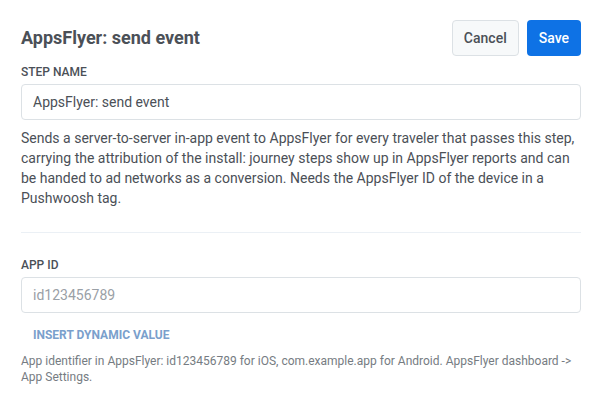
- ใน App ID ให้ป้อนตัวระบุแอปจาก AppsFlyer: App Settings,
id123456789สำหรับ iOS หรือcom.example.appสำหรับ Android
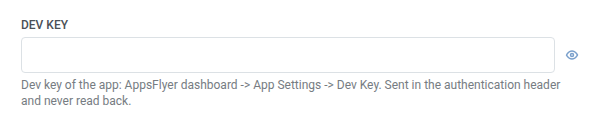
- ใน Dev key ให้ป้อน dev key ของแอปจาก App Settings > Dev Key ซึ่งจะถูกจัดเก็บในรูปแบบที่ถูกปิดบัง เช่นเดียวกับ webhook secret header — Pushwoosh จะไม่แสดงหรือส่งคืนค่านี้เมื่อบันทึกแล้ว และจะไม่ปรากฏในคำขอที่จัดเก็บของ point หรือใน Calls log
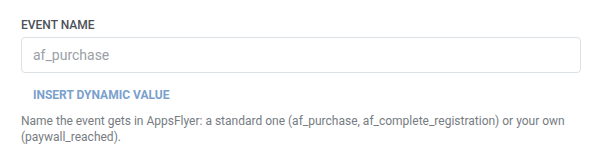
- ใน Event name ให้ป้อนชื่อที่อีเวนต์ควรจะได้รับใน AppsFlyer ซึ่งอาจเป็นชื่อมาตรฐาน (
af_purchase,af_complete_registration) หรือชื่อที่คุณสร้างขึ้นเอง (paywall_reached)
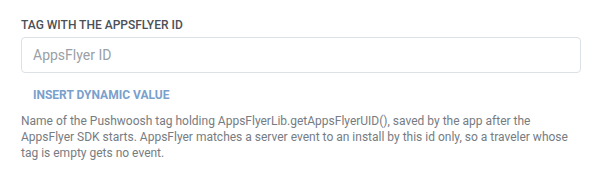
- ใน Tag with the AppsFlyer ID ให้พิมพ์ชื่อแท็ก Pushwoosh ที่แอปใช้บันทึก AppsFlyer ID หลังจากที่ AppsFlyer SDK เริ่มทำงาน (ดูหมายเหตุสำหรับนักพัฒนาด้านบน) ป้อนชื่อแท็กเป็นข้อความธรรมดา เทมเพลต Point ไม่มีตัวเลือกแท็กเหมือนที่ Push หรือ Email ใช้ AppsFlyer จะจับคู่อีเวนต์ของเซิร์ฟเวอร์กับการติดตั้งด้วย ID นี้เท่านั้น ดังนั้นโปรดตรวจสอบให้แน่ใจว่าชื่อแท็กถูกต้องทุกประการ
- ไม่บังคับ ใน Customer user ID ให้คงค่าเริ่มต้น
{{device:user_id}}เพื่อส่ง Pushwoosh user ID หรือป้อนตัวระบุของคุณเองเพื่อใช้ในการกระทบยอดใน AppsFlyer
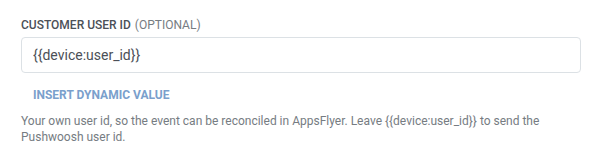
- ไม่บังคับ ใน Currency ให้คงค่าเริ่มต้น
USDหรือป้อนรหัส ISO 4217 อื่นๆ ซึ่งจะถูกส่งเป็นeventCurrency
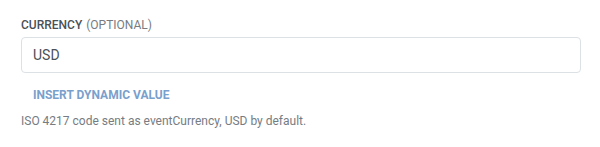
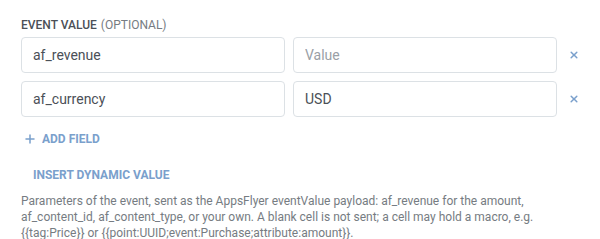
- ไม่บังคับ ใน Event value ให้เพิ่มพารามิเตอร์ที่จะส่งเป็น payload
eventValueของ AppsFlyer — ดู ฟิลด์ key/value ตารางจะเริ่มต้นด้วยแถวaf_revenueและaf_currencyที่กรอกไว้ล่วงหน้า ลบแถวที่คุณไม่ต้องการออกได้ ใช้af_revenueสำหรับจำนวนเงิน และaf_content_idหรือaf_content_typeสำหรับข้อมูลของคุณเอง ไม่มีฟิลด์รายได้ที่เป็นตัวเลขแยกต่างหาก:af_revenueเป็นเซลล์สตริงในตารางนี้ เช่นเดียวกับพารามิเตอร์อื่นๆ และสามารถใช้มาโครเช่น{{tag:Price}}ได้ เซลล์ที่ว่างเปล่าจะไม่ถูกส่ง
- คลิก Save
เมื่อไม่มีการส่งคำขอ
Anchor link toPushwoosh จะข้ามคำขอ (และ traveler จะเดินทางต่อไปยังขั้นตอนถัดไป) เมื่อแท็กใน Tag with the AppsFlyer ID ว่างเปล่าสำหรับ traveler คนนั้น นี่ไม่ใช่คำขอที่ล้มเหลว เพราะ AppsFlyer จะไม่มีข้อมูลใดๆ ที่จะใช้จับคู่อีเวนต์ได้
คำขอที่ล้มเหลว (ซึ่งมี AppsFlyer ID) จะทำให้ traveler ออกจาก journey แทน ดู ข้อผิดพลาดและคำขอที่ล้มเหลว
สถานการณ์ตัวอย่าง: การรายงานการซื้อที่เสร็จสมบูรณ์ไปยัง AppsFlyer
Anchor link toแอปต้องการให้การซื้อที่เกิดขึ้นในภายหลังใน journey มีข้อมูลการระบุแหล่งที่มาของการติดตั้งใน AppsFlyer เพื่อให้สามารถส่งต่อไปยังเครือข่ายโฆษณาเป็นการแปลง (conversion) ได้ สถานการณ์นี้สมมติว่าทีมพัฒนาได้บันทึก AppsFlyer ID ลงในแท็ก Pushwoosh แล้วตามที่อธิบายไว้ข้างต้น
- เพิ่ม AppsFlyer: send event ทันทีหลังจากขั้นตอนที่ยืนยันการซื้อ ตั้งค่า Event name เป็น
af_purchaseใน Event value ตั้งค่าaf_revenueเป็น{{tag:LastPurchaseAmount}} - คลิก Save
เมื่อขั้นตอนนี้ทำงาน การซื้อจะปรากฏในรายงานของ AppsFlyer พร้อมกับข้อมูลการระบุแหล่งที่มาของการติดตั้ง พร้อมที่จะส่งต่อไปยังเครือข่ายโฆษณาเป็นการแปลง (conversion)