ส่งข้อความ Viber
คู่มือนี้จะแนะนำวิธีการส่งข้อความ Viber ใน Pushwoosh ผ่าน Customer Journey หรือ API
ส่งข้อความ Viber ผ่าน Customer Journey
Anchor link toPushwoosh ช่วยให้คุณสามารถรวมการส่งข้อความ Viber เข้ากับ Customer Journeys ได้ ทำตามขั้นตอนเหล่านี้เพื่อกำหนดค่า:
-
ไปที่ Campaigns > Customer Journey Builder ในแถบด้านข้างหลัก
-
คลิก Build a journey from scratch
-
เพิ่มองค์ประกอบ Entry เพื่อกำหนดว่าใครจะเข้าสู่ Journey เรียนรู้วิธีกำหนดค่าองค์ประกอบ Entry
-
เพิ่ม องค์ประกอบ Viber และเชื่อมต่อกับส่วนที่เหลือของโฟลว์ของคุณ (เช่น ทริกเกอร์การเข้าและขั้นตอนถัดไป)
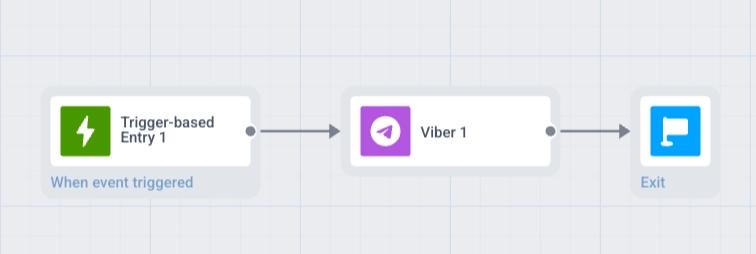
- คลิกองค์ประกอบ Viber เพื่อเปิดแผงการตั้งค่า เลือกเนื้อหาแบบ Template หรือ Freeform ตั้งค่า Message type กำหนดค่า Frequency capping และเพิ่ม Vouchers (ไม่บังคับ) เรียนรู้เพิ่มเติมเกี่ยวกับองค์ประกอบ Viber
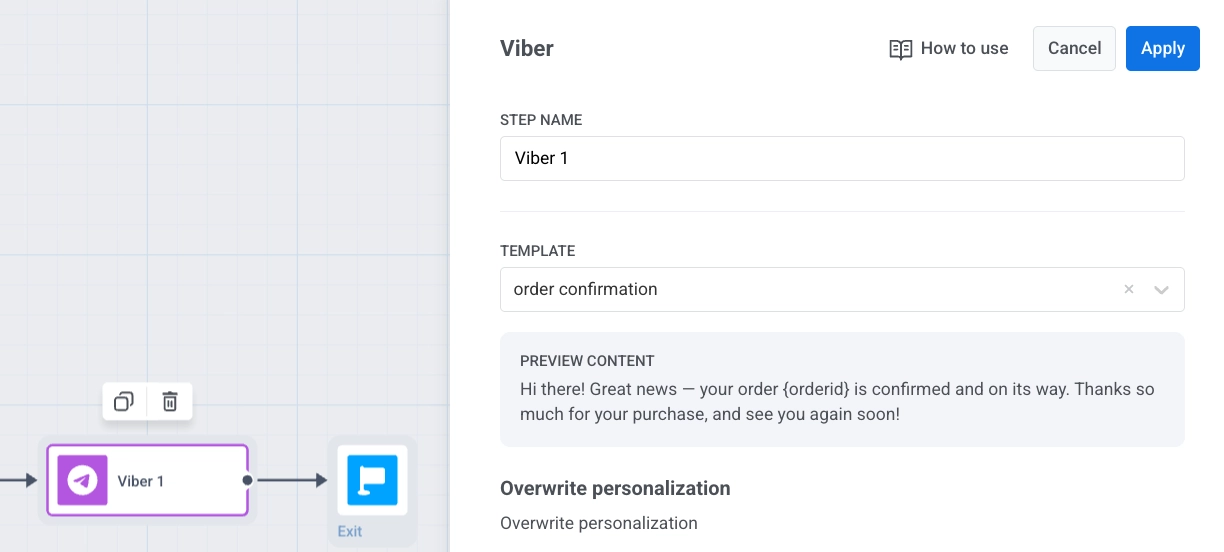
-
คลิก Save เพื่อบันทึกการตั้งค่าองค์ประกอบ
-
ตั้งค่า Journey ให้เสร็จสิ้น โดยสิ้นสุดแต่ละสาขาด้วย Exit element หรือปล่อยไว้โดยไม่มีการเชื่อมต่อขาออก เมื่อคุณพร้อมแล้ว คลิก Launch journey เพื่อเปิดใช้งาน
ส่งข้อความ Viber ผ่าน API
Anchor link toส่งข้อความ Viber โดยใช้เมธอด Notify ใน Messaging API v2