ใช้เครื่องมือ AI ในตัวแก้ไขแบบลากและวาง
ตัวแก้ไขแบบลากและวางของ Pushwoosh ใช้ AI ตลอดขั้นตอนการสร้างอีเมล ตั้งแต่ผู้ช่วยแชทที่แก้ไขเนื้อหาของคุณไปจนถึงการแปลด้วยคลิกเดียวและการจัดสไตล์ให้เข้ากับแบรนด์ หน้านี้จะเชื่อมโยงเครื่องมือ AI แต่ละตัวเข้ากับคู่มือที่อธิบายรายละเอียดเชิงลึก
แท็บ AI
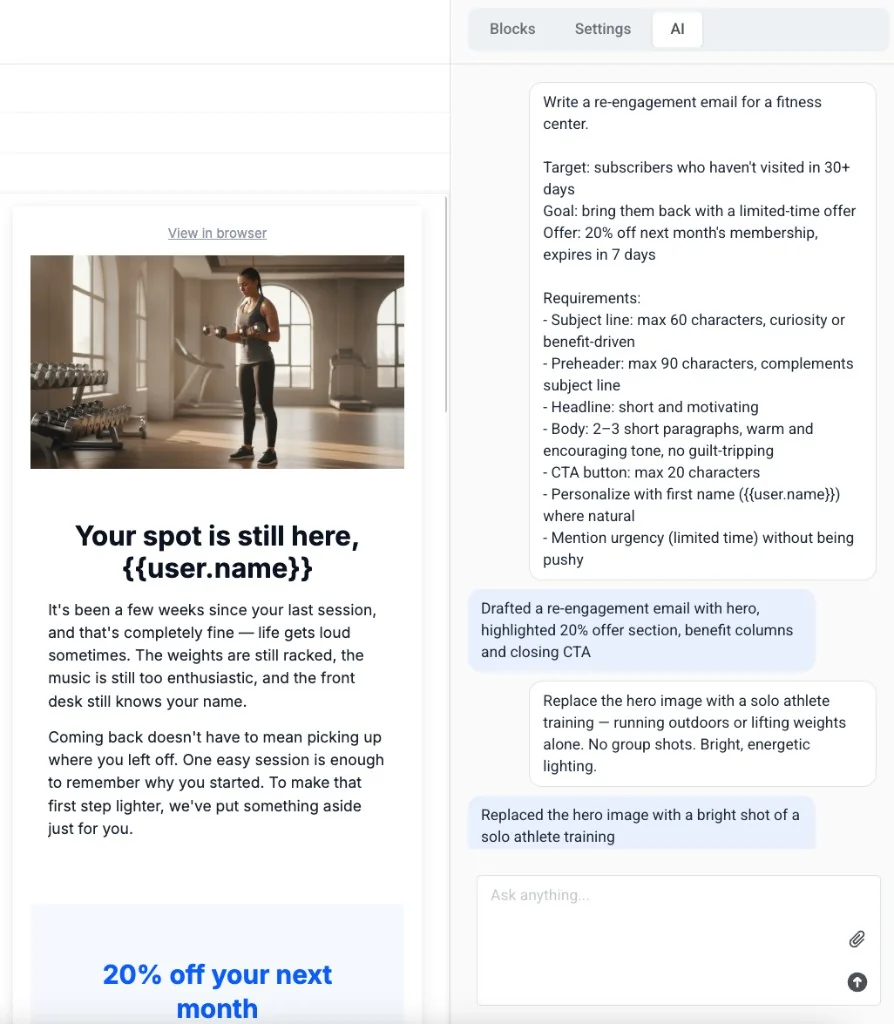
Anchor link toเปิดแท็บ AI ในแผงด้านขวาเพื่อแชทกับผู้ช่วย AI ของ Pushwoosh: อธิบายสิ่งที่คุณต้องการใน prompt แล้ว AI จะสร้างหรือแก้ไขเนื้อหาให้คุณโดยตรงในอีเมล
สร้างรูปภาพและข้อความ alt
Anchor link toในบล็อก Image ใช้ Generate with AI เพื่อสร้างรูปภาพจาก prompt ที่เป็นข้อความ หรือใช้ Generate alt with AI เพื่อเขียนข้อความ alt ที่เข้าถึงได้จากตัวรูปภาพเอง
เขียนบทนำบทความสำหรับบล็อก News
Anchor link toในบล็อก News ใช้ AI intros เพื่อเขียนบทนำสั้นๆ แบบบรรณาธิการไว้ใต้หัวข้อของแต่ละบทความ ในโทนที่คุณเลือก
เขียนหัวเรื่องและ preheaders
Anchor link toคลิกไอคอน AI ถัดจากช่อง Subject line หรือ Preheader เพื่อให้ Pushwoosh ร่างหัวเรื่องจากเนื้อหาอีเมลที่คุณได้เพิ่มไว้แล้ว
แปลเนื้อหาโดยอัตโนมัติ
Anchor link toคลิก Auto-translate ในแถบภาษาเพื่อเติมคำแปลที่ขาดหายไปด้วย AI แทนการพิมพ์แต่ละภาษาด้วยตนเอง
ใช้แบรนด์ของคุณโดยอัตโนมัติ
Anchor link toDerive brand ใน Brand book จะสร้างชุดสี, ฟอนต์ และ Brand voice เริ่มต้น — สแกน URL เว็บไซต์ของคุณ หรือสร้างจากคำอธิบายสั้นๆ, ไฟล์ที่แนบมา หรือโลโก้ของคุณ