Set the default email footer
Ce contenu n'est pas encore disponible dans votre langue.
Every email needs the sender’s legal details in its footer. Save them once as the project’s default footer, and new emails you create in the Drag & drop editor start with it.
You need the Domain and email verification permission to open the email platform settings.
To set the default email footer:
-
Go to Settings → Configure platforms and click Platform settings in the Emails row. If email isn’t set up in this project yet, click Connect: the footer card is on the setup page too.
-
On the Email footer card, enter the Company name. It’s required.
-
Enter the Address. It’s required. If you enter it on several lines, the footer shows it on one line, with the lines separated by commas.
-
Optionally, add the Privacy policy link, Terms link, and Contact link. Each link must start with
https://,http://, ormailto:.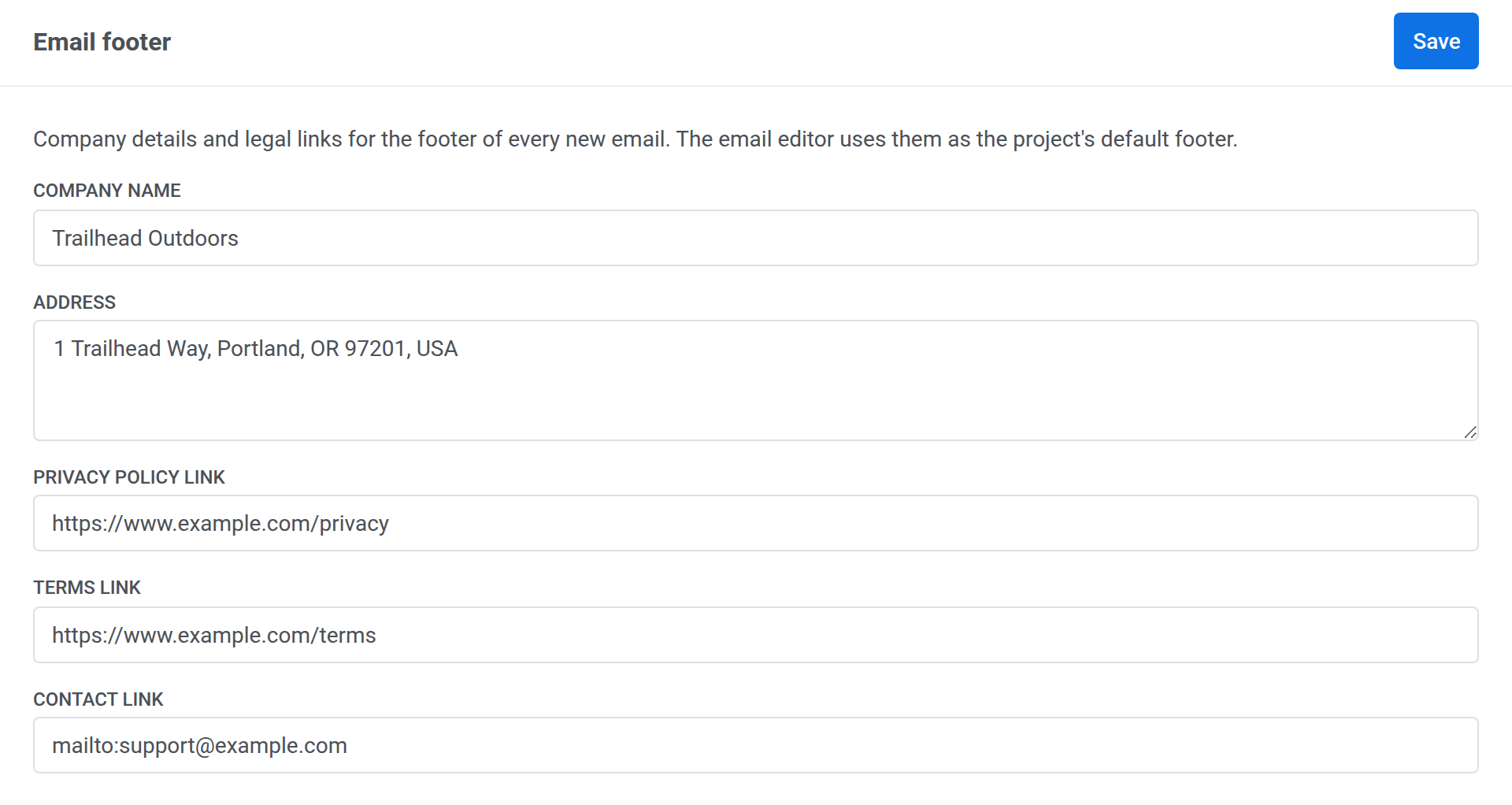
-
Click Save.
What the saved footer shows
Anchor link to- The company name.
- The address on one line.
- A copyright line: © and the current year followed by the company name.
- The links you added, labeled Privacy Policy, Terms, and Contact us.
New emails you create in the Drag & drop editor get this footer automatically, unless they already have a footer of their own, for example from the template you started with. Emails created before you saved the footer keep their own. To switch one to the project footer, click Load from project in its footer settings.
The card and the editor share one project footer. Clicking Save as project default in the editor updates the card, and saving the card updates what Load from project loads in the editor.
Change the footer links
Anchor link toWhen the project footer already has links, the card lists them under Links in the footer now, and the link fields stay empty.
- To keep the current links, leave the link fields empty and click Save.
- To replace them, fill in the links you want and click Save. The footer then carries only the links you entered, so fill in every link you want to keep.