تكوين منصة Telegram
اربط بوت Telegram الخاص بك بـ Pushwoosh لتشغيل Telegram كجزء من رحلاتك متعددة القنوات من مكان واحد وتتبع نتائج التسليم في تحليلات Journey.
المتطلبات الأساسية
Anchor link toقبل تكوين Telegram، تأكد من استيفاء المتطلبات التالية:
- حساب Telegram: استخدم حساب Telegram نشطًا يمكنه الوصول إلى @BotFather.
- بوت Telegram: أنشئ بوت Telegram في BotFather.
نسخ رمز API لبوت Telegram الخاص بك
Anchor link toللحصول على رمز API لبوت موجود:
- في Telegram، افتح @BotFather.
- أرسل
/mybotsواختر البوت الخاص بك. - اضغط على API Token وانسخ الرمز.
إذا لم يكن لديك بوت، فأنشئ واحدًا في @BotFather باتباع الدليل الرسمي لـ Telegram.
إعداد تكوين Telegram في Pushwoosh
Anchor link toلإعداد تكوين Telegram، اتبع الخطوات التالية:
-
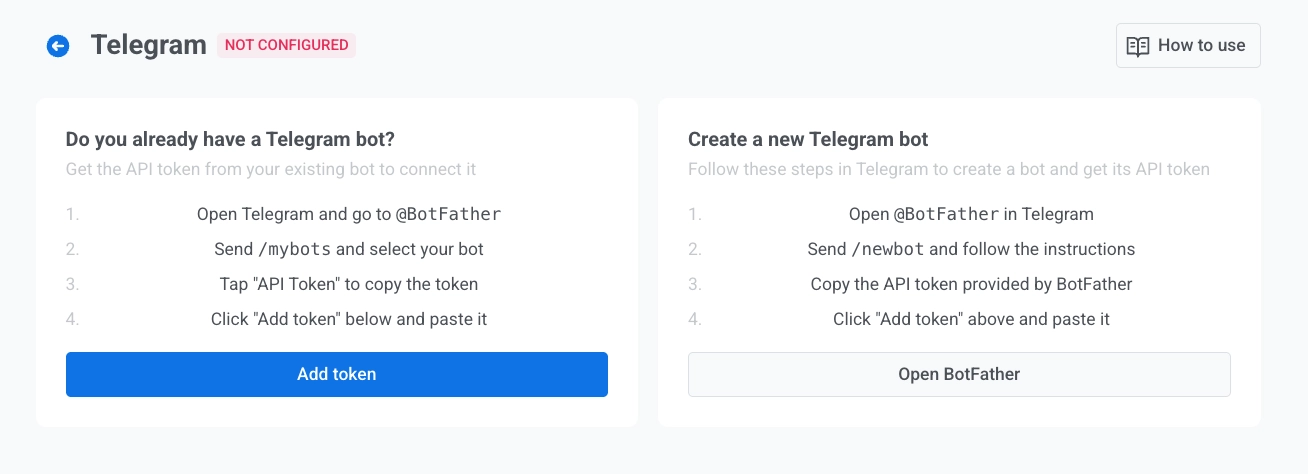
انتقل إلى Settings > Configure platforms وافتح Telegram.
-
إذا كان لديك بوت بالفعل، انقر فوق Add token. إذا لم يكن لديك، انقر فوق Create a bot.
عندما تنقر على Create a bot، يفتح Pushwoosh تعليمات لإنشاء البوت في Telegram عبر @BotFather. أكمل إنشاء البوت في Telegram، ثم عد إلى Pushwoosh واربط رمز البوت.
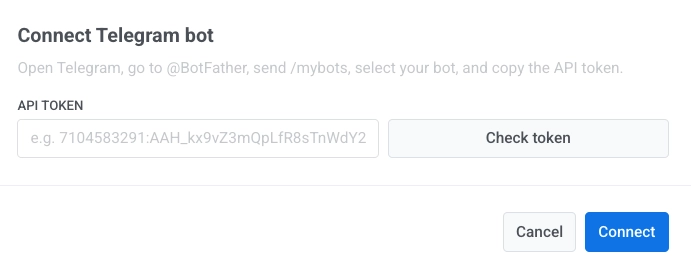
- في مربع حوار Connect Telegram bot، أدخل API token الذي نسخته من BotFather. تعلم كيفية الحصول على الرمز.
- انقر على Check token للتحقق من الرمز.
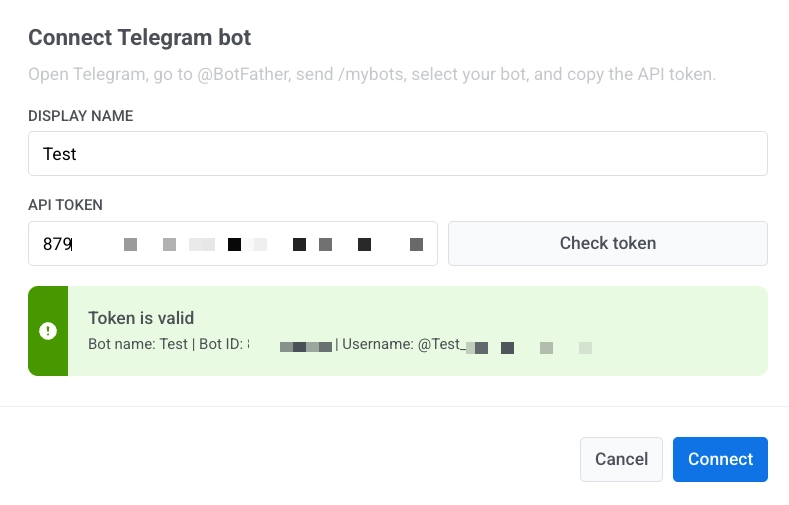
- انقر على Connect للحفظ. لتجاهل التغييرات، انقر على Cancel.
إدارة رموز بوت Telegram
Anchor link toإضافة رمز جديد
Anchor link to- في إعدادات Telegram، انقر على Add token.
- في مربع حوار Connect Telegram bot، أدخل API token الجديد.
- انقر على Check token.
- انقر على Connect.
حذف رمز
Anchor link to- انقر على قائمة الثلاث نقاط بجوار رمز البوت.
- انقر على Delete.
يؤدي حذف الرمز إلى إيقاف جميع رحلات Telegram النشطة مؤقتًا.
إرسال رسائل Telegram
Anchor link toبعد الإعداد، يمكنك إرسال رسائل Telegram في Customer Journey Builder.