Adjust: إرسال حدث
يرسل قالب نقطة Adjust: إرسال حدث حدثًا من خادم إلى خادم إلى Adjust لكل مسافر يمر بهذه الخطوة. يحمل الحدث إسناد التثبيت، بحيث تظهر خطوة الرحلة في تقارير Adjust ويمكن تسليمها إلى شبكات الإعلانات كتحويل.
تكوين النقطة
Anchor link to- اسحب Adjust: إرسال حدث من قسم التكاملات إلى لوحة العمل.
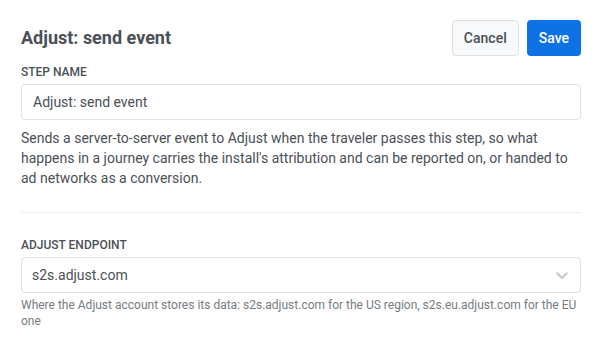
- انقر نقرًا مزدوجًا على النقطة وأدخل اسم الخطوة.
- في نقطة نهاية Adjust، اختر المنطقة التي يخزن فيها حساب Adjust بياناته:
s2s.adjust.comلمنطقة الولايات المتحدة، وs2s.eu.adjust.comلمنطقة الاتحاد الأوروبي.
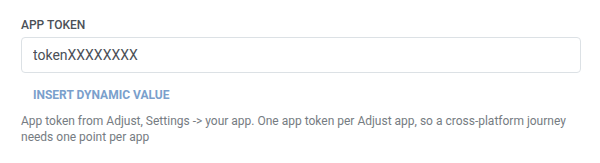
- في رمز التطبيق، أدخل رمز التطبيق من Adjust: الإعدادات > تطبيقك. ينتمي رمز تطبيق واحد إلى تطبيق Adjust واحد، لذا تحتاج رحلة عبر المنصات إلى نقطة منفصلة لكل تطبيق.
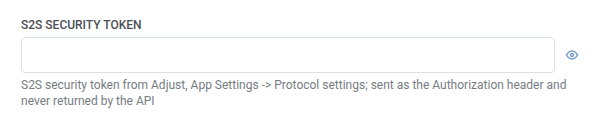
- في رمز أمان S2S، أدخل الرمز من Adjust: إعدادات التطبيق > إعدادات البروتوكول. يرسله Pushwoosh كترويسة Authorization للطلب. يتم تخزينه مقنعًا، مثل ترويسة سرية لـ webhook، ولا يعيده Adjust أبدًا بمجرد حفظه.
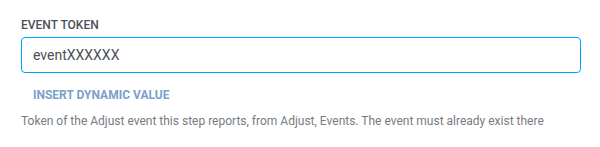
- في رمز الحدث، أدخل رمز حدث Adjust الذي تبلّغ عنه هذه الخطوة، من Adjust: الأحداث. يجب أن يكون الحدث موجودًا بالفعل هناك.
- في نوع المعرّف، اختر المعرّف الذي يطابق به Adjust الحدث:
idfvأوidfaعلى iOS،gps_adidأوandroid_idعلى Android،adidلمعرّف جهاز Adjust على أي من المنصتين.

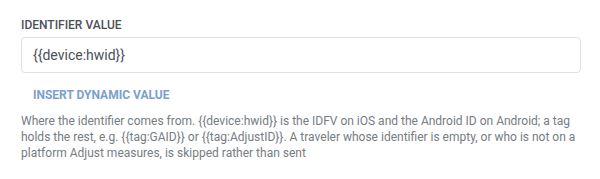
- في قيمة المعرّف، احتفظ بالقيمة الافتراضية
{{device:hwid}}(وهي IDFV على iOS و Android ID على Android)، أو استخدم وسمًا للباقي، على سبيل المثال{{tag:GAID}}أو{{tag:AdjustID}}.
- في البيئة، احتفظ بـ
production، أو اخترsandboxلإبقاء الحدث خارج تقارير Adjust أثناء إعداد النقطة.

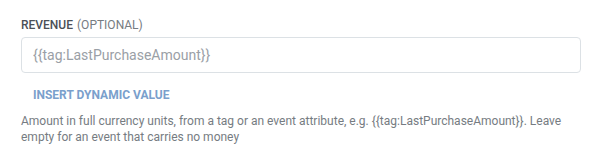
- اختياري. في الإيرادات، أضف المبلغ من وسم أو سمة حدث، على سبيل المثال
{{tag:LastPurchaseAmount}}. اتركه فارغًا لحدث لا يحمل أي قيمة مالية.
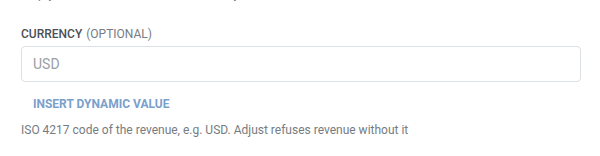
- في العملة، أدخل رمز ISO 4217 للإيرادات، على سبيل المثال
USD. مطلوب إذا تم ملء حقل الإيرادات، لأن Adjust يرفض الإيرادات بدون عملة.
- انقر على حفظ.
متى لا يتم إرسال طلب
Anchor link toيتخطى Pushwoosh الطلب (ويستمر المسافر إلى الخطوة التالية) عندما:
- قيمة المعرّف تكون فارغة لذلك المسافر
- يكون المسافر على منصة لا يقيسها Adjust: أي شيء آخر غير iOS، Android، Huawei Android، Baidu Android، Amazon، OSX، أو Windows
هذا ليس طلبًا فاشلاً. لن يكون لدى Adjust أي شيء لمطابقة الحدث به.
الطلب الفاشل (الذي كان يحتوي على معرّف) يسقط المسافر من الرحلة بدلاً من ذلك. راجع الأخطاء والطلبات الفاشلة.
سيناريو مثال: الإبلاغ عن عملية شراء مكتملة إلى Adjust
Anchor link toيريد تطبيق ما أن تحمل عملية شراء تمت لاحقًا في رحلة ما إسناد التثبيت في Adjust، بحيث يمكن تسليمها إلى شبكات الإعلانات كتحويل.
- أضف Adjust: إرسال حدث مباشرة بعد الخطوة التي تؤكد الشراء. اضبط رمز الحدث على رمز حدث
purchaseمن صفحة الأحداث في Adjust. في الإيرادات، اضبط{{tag:LastPurchaseAmount}}، وفي العملة، اضبطUSD. - انقر على حفظ.
بمجرد تشغيل هذا، تظهر عملية الشراء في تقارير Adjust مع إسناد التثبيت، جاهزة للتسليم إلى شبكات الإعلانات كتحويل.