Airtable: إنشاء سجل
استخدم Airtable: إنشاء سجل لإلحاق سجل جديد بجدول Airtable من خطوة في رحلة.
الاستخدامات النموذجية:
- إضافة العملاء المحتملين أو الحالات إلى قاعدة (base): إلحاق سجل بحقول من المسافر (traveler)، لفريق يدير العمل في Airtable.
- بناء سجل عمليات: إضافة سجل واحد لكل خطوة يتم الوصول إليها، للتتبع خارج قاعدة البيانات.
- التسليم إلى فريق آخر: الكتابة إلى قاعدة مشتركة حتى يتمكن فريق غير تقني من المتابعة.
تكوين النقطة
Anchor link to- اسحب Airtable: إنشاء سجل من قسم التكاملات في اللوحة اليسرى إلى لوحة العمل.
- انقر نقرًا مزدوجًا على النقطة وأدخل اسم الخطوة.
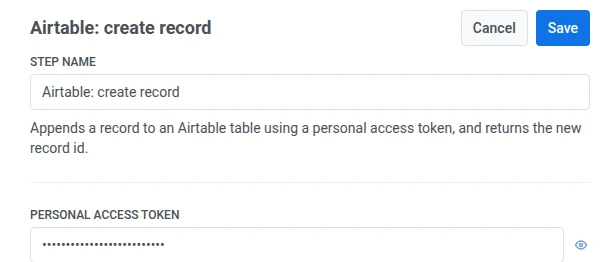
- في رمز الوصول الشخصي، أدخل رمز وصول شخصي لـ Airtable مع صلاحية كتابة السجلات في القاعدة المستهدفة. يتم تخزينه مقنعًا، مثل ترويسة سرية لـ webhook.
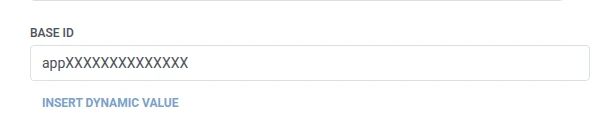
- في معرف القاعدة (Base id)، أدخل معرف قاعدة Airtable المستهدفة.
- في معرف الجدول أو اسمه، أدخل الجدول المستهدف، إما بالمعرف أو بالاسم.

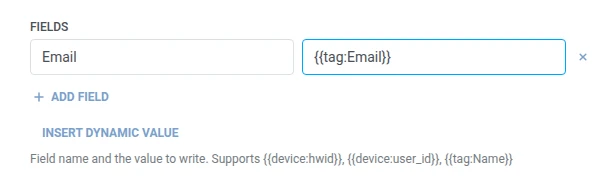
- في الحقول، أضف صفًا واحدًا لكل حقل Airtable للكتابة فيه. أدخل اسم الحقل والقيمة. يجب أن تكون الأسماء غير فارغة وفريدة. يمكن أن تكون القيمة نصًا ثابتًا أو ماكرو للمسافر (traveler) مثل
{{tag:Name}}، وهي نفس الماكروهات المستخدمة في نص Webhook. أو انقر على إدراج قيمة ديناميكية لاختيار سمة أنتجتها خطوة سابقة في هذه الرحلة، على سبيل المثال استجابة LLM أو قيمة Webhook معينة.
- انقر على حفظ.
الاستجابة
Anchor link toيستمر المسافر (traveler) إلى أي خطوة تقوم بتوصيلها تاليًا على لوحة العمل.
السمات بعد تشغيل الخطوة
Anchor link to| السمة | ما تحتويه |
|---|---|
airtable_record_id | معرف السجل الجديد |
كيفية استخدامه في الخطوات اللاحقة
Anchor link toلقد استمر المسافر (traveler) بالفعل إلى الخطوة التالية بغض النظر عن هذه السمة. احفظها في وسم (Tag) باستخدام تحديث ملف تعريف المستخدم إذا كنت بحاجة إلى البحث عن هذا السجل المحدد لاحقًا، على سبيل المثال من خلال واجهة برمجة تطبيقات Airtable الخاصة.
الإخفاقات والاستجابات غير المتوقعة
Anchor link toيؤدي الطلب الفاشل إلى إسقاط المسافر (traveler) من الرحلة. راجع الأخطاء والطلبات الفاشلة.
سيناريو مثال: تسجيل حالة دعم جديدة في Airtable
Anchor link toيقوم فريق بتتبع حالات الدعم في Airtable ويريد إنشاء صف في اللحظة التي يتم فيها فتح حالة، دون أن يقوم أي شخص بإدخالها يدويًا.
- أضف عنصر الدخول المستند إلى المشغل وقم بتعيينه ليتم تفعيله عند وقوع حدث
SupportCaseOpened. - أضف Airtable: إنشاء سجل مباشرة بعده. اضبط معرف الجدول أو اسمه على
Cases. في الحقول، اضبطEmailعلى{{tag:Email}}. - انقر على حفظ.
بمجرد تشغيل هذا، تحصل كل حالة دعم جديدة على صف في جدول الحالات مع ملء البريد الإلكتروني للمسافر (traveler) مسبقًا.