إعداد منصة Viber
يمكّنك Pushwoosh من إرسال رسائل Viber إلى المستخدمين كجزء من حملاتك متعددة القنوات. قم بتوصيل حساب Viber الخاص بك بـ Pushwoosh لاستخدام Viber في Customer Journey.
المتطلبات الأساسية
Anchor link toقبل إعداد Viber، تأكد من استيفاء المتطلبات التالية:
- حساب Pushwoosh: مشروع تريد تمكين Viber فيه.
- رمز المصادقة (Auth token): رمز المصادقة الخاص بك من Rakuten Viber المطلوب لتوصيل Viber بـ Pushwoosh. تعرّف على المزيد.
إعداد تكوين Viber
Anchor link toلإعداد تكوين Viber، اتبع الخطوات التالية:
- انتقل إلى الإعدادات (Settings) → إعداد المنصات (Configure platforms). مرر لأسفل في قائمة المنصات للعثور على Viber وانقر على توصيل (Connect).

- في مربع حوار إشعارات Viber (Viber notifications)، أدخل رمز المصادقة (AUTH TOKEN) الخاص بك من Rakuten Viber.
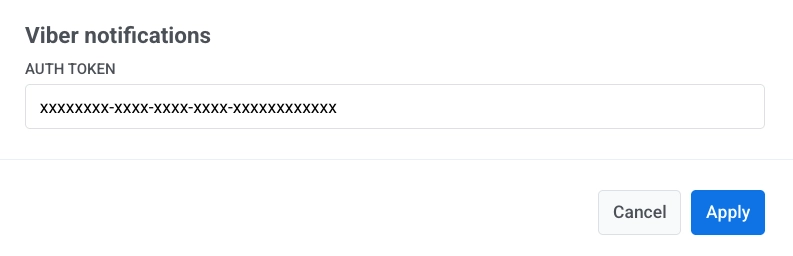
- انقر على تطبيق (Apply) لحفظ الإعدادات. لتجاهل التغييرات، انقر على إلغاء (Cancel).
الخطوات التالية
Anchor link toبعد الإعداد، يمكنك إرسال رسائل Viber في Customer Journeys.