Crie conteúdo de push stories
Crie uma predefinição de push cuja notificação expandida do iOS é reproduzida como uma experiência de stories em tela cheia, no estilo do Instagram: imagens de ponta a ponta, avanço automático de páginas e um botão em cada página.
Pré-requisitos
Anchor link toAntes de enviar push stories, sua equipe de iOS precisa:
- Adicionar uma Notification Content Extension ao aplicativo usando o módulo
PushwooshNotificationUI. Compartilhe com ela o guia de push stories para iOS para desenvolvedores. - Lançar uma atualização do aplicativo que inclua a extensão.
Consulte Push stories para iOS para saber o que os destinatários veem sem essa extensão.
Crie a predefinição
Anchor link to- Abra Conteúdo → Predefinições de Push.
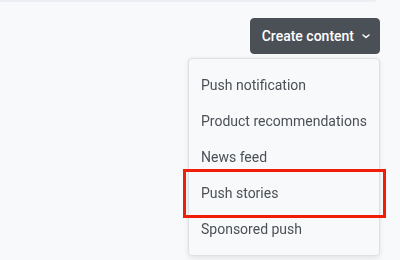
- Clique em Criar conteúdo.
- Escolha Push stories no menu suspenso.
Componha a mensagem
Anchor link toEscreva o título, o subtítulo e a mensagem do push da mesma forma que em uma predefinição de push comum.
Crie as páginas de stories
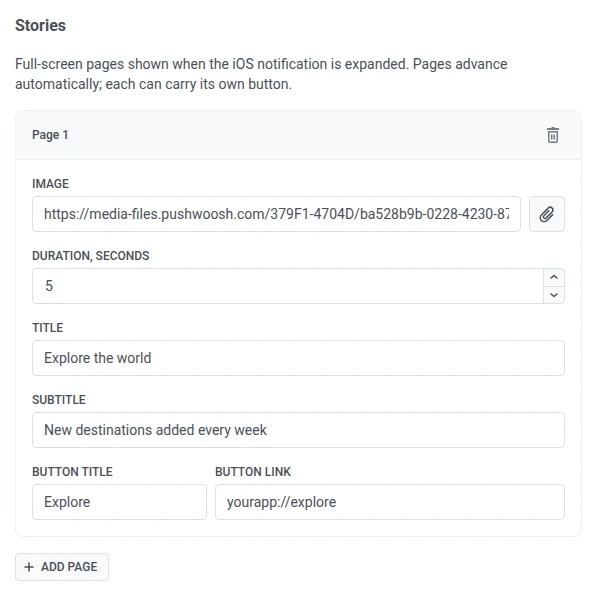
Anchor link toEm Stories, preencha os campos de cada página:
| Campo | Descrição |
|---|---|
| Imagem | URL da imagem em tela cheia da página. Clique no clipe de papel para escolher uma imagem na Galeria de mídia em vez de colar um URL. |
| Duração, segundos | Por quanto tempo a página permanece na tela antes de avançar automaticamente, de 1 a 30 segundos. O padrão é 5 segundos. |
| Título | Texto grande exibido sobre a parte inferior da imagem da página. |
| Subtítulo | Texto menor abaixo do título. |
| Título do botão | Rótulo do botão de call-to-action da página. |
| Link do botão | URL ou deep link do aplicativo aberto quando o botão é tocado. |
Clique em Adicionar página para adicionar mais páginas, até 10 no total. Cada página é reproduzida em ordem e tem sua própria imagem, duração e botão.
Verifique a pré-visualização

Anchor link toUse o painel de pré-visualização à direita para verificar cada página antes do envio. Ele tem duas abas:
- Push: a notificação recolhida.
- Story: a página que você está editando, incluindo sua imagem e botão. Com várias páginas, a pré-visualização as reproduz em sequência, e a barra de progresso no topo mostra um segmento por página.
Envie push stories
Anchor link toPara enviar a predefinição, selecione-a como conteúdo de um push único. O público é então limitado ao iOS. Consulte Enviar um push único com push stories.