集成点
使用集成点可将旅程数据传递到您已在使用的 CRM、分析、电子表格或 AI 工具中,而无需为每个目的地构建原始的 Webhook。每个点都是针对特定工具(例如 HubSpot、Google Sheets 或 Amplitude)的现成旅程步骤。
可用集成
Anchor link to| 点 | 使用场景 |
|---|---|
| **Adapty:**授予访问级别 | 当旅程应在没有购买的情况下授予高级访问权限时。例如,奖励旅行者一个付费访问级别作为补偿。了解更多 |
| **Adapty:**更新个人资料属性 | 当 Adapty 应使用旅程已知的数据来选择付费墙时。例如,将旅行者的细分或达到的步骤写入其 Adapty 个人资料。了解更多 |
| **Adjust:**发送事件 | 当您希望在 Adjust 归因报告中看到旅程活动时。例如,发送一个转化事件,使其能够到达您的广告网络。了解更多 |
| **Airtable:**创建记录 | 当旅程应在 Airtable 中存储一行数据时。例如,使用来自旅行者的字段添加潜在客户或案例记录。了解更多 |
| **Amplitude:**设置用户属性 | 当您需要 Amplitude 细分与 Pushwoosh 标签匹配时。例如,将套餐等级或试用状态同步到 Amplitude 用户个人资料。了解更多 |
| **Amplitude:**跟踪事件 | 当您希望在 Amplitude 分析中看到旅程活动时。例如,记录已发送欢迎推送,以便其显示在 Amplitude 漏斗中。了解更多 |
| **AppsFlyer:**发送事件 | 当您希望在 AppsFlyer 归因报告中看到旅程活动时。例如,发送一个转化事件,使其能够到达您的广告网络。了解更多 |
| **BigQuery:**插入行 | 当旅程应写入 BigQuery 时。例如,为数据仓库报告或联接插入一行数据。了解更多 |
| **Dynamics 365:**创建或更新记录 | 当旅程应保持 Dynamics 365 (Dataverse) 同步时。例如,按键创建或更新一行数据。了解更多 |
| **Gemini:**生成文本 | 当您需要在旅程中为后续消息生成简短的 AI 文案时。例如,用 Gemini 起草一行文字,并在推送、电子邮件或短信中重复使用。了解更多 |
| **Google Sheets:**添加行 | 当您希望在电子表格中实时记录旅程值时。例如,附加 HWID 和活动名称以用作简单的操作日志。了解更多 |
| **HubSpot:**添加时间线事件 | 当您希望在 HubSpot 联系人自己的时间线上,紧邻其电子邮件和通话记录,看到旅程活动时。例如,记录旅行者通过了一个步骤以及他们是否订阅了推送。了解更多 |
| **HubSpot:**创建或更新联系人 | 当旅程应在 HubSpot CRM 中创建或刷新联系人时。例如,在潜在客户填写表单后按电子邮件进行更新或插入。了解更多 |
| **HubSpot:**获取联系人属性 | 当后续步骤需要已存储在 HubSpot 联系人上的数据时。例如,读取一个属性以在消息中打印或根据其进行分支。了解更多 |
| **HubSpot:**更新订阅 | 当销售或电子邮件营销需要查看联系人的推送订阅状态时。例如,在旅程步骤后将其写入 HubSpot 联系人。了解更多 |
| **LLM:**生成文本 | 当您需要在旅程中为后续消息生成简短的 AI 文案时。例如,用 Claude 起草一行文字,并在推送、电子邮件或短信中重复使用。了解更多 |
| **Mattermost:**发布消息 | 当旅程步骤应在 Mattermost 中通知您的团队时。例如,在高价值转化发生时发布消息。了解更多 |
| **Microsoft Fabric:**提取行 | 当旅程应为 Microsoft Fabric 分析提供数据时。例如,将一行数据提取到 Eventhouse 表中。了解更多 |
| **Mixpanel:**设置个人资料 | 当您需要 Mixpanel 个人资料和细分与 Pushwoosh 标签匹配时。例如,将电子邮件或套餐同步到 Mixpanel 个人资料。了解更多 |
| **Mixpanel:**跟踪事件 | 当您希望在 Mixpanel 分析中看到旅程活动时。例如,记录一个步骤,以便您可以在 Mixpanel 漏斗中与产品事件一起使用。了解更多 |
| **OpenAI:**生成文本 | 当您需要在旅程中为后续消息生成简短的 AI 文案时。例如,用 OpenAI 起草一行文字,并在推送、电子邮件或短信中重复使用。了解更多 |
| **Salesforce:**创建或更新记录 | 当旅程应保持 Salesforce 同步时。例如,按外部 ID 创建或更新联系人。了解更多 |
| **Slack:**发布消息 | 当旅程步骤应在 Slack 中通知您的团队时。例如,在高价值转化发生时发布消息。了解更多 |
| **Snowflake:**插入行 | 当旅程应写入 Snowflake 时。例如,为报告或下游管道插入一行数据。了解更多 |
| **Supabase:**插入行 | 当旅程应写入 Supabase 表时。例如,在您的应用已从中读取数据的数据库中插入一行数据。了解更多 |
安装集成
Anchor link to安装点模板和连接服务账户是两件独立的事情,在两个不同的地方完成:
- **安装模板:**从旅程构建器或“设置”中安装。这使得该点可以添加到旅程中。
- **连接服务账户:**这些点也需要连接服务账户,每种方式都不同。详细信息请参见各个指南:
- Google Sheets:添加行、BigQuery:插入行、Microsoft Fabric:提取行、Salesforce:创建或更新记录 和 Dynamics 365:创建或更新记录 — 在 设置 > 第三方集成 > 已连接服务 下,而不是在 客户旅程集成 下。
- HubSpot:添加时间线事件 — 通过从 HubSpot 端安装的 HubSpot 集成,而不是 设置 > 第三方集成。
从旅程构建器安装
Anchor link to- 在旅程左侧面板中,打开 集成 部分。
- 将尚未安装的集成拖到画布上。
此操作会一次性安装模板并将点添加到画布上。
如果您在左侧面板中完全看不到 集成 部分,请联系 Pushwoosh 支持以请求访问权限。一旦启用,您将看到完整的目录,无论已安装了什么。
从“设置”安装
Anchor link to- 打开 设置 > 第三方集成。
- 在 客户旅程集成 下,找到该集成并点击 安装。
从“设置”安装后,将集成从旅程左侧面板的 集成 部分拖到画布上,然后配置该点。
管理已安装的集成
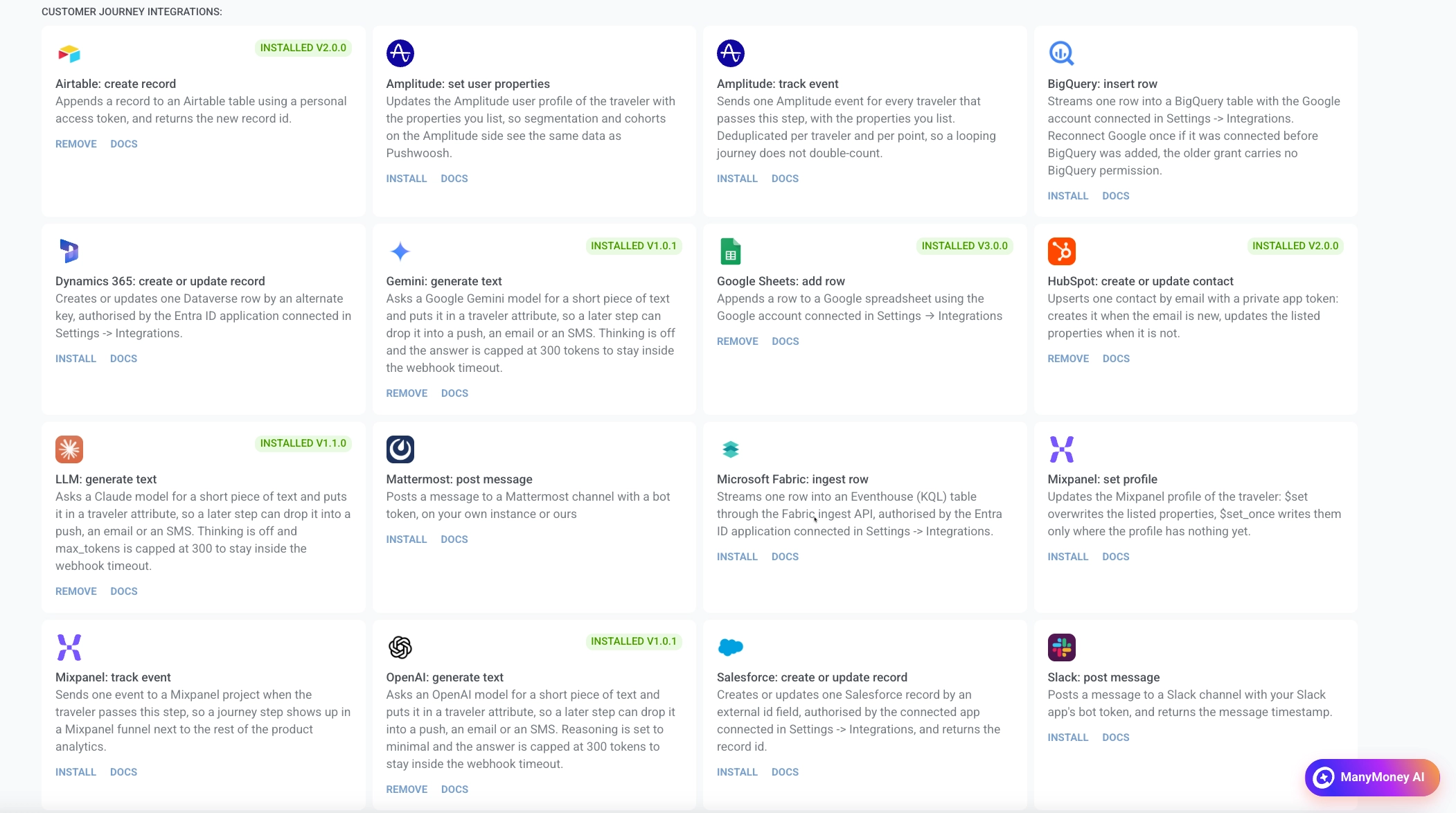
Anchor link to在 客户旅程集成 下的已安装卡片上:
- 要移除集成,请点击 移除。
- 要打开设置指南,请点击 文档。
带有版本的 已安装 徽章表示该集成已安装在账户上。
在画布上打开该点并填写其字段。Pushwoosh 会为您将请求发送到目的地。如何填写每个字段,请参见该点的指南。
配置列表和键/值字段
Anchor link to某些字段允许您根据目的地的需要添加任意数量的行,而不是填写一组固定的框。有两种形式:
- **值列表:**每行一个值。例如,Google Sheets:添加行中的 列,或 HubSpot:获取联系人属性中的 要读取的属性。
- **名称和值对:**每行一个名称和一个值。例如,HubSpot:创建或更新联系人中的 属性,或 Airtable:创建记录中的 字段。每个点都根据其包含的内容命名此字段。
当字段的行是要发送的值时,例如 列 或 要写入的属性,您可以插入有关当前旅行者(设备 ID、标签等)的信息,而不是固定文本。当行是名称时,例如 要读取的属性,它们只接受纯文本标识符。请参见该点的指南。
错误和失败的请求
Anchor link to如果向目的地的请求失败,旅行者将在此步骤离开旅程。请参见请求错误。
集成点遵循与 Webhook 相同的超时、重试、速率限制和端点冷却。
一些模板,例如查找联系人的两个 HubSpot 点,会为目的地视为正常结果而非拒绝的响应声明额外的分支——例如未找到联系人。与这些分支之一匹配的响应不是失败的请求:它会跳过重试,不会冷却该点,并将旅行者发送到该分支,而不是让他们掉队。请参见该点自己的页面,了解触发每个分支的原因。