发送 Viber 消息
本指南将引导您了解如何通过 Customer Journey 或 API 在 Pushwoosh 中发送 Viber 消息。
通过 Customer Journey 发送 Viber 消息
Anchor link toPushwoosh 允许您将 Viber 消息集成到 Customer Journeys 中。请按照以下步骤进行配置:
-
在主侧边栏中,转到 Campaigns > Customer Journey Builder。
-
点击 Build a journey from scratch。
-
添加一个 Entry 元素来定义谁进入 Journey。 了解如何配置 Entry 元素
-
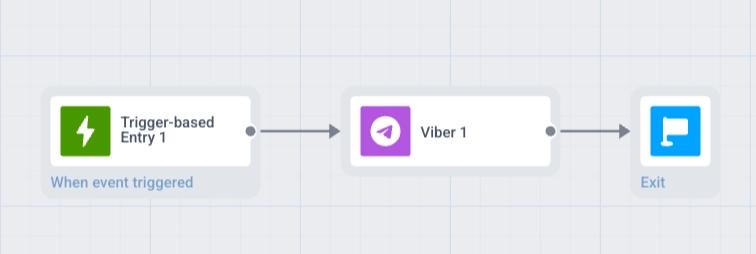
添加一个 Viber 元素,并将其连接到流程的其余部分(例如,入口触发器和后续步骤)。
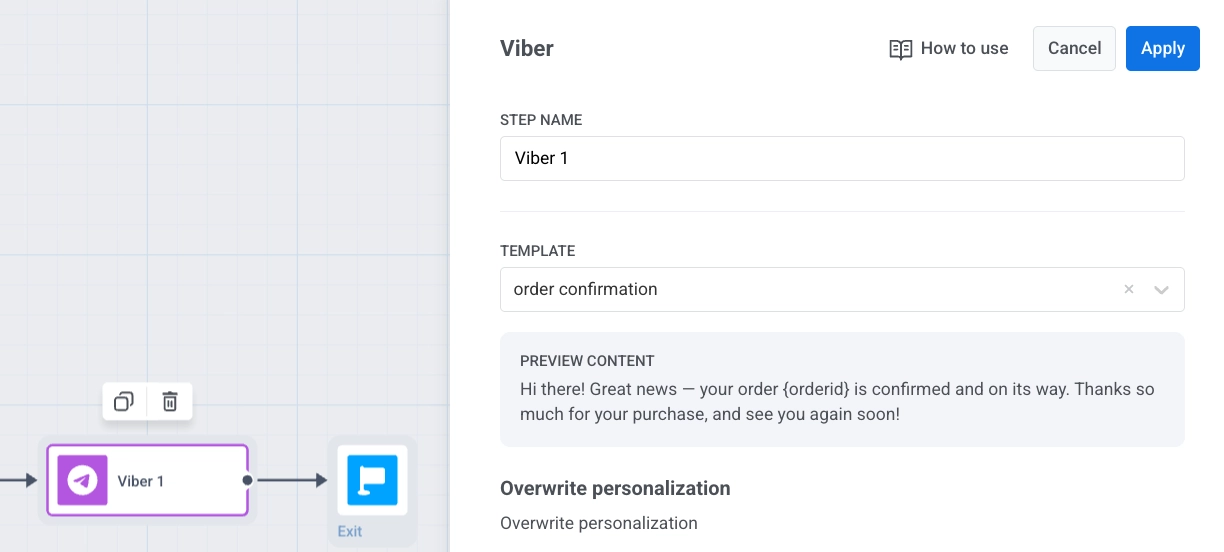
- 点击 Viber 元素以打开其设置面板。选择 Template 或 Freeform 内容,设置 Message type,配置 Frequency capping,并可选择添加 Vouchers。 了解有关 Viber 元素的更多信息
-
点击 Save 保存元素设置。
-
完成 Journey 设置,每个分支以一个 Exit 元素 结束,或者不设置传出连接。准备就绪后,点击 Launch journey 以激活它。
通过 API 发送 Viber 消息
Anchor link to在 Messaging API v2 中使用 Notify 方法发送 Viber 消息。