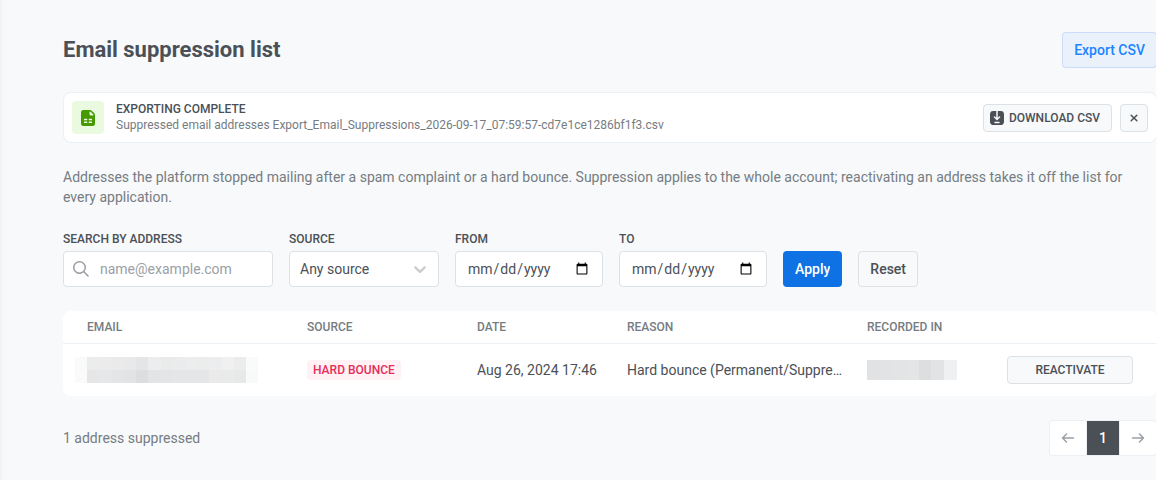
电子邮件抑制列表
电子邮件抑制列表显示了在收到垃圾邮件投诉或硬退信后,Pushwoosh 在您的整个账户中停止邮寄的每个电子邮件地址。在此处重新激活地址会将其从每个项目的列表中删除,而不仅仅是从您打开它的那个项目中删除。
要打开该列表,请转到 Settings,然后选择 Email suppression list。 打开该列表需要您的角色拥有 Personal data 权限。
筛选和搜索列表
Anchor link to使用表格上方的筛选器来缩小列表范围:
- 按地址搜索: 精确匹配一个电子邮件地址,而非部分搜索。
- 来源: 任何来源、垃圾邮件投诉 或 硬退信。
- 原因: 任意原因 或某一个退信原因,例如 邮箱已满。原因仅适用于硬退信,因此当 来源 设置为 垃圾邮件投诉 时,此筛选器不可用。
- 从 和 到: 将结果限制在某个日期范围内。
点击 Apply 运行筛选器,或点击 Reset 清除它们。
查看被抑制的地址
Anchor link to该表格按最新顺序列出匹配的地址,包含以下几列:
- 电子邮件: 被抑制的地址。
- 来源: 垃圾邮件投诉 或 硬退信。
- 日期: 抑制发生的日期。
- 原因: 导致抑制的原因。
- 硬退信会显示退信原因(例如 地址不存在),后跟收件人邮件服务器返回的 SMTP 代码(例如
5.1.1)。有关如何处理每种原因,请参阅按原因划分的退信。 - 垃圾邮件投诉或未分配原因的硬退信会显示基于提供商反馈的可读摘要。
- 较长的文本在表格中会被截断。将鼠标悬停在原因上,可阅读提供商的完整响应。
- 硬退信会显示退信原因(例如 地址不存在),后跟收件人邮件服务器返回的 SMTP 代码(例如
- 记录于: 抑制被记录在哪个项目中。
列表每页显示 50 个地址。被抑制地址的总数显示在表格下方。
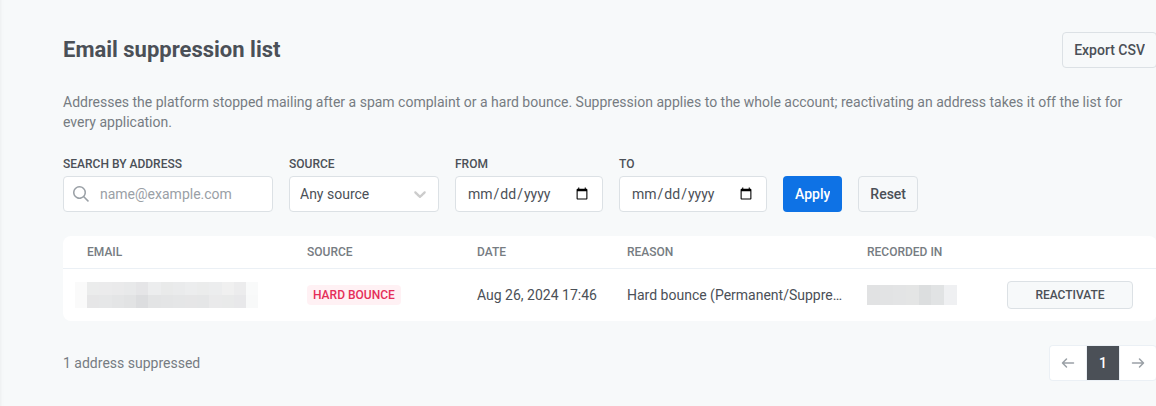
从列表中重新激活地址
Anchor link to- 在地址所在行点击 Reactivate。
- 如果地址因垃圾邮件投诉而被抑制,请勾选确认收件人已续订其同意的复选框。这是垃圾邮件投诉情况下的必需项,否则无法继续重新激活。硬退信引起的重新激活会跳过此步骤。
- (可选)添加 Comment(最多 255 个字符)。
- 点击 Reactivate。
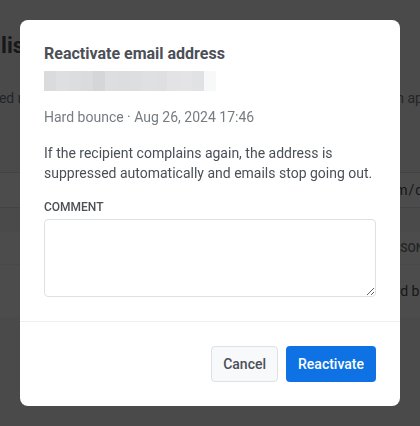
这与订阅者个人资料上的重新激活相同:它会清除 Bounced Email 标签,如果投诉已删除电子邮件设备,则会重新注册该设备,并记录在内部日志中,以便支持团队查询谁在何时重新激活了某个地址。有关这些详细信息,请参阅重新激活被抑制的电子邮件地址。
将列表导出为 CSV 文件
Anchor link to- 将列表筛选为您想要导出的地址。
- 点击页面顶部的 Export CSV。
该文件包含 date、email、source、reason、recorded_in、bounce_category 和 smtp_code 列。对于垃圾邮件投诉,bounce_category 和 smtp_code 为空。
Pushwoosh 会在后台准备文件。导出过程中,页面顶部会出现一个横幅,文件准备就绪后,横幅中会出现一个 Download CSV 按钮。