受众同步
当用户在 Journey 中到达此步骤时,受众同步 (Audience sync) 元素会更新 Meta Ads 自定义受众或 Google Ads 受众。选择将用户添加到受众 (Add users to audience) 以将其包含在广告定位中,或选择从受众中移除用户 (Remove users from audience) 以停止向他们展示广告。
开始之前
Anchor link to请确保您计划使用的广告平台集成已为您的项目配置。如果两个集成都未连接,该元素将显示配置您的广告帐户 (Configure your ad account) 并且无法运行同步。
了解如何设置集成:Meta Ads 集成 或 Google Ads 集成。
配置受众同步
Anchor link to- 在画布上双击受众同步 (Audience sync)。
- 输入步骤名称 (Step name)。
- 在如何将用户信息同步到广告受众 (How to sync users info to the ad audience) 中,选择一个选项:
- 将用户添加到受众 (Add users to audience)
- 从受众中移除用户 (Remove users from audience)
- 在广告平台 (AD PLATFORM) 中,选择 Meta Ads 或 Google Ads。
- 在其下方的帐户字段(Meta Ads 帐户 (Meta Ads account) 或 Google Ads 帐户 (Google Ads account))中,为您选择的平台选择一个已连接的帐户。
- 在受众 (Audience) 中,选择该平台上的一个现有受众。
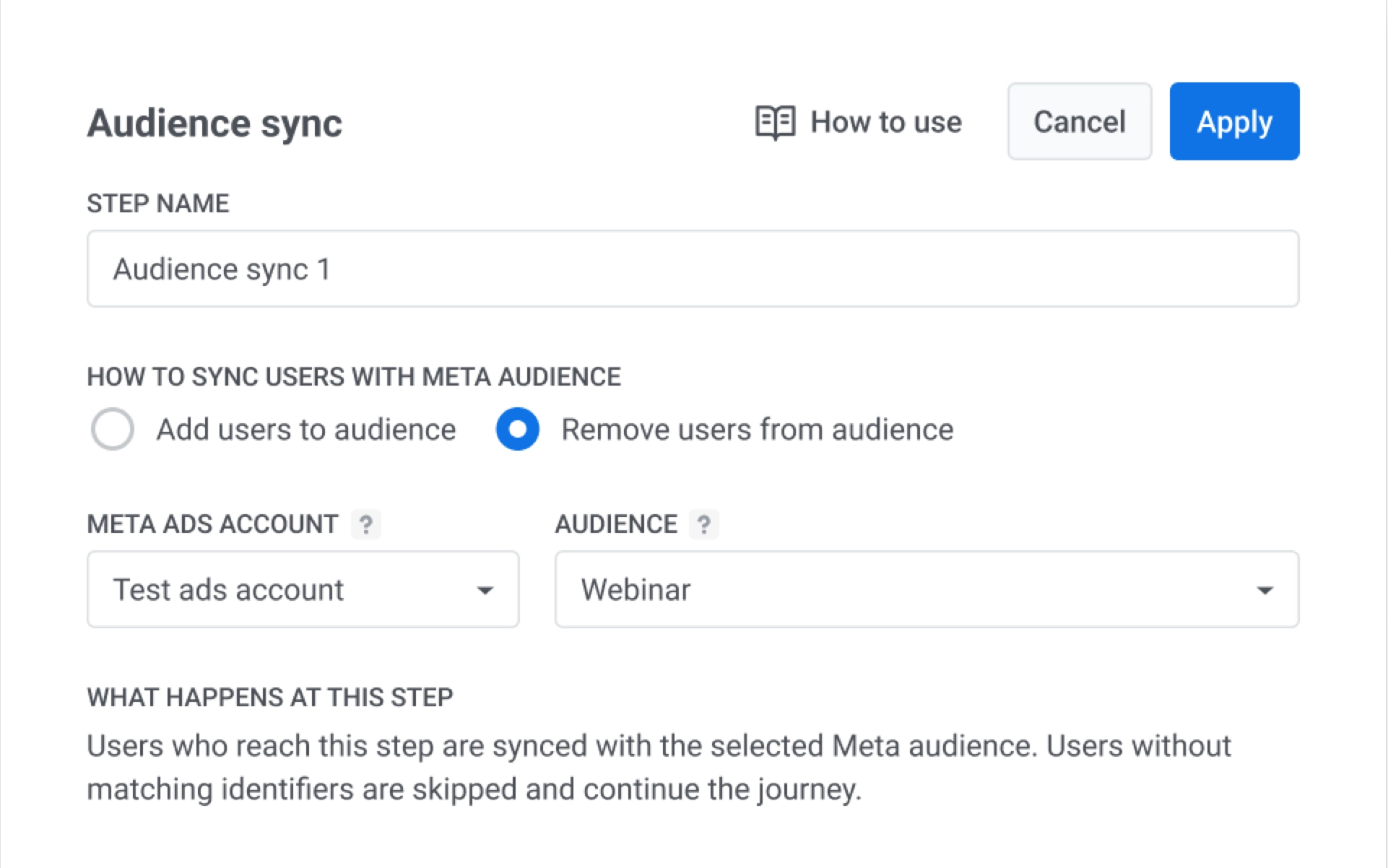
- 点击应用 (Apply)。