সেন্ড রেট লিমিট
প্রতিটি চ্যানেলে Pushwoosh প্রতি সেকেন্ডে কতগুলি বার্তা পাঠাবে তা সীমিত করুন, যাতে উচ্চ-ভলিউম বার্তা একবারে না গিয়ে একটি স্থির গতিতে পাঠানো হয়।
সেন্ড রেট লিমিট সেট করুন
Anchor link toপ্রতিটি মেসেজিং চ্যানেলের জন্য স্বতন্ত্র সেন্ড রেট লিমিট সেট করুন: পুশ নোটিফিকেশন, ইমেল এবং এসএমএস।
সেন্ড রেট লিমিট সেট আপ করতে:
- সেটিংস > বার্তা ডেলিভারি সেটিংস > সেন্ড রেট-এ যান।
- প্রয়োজন অনুযায়ী প্রতিটি চ্যানেলের জন্য রেট লিমিটিং সক্ষম বা নিষ্ক্রিয় করুন।
- উচ্চ-ভলিউম পাঠানোর সময় ডেলিভারির গতি পরিচালনা করতে এবং ব্যাকএন্ড ওভারলোড প্রতিরোধ করতে প্রতি সেকেন্ডে পাঠানো সর্বোচ্চ বার্তার সংখ্যা উল্লেখ করুন।
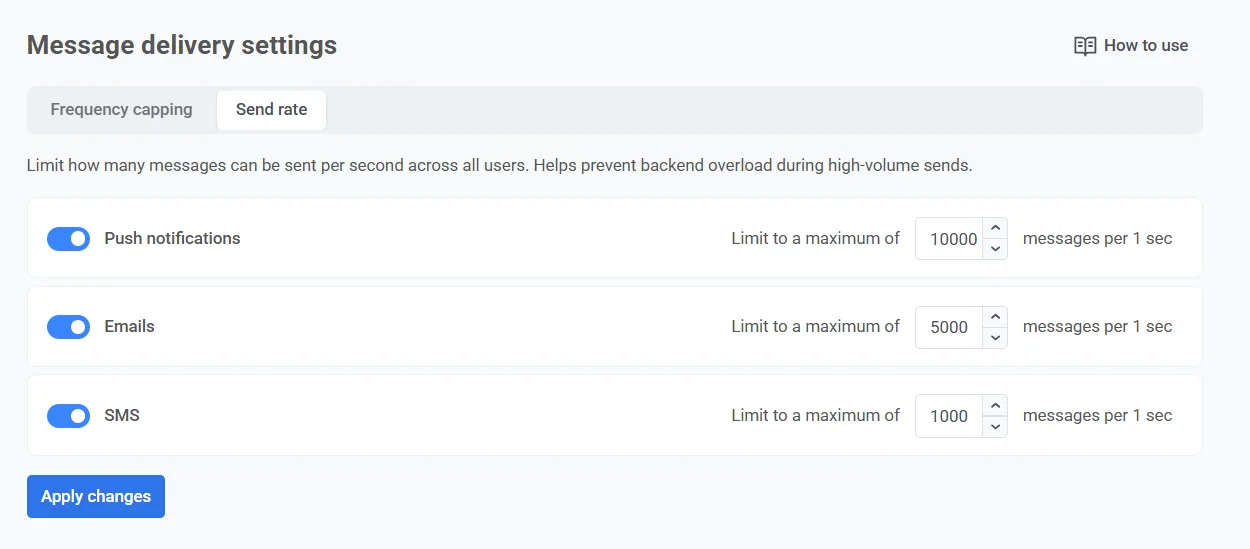
- পরিবর্তন প্রয়োগ করুন-এ ক্লিক করুন, তারপর আপনার সেটিংস সংরক্ষণ করতে নিশ্চিত করুন।
স্বতন্ত্র বার্তার জন্য সেন্ড রেট লিমিট নিয়ন্ত্রণ করা
Anchor link toপ্রতিটি চ্যানেলের জন্য একটি গ্লোবাল সেন্ড রেট সেট করার পাশাপাশি, আপনি কাস্টমার জার্নি এবং এককালীন ক্যাম্পেইনে স্বতন্ত্র বার্তাগুলির জন্য সেন্ড রেটও নিয়ন্ত্রণ করতে পারেন। এটি নির্দিষ্ট বার্তা বা জার্নি উপাদানের সেটিংসে করা হয়।
আপনি বেছে নিতে পারেন:
- গ্লোবাল সেন্ড রেট সেটিংস ব্যবহার করুন
- গ্লোবাল সেন্ড রেট ছাড়া বার্তা পাঠান
- কাস্টম সেন্ড রেট ব্যবহার করুন
প্রতিটি বার্তার জন্য সেন্ড রেট কনফিগার করার বিস্তারিত নির্দেশাবলীর জন্য, চ্যানেল-নির্দিষ্ট এলিমেন্ট গাইড এবং এককালীন পুশ নোটিফিকেশন দেখুন।