How to send WhatsApp messages
Before you send WhatsApp messages, ensure you have configured WhatsApp and uploaded contacts.
Pushwoosh offers two ways to send WhatsApp messages:
One-time WhatsApp messages
Anchor link toSend a single WhatsApp message to a segment, list of phone numbers, or all subscribers. Schedule it for now or a specific date and time.
WhatsApp element in Customer Journey
Anchor link toAdd a WhatsApp step to a journey and combine it with push, email, in-app, or SMS. Trigger delivery by audience or events.
Specialized journey use cases
Anchor link toSend free-form messages and view your WhatsApp conversations
Anchor link toTo send free-form messages and view your WhatsApp conversations, navigate to the WhatsApp Messages section in Pushwoosh.
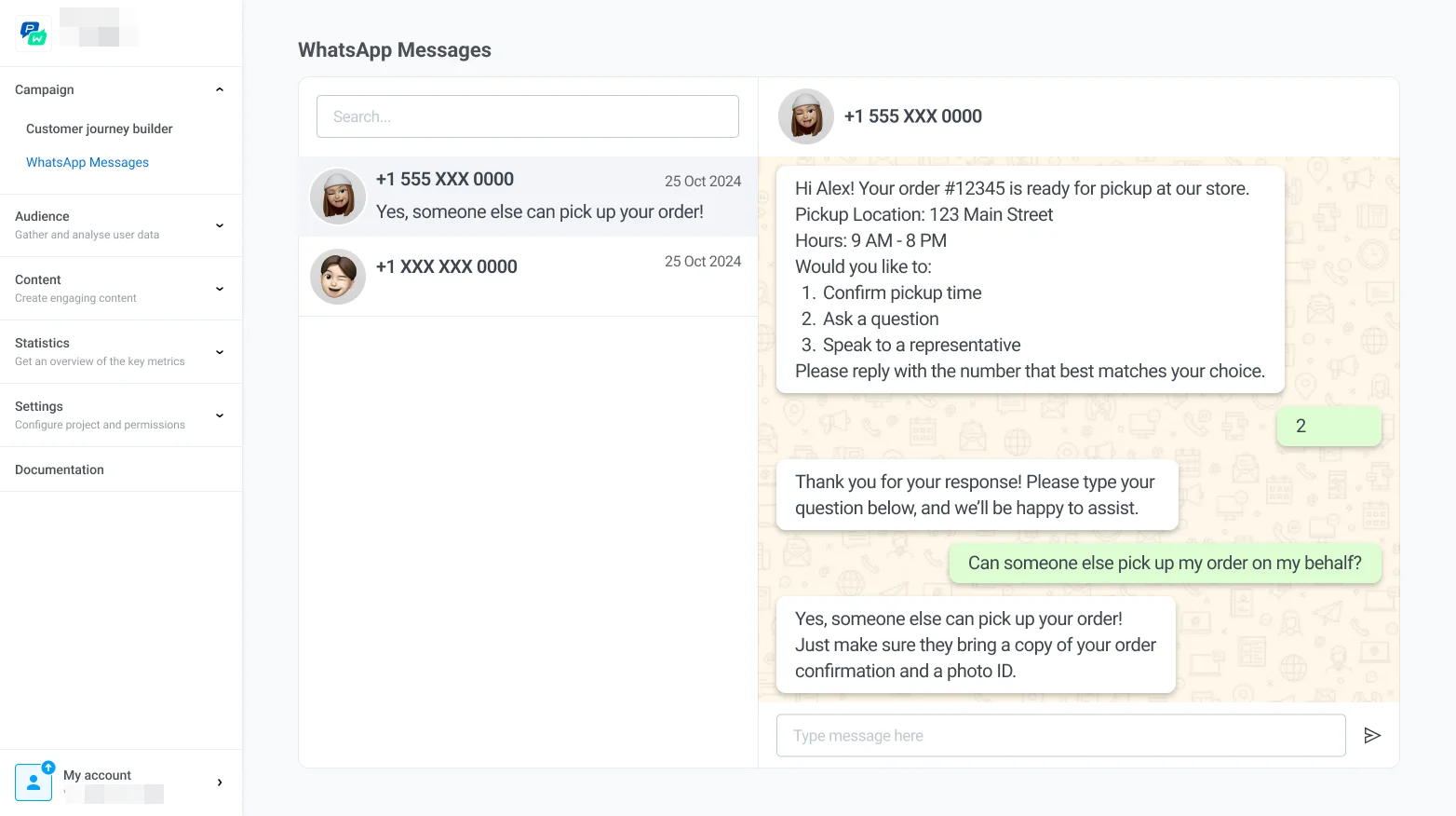
Here, you can:
- View all active and past conversations with customers to review message history and engagement details. Each conversation shows a countdown badge for the 24-hour customer service window opened by the customer’s last inbound message, tracked via the WhatsApp Session Expires At tag.
- Send messages directly to customers by typing your message and clicking Send — while the window is open. Once it closes, the composer is disabled, and you can only continue the conversation with an approved message template.