Telegram
The Telegram element sends plain-text Telegram messages to users who started your bot and entered a customer journey.
Configure the Telegram element
Anchor link to- Add the Telegram element to the journey canvas.
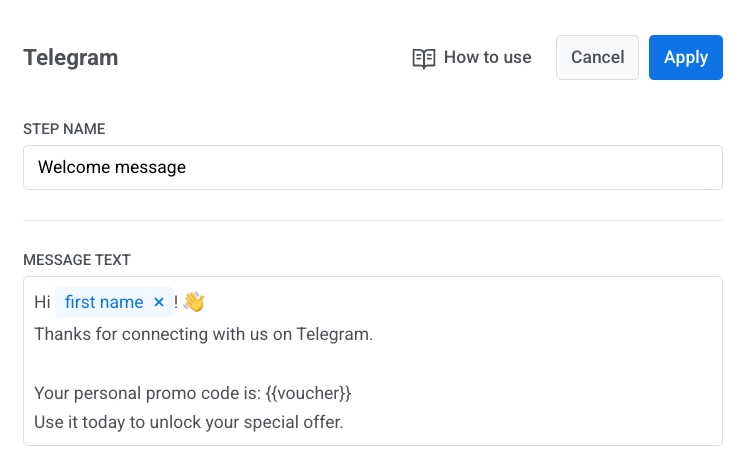
- In Message text, enter the message body.
- Keep the message text-only and within 4096 characters.
Personalize message content
Anchor link toYou can personalize Telegram messages with tags and Liquid placeholders. Learn more
Use vouchers
Anchor link toTo include voucher codes:
- Turn on Use vouchers.
- Select Voucher pool.
- Optional. Set Assign tag.
- Add
{{voucher}}to Message text where the code should appear.
Once you configure the element, click Apply.
Reachability and statistics
Anchor link toIf sending fails because of a temporary network issue, Pushwoosh retries automatically.
If Telegram reports that the user blocked or removed the bot, that the chat wasn’t found, or that the account was deactivated, Pushwoosh unsubscribes the user from Telegram. These sends appear as Chat Unavailable (410007) on the Errors tab of the message stats. Nothing needs fixing: the person can’t receive messages from the bot anymore. See Telegram errors.
For an end-to-end setup guide, see Send Telegram messages in Customer Journey.