Calculate segment size
How to calculate the segment size
Anchor link toWhen planning your next targeted campaign, you may want to get an estimate of how many devices receive your push or see your in-app. Pushwoosh makes it easy to calculate the segment size and see the estimated number of subscribers across different communication channels.
After you create a segment, click Update segment size to calculate its size. Segments imported from a CSV file are calculated automatically.
When you change the conditions, the segment keeps showing the previous size until you click Update segment size again.
Once the segment size is calculated, the segment view shows a summary card.
The card displays:
- Calculated: The date of the last calculation, with a refresh icon to recalculate the size.
- Unique users: Total number of distinct users in the segment.
- Devices: Counts by channel (mobile, web, email, SMS, WhatsApp, LINE, Viber, Kakao, Telegram).
Below the card you see the conditions that define the segment.
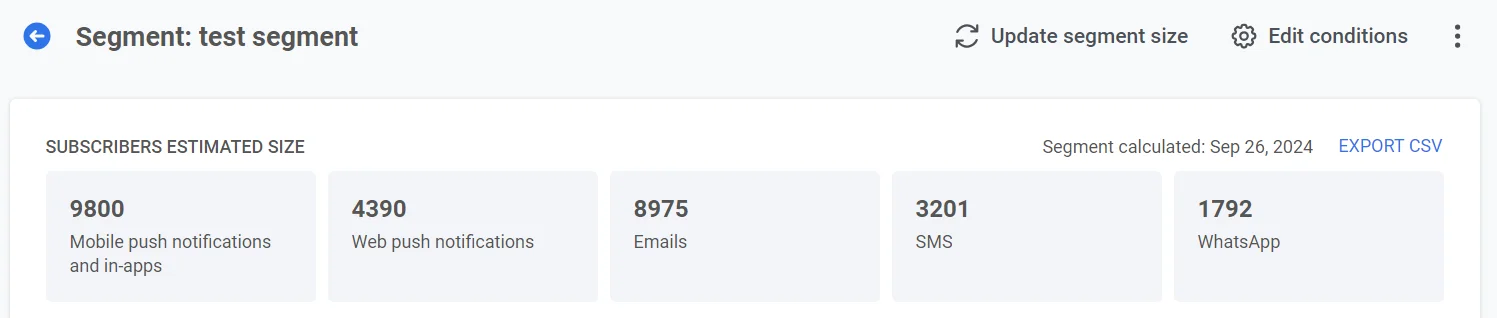
You can view the segment size in the Segments list, including the number of subscribers for each platform. If the size has not been calculated yet, the list shows “Segment not calculated” and the last modified date.
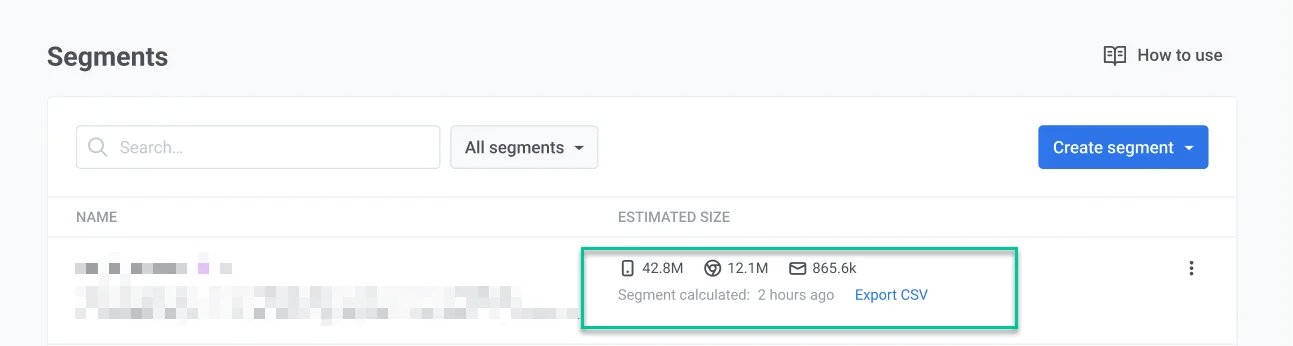
To refresh the segment size from the Segments list, click the three dots next to the segment name and select Refresh Segment Size. To export the segment, select Export segment users…. Pushwoosh recalculates the size before the export.
Export to CSV
Anchor link toExport this data to a CSV file for further analysis. From the segment detail page, use Generate CSV for export in the three-dot menu. This option exports the segment as of its last calculation. To recalculate the size before the export, use Export segment users… in the Segments list instead. Learn more
The CSV file contains information about each user and Tag values. You can use CSV files to send targeted pushes and emails. You can also analyze audience segments to improve your campaigns.