Manage geozones and clusters
The Geo campaigns page shows all your geozones plotted on a map and listed in a table, grouped by cluster. Standalone zones appear under a Without cluster section.
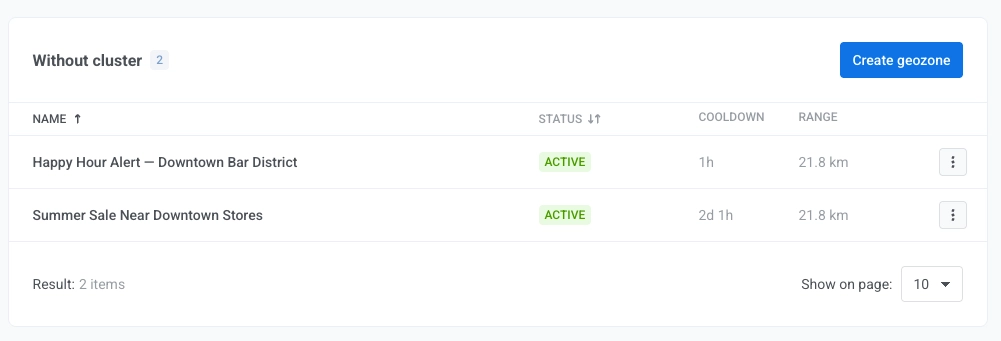
The Status column can show:
- Active. The geozone can fire. Cooldown and the campaign schedule still apply.
- Scheduled. Runs from is in the future. The geozone doesn’t run entry actions (Send push, Fire event) yet.
- Expired. Runs until has passed. The geozone no longer runs entry actions.
- Paused. You paused the geozone, or its cluster if via cluster appears next to the status. Click Resume on the geozone or the cluster, whichever you paused, to let it fire again.
Scheduled and Expired geozones stay enabled in the system and resume sending on their own when the date range applies again. You don’t need to pause or re-enable them for the date range alone. Exit, dwell, and assumed-exit events don’t depend on the dates and keep firing in these geozones.
Manage a geozone
Anchor link toFor each geozone you can:
- Pause or Resume the geozone. A paused geozone fires nothing: no entry actions, and no exit, dwell, or assumed-exit events.
- Edit the geozone in the form.
- Move to cluster. Assign to a different cluster, or remove from its current cluster. To create a cluster first, see Create a cluster.
- Delete the geozone permanently.
Manage a cluster
Anchor link toFor each cluster you can:
- Pause or Resume the cluster. Pausing a cluster stops entry actions (Send push, Fire event) for every geozone inside it. Exit, dwell, and assumed-exit events keep firing.
- Edit the cluster name or cooldown.
- Delete the cluster. Only clusters without attached geozones can be deleted.