Build segments by existing segments
Segment-based filtering allows you to include users who already belong to one or more existing segments. This lets you reuse previously defined logic instead of recreating complex conditions from scratch, making it easier to build layered audience targeting.
How to build segments by existing segments
Anchor link toTo build a segment using existing segments:
- When creating a new segment, click Add filter by → Segment.
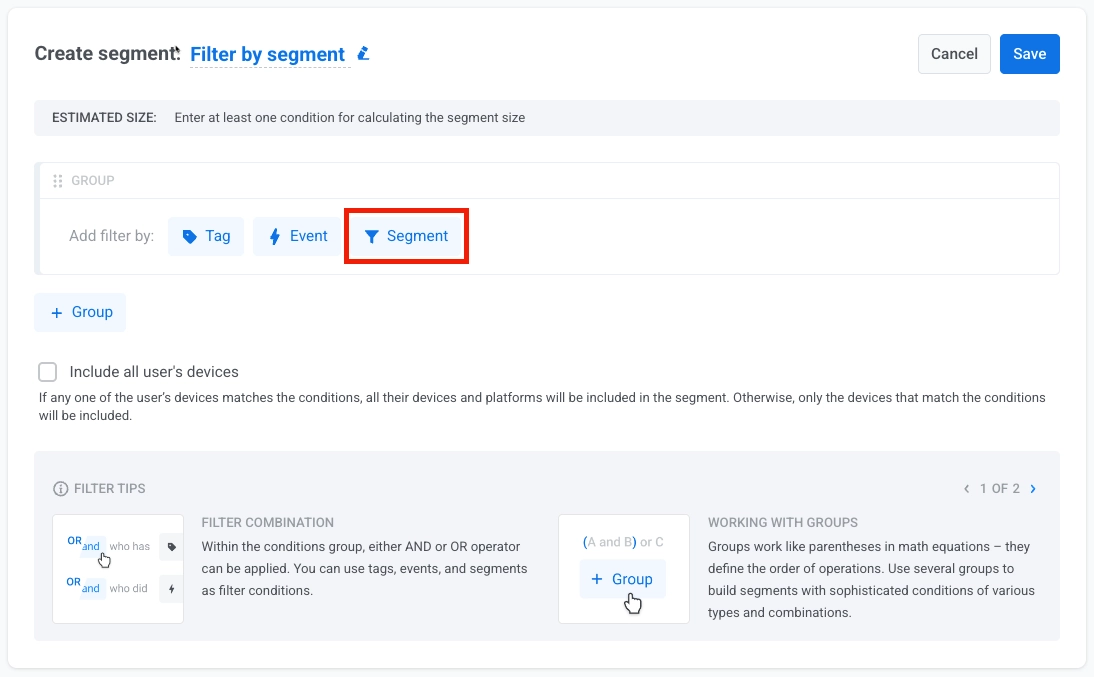
-
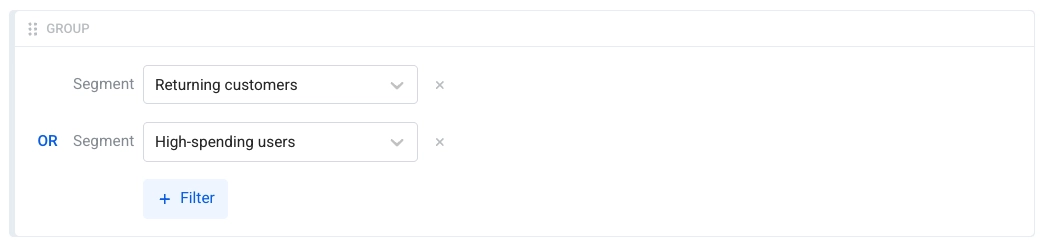
Select one or more existing segments to include in your new segment.
-
If you add multiple segments, choose how they should be combined using a logic operator:
- Select AND to include users who belong to all selected segments
- Select OR to include users who belong to any of the selected segments
Include all of a user’s devices
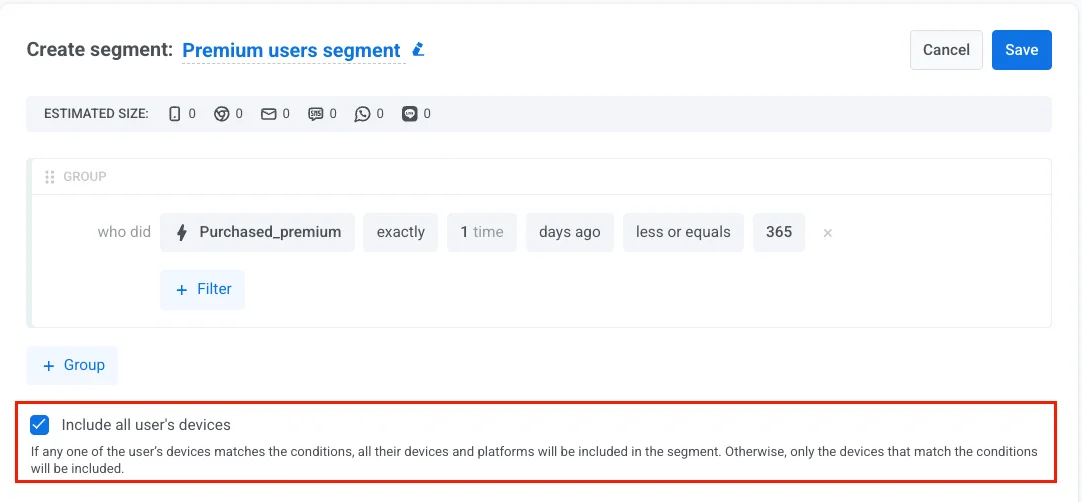
Anchor link toBelow the filter groups, enable Include all of a user’s devices to target a user across all their devices, not just the one that matched the segment condition. This ensures they receive your messages on every platform they use.
If any of a user’s devices matches the conditions, all their devices are added to the segment. If the checkbox is left unchecked, only matching devices are included.
This same checkbox appears, disabled, on a segment’s read-only detail page — it reflects the setting the segment was created with and can’t be changed there.
Use cases for segment-based filtering
Anchor link toBelow are practical scenarios showing how to use existing segments to create more targeted audiences.
Premium active users
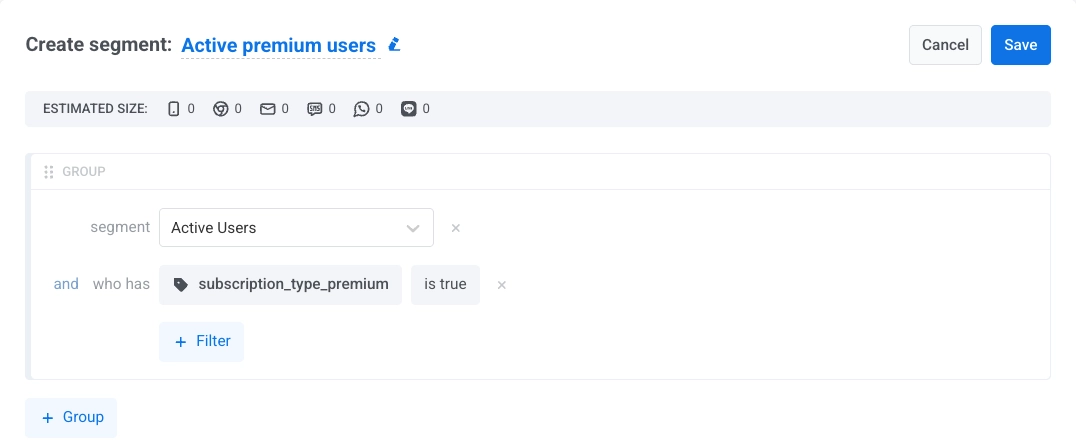
Anchor link toGoal: Target only premium subscribers who are recently active.
How to set up:
- Segment filter: Select
Active Users(users who opened the app in the last 7 days) - Tag filter:
subscription_type_premiumis true - Operator: AND
Use case: Send exclusive offers or premium feature announcements to engaged, paying users.
Multi-segment engagement
Anchor link toGoal: Target users who belong to either high-value customers or recent purchasers.
How to set up:
- Segment 1: Select
High-Value Customers - Segment 2: Select
Recent Purchasers - Operator: OR
Use case: Run promotional campaigns targeting users with demonstrated purchase behavior from multiple angles.
Tips for segment-based filtering
Anchor link to- Reuse well-defined segments to maintain consistency across campaigns and reduce setup time.
- Combine segment filters with tags or events for more precise targeting.
- Keep track of segment nesting levels to avoid hitting the five-level limit.
- Regularly review and update base segments to ensure derived segments remain accurate.