Create a cluster
Use a cluster when the same device might enter several of your zones in a short window, for example, two stores on the same street. Once a device receives a push from any geozone in the cluster, it stays silent for all others in that cluster until the cooldown expires.
After you create the first geozone, you can create clusters from the Geo campaigns page.
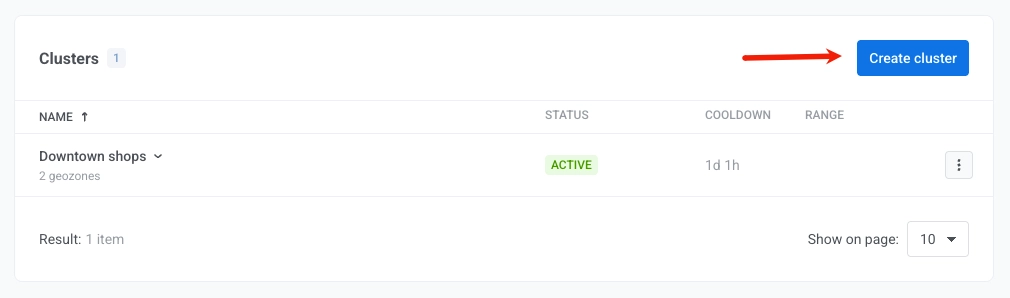
- On the Geo campaigns page, click Create cluster.
- Enter the Cluster name and Cluster cooldown.
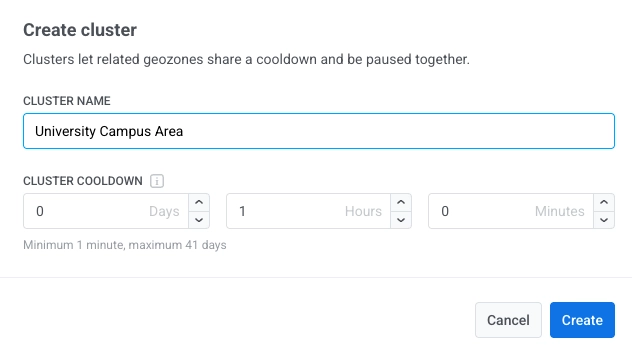
- Click Create.
Once created, the cluster appears on the Geo campaigns page. To assign geozones to it:
- Select Use existing cluster in the Cooldown field when creating or editing a geozone.
- Use Move to cluster on the Geo campaigns page.
You can also create a cluster while you save a geozone:
- In Cooldown, choose New cluster.
- Enter the name and cooldown.
- Click Save.