Adapty: grant access level
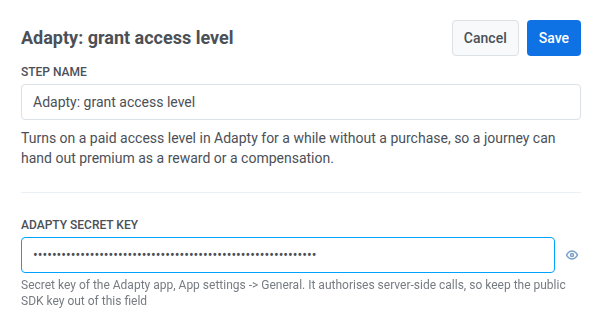
The Adapty: grant access level Point template turns on a paid access level in Adapty for a while without a purchase, so a journey can hand out premium as a reward or a compensation.
Configure the point
Anchor link to- Drag Adapty: grant access level from the Integrations section onto the canvas.
- Double-click the point and enter a Step Name.
- In Adapty secret key, enter the app’s secret key from Adapty: App settings > General. It’s stored masked, like a webhook secret header — a public SDK key doesn’t authorize this call, so keep it out of this field.
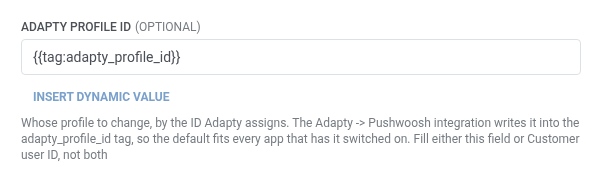
- Identify the traveler with one of these fields. Leave the other empty. An empty field is dropped from the request, not sent blank.
- Adapty profile ID (default): keep
{{tag:adapty_profile_id}}. The Adapty → Pushwoosh integration writes that tag when the integration is enabled. Leave Customer user ID empty.
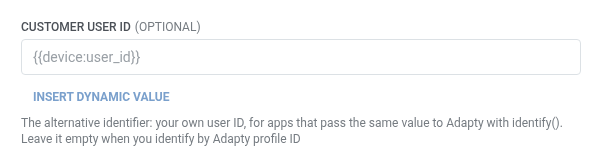
- Customer user ID: fill this if the app passes its own user ID to Adapty through
identify(), for example{{device:user_id}}. Leave Adapty profile ID empty.
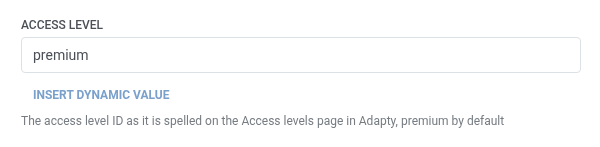
- In Access level, enter the access level ID exactly as it’s spelled on Adapty’s Access levels page. Defaults to
premium.
- In Grant for, enter how long the access stays on, counted from the moment the traveler passes this step: a number plus a unit, for example
30m,12h, or7d. Enterneverfor access that doesn’t expire. Defaults to7d.

- Click Save.
Response
Anchor link toThis point doesn’t map any response data back into the journey. A failed request drops the traveler from the journey — see Errors and failed requests.
Example scenario: Rewarding a referral with temporary premium
Anchor link toAn app wants to reward a user with a week of premium the moment they complete a successful referral, without a purchase.
- Add a Trigger-based entry element and set it to fire on a
ReferralCompletedevent. - Add Adapty: grant access level right after it. Leave Adapty profile ID at its default. Set Access level to
premiumand Grant for to7d. - Click Save.
Once this runs, every traveler who completes a referral gets a week of premium access in Adapty, with no purchase involved.