Slack: post message
Use Slack: post message to notify your team in Slack from a journey step. This point authenticates with its own bot token. It doesn’t use any account-level integration configured elsewhere in Settings.
Typical uses:
- Alert on high-value conversions: post when a traveler completes a purchase or hits a goal, so the team sees it in real time.
- Flag a step that needs a human: notify support or sales when a traveler reaches a point a bot can’t finish.
- Track journey health: post a line each time a cohort finishes a branch, without building a dashboard.
Configure the point
Anchor link to- Drag Slack: post message from the Integrations section of the left panel onto the canvas.
- Double-click the point and enter a Step Name.
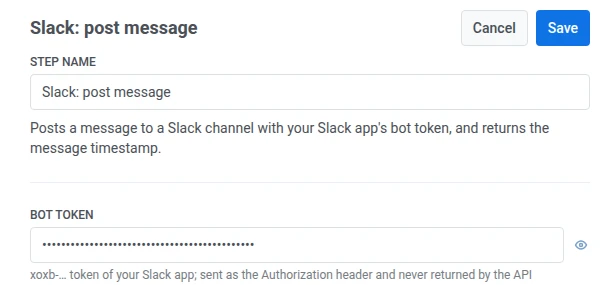
- In Bot token, enter your Slack app’s
xoxb-bot token. It’s stored masked, like a webhook secret header, and Slack never returns it back to Pushwoosh.
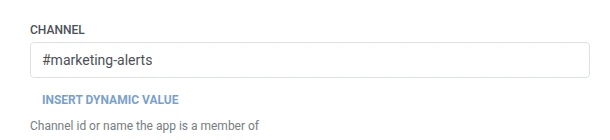
- In Channel, enter the channel ID or name your app is a member of.
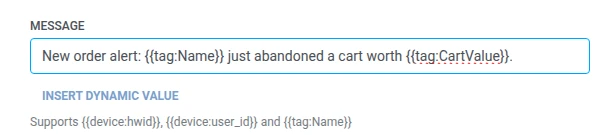
- In Message, enter the text to post. It takes the same macros as any Webhook body:
{{device:hwid}},{{device:user_id}},{{tag:Name}}.
- Click Save.
Response
Anchor link toThe traveler continues to whatever step you connect next on the canvas.
Attributes after the step runs
Anchor link to| Attribute | What it holds |
|---|---|
slack_message_ts | The posted message’s timestamp |
How to use it in later steps
Anchor link toThe traveler already continued to the next step regardless of this attribute. Save it to a Tag with Update user profile if you need to reference this specific message later, for example when troubleshooting delivery.
Failures and unexpected responses
Anchor link toA failed request drops the traveler from the journey. See Errors and failed requests.
Example scenario: Alerting the team about a high-value order
Anchor link toA team wants a Slack heads-up the moment a high-value order comes in, without watching Pushwoosh directly.
- Add a Trigger-based entry element and set it to fire on a
HighValueOrderPlacedevent. - Add Slack: post message right after it. Post to
#order-alertswith{{tag:Name}} just placed a {{tag:Order Value}} order. - Click Save.
Once this runs, the team sees a Slack message in #order-alerts the moment a high-value order comes in.