Default widget
The default subscription widget aims to encourage your website visitors to subscribe to push notifications. Shown to users based on your website’s logic, the widget gently prompts website visitors to allow receiving push notifications from you, thus creating long-term relationships with prospects and customers.
Use the default widget to:
- Grow your audience. Describe the benefits of receiving web push notifications to encourage existing customers to subscribe.
- Reduce spending on integration. The default widget works out-of-the-box and needs almost no coding to be integrated into your website.
How it works
Anchor link toThe default widget contains plain text explaining the value of push notifications and two buttons to agree or disagree on receiving pushes. When a user presses the Confirmation button, the native subscription prompt is triggered.
How to implement a default widget
Anchor link toIntegrate the default widget
Anchor link toCreate a default widget
Anchor link toTo configure the subscription prompt, go to Settings → Configure platforms → Web push notification → Subscription prompt, then click Settings.
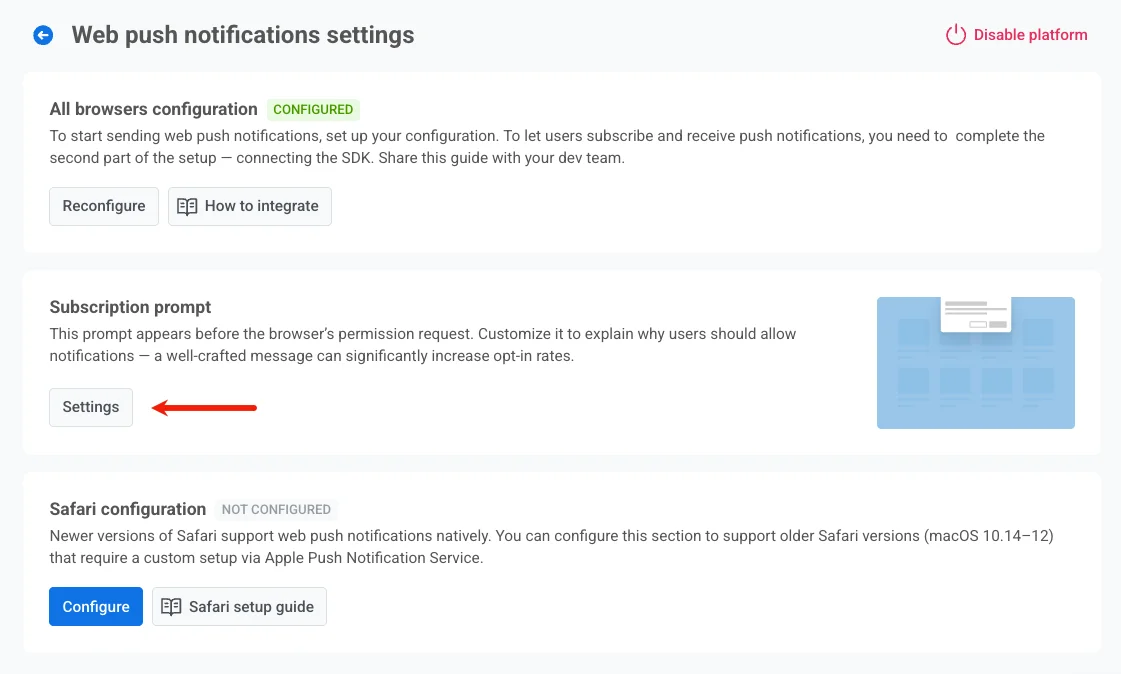
Then, select Default widget and customize the widget to contain the most explanatory and convincing text, clear CTA buttons, and colors fitting your website styles.
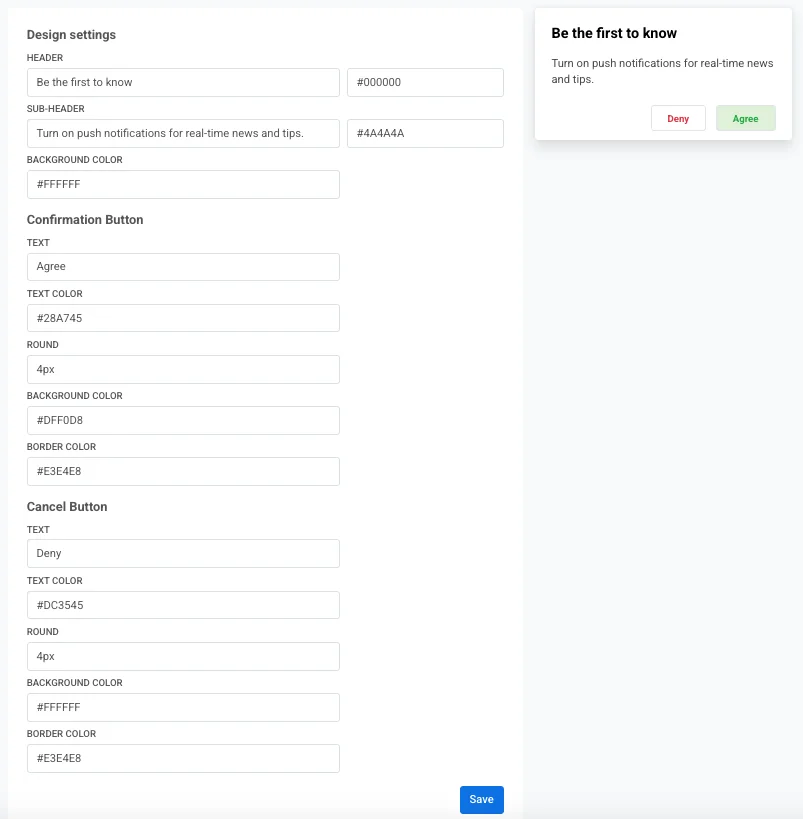
To save changes, click Save at the bottom of the page. Then, click Publish at the top of the page to start showing the widget to website visitors.
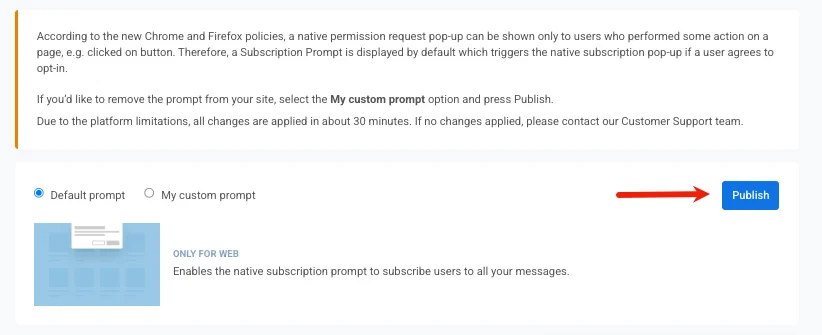
If you’d like to remove the widget from your site, select the My custom widget option and click Publish.