Разовая отправка push-уведомлений через Customer Journey
Вы можете отправить разовое push-уведомление через Customer Journey Builder вместо использования формы для разовой отправки push-уведомлений. Процесс одинаков для мобильных и веб-устройств.
Создайте Journey
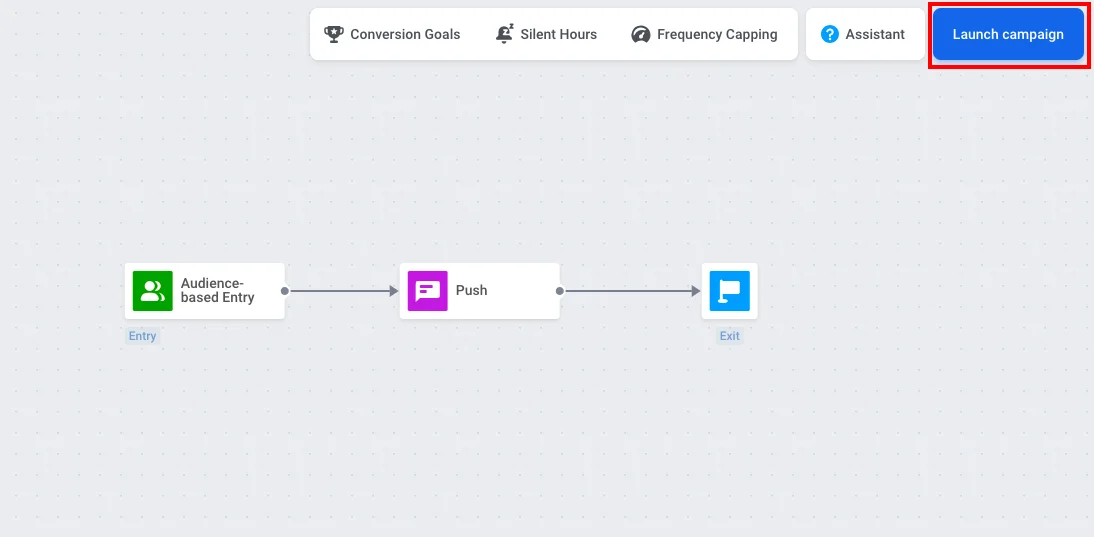
Anchor link toПри создании push-кампании в Customer Journey Builder выберите шаблон One-time campaign. Он добавит на холст элементы Audience-based Entry, Push и Exit и соединит их для вас.
Вы также можете создать Journey вручную, перетащив эти три элемента на холст и соединив их по порядку.
Настройте аудиторию
Anchor link toДважды щелкните элемент Audience-based Entry, чтобы выбрать, кто получит push-уведомление. В этом же элементе вы можете установить Scheduled Launch, чтобы отправить push-уведомление в определенную дату и время. Узнайте больше об Audience-based Entry, включая Scheduled launch.
Если у вас уже есть сегмент подписавшихся пользователей (например, Push Alerts Enabled), в Audience Source выберите этот сегмент.
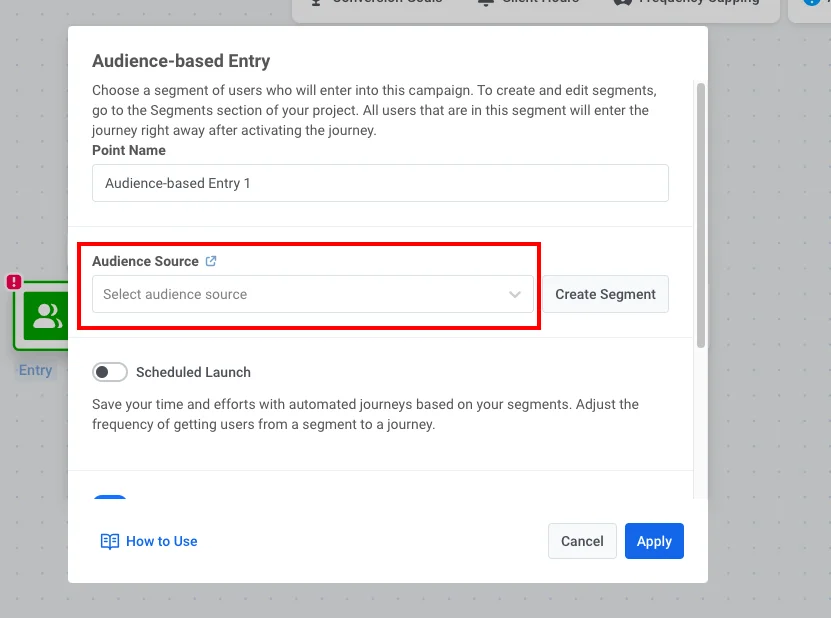
Если вам нужно создать сегмент:
- Нажмите Create Segment.
- В конструкторе сегментов добавьте фильтр: тег Push Alerts Enabled имеет значение true.
- Нажмите Save segment.
Настройте push-уведомление и запустите Journey
Anchor link to- Дважды щелкните элемент Push и выберите или создайте контент для push-уведомления.
Узнайте больше об элементе Push в Customer Journey
- Когда Journey будет готова, нажмите Launch campaign.