Adapty 集成
集成概述和用例
Anchor link toAdapty 是一个移动应用订阅管理和变现平台。
通过将 Adapty 与 Pushwoosh 集成,您可以将任何与订阅相关的事件和付费墙互动从 Adapty 传递到 Pushwoosh。在 Pushwoosh 中,您可以发起有针对性的营销活动,以吸引您的用户群,促进增销并激励续订。
得益于此集成,订阅业务可以使其通信更加高效,并实现可观的收入提升。
设置集成
Anchor link to- 从您的 Adapty 账户 开始
导航至“集成”部分,选择 Pushwoosh,通过将开关从“关”切换到“开”来激活它,然后填写必要的字段。
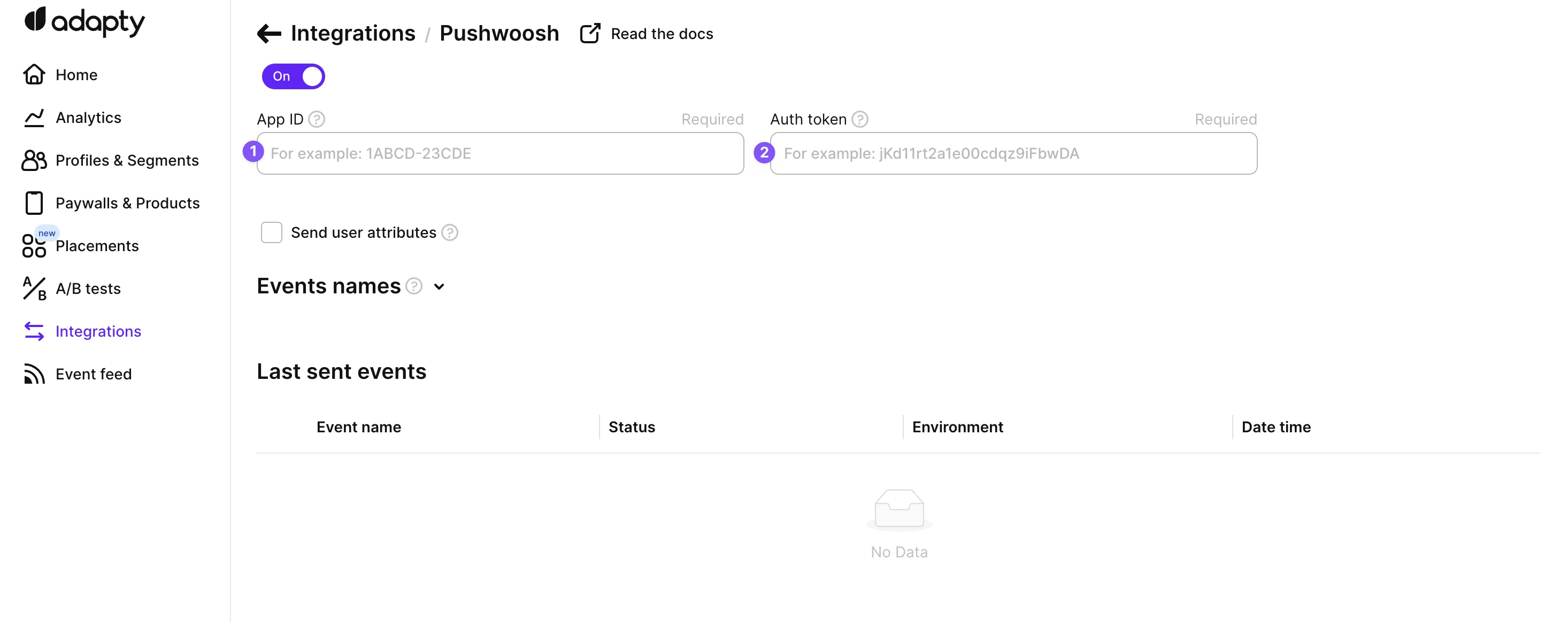
- 前往 Pushwoosh 设置必要的凭据
通过设置凭据,在您的 Pushwoosh 和 Adapty 账户之间建立连接。这需要您的 Pushwoosh App ID 和身份验证令牌。
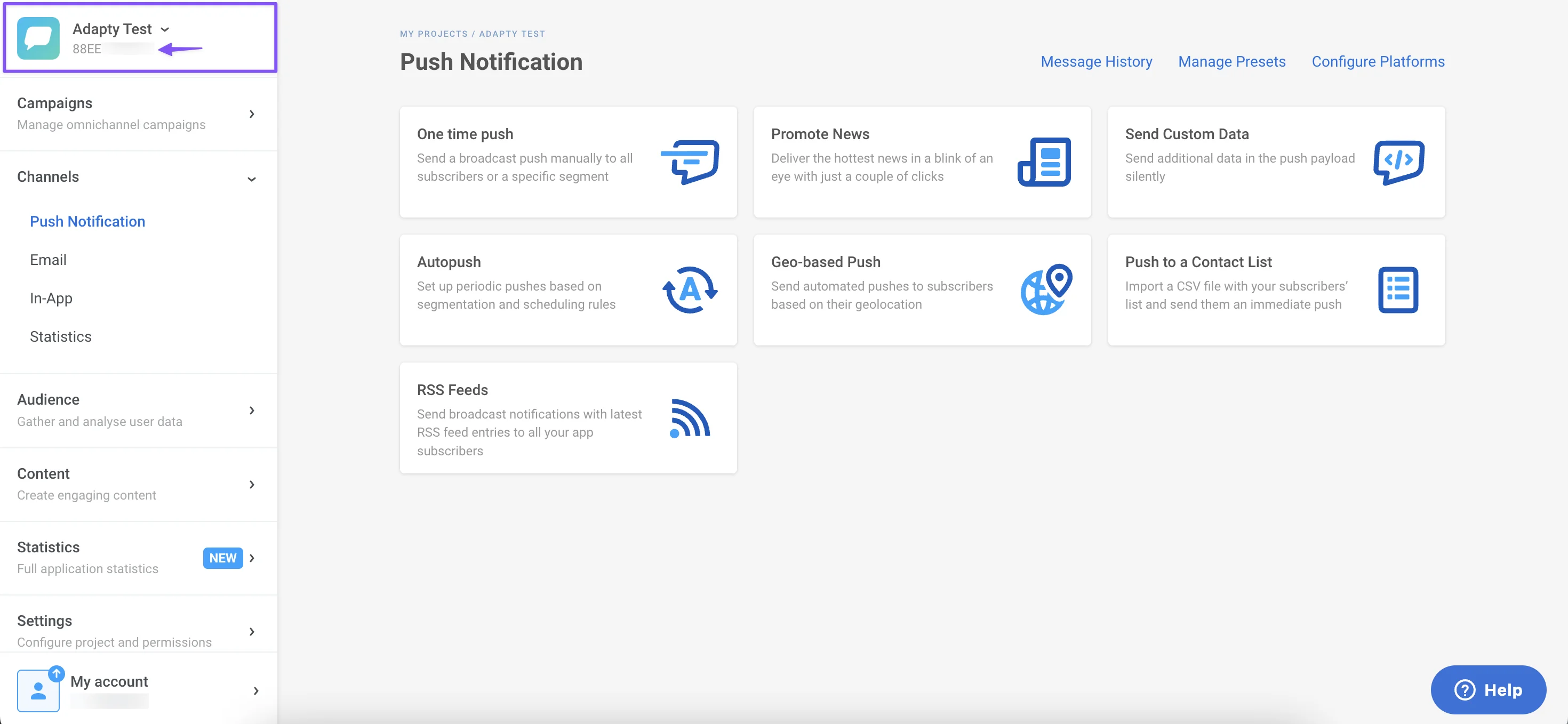
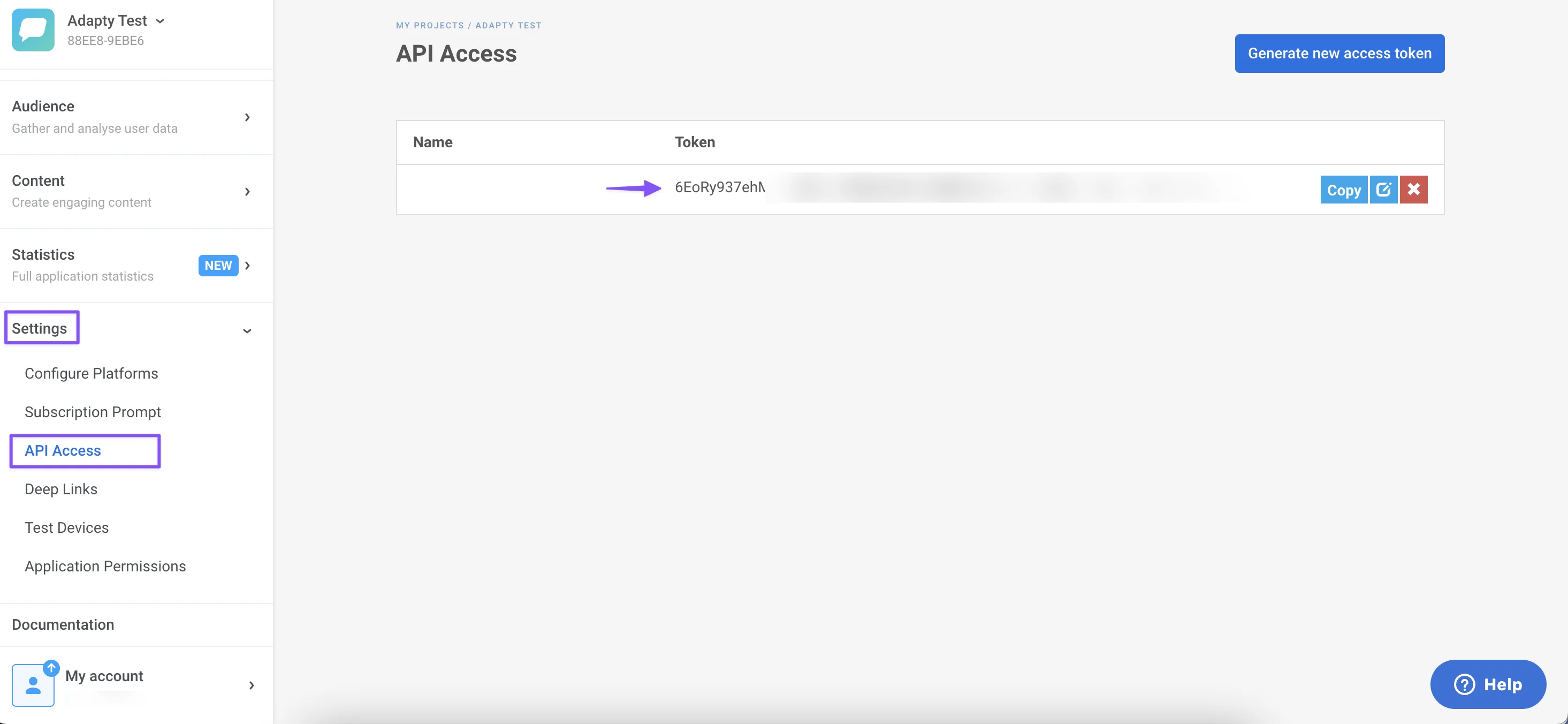
- 找到您的 Pushwoosh 凭据
- App ID:在 Pushwoosh 控制面板中找到。
- Auth Token:位于 Pushwoosh 设置的 API 访问部分。
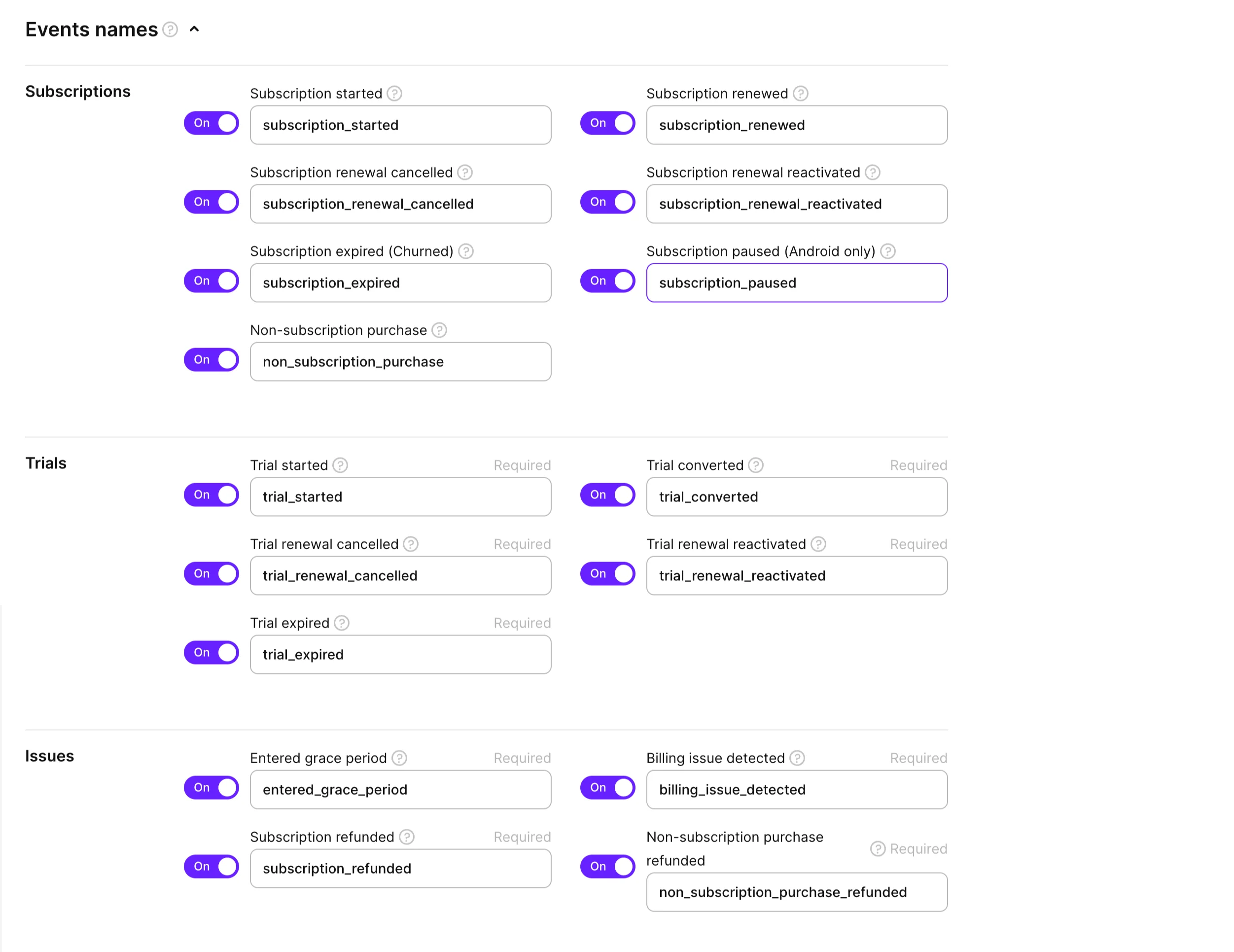
- 配置事件和标签
在凭据设置下方,您会找到从 Adapty 选择和重命名各种事件组以发送到 Pushwoosh 的选项。请审查并选择您需要的事件。有关 Adapty 中可用事件的完整列表,请参阅他们的详细指南。
Adapty 通过服务器到服务器的集成处理订阅事件到 Pushwoosh 的传输,让您可以在 Pushwoosh 控制面板中全面查看这些事件。
- 启用自定义标签
通过使用自定义标签来增强您与 Adapty 的 Pushwoosh 集成。这些标签可以根据您的具体要求进行定制,如下所述:
- adapty_customer_user_id:来自 Pushwoosh 的唯一用户标识符。
- adapty_profile_id:唯一的 Adapty 用户个人资料 ID,可在 Adapty 控制面板中查看。
- environment:识别用户的环境,为 ‘Sandbox’ 或 ‘Production’。
- store:指明购买商店(‘app_store’ 或 ‘play_store’)。
- vendor_product_id:在 Apple/Google 商店中的产品 ID。
- subscription_expires_at:最新订阅的到期日期,格式特定。
- last_event_type:来自 Adapty 的最新事件类型。
- purchase_date:上次交易的日期,格式特定。
- original_purchase_date:首次购买的日期,格式特定。
- active_subscription:表示订阅状态。
- period_type:购买或续订的最新周期类型。
此外,您可以集成自定义属性以获得更大的跟踪灵活性。在 Adapty 端的集成页面上,勾选“发送用户自定义属性”复选框,以便自动传输到 Pushwoosh。
- 必需:配置 SDK
要完成集成,请将 HWID 值从 Pushwoosh 发送到 Adapty:
let params = AdaptyProfileParameters.Builder()    .with(pushwooshHWID: Pushwoosh.sharedInstance().getHWID())    .build()
Adapty.updateProfile(params: params) { error in    // handle the error}
val params = AdaptyProfileParameters.Builder() .withPushwooshHwid(Pushwoosh.getInstance().hwid) .build()
Adapty.updateProfile(params) { error -> if (error != null) { // handle the error }}AdaptyProfileParameters params = new AdaptyProfileParameters.Builder() .withPushwooshHwid(Pushwoosh.getInstance().getHwid()) .build();
Adapty.updateProfile(params, error -> { if (error != null) { // handle the error }})import 'package:pushwoosh/pushwoosh.dart';
final builder = AdaptyProfileParametersBuilder() ..setPushwooshHWID( await Pushwoosh.getInstance.getHWID, );try { await adapty.updateProfile(builder.build());} on AdaptyError catch (adaptyError) { // handle error} catch (e) {}import { adapty } from 'react-native-adapty';import Pushwoosh from 'pushwoosh-react-native-plugin';
// ...try { await adapty.updateProfile({ pushwooshHWID: hwid, });} catch (error) { // handle `AdaptyError`}var builder = new Adapty.ProfileParameters.Builder();builder.SetPushwooshHWID(Pushwoosh.Instance.HWID);
Adapty.UpdateProfile(builder.Build(), (error) => { // handle error});