One-time push via Customer Journey
You can send a one-time push notification through Customer Journey Builder instead of the one-time push form. The process is the same for mobile and web.
Build the journey
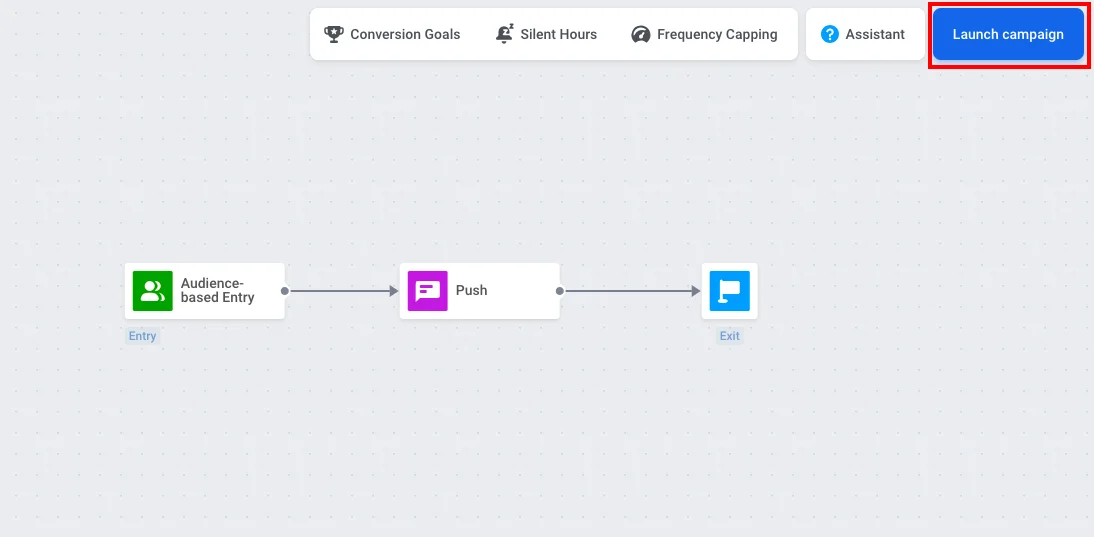
Anchor link toWhen you create a push campaign in Customer Journey Builder, choose the One-time campaign template. It adds Audience-based Entry, Push, and Exit to the canvas and connects them for you.
You can also build the journey manually by dragging these three elements onto the canvas and connecting them in order.
Set the audience
Anchor link toDouble-click the Audience-based Entry element to choose who receives the push. In the same element you can set Scheduled Launch to send the push at a specific date and time. Learn more about Audience-based Entry, including Scheduled launch.
If you already have a segment of opted-in users (e.g. Push Alerts Enabled), in Audience Source, select that segment.
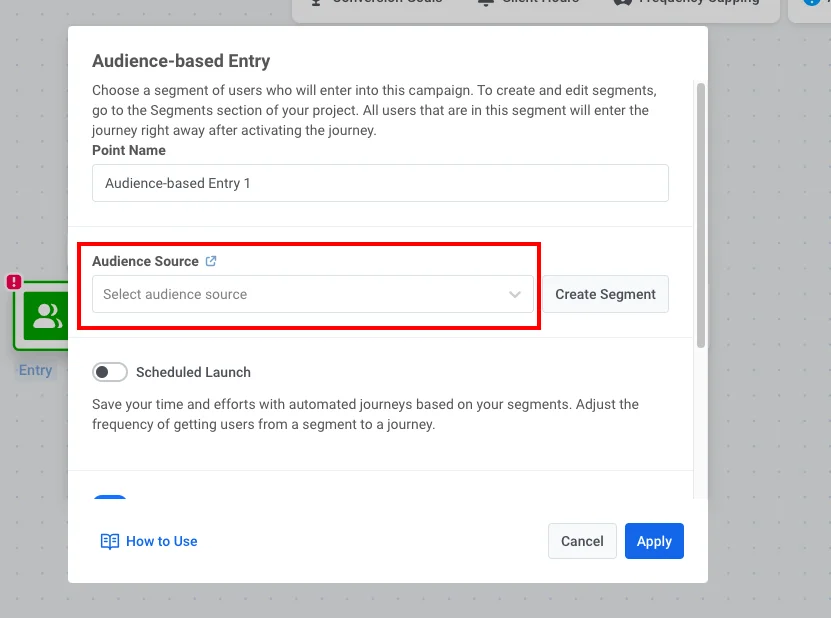
If you need to create the segment:
- Click Create Segment.
- In the segment builder, add a filter: tag Push Alerts Enabled is true.
- Click Save segment.
Configure the push and launch
Anchor link to- Double-click the Push element and select or create push content.
Learn more about the Push element in Customer Journey
- When the journey is ready, click Launch campaign.