KakaoTalk platform configuration
Pushwoosh enables you to send messages to users via KakaoTalk. By integrating KakaoTalk, you can extend your reach to users in South Korea and other regions where this messaging platform is dominant.
Prerequisites
Anchor link toBefore configuring KakaoTalk, ensure the following requirements are met:
- Pushwoosh account: A project where you want to enable KakaoTalk.
- A registered Kakao Business account
- User Code and Secret Key: Credentials from the Kakao Business Center required to connect your KakaoTalk account to Pushwoosh and authorize message sending.
Setting up the KakaoTalk configuration
Anchor link toTo set up the KakaoTalk configuration, follow these steps:
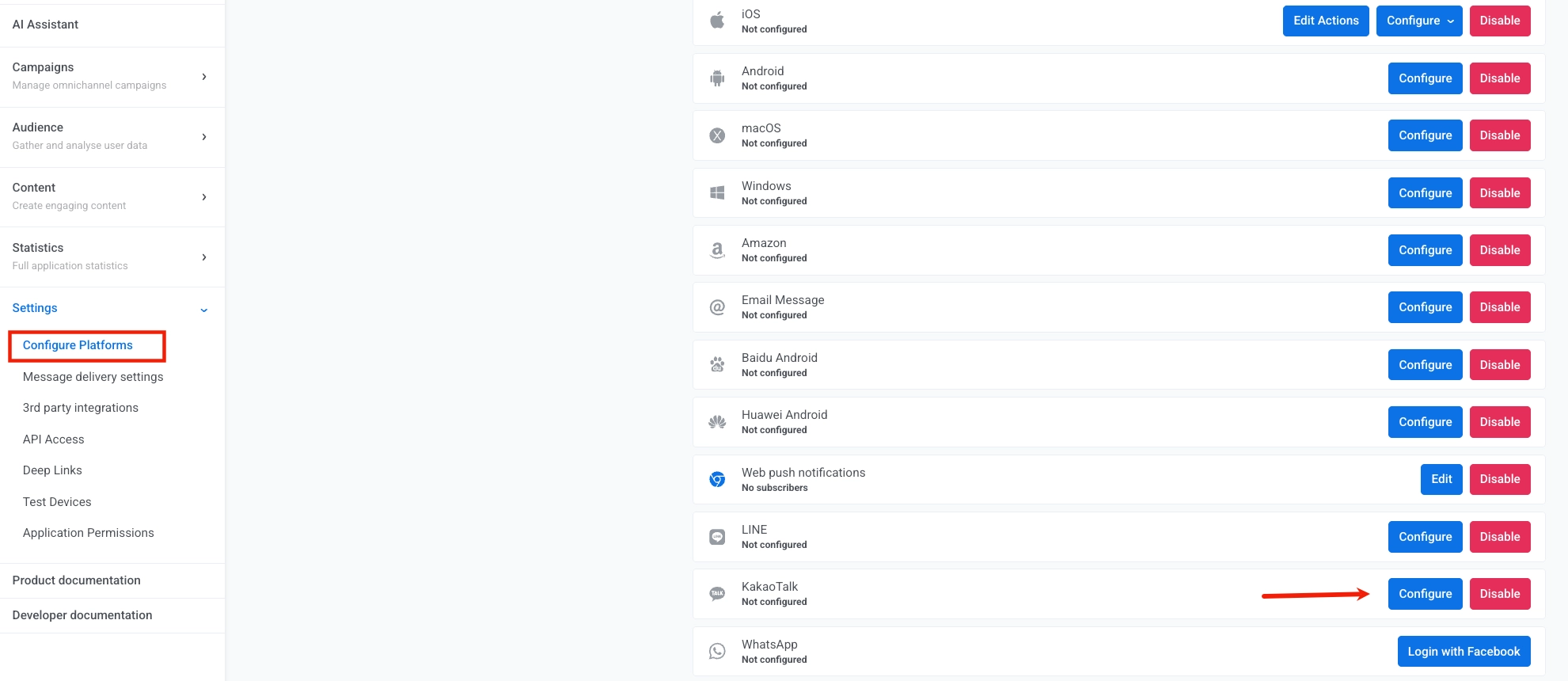
- Navigate to Settings > Configure Platforms. Scroll down the list of platforms to find KakaoTalk and click Configure.
- In the KakaoTalk notifications modal, enter your Kakao Business credentials:
- USER CODE: Your unique User Code from the Kakao Business Center.
- SECRET KEY: Your corresponding Secret Key.
These credentials verify your identity and authorize Pushwoosh to send messages on your behalf.
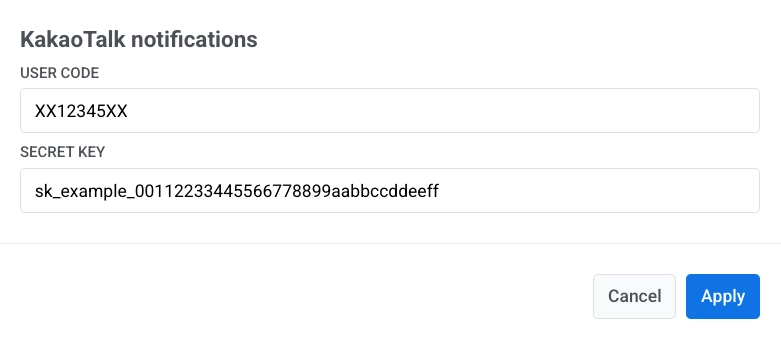
- Click Apply to save your configuration.
What’s next
Anchor link toKakaoTalk uses a template-based messaging system. Before you can send campaigns or transactional messages, you need to:
- Create a message template.
- Submit it for approval by the Kakao team.
Learn how to create and manage KakaoTalk message templates.
Once your templates are approved, you can send KakaoTalk messages using:
- API: Send messages programmatically via the Kakao API endpoint.
- Journey: Create automated messaging flows in the Customer Journey builder.