InboxUI mit Swift Package Manager einrichten
1. Öffnen Sie Ihr Projekt in Xcode und navigieren Sie zu den Projekteinstellungen -> Package Dependencies und klicken Sie dann auf die Schaltfläche „+“.
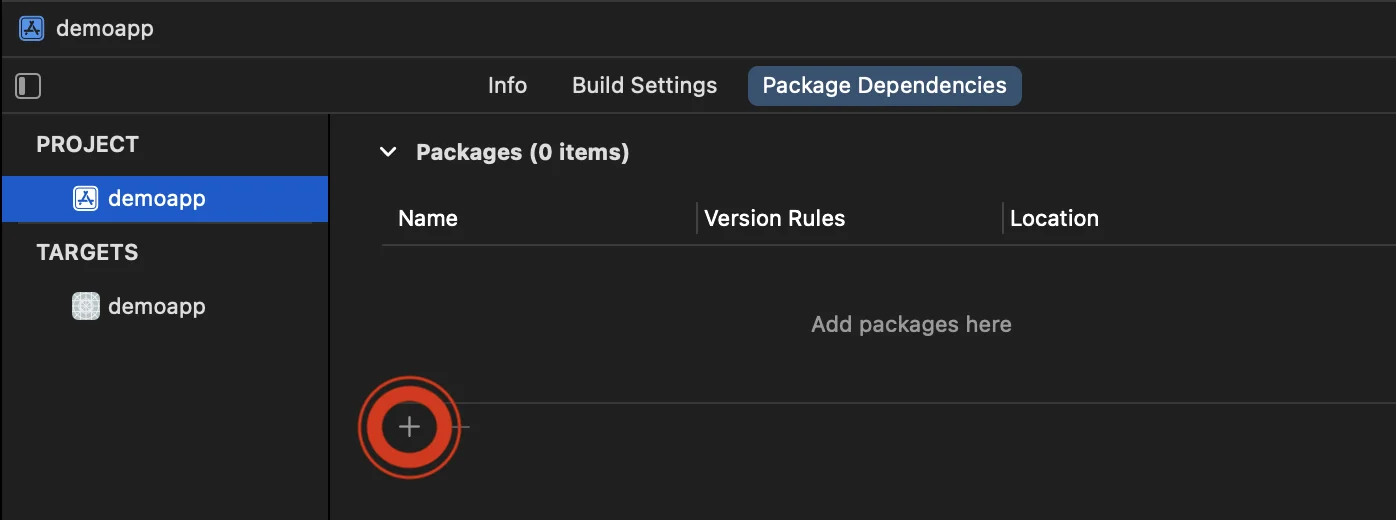
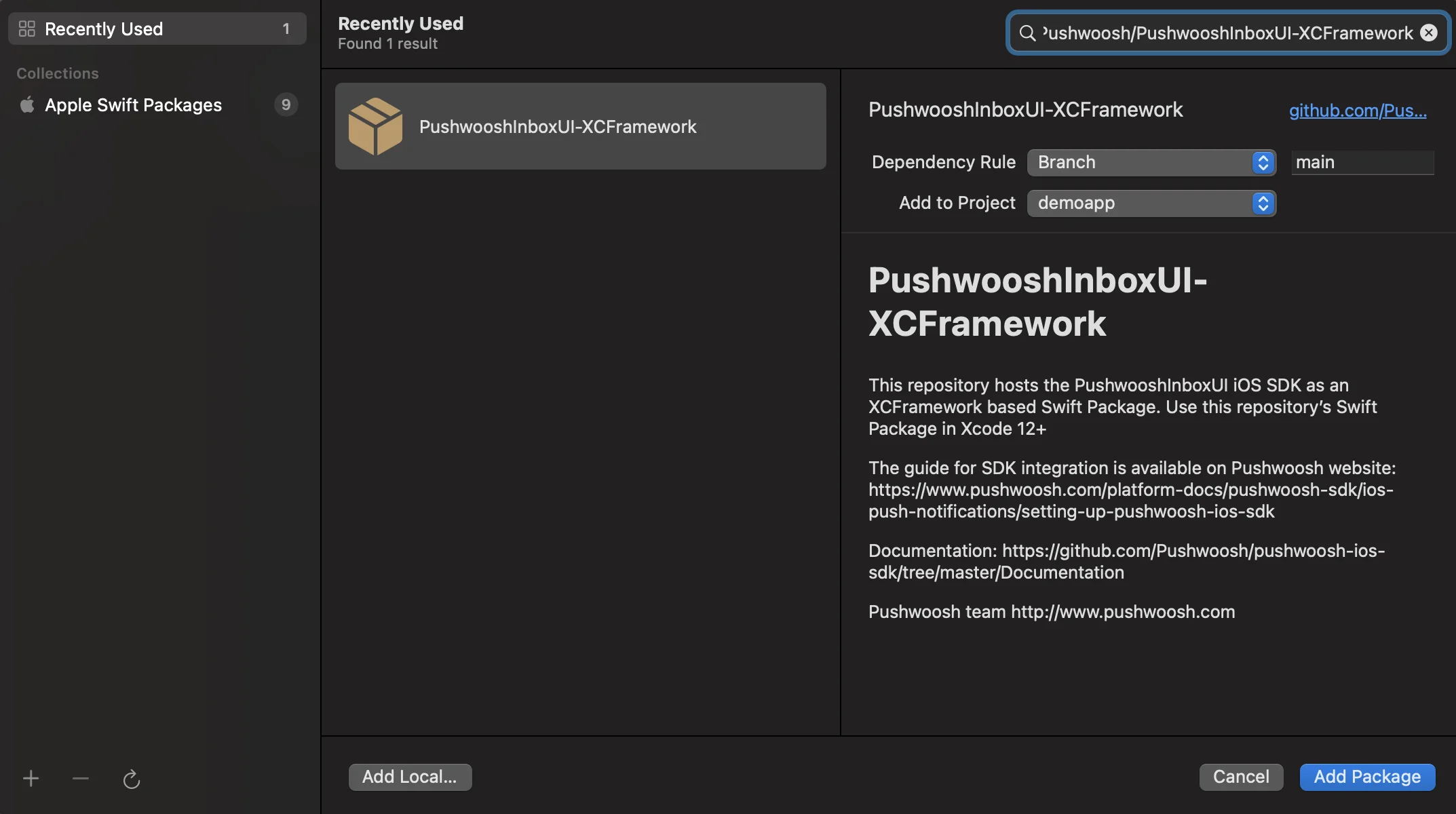
2. Geben Sie die folgende Paket-URL ein:
https://github.com/Pushwoosh/PushwooshInboxUI-XCFramework3. Stellen Sie die „Dependency Rule“ auf Branch und main ein. Klicken Sie dann auf die Schaltfläche „Add Package“.
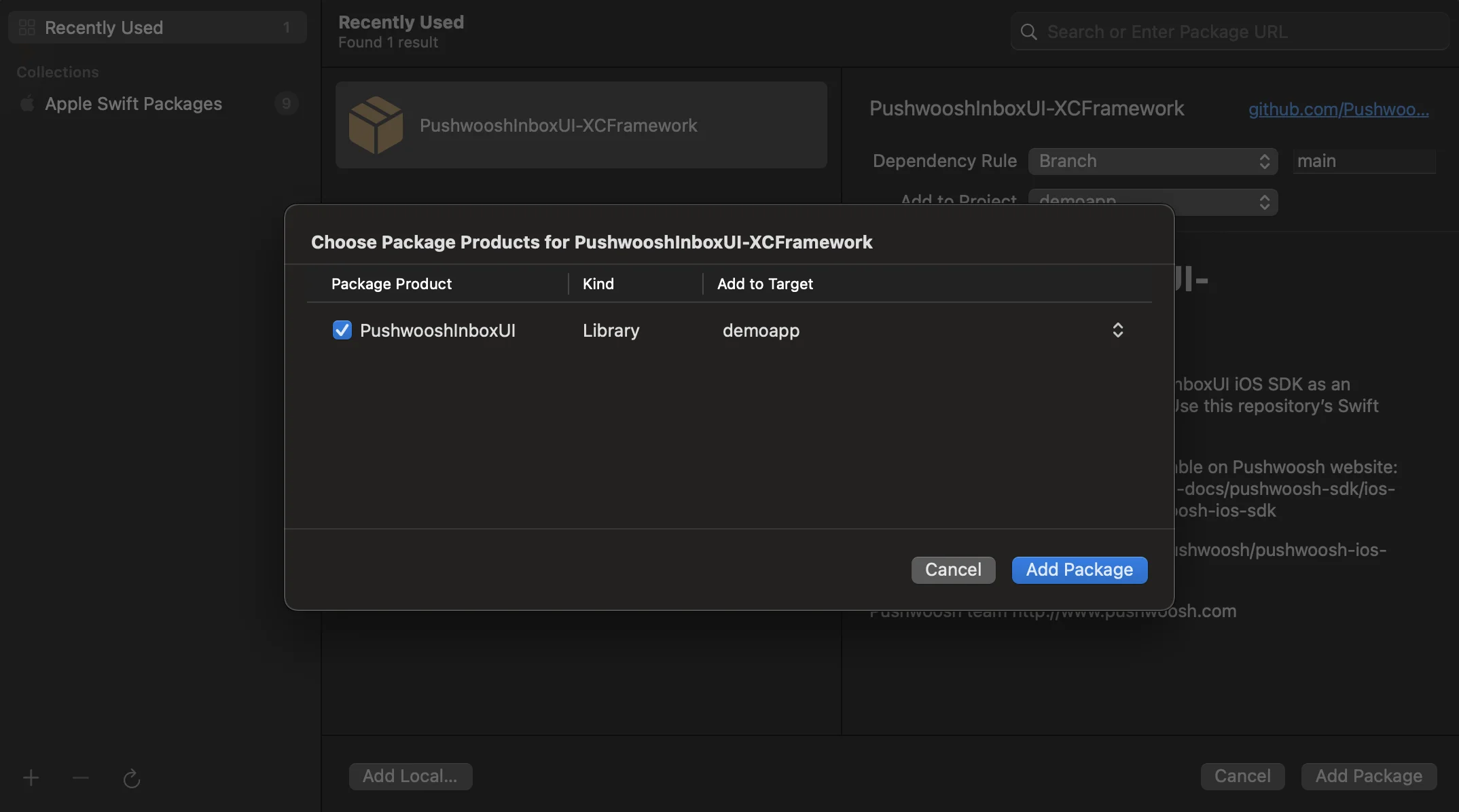
4. Wählen Sie auf dem nächsten Bildschirm zur Auswahl Ihres Pakets das Pushwoosh-Paket aus und fügen Sie das Paket zu Ihrem Haupt-App-Ziel hinzu.
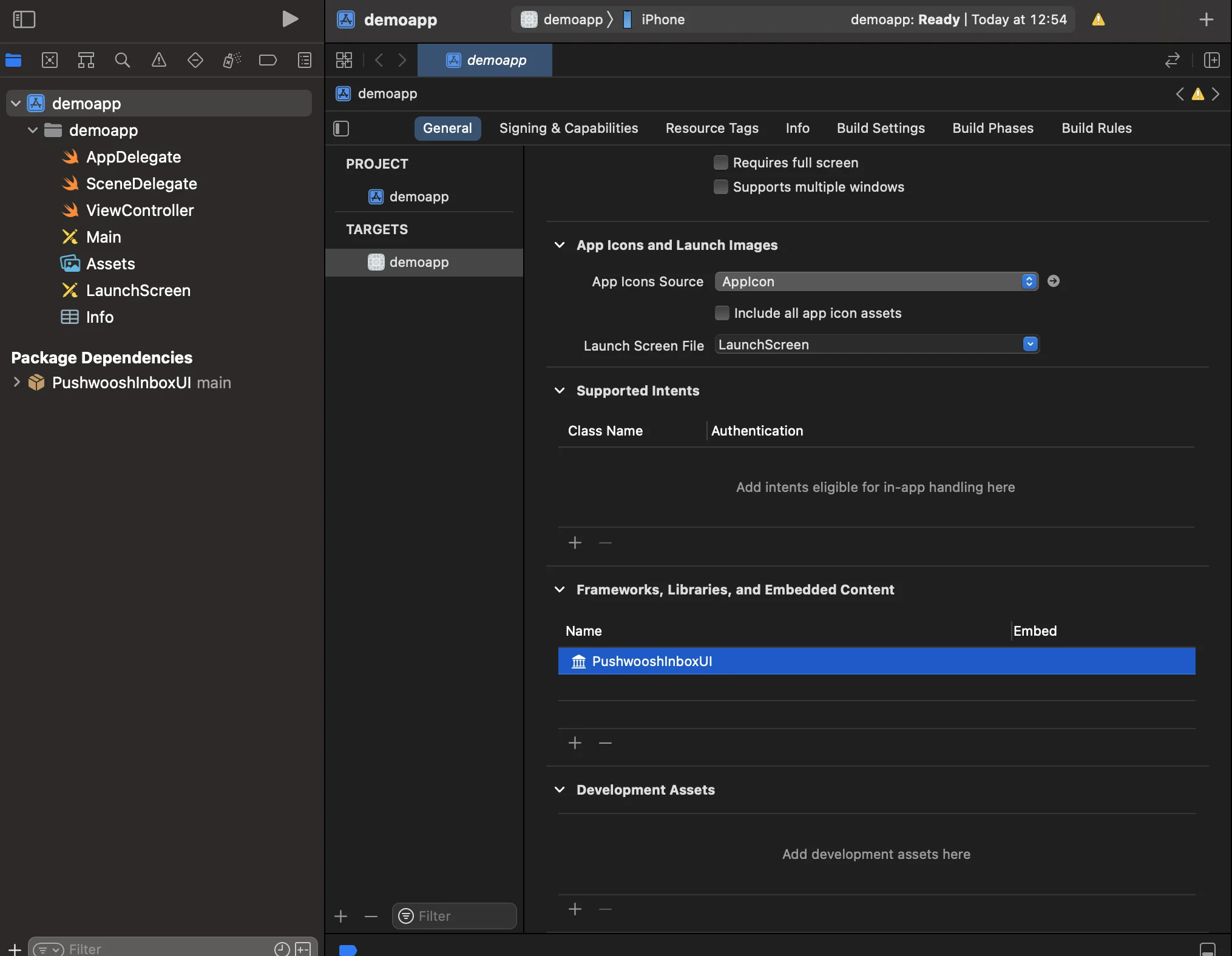
5. Öffnen Sie Ihr Haupt-App-Ziel und stellen Sie unter „Frameworks, Libraries, and Embedded Content“ sicher, dass PushwooshInboxUI hinzugefügt wurde.
6. Das war’s! Sie haben gerade das Pushwoosh InboxUI SDK in Ihr Projekt integriert.
Pushwoosh InboxUI-Code hinzufügen
Anchor link toUm die Inbox-Benutzeroberfläche in Ihrer App anzuzeigen, fügen Sie den Inbox-View-Controller hinzu:
self.navigationController?.pushViewController(PWIInboxUI.createInboxController(with: PWIInboxStyle.default()), animated: true)[self.navigationController pushViewController:[PWIInboxUI createInboxControllerWithStyle:[PWIInboxStyle defaultStyle]] animated:YES];Um die Inbox an das Erscheinungsbild Ihrer App anzupassen, ändern Sie die Parameter von PWIInboxStyle. Sie können Parameter wie Schriftart, Hintergrundfarbe usw. anpassen.
//creating a new Inbox stylelet inboxStyle = PWIInboxStyle.customStyle(withDefaultImageIcon: UIImage.init(named: "custom_image"),textColor: UIColor.darkText,accentColor: UIColor.blue,font: UIFont.systemFont(ofSize: 17))
inboxStyle?.backgroundColor = UIColor.init(white: 1, alpha: 1)inboxStyle?.listErrorMessage = NSLocalizedString("Custom error message", comment: "Custom error message")inboxStyle?.listEmptyMessage = NSLocalizedString("Custom empty message", comment: "Custom empty message")
PWIInboxStyle.setupDefaultStyle(inboxStyle)
//creating a new Inbox stylePWIInboxStyle *inboxStyle = [PWIInboxStyle customStyleWithDefaultImageIcon:[UIImage imageNamed:@"custom_image"]textColor:UIColor.darkTextColoraccentColor:UIColor.blueColorfont:[UIFont systemFontOfSize:17]];
inboxStyle.backgroundColor = [UIColor colorWithWhite:1 alpha:1];inboxStyle.listErrorMessage = NSLocalizedString(@"Custom error message", @"Custom error message");inboxStyle.listEmptyMessage = NSLocalizedString(@"Custom empty message", @"Custom empty message");
[PWIInboxStyle setupDefaultStyle:inboxStyle];Anpassung
Anchor link toInformationen zur Anpassung des Stils der Inbox-Benutzeroberfläche finden Sie unter:
Weitere Details finden Sie im Inbox-Beispiel.