设置 Pushwoosh InboxKit iOS
自 iOS SDK 7.0.40 起可用。
Pushwoosh InboxKit 在现有收件箱后端的基础上提供了一个现代化的 UIKit 收件箱屏幕。六种默认单元格布局涵盖了常见的内容卡片形式——从简单的横幅到图片轮播、内联视频和 Apple Wallet 通行证——内联 CTA 按钮处理最常见的交互,并且整个界面都开放用于子类化,以满足您定制外观的需求。
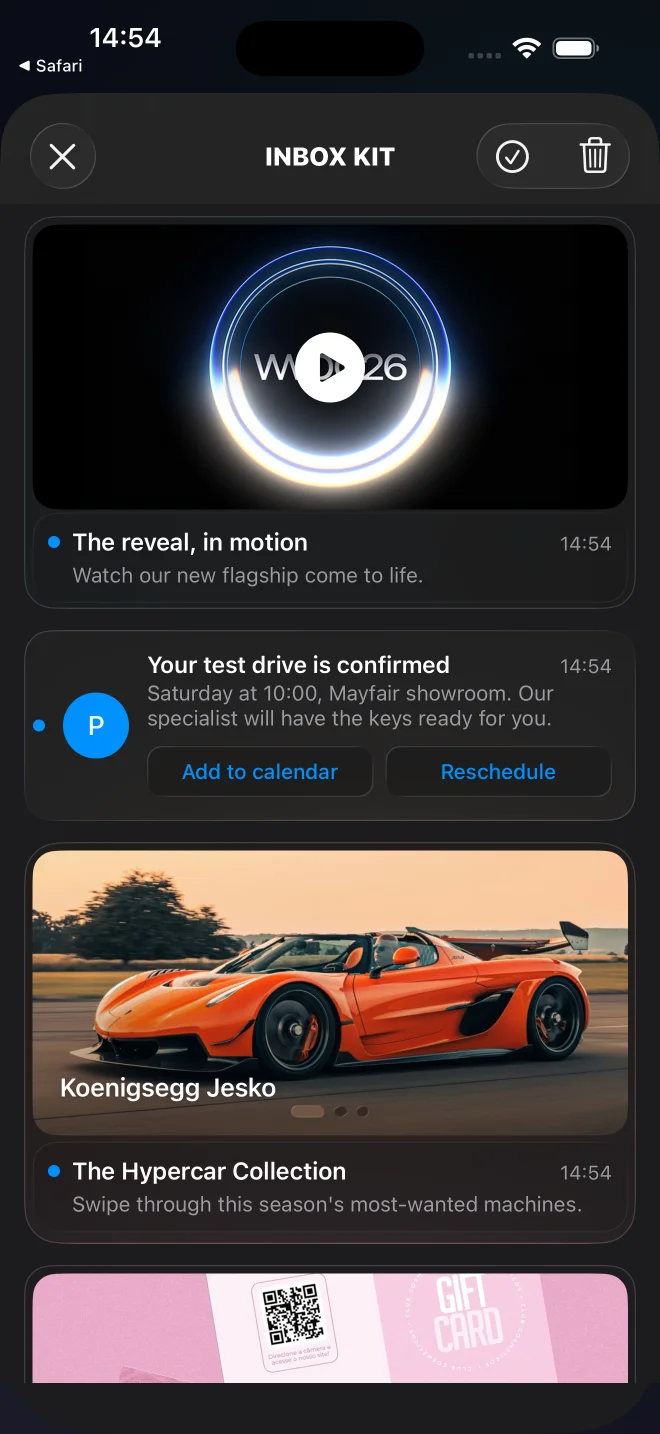
默认的 InboxKit 信息流,包含横幅、带标题、经典、轮播、视频和 Apple Wallet 卡片。
何时使用 InboxKit
Anchor link to对于任何新的 iOS 集成,请使用 InboxKit。它是旧版 Objective-C PushwooshInboxUI 模块的推荐替代品。
InboxKit 为您提供:
- 六种内置单元格类型——横幅、带标题、经典、轮播、视频和 Apple Wallet——通过有效负载的
displayType为每条消息选择,或通过attributes.forceCellKind从代码中强制指定。有关完整列表,请参阅卡片类型。(Apple Wallet 卡片仅适用于 iOS。) - 内联 CTA 按钮,带有类型化的
PushwooshInboxButtonAction枚举(openURL、dismiss、markRead、custom)。SDK 会自动处理前三种;您的委托将custom路由到您自己的逻辑。 - 置顶支持:
actionParams["pinned"] == true的消息会浮动到信息流顶部并呈现一个图钉标志符号。 - 滑动删除、下拉刷新、消失时自动标记为已读——所有这些都可以通过
PushwooshInboxKitAttributes进行切换。 - 持久化存储:即使网络调用尚未被确认,删除和已读状态在进程重启后仍然存在。
- 一个开放的
PushwooshInboxCell基类,用于完全自定义的布局。
服务器契约保持不变——与以前一样,使用相同的 Pushwoosh 收件箱后端、有效负载和仪表板工具。
选择您的集成方法
Anchor link to- 使用 Swift Package Manager 设置 InboxKit — 推荐用于新项目。
- 使用 CocoaPods 设置 InboxKit — 适用于已在使用 CocoaPods 的项目。
卡片类型
Anchor link toInboxKit 为每条消息选择一个单元格布局。默认解析器从推送有效负载中读取 displayType——将其放在 data 对象内,SDK 会在 actionParams 下传递该对象。当 displayType 缺失时,解析器会回退到一个启发式方法:有图片无标题 → 横幅,有图片、标题和正文 → 带标题,否则为经典。要从代码中为整个信息流强制使用一种布局,请设置 attributes.forceCellKind。
每种富文本布局都能优雅地降级:如果缺少必需字段或格式不正确,卡片会回退到 classic,而不是渲染一个空的占位符(并会记录一个 WARN 及原因)。classic 是最终的回退选项,会渲染消息携带的任何内容;消息编辑器应填充其标题、正文和图标。
displayType | 布局 | 必需的有效负载字段 | 降级为 |
|---|---|---|---|
banner | 全出血图片,无文本 | 图片(inbox_image 或 data.image) | 无图片时为 classic |
captioned | 顶部图片,下方标题+正文 | 图片(inbox_image 或 data.image)、消息 title 和 content | 缺少图片、标题或正文时为 classic |
classic | 彩色首字母头像+标题+正文 | —(应有标题、正文和图标) | — |
carousel | 可滑动的多图库 | 消息 title 和 content、data.carousel(1–5 张幻灯片) | 无幻灯片或无标题/正文时为 classic |
video | 带播放徽章的海报,点击后全屏播放 | data.video(url + 可选的 poster) | 无描述符时为 classic |
wallet | “添加到 Apple Wallet” 按钮(仅限 iOS) | data.wallet(.pkpass URL) | 无通行证 URL 时为 classic |
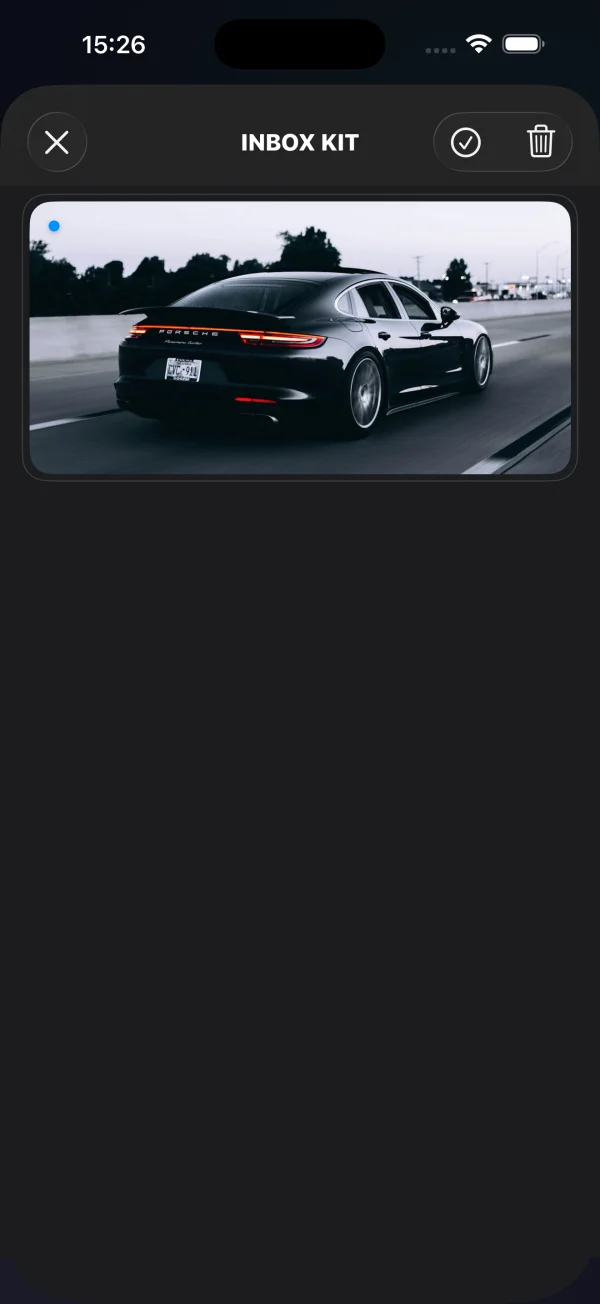
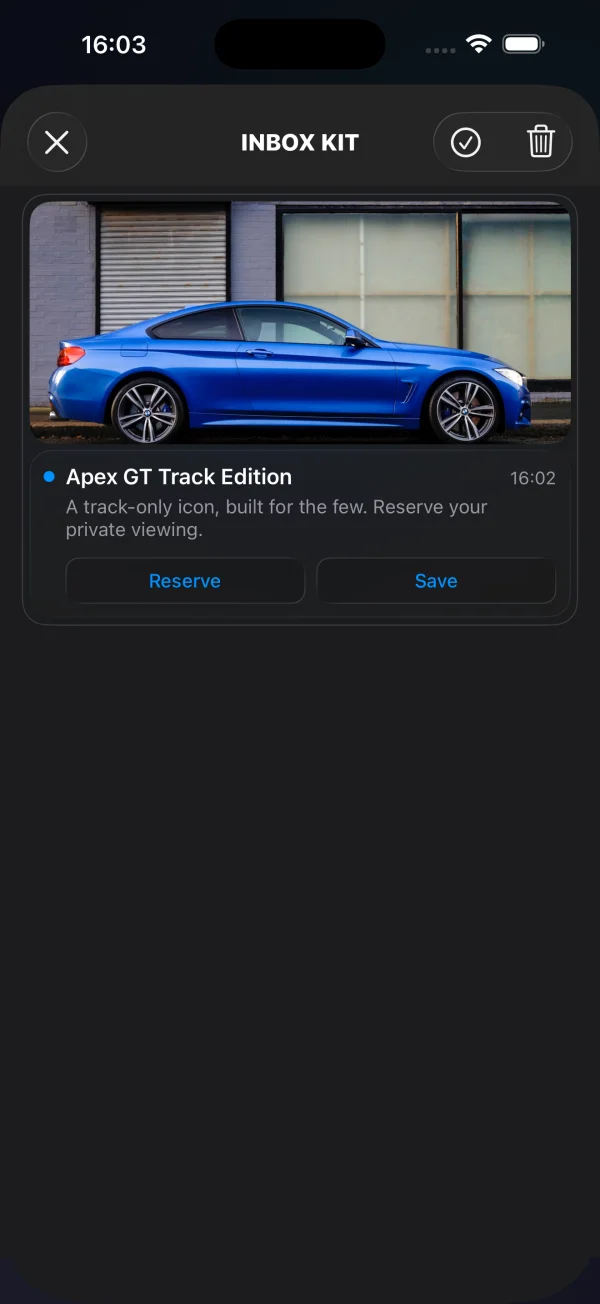
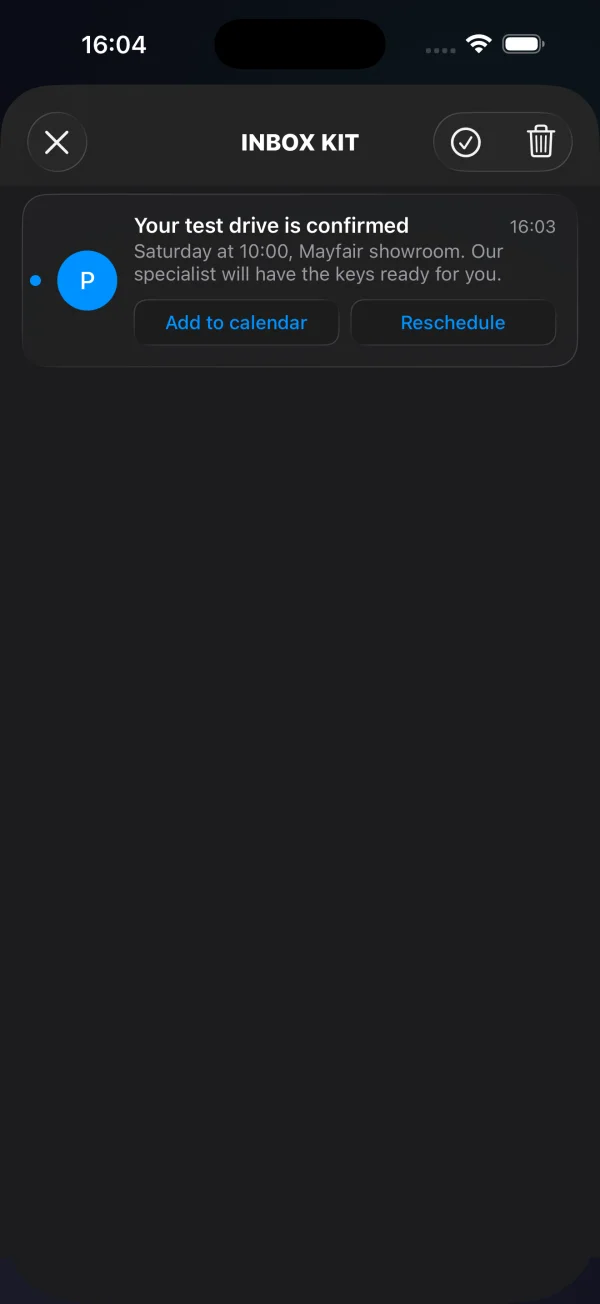
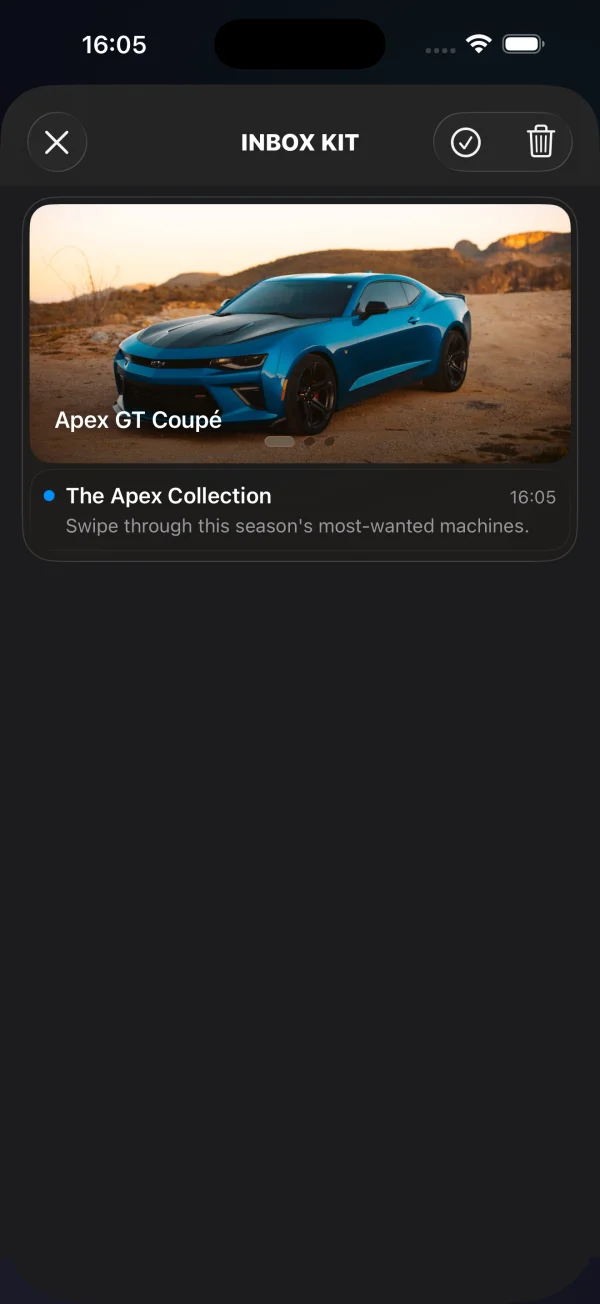
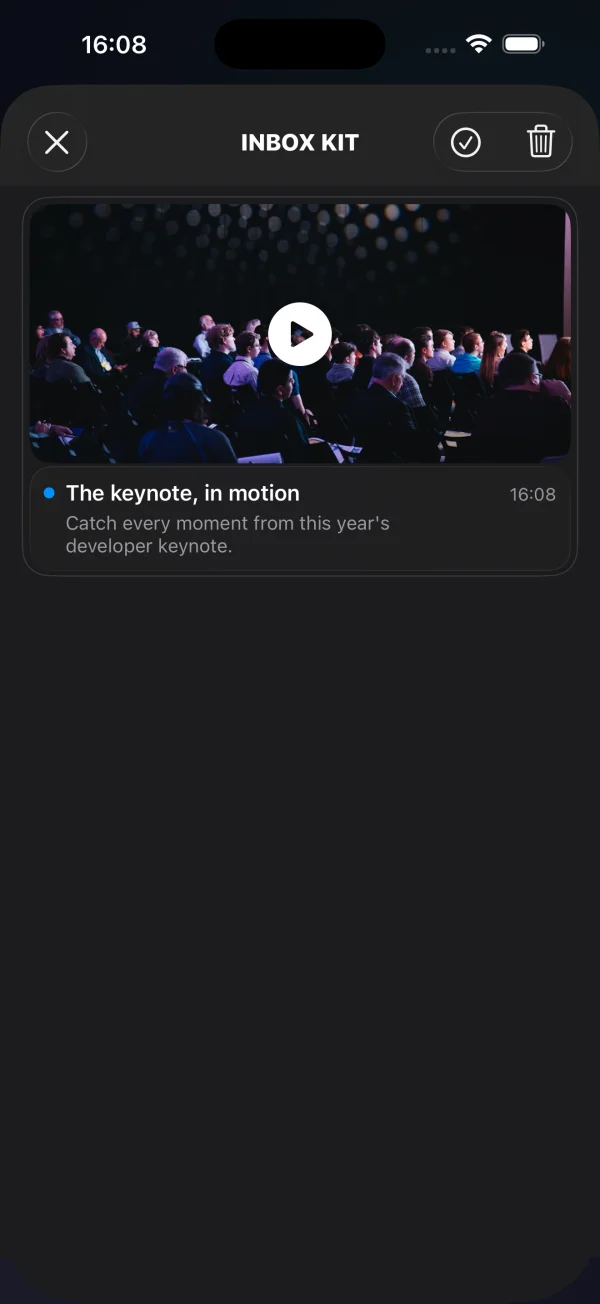
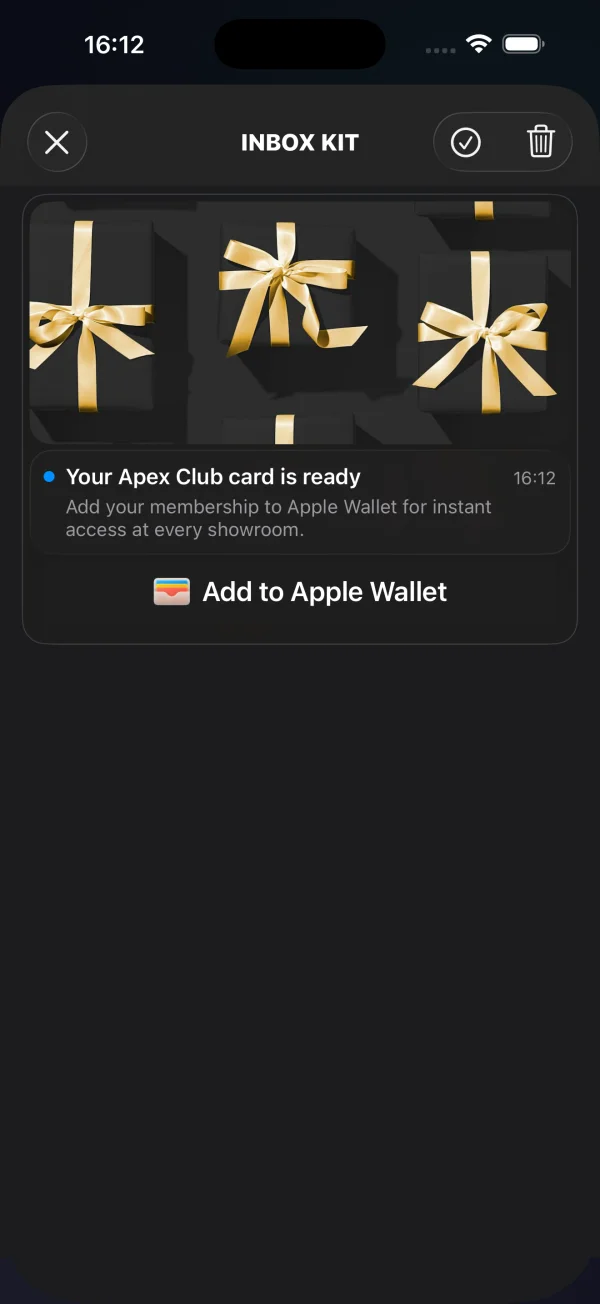
横幅、带标题和经典卡片由标准消息字段(图片、标题、正文)以及可选的 buttons 数组驱动——请参阅添加内联 CTA 按钮。轮播、视频和 Apple Wallet 卡片在 data 内部携带额外的结构化数据,具体如下所述。
轮播卡片
Anchor link to轮播卡片从单条消息中渲染多张图片——一个可滑动的图库,带有可选的每张幻灯片标题和点击目标。幻灯片位于 data.carousel 中。每张幻灯片都需要一个 image;title(标题覆盖层)和 url(点击时打开的深层链接)是可选的。没有图片的幻灯片会被丢弃;点击没有 url 的幻灯片会回退到消息的默认行操作。最多显示 5 张幻灯片——多余的幻灯片会被丢弃(没有图片的幻灯片不占用位置)。消息的 title 和 content 是此布局的必需项;没有它们,卡片会降级为 classic。
{ "request": { "application": "XXXXX-XXXXX", "auth": "API_TOKEN", "notifications": [{ "send_date": "now", "ios_title": "New arrivals", "content": "Swipe through this week's drops", "inbox_days": 7, "data": { "displayType": "carousel", "carousel": [ { "image": "https://cdn.example.com/inbox/1.jpg", "title": "New in", "url": "myapp://product/1" }, { "image": "https://cdn.example.com/inbox/2.jpg", "title": "On sale", "url": "myapp://product/2" }, { "image": "https://cdn.example.com/inbox/3.jpg" } ] }, "platforms": [1] }] }}视频卡片
Anchor link to视频卡片显示一张带有播放徽章的海报图片;点击它会打开一个全屏播放器(即使在静音开关打开的情况下也会有声音)。描述符位于 data.video 中:url 是必需的,并且必须是 http/https 流或文件;poster 是一个可选的预览图片。
{ "request": { "application": "XXXXX-XXXXX", "auth": "API_TOKEN", "notifications": [{ "send_date": "now", "ios_title": "Watch the reveal", "content": "Tap to play", "inbox_days": 7, "data": { "displayType": "video", "video": { "url": "https://cdn.example.com/inbox/clip.mp4", "poster": "https://cdn.example.com/inbox/poster.jpg" } }, "platforms": [1] }] }}Apple Wallet 卡片
Anchor link toApple Wallet 卡片在官方的添加到 Apple Wallet 按钮上方显示可选的主图、标题和正文。点击该按钮会下载 .pkpass 并显示系统添加通行证的界面。用它来直接从收件箱发送优惠券、会员卡、门票或登机牌。该卡片仅适用于 iOS / Mac Catalyst——在其他平台上,消息会渲染为经典卡片。
通行证 URL 位于 data.wallet 中,可以是一个裸字符串,也可以是一个带有 pass 字段的对象。可选的 data.image 会添加主图。当没有通行证 URL 或设备无法添加通行证时,该按钮会自动隐藏。
{ "request": { "application": "XXXXX-XXXXX", "auth": "API_TOKEN", "notifications": [{ "send_date": "now", "ios_title": "Your loyalty card is ready", "content": "Add it to Apple Wallet in one tap", "inbox_days": 7, "data": { "displayType": "wallet", "image": "https://cdn.example.com/inbox/loyalty.png", "wallet": "https://passes.example.com/v1/passes/pass.com.example.loyalty/abc123?token=…" }, "platforms": [1] }] }}结果会报告给您的委托:
extension MyInboxHost: PushwooshInboxKitDelegate {
    func inboxKit(_ vc: PushwooshInboxKitViewController,                  didAddWalletPassFor message: PWInboxMessageProtocol) {        // 通行证现在位于用户的 Wallet 中——如果需要,可以显示确认信息。    }
    func inboxKit(_ vc: PushwooshInboxKitViewController,                  didFailToAddWalletPassFor message: PWInboxMessageProtocol,                  error: Error?) {        // 下载失败——显示重试、记录日志等。    }}
两个回调都是可选的(它们带有默认的空实现)。用户取消系统界面既不表示成功也不表示失败,因此在这种情况下不会触发任何回调。
辅助功能
Anchor link toInboxKit 单元格开箱即用,支持 VoiceOver。横幅、带标题和经典卡片通过其底层的标签公开其标题、正文和日期,内联 CTA 按钮会读出自己的标题。富文本卡片添加了明确的语义:
- 视频 — 海报被公开为单个按钮元素,标记为“播放视频”(特征为
.button+.startsMediaSession),因此 VoiceOver 会将其作为媒体控件而不是普通图片来播报。 - 轮播 — 每个幻灯片都是一个按钮元素,其辅助功能标签是幻灯片的标题,如果没有标题则为“幻灯片”。页面指示器会播报当前位置为“第 n 页,共 总页数 页”。
- Apple Wallet — 添加到 Apple Wallet 按钮是 Apple 的标准
PKAddPassButton,它带有自己的本地化 VoiceOver 标签。
对于 UI 测试和自动化,设置了两个稳定的 accessibilityIdentifier:视频海报上的 inboxkit.video.play 和 Wallet 按钮上的 inboxkit.wallet.add。
从消息中读取自定义数据
Anchor link to要让推送出现在收件箱中,Messages API 的 createMessage 请求必须包含 inbox_image、inbox_date 或 inbox_days——没有这些字段之一,推送将作为常规通知发送,永远不会到达收件箱信息流。自由格式的自定义数据放在 data 键下,SDK 会将其作为 u 参数传递给客户端:
{ "request": { "application": "XXXXX-XXXXX", "auth": "API_TOKEN", "notifications": [{ "send_date": "now", "ios_title": "Summer sale", "content": "30% off everything — limited time only", "inbox_image": "https://cdn.example.com/inbox/summer.png", "inbox_days": 7, "data": { "displayType": "captioned", "promo_id": "SUMMER2026", "screen": "promo_details" }, "platforms": [1] }] }}SDK 通过 actionParams 在收件箱消息上公开该对象。当用户点击行或内联 CTA 时,从委托中读取它:
extension MyInboxHost: PushwooshInboxKitDelegate {
    func inboxKit(_ vc: PushwooshInboxKitViewController,                  didSelect message: PWInboxMessageProtocol) -> Bool {        guard let params = message.actionParams as? [String: Any] else { return true }
        // 自定义 `data` 对象通过 "u" 键到达——        // 它可以是嵌套字典,也可以是 JSON 编码的字符串,        // 具体取决于上游如何构建有效负载。        let custom: [String: Any]? = {            if let dict = params["u"] as? [String: Any] { return dict }            if let raw = params["u"] as? String,               let bytes = raw.data(using: .utf8),               let parsed = try? JSONSerialization.jsonObject(with: bytes) as? [String: Any] {                return parsed            }            return nil        }()
        if let promoId = custom?["promo_id"] as? String {            navigateToPromo(promoId)            return false   // 我们处理了点击事件;SDK 不应运行默认操作        }        return true    }}
对于内联 CTA 按钮,在 inboxKit(_:didTapButton:onMessage:) 中使用相同的 actionParams["u"] 查找。对于类型化的 CTA 情况(openURL、dismiss、markRead),SDK 已经执行了默认操作——返回 true 以保持该行为,或返回 false 以抑制它并运行您自己的逻辑。
添加内联 CTA 按钮
Anchor link to一条消息最多可以携带三个内联行为召唤 (call-to-action) 按钮。按钮与其他自定义数据一起位于 data 内部,作为一个 buttons 数组。SDK 会在带标题和经典单元格内自动渲染它们:
{ "request": { "application": "XXXXX-XXXXX", "auth": "API_TOKEN", "notifications": [{ "send_date": "now", "ios_title": "New promo card", "content": "Tap a button to claim or save", "inbox_image": "https://cdn.example.com/inbox/promo.png", "inbox_days": 7, "data": { "displayType": "captioned", "promo_id": "SUMMER2026", "buttons": [ { "title": "Claim", "url": "https://example.com/promo/SUMMER2026" }, { "title": "Read", "action": "markRead" }, { "title": "Save", "action": "custom", "tag": "save_promo" } ] }, "platforms": [1] }] }}每个按钮对象都有以下字段:
| 字段 | 类型 | 时间 |
|---|---|---|
title | 字符串 | 必需。可见的按钮标签。 |
url | 字符串 | 一个非空的可解析 URL 会产生一个 openURL 操作。除非您的委托抑制它,否则 SDK 会通过 UIApplication.shared.open 打开它。 |
action | 字符串 | 显式操作令牌:dismiss(从信息流中删除消息)、markRead(将消息标记为已读)或 custom(由宿主处理)。不区分大小写。 |
| 其他任何内容 | 任何 | 当 action 为 custom 时,按钮对象上除 title 和 action 之外的每个键都会作为自定义有效负载转发给您的委托——与营销人员商定一个键(例如 tag)并据此进行分发。 |
解析优先级:首先是显式的 action 令牌,然后如果 url 非空则使用 url,否则按钮会回退到 custom,并携带完整的有效负载(减去 title 和 action)。
从您的委托中拦截点击。button.action 属性是类型化的 PushwooshInboxButtonAction 枚举:
extension MyInboxHost: PushwooshInboxKitDelegate {
    func inboxKit(_ vc: PushwooshInboxKitViewController,                  didTapButton button: PushwooshInboxButton,                  onMessage message: PWInboxMessageProtocol) -> Bool {        switch button.action {        case .openURL(let url):            // 默认行为即可——让 SDK 打开 URL。            return true
        case .dismiss, .markRead:            // SDK 会处理这两种情况。如果想覆盖,请返回 false。            return true
        case .custom(let payload):            // 营销人员定义的自定义按钮。根据你们约定的键进行分发。            if let tag = payload["tag"] as? String {                switch tag {                case "save_promo":                    saveCurrentPromoLocally(message: message)                default:                    break                }            }            return true   // 对于自定义类型,此返回值被忽略——SDK 在这里从不运行默认操作        }    }}