iOS Live Activity 模式配置
Live Activity 模式描述了您的 iOS 应用声明的一种 ActivityAttributes 类型的 content-state 字段,这样 Journey 的 Live Activity 元素 就可以从命名字段而不是原始 JSON 构建表单。在 Control Panel 中为每个小组件发布一个版本。
发布模式版本
Anchor link to- 在 Pushwoosh 中打开您应用程序的 Configure platforms 页面。
- 点击 iOS 平台旁边的 Live Activity schemas。

- 点击 Publish version。
- 输入 Attributes type:您应用中
ActivityAttributes类型的确切名称,例如FlightAttributes。 - 在 Content-state JSON Schema 中,输入该类型的
ContentState的 JSON Schema——即在活动运行时会发生变化的字段,例如航班的登机口或状态。此处不包括ActivityAttributes自身的固定字段。请参阅 编写模式。
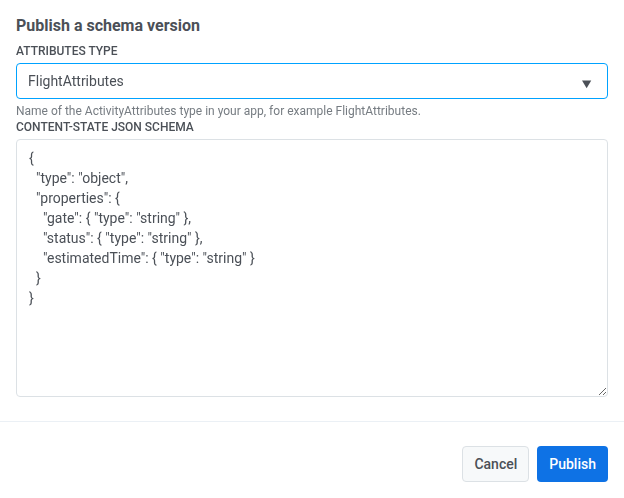
- 点击 Publish。
管理现有模式
Anchor link to在同一个 Live Activity schemas 屏幕上:
- 点击版本旁边的 View JSON 查看其已发布的模式。
- 点击 Delete 删除一个版本。此操作无法撤销,任何仍设置为该版本的 Journey 元素将停止渲染其 content-state 字段。
在 Journey 中使用模式
Anchor link to发布后,在 Journey 的 Live Activity 元素 的 Widget 下选择它——其 content-state 字段将显示在 Card content 下。