Inicio rápido del módulo Mendix
Comience a usar el módulo de Pushwoosh para Mendix ejecutando la aplicación de demostración que se incluye con el módulo y enviándole una notificación push.
Prerrequisitos
Anchor link toPara ejecutar la aplicación de demostración, necesitará lo siguiente:
También necesitará Mendix Studio Pro 11.12.3 o una versión más reciente con un perfil de navegación móvil nativo, y Xcode o Android Studio para producir la compilación nativa.
El Device API Token de la lista anterior no es necesario para este módulo. El widget solo toma el Application Code y nada más.
Descargar la aplicación de demostración
Anchor link toClone el repositorio del módulo:
git clone https://github.com/Pushwoosh/pushwoosh-mendix.gitLa aplicación de demostración es la carpeta demo. Es la misma aplicación con la que se desarrolla el módulo: una pantalla con botones para registrar y anular el registro del dispositivo, leer el push token, establecer y leer etiquetas (tags), y publicar un evento, además de entradas para la clave y el valor de la etiqueta y para el nombre del evento.
Abrir la aplicación en Studio Pro
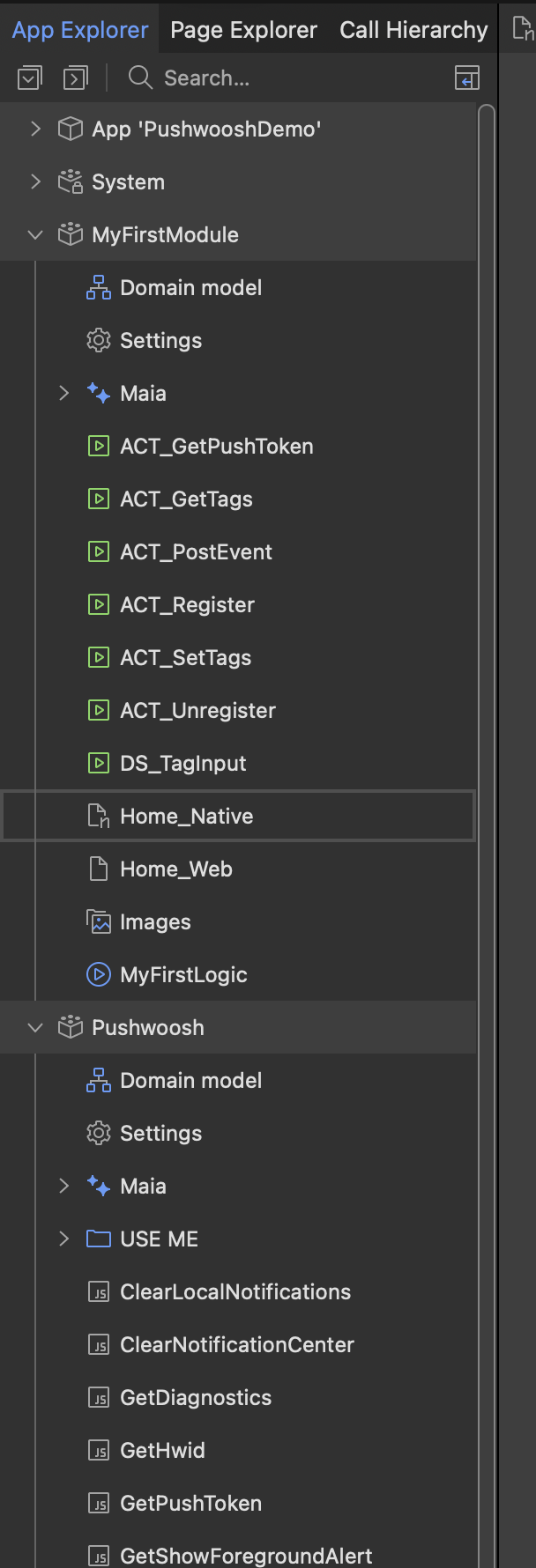
Anchor link toAbra demo/PushwooshDemo.mpr en Studio Pro. La aplicación ya contiene el módulo Pushwoosh, el widget de eventos de Pushwoosh en la página de inicio y un nanoflow detrás de cada botón.
Establezca su Application Code
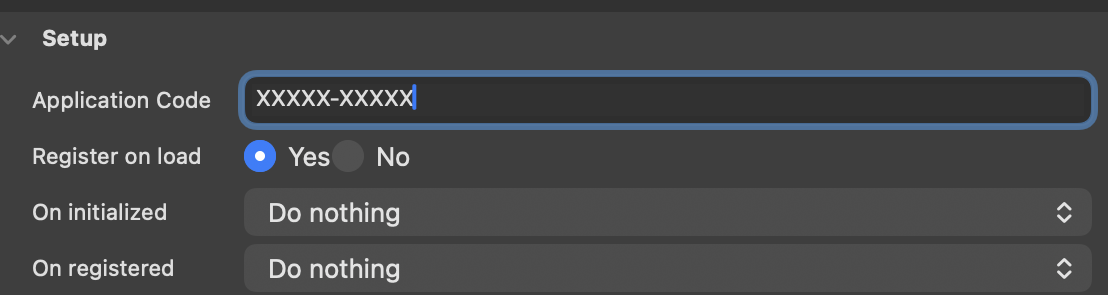
Anchor link toAbra la página de inicio del perfil de navegación móvil nativo, seleccione el widget de eventos de Pushwoosh y reemplace el marcador de posición XXXXX-XXXXX en la propiedad Application Code con el Application Code de su aplicación desde el Panel de Control de Pushwoosh.
Compile la aplicación nativa
Anchor link toLa demostración no puede ejecutarse en la aplicación Make It Native, porque esa aplicación no contiene código nativo de terceros. En su lugar, produzca una aplicación de desarrollador personalizada o una compilación nativa real.
En Windows, use App > Build Native App para abrir el Native Mobile Builder y establezca las capacidades de la siguiente manera:
- Notificaciones push: desactivadas.
- Firebase Android: activado.
Pushwoosh reemplaza el push integrado de una aplicación Mendix en lugar de funcionar junto a él. Dos servicios de notificación registrados para el mismo evento de Firebase se eclipsan entre sí y las notificaciones dejan de llegar.
En macOS, Studio Pro no tiene Native Mobile Builder. En su lugar, configure la plantilla nativa con la herramienta de línea de comandos @mendix/native-mobile-toolkit y luego compile localmente los proyectos de iOS y Android generados.
Para iOS, abra el proyecto de Xcode generado y agregue la capacidad de Notificaciones Push en Signing & Capabilities. Para Android, coloque el archivo google-services.json de su proyecto de Firebase en el proyecto de Android generado.
Ejecute la aplicación y registre el dispositivo
Anchor link toInicie el tiempo de ejecución de Mendix para la aplicación, luego inicie la compilación nativa en un dispositivo o un simulador y toque Register For Push Notifications. El dispositivo solicitará permiso para notificaciones, se registrará en Pushwoosh y mostrará el push token en un mensaje.
Envíe una notificación push de prueba
Anchor link toRegistre el dispositivo como un dispositivo de prueba y envíele un mensaje desde el Panel de Control de Pushwoosh. Consulte Pruebe su integración para ver los pasos.
Próximos pasos
Anchor link to- Guía de integración básica - agregue el módulo a su propia aplicación
- Referencia de acciones del módulo - las propiedades del widget y las acciones de JavaScript