Mendix मॉड्यूल क्विक स्टार्ट
Mendix के लिए Pushwoosh मॉड्यूल के साथ आने वाले डेमो ऐप को चलाकर और उस पर एक पुश नोटिफिकेशन भेजकर शुरुआत करें।
पूर्वापेक्षाएँ
Anchor link toडेमो ऐप चलाने के लिए, आपको निम्नलिखित की आवश्यकता होगी:
आपको नेटिव बिल्ड बनाने के लिए नेटिव मोबाइल नेविगेशन प्रोफाइल के साथ Mendix Studio Pro 11.12.3 या नया, और Xcode या Android Studio की भी आवश्यकता होगी।
ऊपर दी गई सूची में Device API Token इस मॉड्यूल के लिए आवश्यक नहीं है। विजेट केवल Application Code लेता है और कुछ नहीं।
डेमो ऐप डाउनलोड करें
Anchor link toमॉड्यूल रिपॉजिटरी को क्लोन करें:
git clone https://github.com/Pushwoosh/pushwoosh-mendix.gitडेमो ऐप demo फ़ोल्डर है। यह वही ऐप है जिसके लिए मॉड्यूल विकसित किया गया है: डिवाइस को रजिस्टर और अनरजिस्टर करने, पुश टोकन पढ़ने, टैग सेट करने और पढ़ने, और एक इवेंट पोस्ट करने के लिए बटन के साथ एक स्क्रीन, साथ ही टैग की और वैल्यू और इवेंट नाम के लिए इनपुट।
Studio Pro में ऐप खोलें
Anchor link toStudio Pro में demo/PushwooshDemo.mpr खोलें। ऐप में पहले से ही Pushwoosh मॉड्यूल, होम पेज पर Pushwoosh events विजेट, और हर बटन के पीछे एक नैनोफ्लो (nanoflow) है।
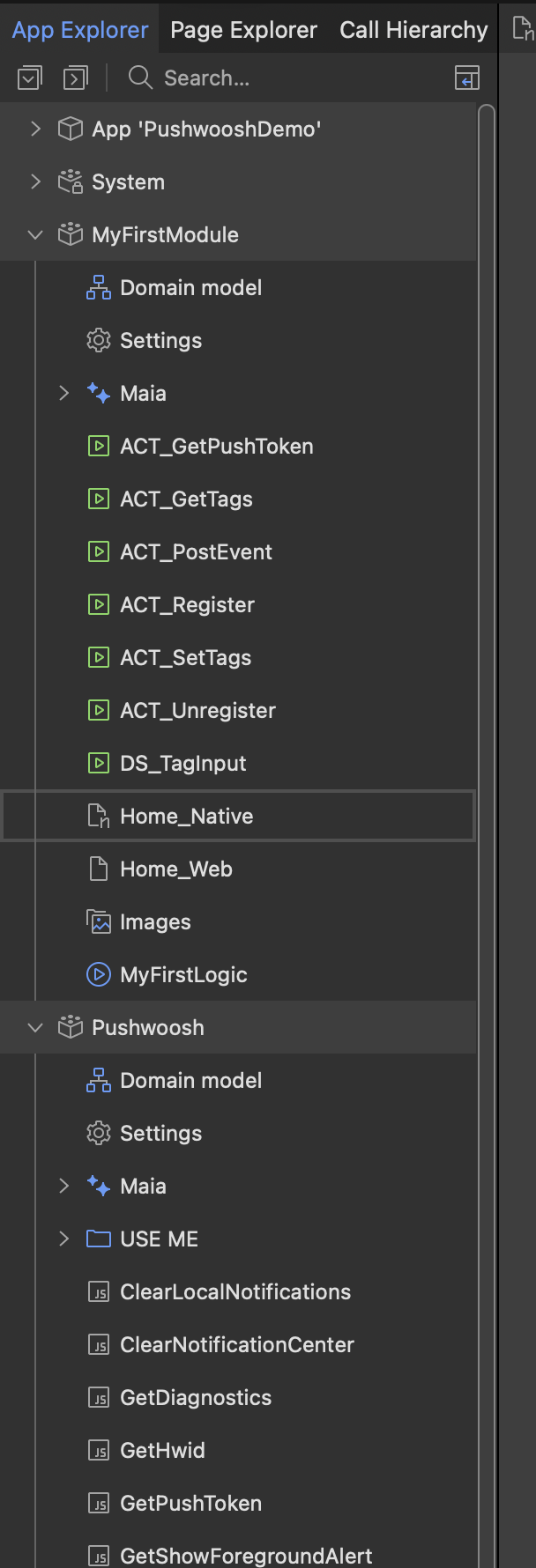
अपना Application Code सेट करें
Anchor link toनेटिव मोबाइल नेविगेशन प्रोफाइल का होम पेज खोलें, Pushwoosh events विजेट चुनें, और Application Code प्रॉपर्टी में XXXXX-XXXXX प्लेसहोल्डर को Pushwoosh कंट्रोल पैनल से अपने ऐप के Application Code से बदलें।
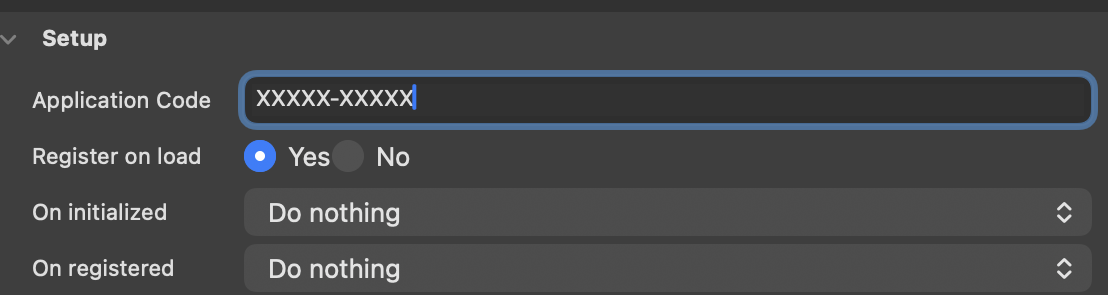
नेटिव ऐप बनाएं
Anchor link toडेमो Make It Native ऐप में नहीं चल सकता, क्योंकि उस ऐप में थर्ड-पार्टी नेटिव कोड नहीं है। इसके बजाय एक कस्टम डेवलपर ऐप या एक वास्तविक नेटिव बिल्ड बनाएं।
Windows पर, Native Mobile Builder खोलने के लिए App > Build Native App का उपयोग करें, और क्षमताओं को निम्नानुसार सेट करें:
- Push notifications: बंद।
- Firebase Android: चालू।
Pushwoosh Mendix ऐप के बिल्ट-इन पुश को बदलने का काम करता है, न कि उसके साथ काम करने का। एक ही Firebase इवेंट के लिए पंजीकृत दो नोटिफिकेशन सेवाएं एक-दूसरे को ओवरलैप करती हैं और नोटिफिकेशन आना बंद हो जाते हैं।
macOS पर, Studio Pro में Native Mobile Builder नहीं है। इसके बजाय @mendix/native-mobile-toolkit कमांड लाइन टूल के साथ नेटिव टेम्पलेट को कॉन्फ़िगर करें, फिर जेनरेट किए गए iOS और Android प्रोजेक्ट्स को स्थानीय रूप से बनाएं।
iOS के लिए, जेनरेट किया गया Xcode प्रोजेक्ट खोलें और Signing & Capabilities में Push Notifications क्षमता जोड़ें। Android के लिए, अपने Firebase प्रोजेक्ट से google-services.json फ़ाइल को जेनरेट किए गए Android प्रोजेक्ट में रखें।
ऐप चलाएं और डिवाइस को रजिस्टर करें
Anchor link toऐप के लिए Mendix रनटाइम शुरू करें, फिर डिवाइस या सिम्युलेटर पर नेटिव बिल्ड लॉन्च करें और Register For Push Notifications पर टैप करें। डिवाइस नोटिफिकेशन की अनुमति मांगता है, Pushwoosh के साथ रजिस्टर होता है, और एक संदेश में पुश टोकन दिखाता है।
एक टेस्ट पुश नोटिफिकेशन भेजें
Anchor link toडिवाइस को एक टेस्ट डिवाइस के रूप में रजिस्टर करें और Pushwoosh कंट्रोल पैनल से उस पर एक संदेश भेजें। चरणों के लिए अपने इंटीग्रेशन का परीक्षण करें देखें।
अगले चरण
Anchor link to- बेसिक इंटीग्रेशन गाइड - मॉड्यूल को अपने ऐप में जोड़ें
- मॉड्यूल एक्शन रेफरेंस - विजेट प्रॉपर्टीज़ और JavaScript एक्शन