InboxUI mit dem Swift Package Manager einrichten
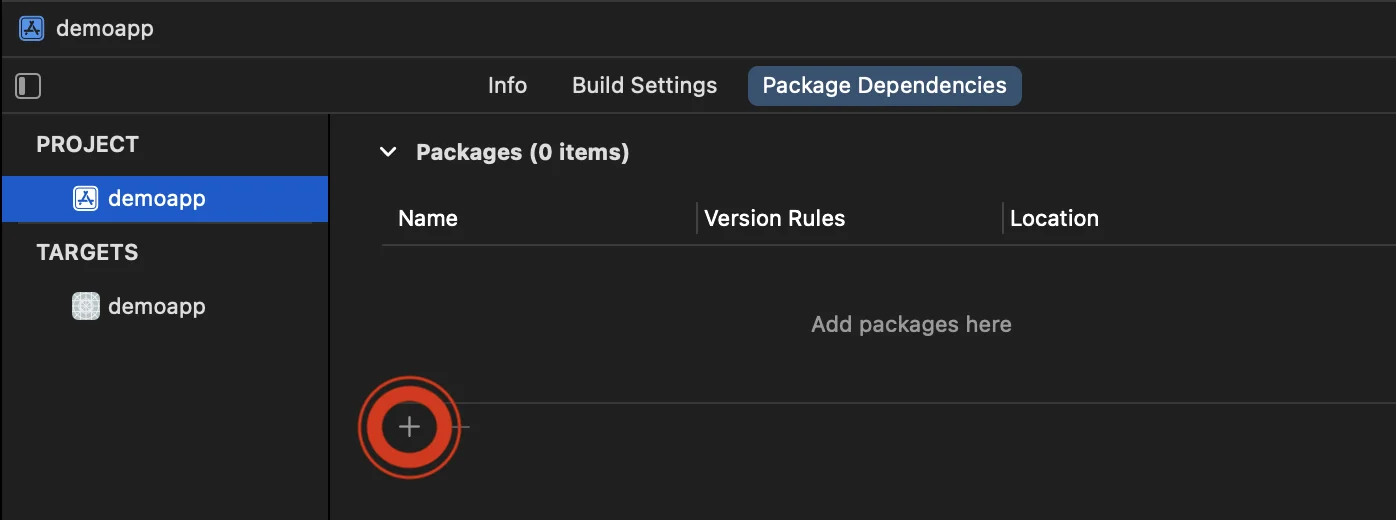
- Öffnen Sie Ihr Projekt in Xcode und navigieren Sie zu den Projekteinstellungen -> Package Dependencies und klicken Sie dann auf die Schaltfläche ’+’.
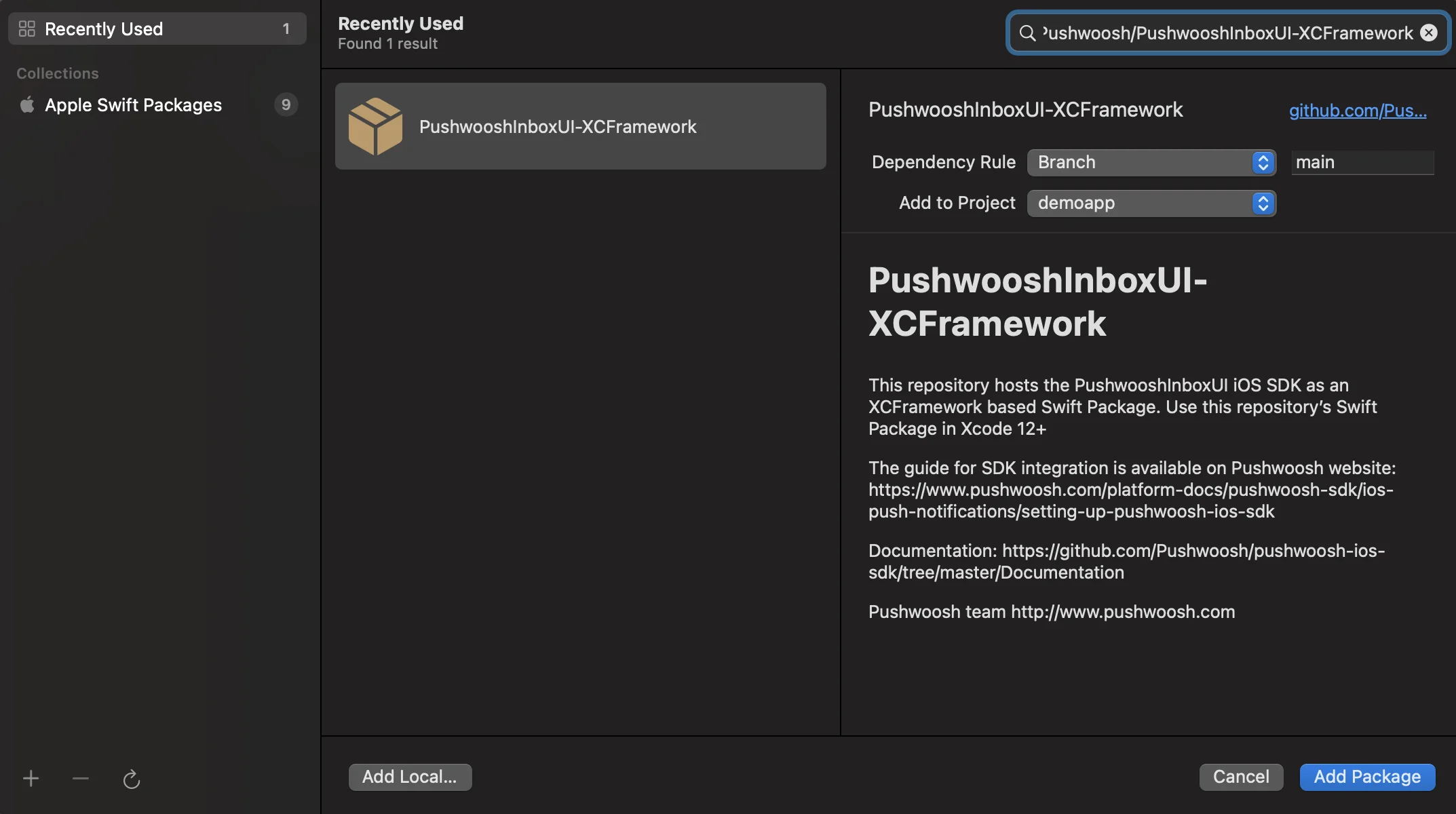
- Geben Sie die folgende Paket-URL ein:
https://github.com/Pushwoosh/PushwooshInboxUI-XCFramework- Stellen Sie die ‘Dependency Rule’ auf Branch und main ein. Klicken Sie dann auf die Schaltfläche ‘Add Package’.
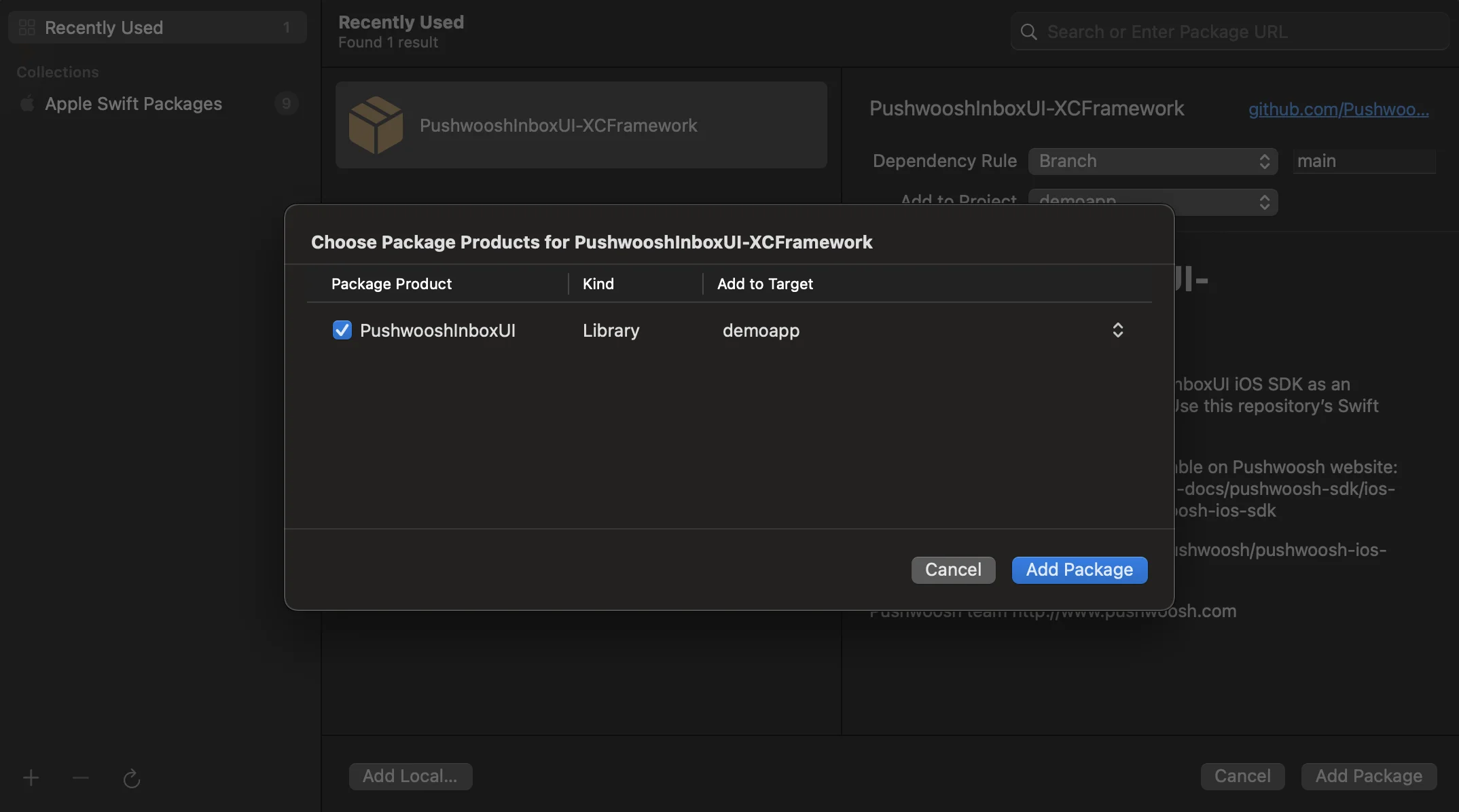
- Wählen Sie auf dem nächsten Bildschirm zur Auswahl Ihres Pakets das Pushwoosh-Paket aus und fügen Sie das Paket zu Ihrem Haupt-App-Ziel (Target) hinzu.
- Öffnen Sie Ihr Haupt-App-Ziel (Target) und stellen Sie unter „Frameworks, Libraries, and Embedded Content“ sicher, dass PushwooshInboxUI hinzugefügt wurde.
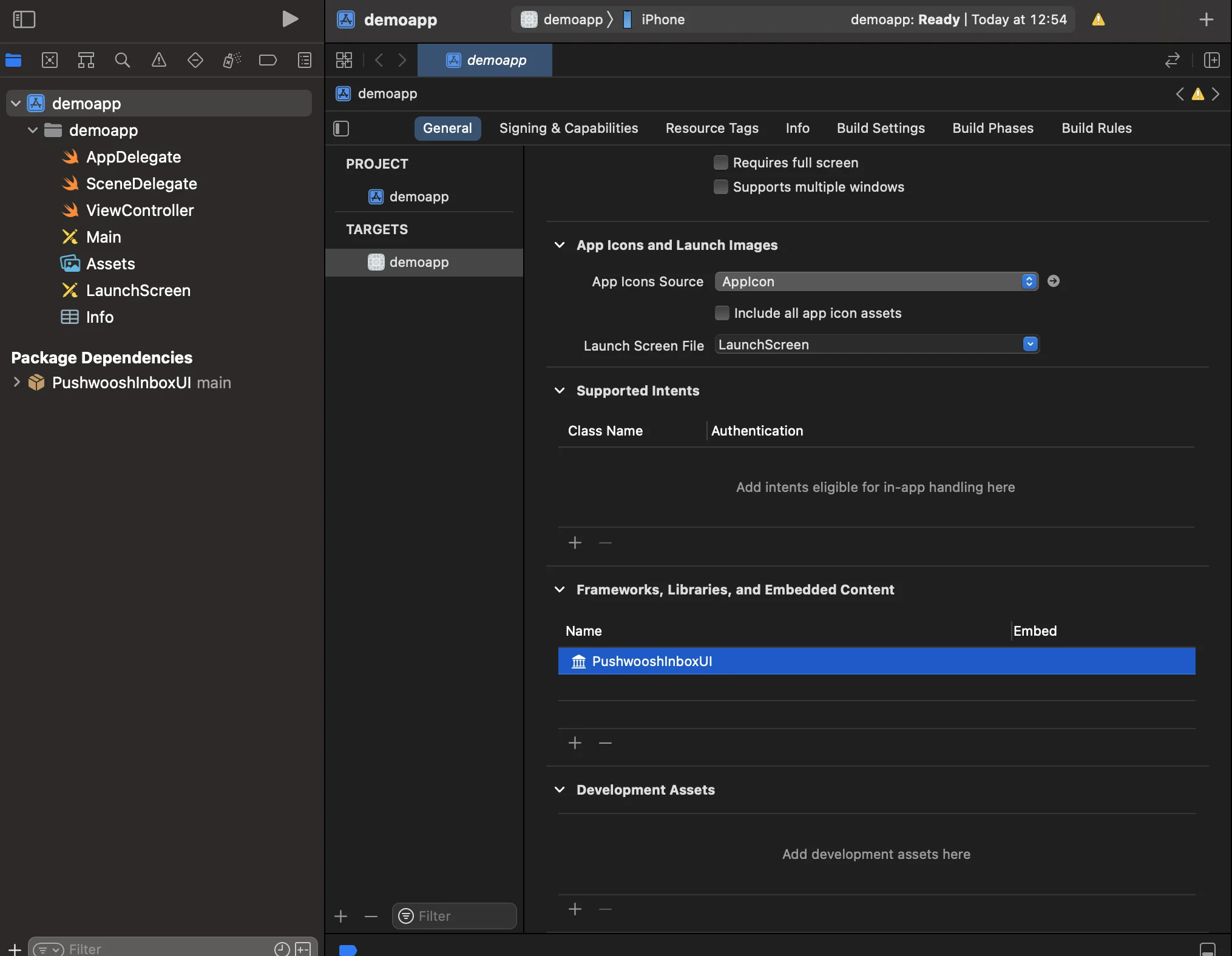
- Das war’s! Sie haben gerade das Pushwoosh InboxUI SDK in Ihr Projekt integriert.
Pushwoosh InboxUI-Code hinzufügen
Anchor link toUm die Inbox-Benutzeroberfläche in Ihrer App anzuzeigen, fügen Sie den Inbox View Controller hinzu:
self.navigationController?.pushViewController(PWIInboxUI.createInboxController(with: PWIInboxStyle.default()), animated: true)[self.navigationController pushViewController:[PWIInboxUI createInboxControllerWithStyle:[PWIInboxStyle defaultStyle]] animated:YES];Um die Inbox an das Erscheinungsbild Ihrer App anzupassen, ändern Sie die Parameter von PWIInboxStyle. Sie können Parameter wie Schriftart, Hintergrundfarbe usw. anpassen.
//Erstellen eines neuen Inbox-Stilslet inboxStyle = PWIInboxStyle.customStyle(withDefaultImageIcon: UIImage.init(named: "custom_image"),textColor: UIColor.darkText,accentColor: UIColor.blue,font: UIFont.systemFont(ofSize: 17))
inboxStyle?.backgroundColor = UIColor.init(white: 1, alpha: 1)inboxStyle?.listErrorMessage = NSLocalizedString("Custom error message", comment: "Custom error message")inboxStyle?.listEmptyMessage = NSLocalizedString("Custom empty message", comment: "Custom empty message")
PWIInboxStyle.setupDefaultStyle(inboxStyle)
//Erstellen eines neuen Inbox-StilsPWIInboxStyle *inboxStyle = [PWIInboxStyle customStyleWithDefaultImageIcon:[UIImage imageNamed:@"custom_image"]textColor:UIColor.darkTextColoraccentColor:UIColor.blueColorfont:[UIFont systemFontOfSize:17]];
inboxStyle.backgroundColor = [UIColor colorWithWhite:1 alpha:1];inboxStyle.listErrorMessage = NSLocalizedString(@"Custom error message", @"Custom error message");inboxStyle.listEmptyMessage = NSLocalizedString(@"Custom empty message", @"Custom empty message");
[PWIInboxStyle setupDefaultStyle:inboxStyle];Anpassung
Anchor link toInformationen zur Anpassung des Inbox-UI-Stils finden Sie unter:
Weitere Details finden Sie im Inbox-Beispiel.