Einrichten von Badges für Flutter
- Öffnen Sie Ihr iOS-Projekt unter your_project/ios/Runner.xcworkspace und erstellen Sie eine NotificationServiceExtension:
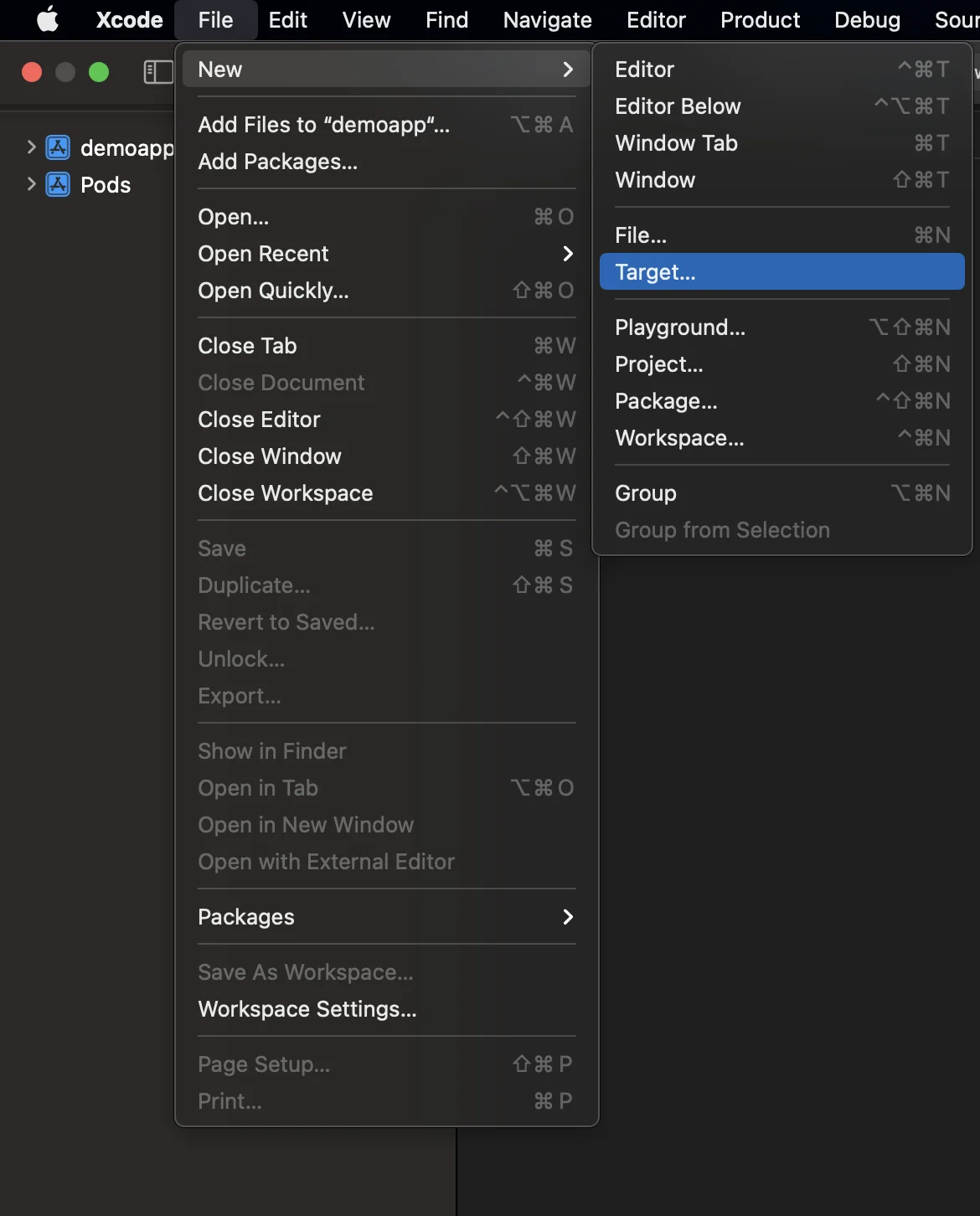
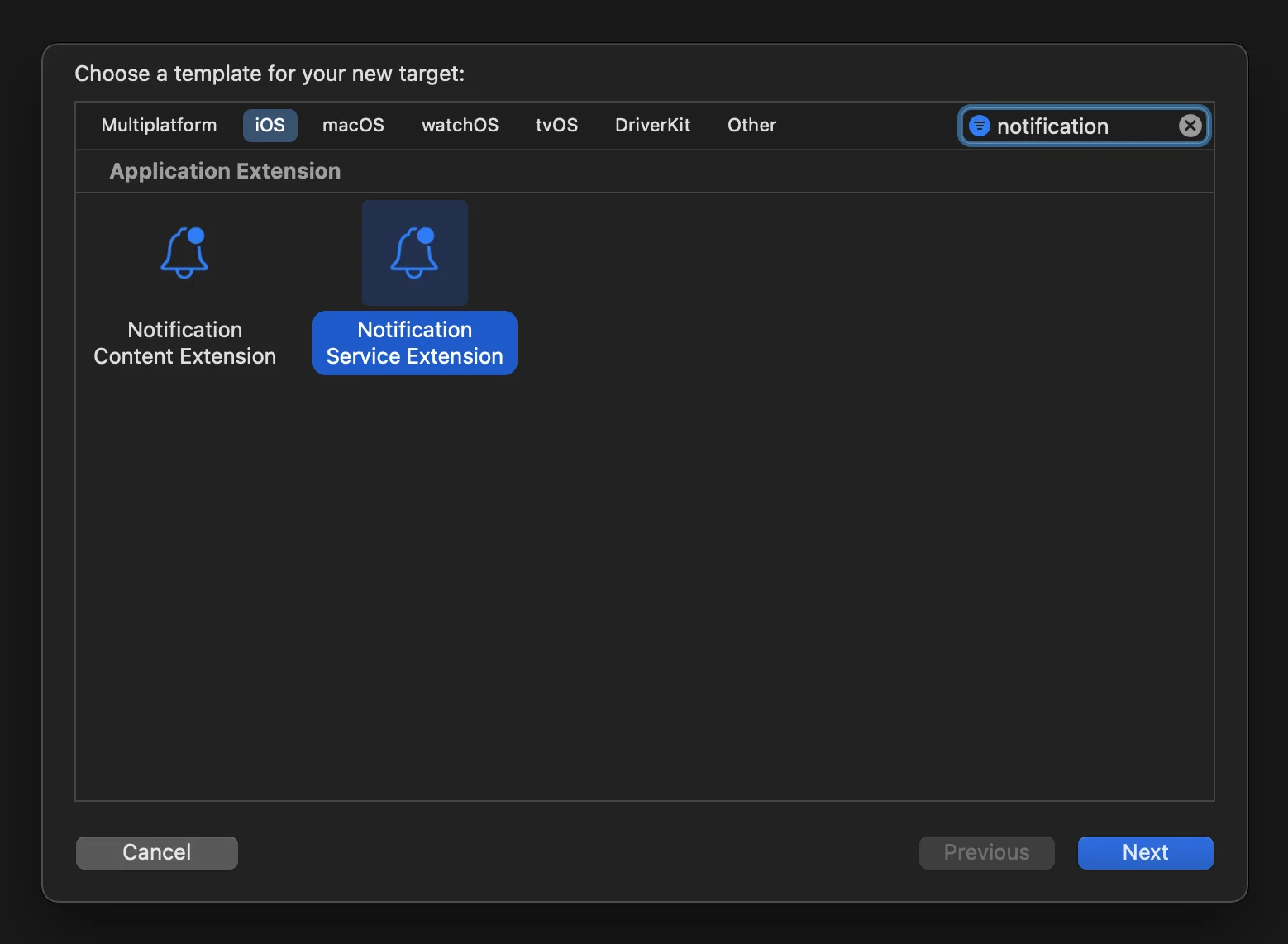
- Öffnen Sie das Podfile (unter your_project/ios/Podfile) und fügen Sie die PushwooshXCFramework-Abhängigkeit für das NotificationServiceExtensionTarget hinzu:
target ‘NotificationService’ do pod ‘PushwooshXCFramework’, ‘>=6.5.0’end- Installieren Sie die Pods über das Terminal:
cd ios && pod install- Schließen Sie Ihr Xcode-Projekt und öffnen Sie es erneut.
-
Stellen Sie sicher, dass Ihr Deployment Target mit dem im Runner-Target übereinstimmt; andernfalls könnten beim Erstellen Ihrer App Probleme auftreten (z. B. wenn Sie iOS 10.0 im Runner- und iOS 15.5 im NotificationService-Target angeben).
-
Fügen Sie die App Groups-Fähigkeit sowohl zum Runner- als auch zum NotificationService-Target hinzu und fügen Sie für beide Targets eine neue Gruppe mit demselben Namen hinzu:
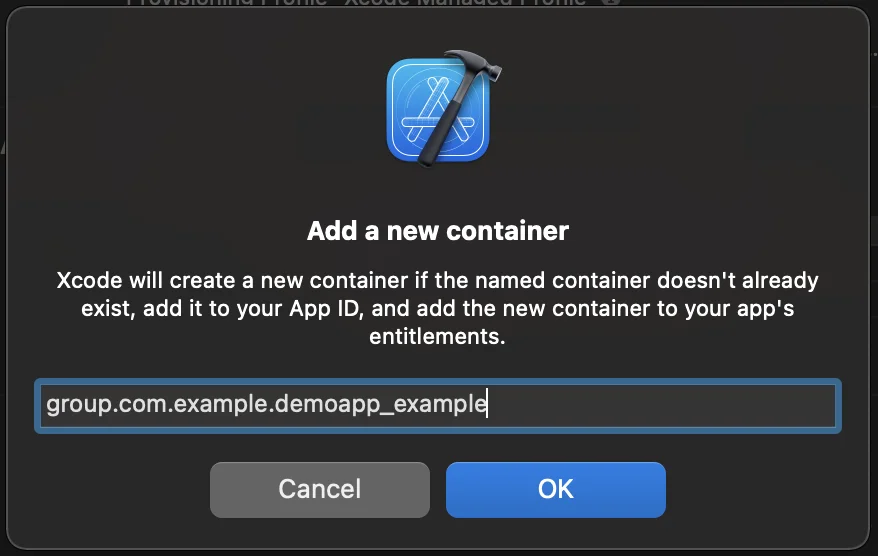

- Fügen Sie das PW_APP_GROUPS_NAME info.plist-Flag sowohl zum Runner- als auch zum NotificationService-Target hinzu, mit dem Gruppennamen als dessen String-Wert:

- Gehen Sie zu NotificationService.m und ersetzen Sie den Code durch den folgenden:
#import “NotificationService.h”#import <Pushwoosh/PWNotificationExtensionManager.h>
@interface NotificationService ()<strong>@property (nonatomic, strong) void (^contentHandler)(UNNotificationContent *contentToDeliver);</strong>@property (nonatomic, strong) UNMutableNotificationContent *bestAttemptContent;@end
@implementation NotificationService- (void)didReceiveNotificationRequest:(UNNotificationRequest *)request withContentHandler:(void (^)(UNNotificationContent * _Nonnull))contentHandler {    self.contentHandler = contentHandler;    self.bestAttemptContent = [request.content mutableCopy];    [[PWNotificationExtensionManager sharedManager] handleNotificationRequest:request contentHandler:contentHandler];}- (void)serviceExtensionTimeWillExpire {    // Called just before the extension will be terminated by the system.    // Use this as an opportunity to deliver your “best attempt” at modified content, otherwise the original push payload will be used.    self.contentHandler(self.bestAttemptContent);}@end
Teilen Sie uns Ihr Feedback mit
Anchor link toIhr Feedback hilft uns, eine bessere Erfahrung zu schaffen. Daher würden wir uns freuen, von Ihnen zu hören, falls Sie während des SDK-Integrationsprozesses auf Probleme stoßen. Sollten Sie Schwierigkeiten haben, zögern Sie bitte nicht, uns Ihre Gedanken über dieses Formular mitzuteilen.