Google Wallet pass configuration for Android
Connect your Google Pay & Wallet Console issuer to Pushwoosh so it can issue and update Google Wallet passes for your app. You invite the Pushwoosh service account to your issuer and enter your Issuer ID in the Control Panel. You don’t need your own Google Cloud project or a JSON key. This is a one-time setup. Once a valid configuration is in place, the Google Wallet pass builder unlocks for the application.
Create the issuer account
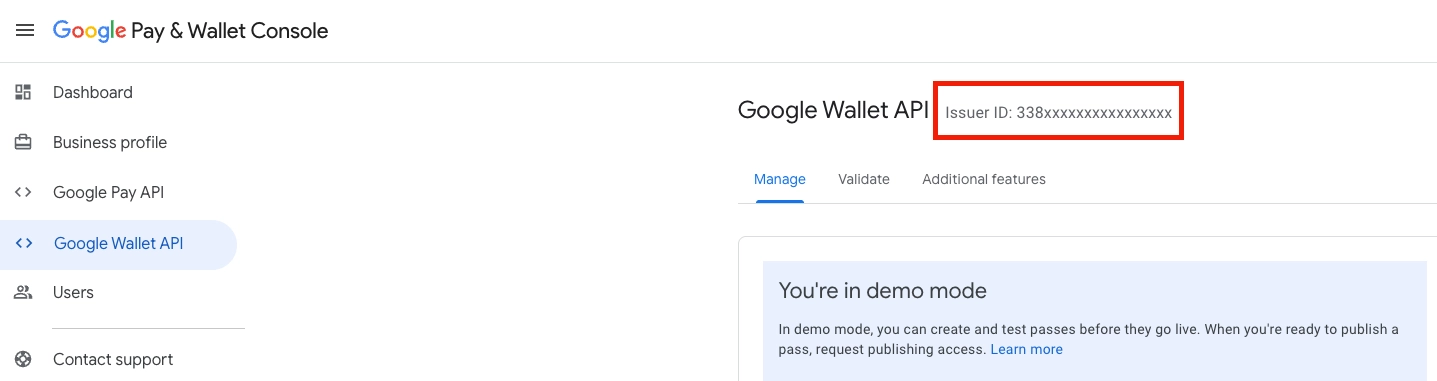
Anchor link toSign up for an issuer account. In the Google Pay & Wallet Console, complete the Google Wallet API onboarding to get your Issuer ID (a numeric value). You can start in demo mode and request production access later.
Invite the Pushwoosh service account
Anchor link toPushwoosh creates and updates passes in your issuer through its service account wallet-issuer@pushwoosh-wallet.iam.gserviceaccount.com. The same address is shown in the Google Wallet form in the Control Panel, with a Copy button next to it.
In the Google Pay & Wallet Console:
- Open Users in the left sidebar.
- Click Invite a user.
- Paste
wallet-issuer@pushwoosh-wallet.iam.gserviceaccount.com. - Set Access level to Developer.
- Click Invite.
Without this step, Pushwoosh cannot create or update Google Wallet passes.
Who must have access to the issuer
Anchor link toAt least one person in the issuer’s Users list must also be a user of your Pushwoosh account, with the same email address. Pushwoosh checks this before it issues passes through its service account, so another Pushwoosh account can’t write into your issuer by entering your Issuer ID.
If nobody matches, Pushwoosh can’t create or update passes in the issuer. Fix it either way:
- Invite your own email address (the one you sign in to Pushwoosh with) to the issuer in the Google Pay & Wallet Console.
- Invite a person who already has access to the issuer to your Pushwoosh account.
Configure Google Wallet in the Control Panel
Anchor link to- Go to Settings → Configure platforms in the Control Panel.
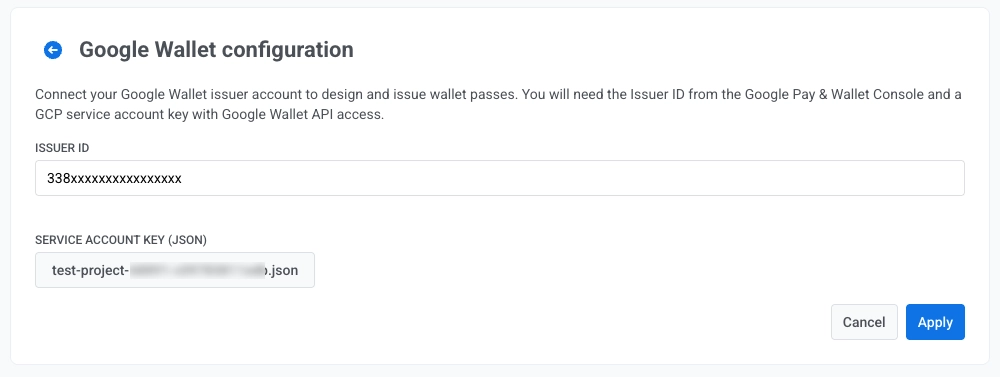
- Under MOBILE PLATFORMS, find Android and open the Google Wallet setup.

- In Issuer ID, enter the numeric Issuer ID from the Google Pay & Wallet Console.
- Click Apply.
Use your own service account key (optional)
Anchor link toIf you already issue passes with your own Google Cloud service account, you can keep using it instead of the Pushwoosh service account. When an application has its own key, Pushwoosh always uses that key.
- Create a service account in the Google Cloud project linked to your issuer and download its JSON key. Follow Google’s guide on generating REST API credentials. The key file must be of type
service_accountand contain aclient_emailand a PEM private key. - Invite the service account’s
client_emailto your issuer in the Google Pay & Wallet Console with the Developer access level, as described in Invite the Pushwoosh service account. - In the Google Wallet form in the Control Panel, next to Own service account key (JSON, optional), click Browse… and select the
.jsonkey file. - Click Apply.
If you later click Apply without selecting a file, the stored key stays in place.
Next steps
Anchor link toOnce you click Apply, you can design passes in the pass builder.
Manage passes via API
Anchor link toUse the Google Wallet API to create passes, issue save links, and send them to users.