Setting up badges
Starting with version 6.4.0 of Pushwoosh iOS SDK, the process of managing and setting badges through push notifications has changed.
If you were previously using the badges number to indicate the number of received push notifications in your application, you have to migrate to newer version of iOS SDK (6.4.0 or later). The older versions will be supported until the end of the second quarter of 2022.
What determines the badge value
Anchor link toThe badge always comes from the push itself. No Pushwoosh feature sets or clears it on its own. Sending "ios_badges" in the /createMessage request (or the badges field in Control Panel) sets both aps.badge (the absolute value) and aps.pw_badge (the relative delta) in the iOS payload. Android carries the equivalent value in pw_badges and needs the com.pushwoosh:pushwoosh-badge module to apply it on supported launchers. Saving a push to Message Inbox never sets or changes the badge. The two are independent effects of the same push.
How to set up badges
Anchor link toTo set up badges, follow the steps below:
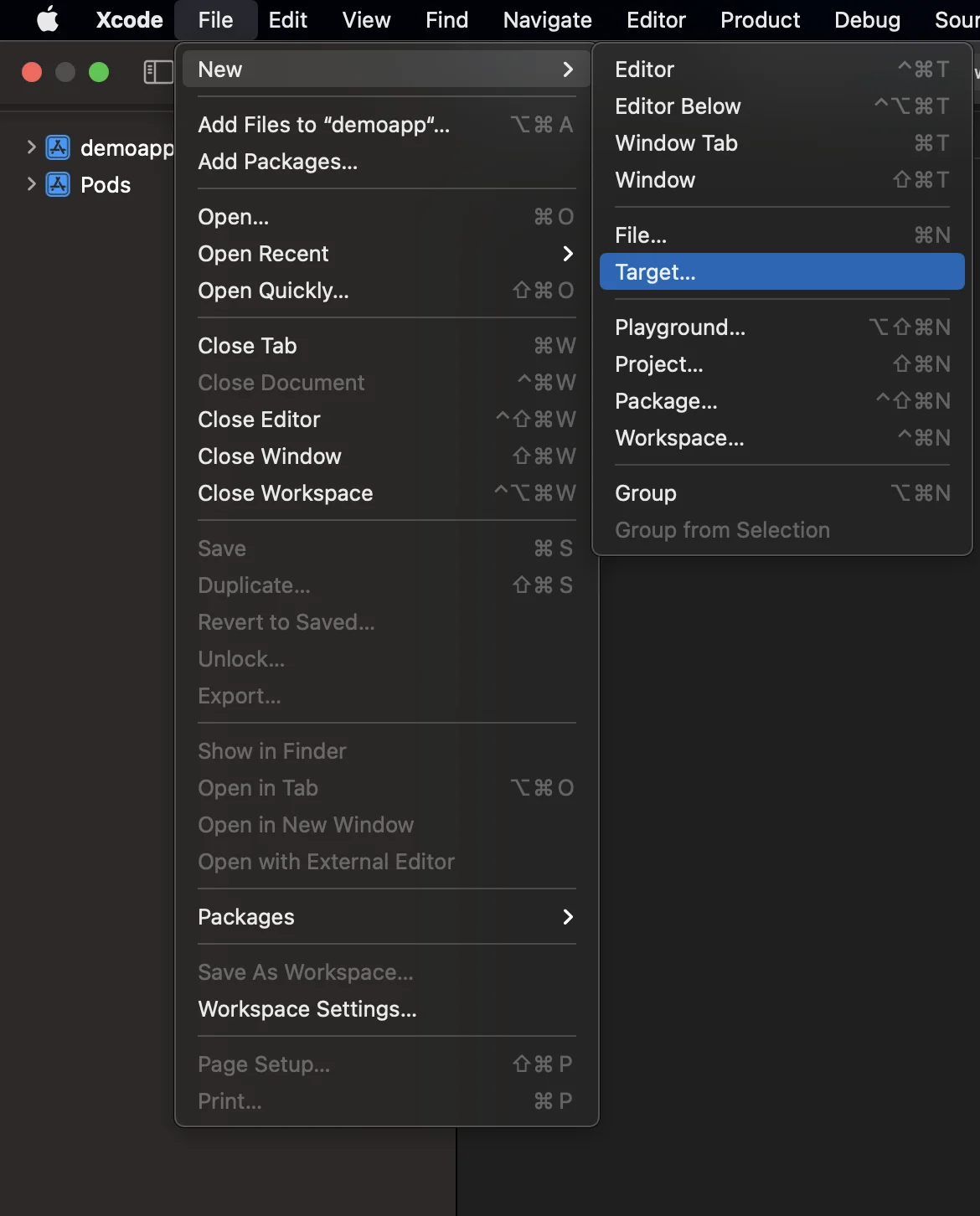
- Add Notification Service Extension (File -> New -> Target…)
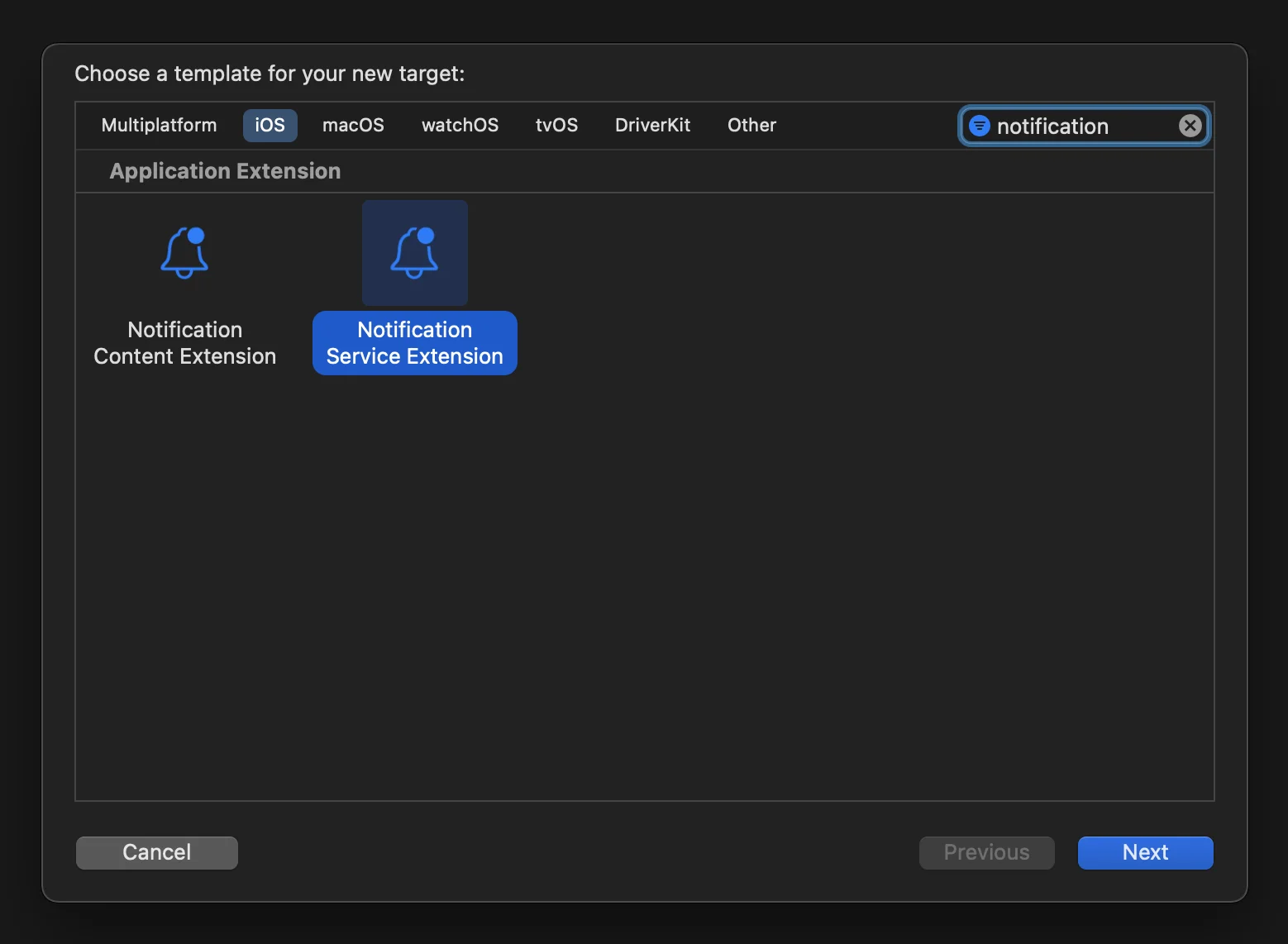
- Select the “Notification Service Extension”
- Replace the generated
NotificationServiceclass with a subclass ofPushwooshNotificationServiceExtension. Pushwoosh handles the badge counting, delivery event, attachment download, and the timeout fallback for you:
import PushwooshFramework
class NotificationService: PushwooshNotificationServiceExtension {}
#import <PushwooshFramework/PushwooshFramework.h>
@interface NotificationService : PushwooshNotificationServiceExtension@end
@implementation NotificationService@end-
Add the App Groups capability to both targets — the main app and the Notification Service Extension — and use the same App Group for each.
-
Add the App Group ID to the main app’s
info.plist:
<key>PW_APP_GROUPS_NAME</key><string>group.com.example.demoapp_example</string>
The extension inherits this value from the host app, so you don’t need to repeat it in the extension’s info.plist — add it there only to override the host value.
If you prefer not to use the info.plist file, provide the App Group in code by overriding pushwooshAppGroupsName in your NotificationServiceExtension class:
override func pushwooshAppGroupsName() -> String? { "group.com.example.demoapp_example"}- (NSString *)pushwooshAppGroupsName { return @"group.com.example.demoapp_example";}Send a push notification with badges
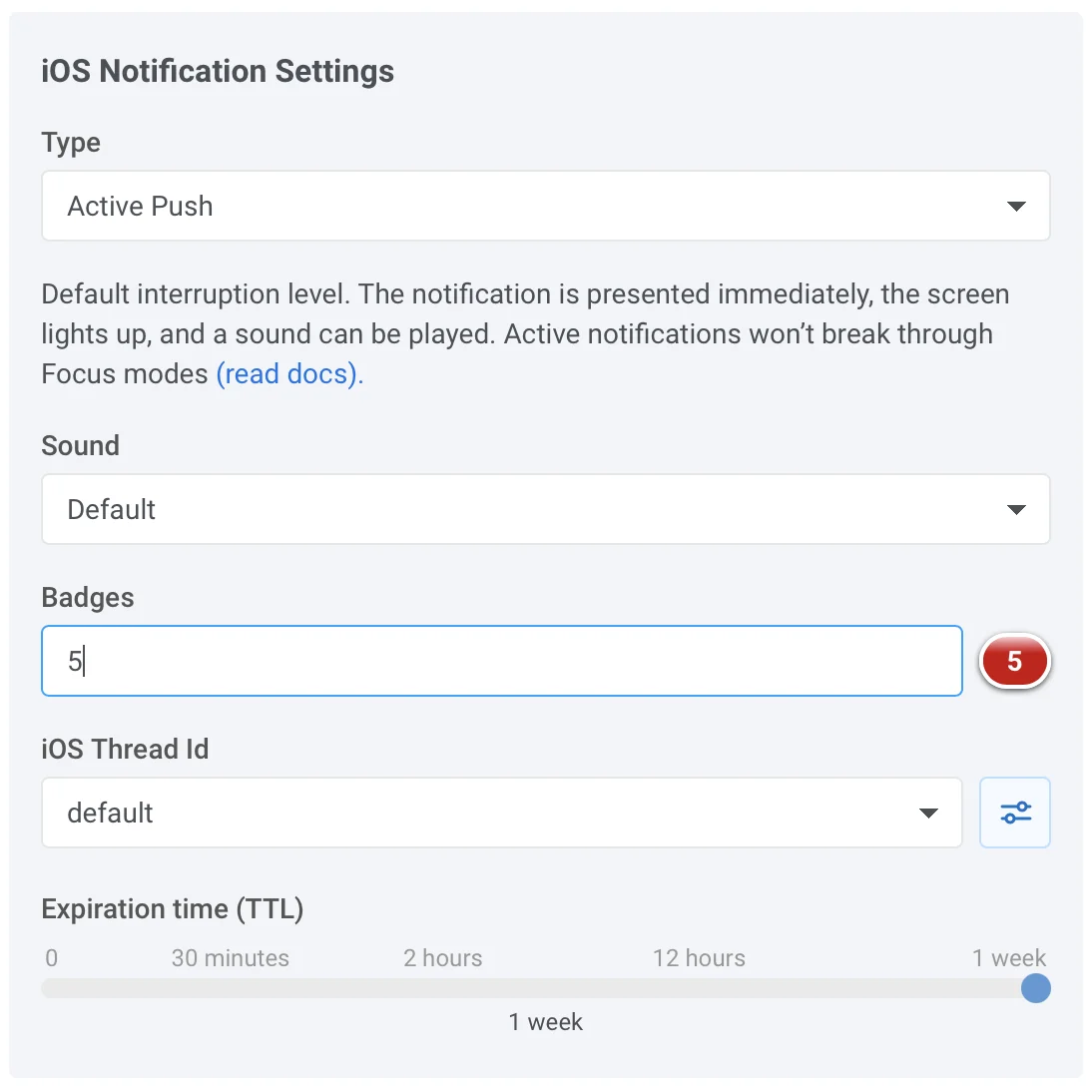
Anchor link toIf you want to send push notification with badges from Pushwoosh Control Panel, just add a desired badge value to the badges text field as shown in the picture below:
Share your feedback with us
Anchor link toYour feedback helps us create a better experience, so we would love to hear from you if you have any issues during the SDK integration process. If you face any difficulties, please do not hesitate to share your thoughts with us via this form.