Unity-এর জন্য ব্যাজ সেট আপ করা
যেহেতু Unity প্লাগইনে PWNotificationExtensionManager হেডার থাকে না, তাই আপনার Unity প্রজেক্টের জন্য ব্যাজ বাস্তবায়ন করতে আপনাকে কয়েকটি অতিরিক্ত পদক্ষেপ নিতে হবে।
১. নোটিফিকেশন সার্ভিস এক্সটেনশন যোগ করুন (File -> New -> Target…)
Anchor link to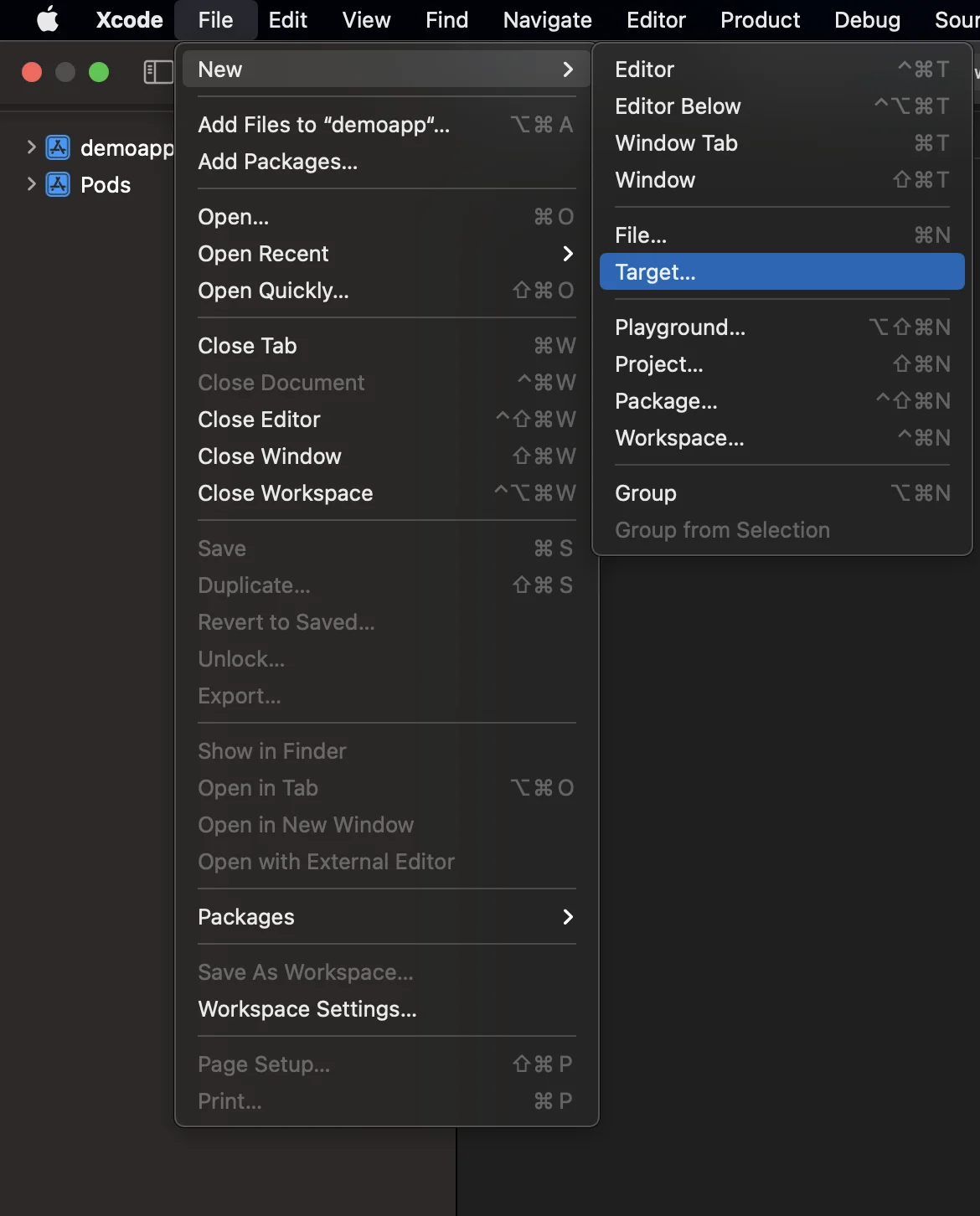
২. “নোটিফিকেশন সার্ভিস এক্সটেনশন” নির্বাচন করুন
Anchor link to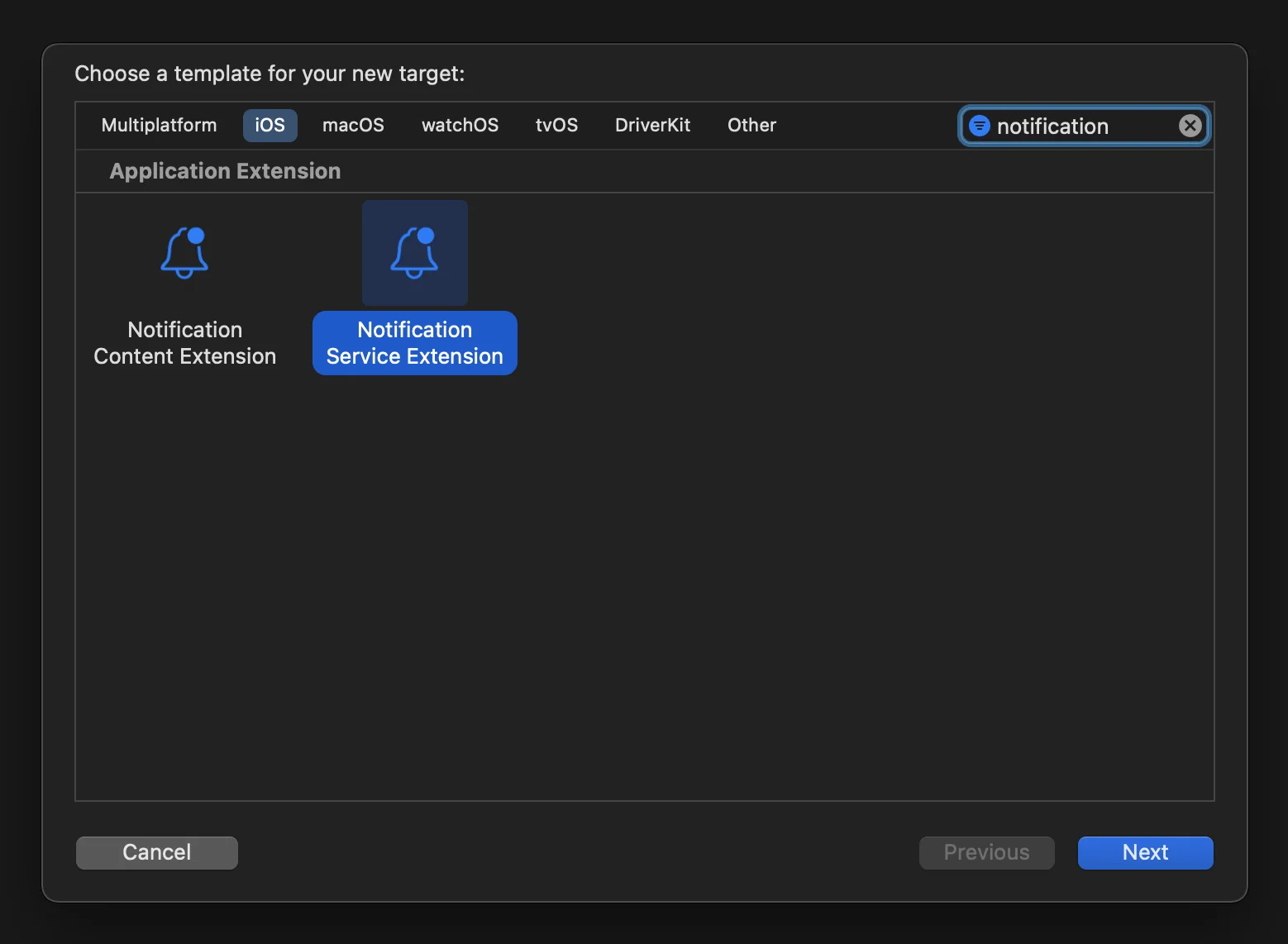
৩. নিম্নোক্তভাবে NotificationService এক্সটেনশন টার্গেটে Pushwoosh.xcframework যোগ করুন:
Anchor link to১. NotificationService এক্সটেনশন টার্গেটটি বেছে নিন। ২. “General” ট্যাবে যান। ৩. ‘Framework and Libraries’ খুঁজুন এবং ’+’ বোতাম টিপুন। ৪. Pushwoosh.xcframework নির্বাচন করুন।
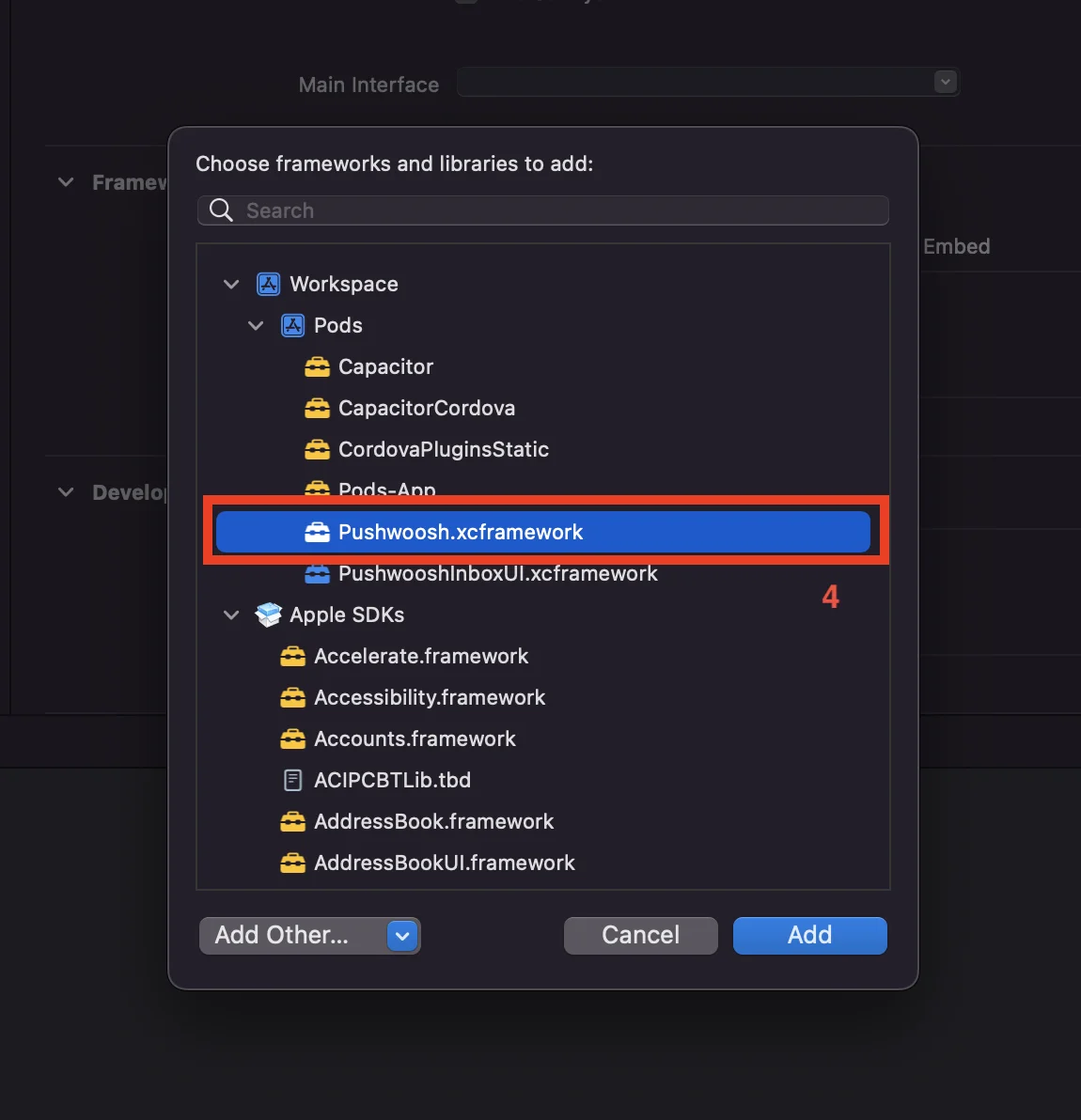
৪. নিম্নোক্তভাবে নোটিফিকেশন সার্ভিস এক্সটেনশন কোডটি আপডেট করুন:
Anchor link to#import "NotificationService.h"#import "PWNotificationExtensionManager.h"
@interface NotificationService ()
@property (nonatomic, strong) void (^contentHandler)(UNNotificationContent *contentToDeliver);@property (nonatomic, strong) UNMutableNotificationContent *bestAttemptContent;
@end
@implementation NotificationService
- (void)didReceiveNotificationRequest:(UNNotificationRequest *)request withContentHandler:(void (^)(UNNotificationContent * _Nonnull))contentHandler { self.contentHandler = contentHandler; self.bestAttemptContent = [request.content mutableCopy];
[[PWNotificationExtensionManager sharedManager] handleNotificationRequest:request contentHandler:contentHandler];}
- (void)serviceExtensionTimeWillExpire { // Called just before the extension will be terminated by the system. // Use this as an opportunity to deliver your "best attempt" at modified content, otherwise the original push payload will be used. self.contentHandler(self.bestAttemptContent);}
@end৫. আপনার অ্যাপ্লিকেশনের প্রতিটি টার্গেটের জন্য “অ্যাপ গ্রুপস ক্যাপাবিলিটি” যোগ করুন
Anchor link to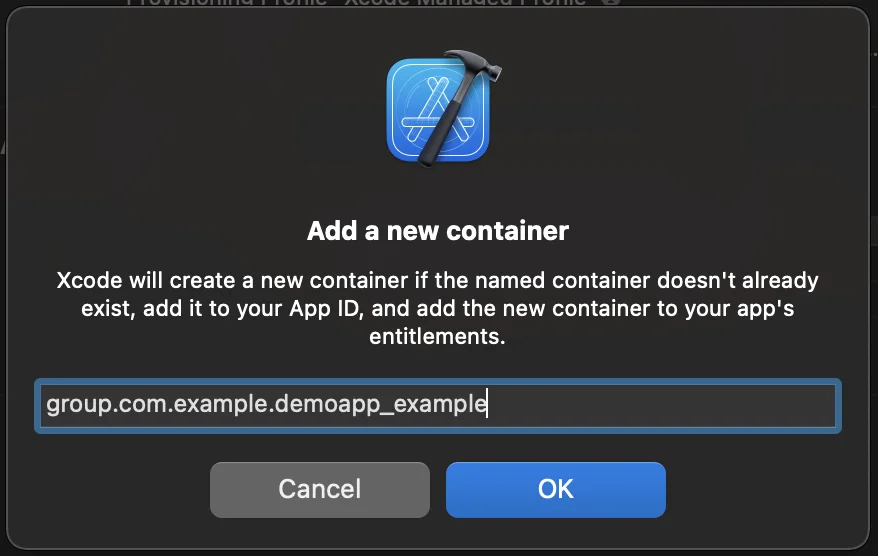


৬. আপনার অ্যাপ্লিকেশনের প্রতিটি টার্গেটের জন্য আপনার info.plist-এ অ্যাপ গ্রুপস আইডি যোগ করুন
Anchor link to<key>PW_APP_GROUPS_NAME</key><string>group.com.example.demoapp_example</string>আমাদের সাথে আপনার মতামত শেয়ার করুন
Anchor link toআপনার মতামত আমাদের একটি উন্নত অভিজ্ঞতা তৈরি করতে সাহায্য করে, তাই SDK ইন্টিগ্রেশন প্রক্রিয়ার সময় আপনার কোনো সমস্যা হলে আমরা আপনার কাছ থেকে শুনতে চাই। যদি আপনি কোনো অসুবিধার সম্মুখীন হন, তাহলে অনুগ্রহ করে আমাদের সাথে আপনার মতামত শেয়ার করতে দ্বিধা করবেন না এই ফর্মের মাধ্যমে।