Swift Package Manager 设置
- 在 Xcode 中打开您的项目,然后导航至项目设置 -> Package Dependencies -> 并按 ’+’ 按钮。
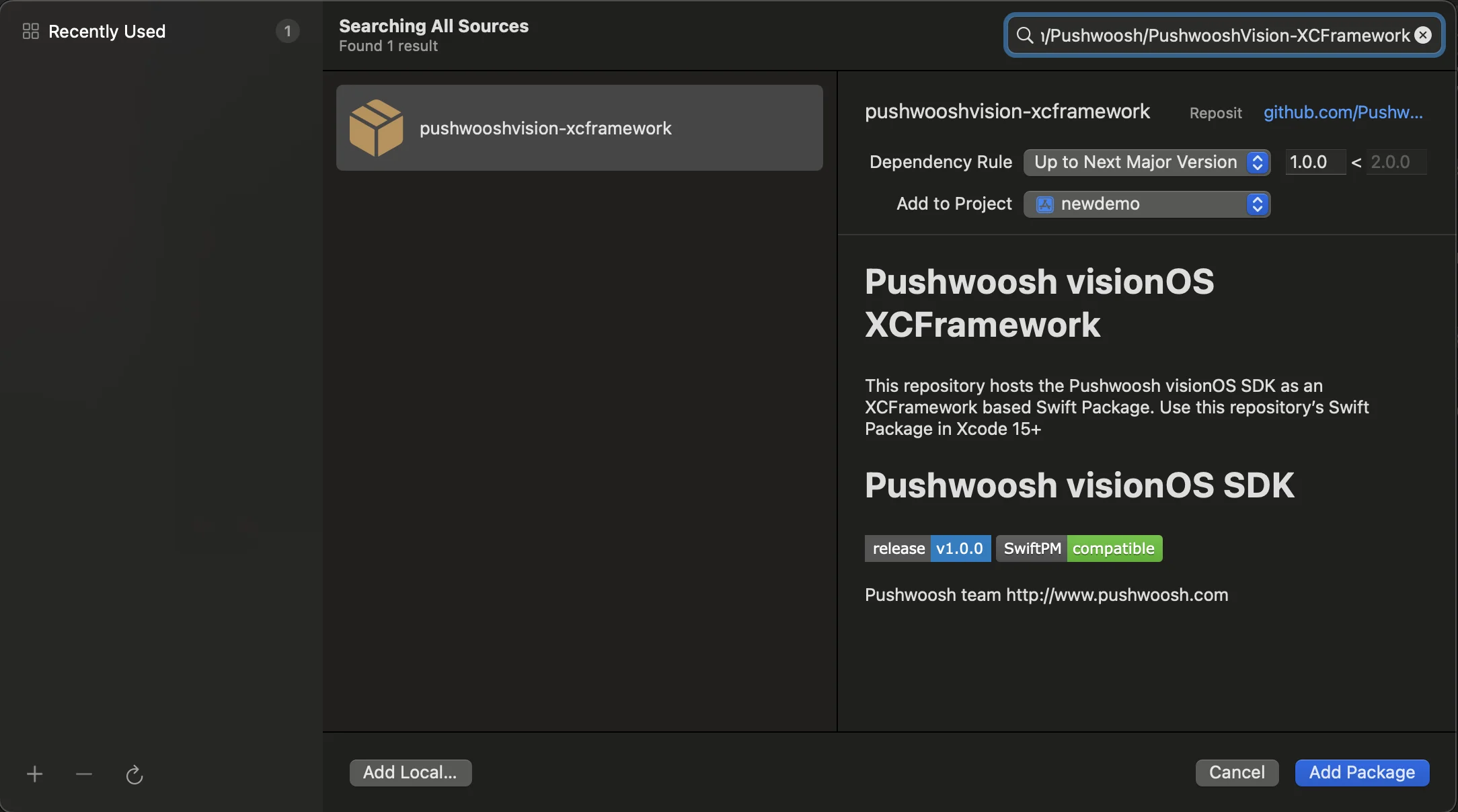
- 输入以下 Package URL:
https://github.com/Pushwoosh/PushwooshVision-XCFramework
- 设置 Dependency Rule
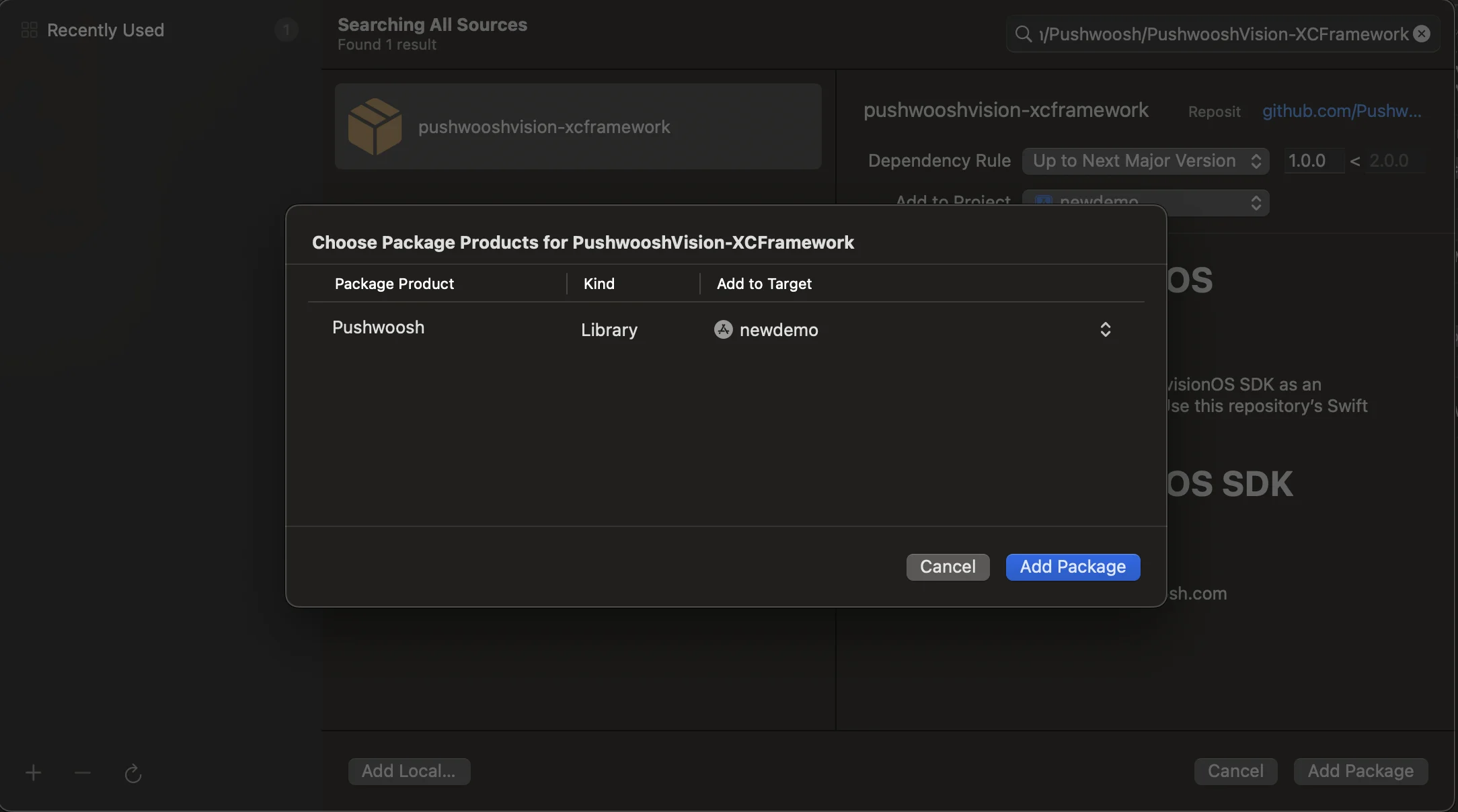
- 在下一个屏幕上,选择您的 Package,然后选择 Pushwoosh Package 并将 Add Package 添加到您的主应用 Target。
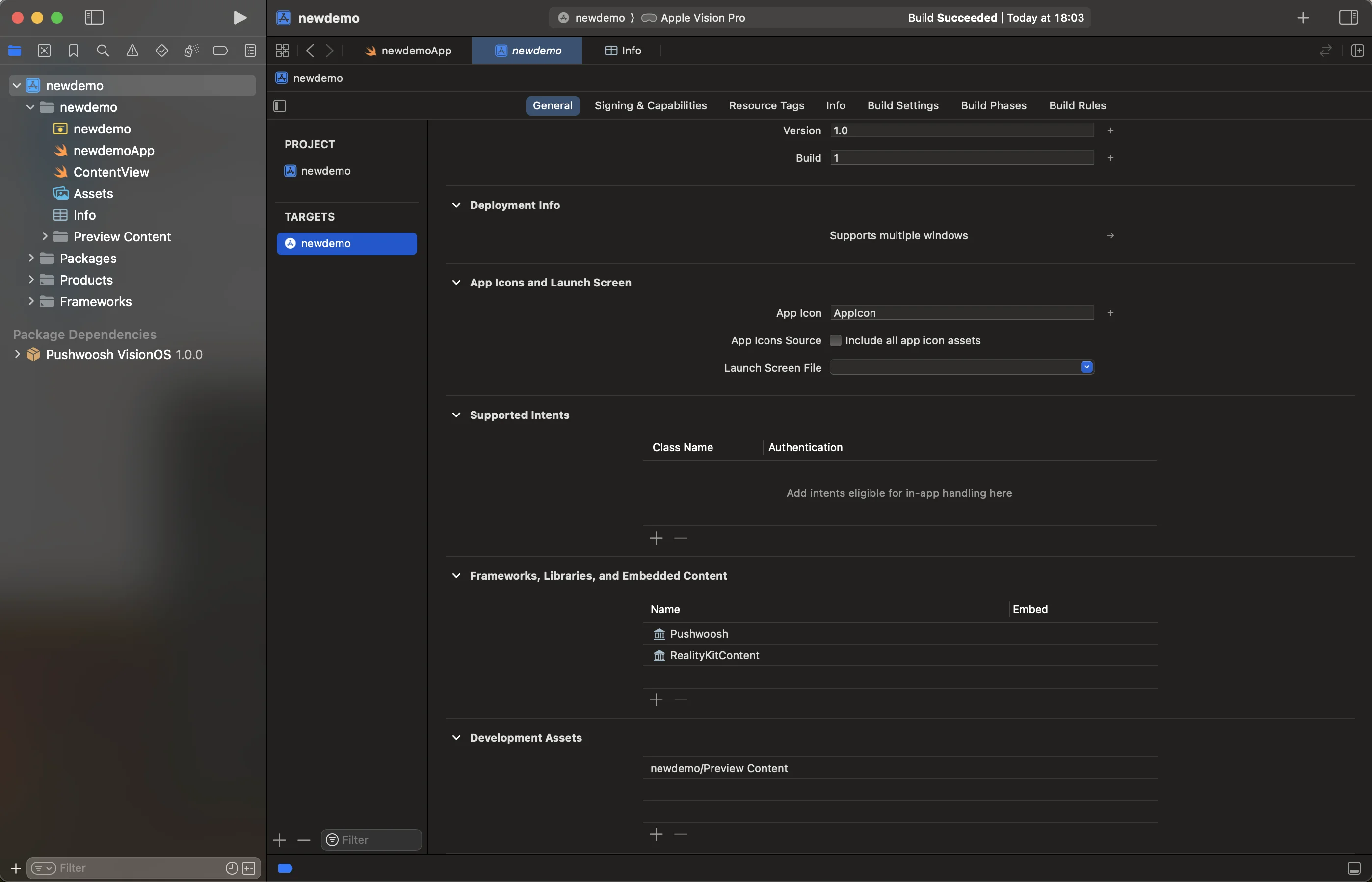
- 打开您的主应用 Target,在 Frameworks, Libraries, and Embedded Content 下,确保已添加 Pushwoosh iOS SDK。
- 做得好!您已成功将 Pushwoosh visionOS SDK 集成到您的项目中。
添加所需功能
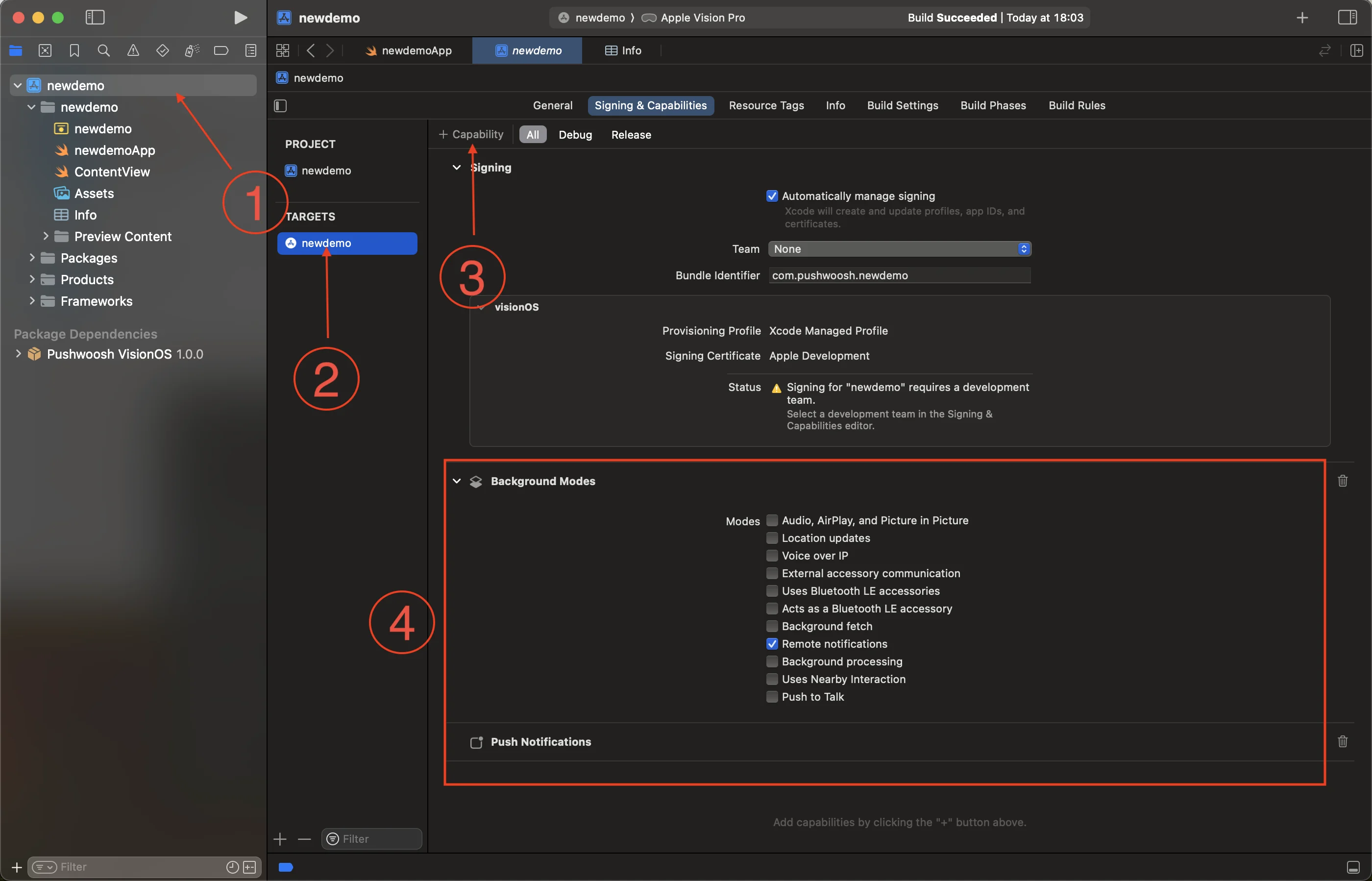
Anchor link to- 选择根项目 (1) 和您的主应用 Target (2),然后转到 Signing and Capabilities 选项卡。
- 按 + Capability 按钮 (3) 并选择 Push Notifications 功能。
- 然后,添加 Background Modes 功能并勾选 Remote notifications 复选框 (4)。
- 做得好!Xcode 功能配置已完成。
添加 Pushwoosh 初始化代码
Anchor link to- 将以下代码添加到您的 App 中
import SwiftUIimport Pushwoosh
class AppDelegate: NSObject, UIApplicationDelegate, UNUserNotificationCenterDelegate, PWMessagingDelegate {    func application(_ application: UIApplication, didFinishLaunchingWithOptions launchOptions: [UIApplication.LaunchOptionsKey : Any]? = nil) -> Bool {
        Pushwoosh.sharedInstance().registerForPushNotifications()        Pushwoosh.sharedInstance().delegate = self        return true    }
    func application(_ application: UIApplication, didRegisterForRemoteNotificationsWithDeviceToken deviceToken: Data) {        Pushwoosh.sharedInstance().handlePushRegistration(deviceToken)    }
    func application(_ application: UIApplication, didFailToRegisterForRemoteNotificationsWithError error: any Error) {        Pushwoosh.sharedInstance().handlePushRegistrationFailure(error)        print("\(error.localizedDescription)")    }
    func pushwoosh(_ pushwoosh: Pushwoosh, onMessageOpened message: PWMessage) {        print("Message opened: \(message.payload!)")    }
    func pushwoosh(_ pushwoosh: Pushwoosh, onMessageReceived message: PWMessage) {        print("Message received: \(message.payload!)")    }}
@mainstruct newdemoApp: App {    @UIApplicationDelegateAdaptor(AppDelegate.self) var appDelegate
var body: some Scene { WindowGroup { ContentView() } }}- 在您的
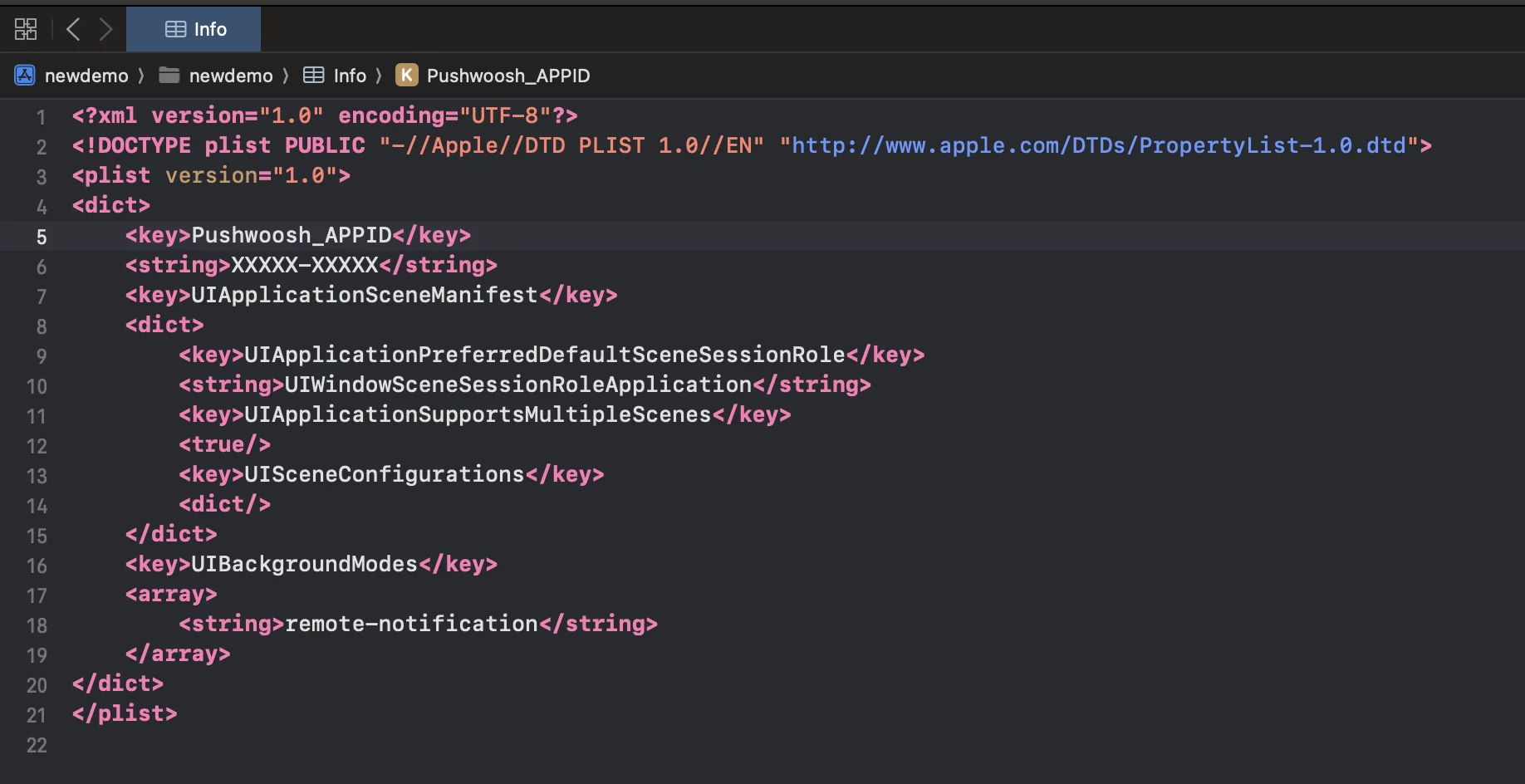
Info.plist中,添加以下字符串类型的键:
<key>Pushwoosh_APPID</key><string>XXXXX-XXXXX</string>
<key>Pushwoosh_API_TOKEN</key><string>YOUR_DEVICE_API_TOKEN</string>Pushwoosh_APPID:您的 Pushwoosh Application Code。Pushwoosh_API_TOKEN:您的 Pushwoosh Device API Token
重要提示: 请确保在您的 Pushwoosh Control Panel 中为该令牌授予对正确应用程序的访问权限。了解更多
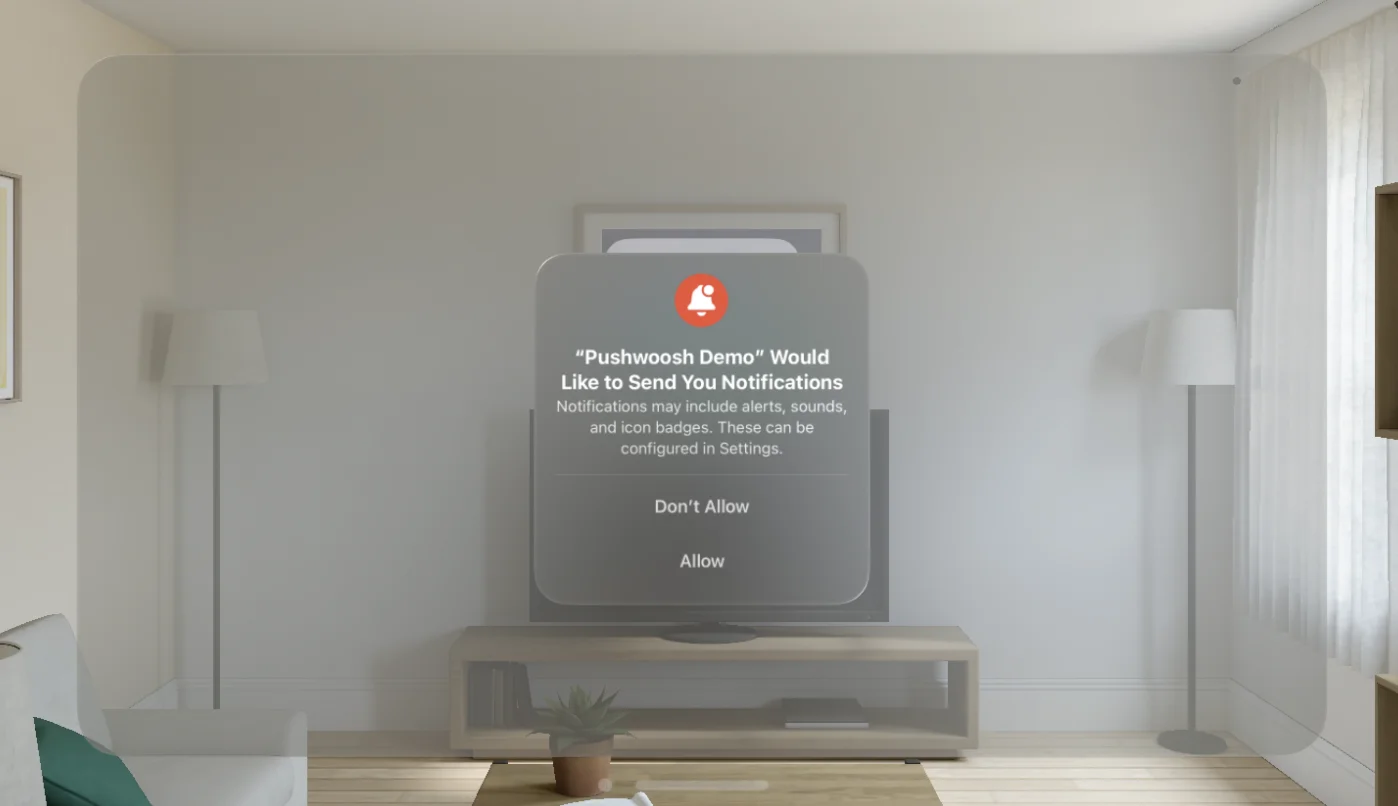
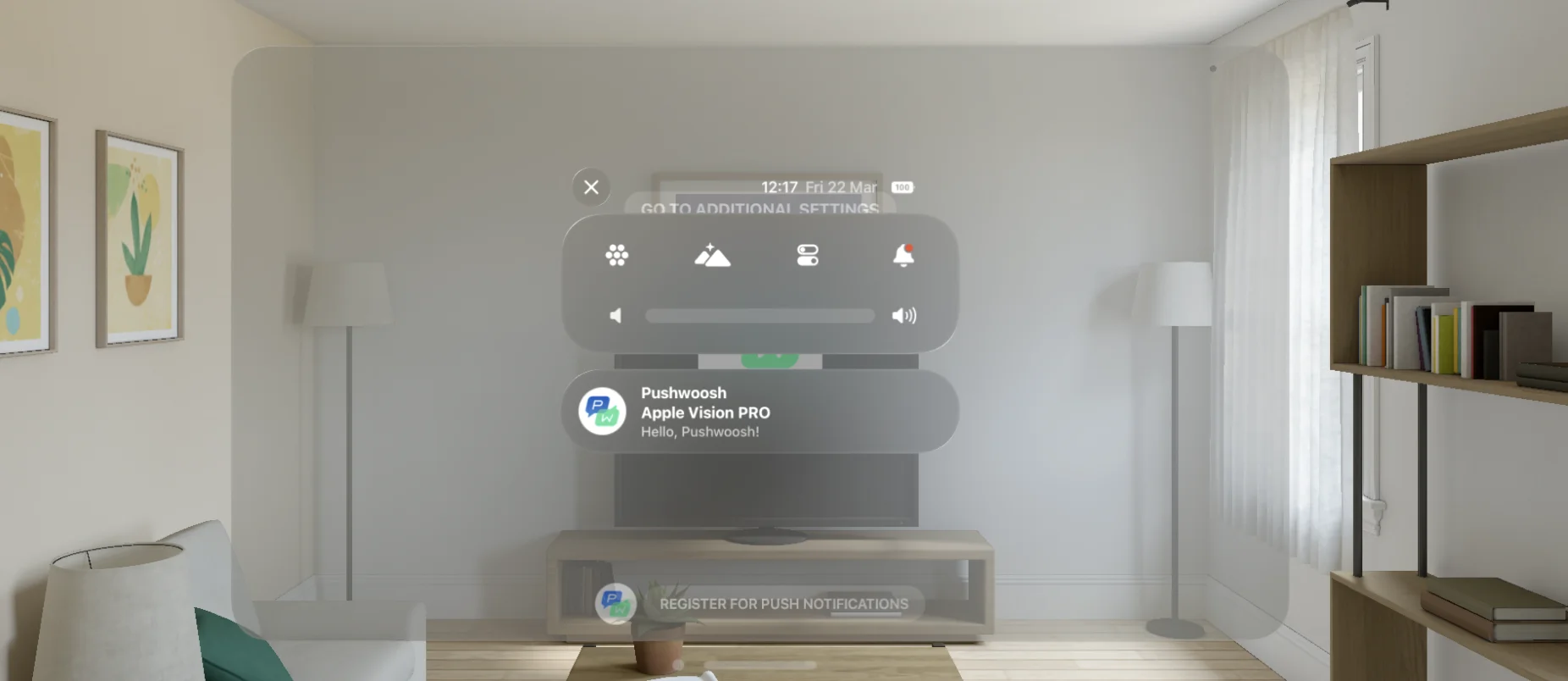
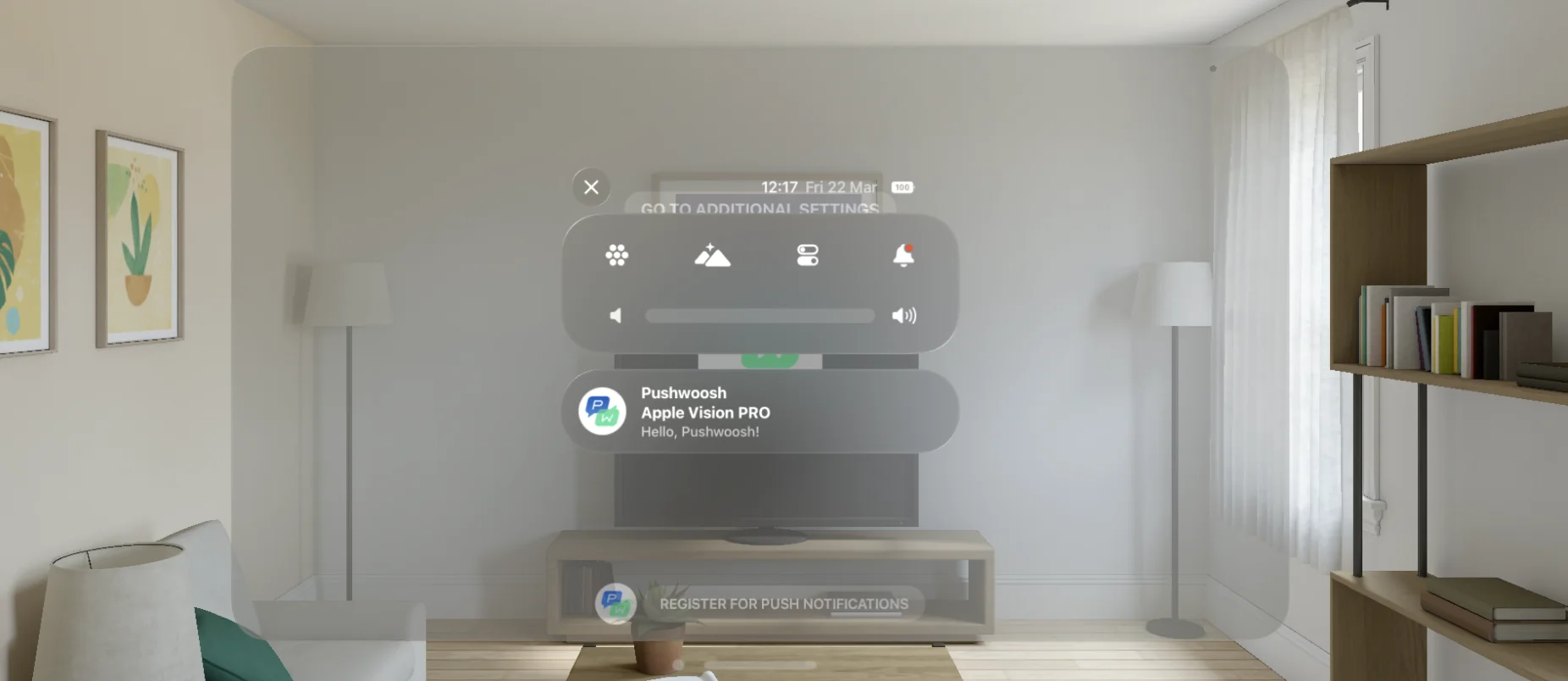
- 做得好!现在您可以发送您的第一条推送通知了!
与我们分享您的反馈
Anchor link to您的反馈有助于我们创造更好的体验,因此,如果您在 SDK 集成过程中遇到任何问题,我们非常希望听到您的声音。如果您遇到任何困难,请随时通过此表单与我们分享您的想法。