iOS 图片轮播推送通知
UNNotificationContentExtension 协议为通知内容应用扩展提供了入口点,该扩展为您的应用的通知显示自定义界面。
1. 添加通知内容扩展
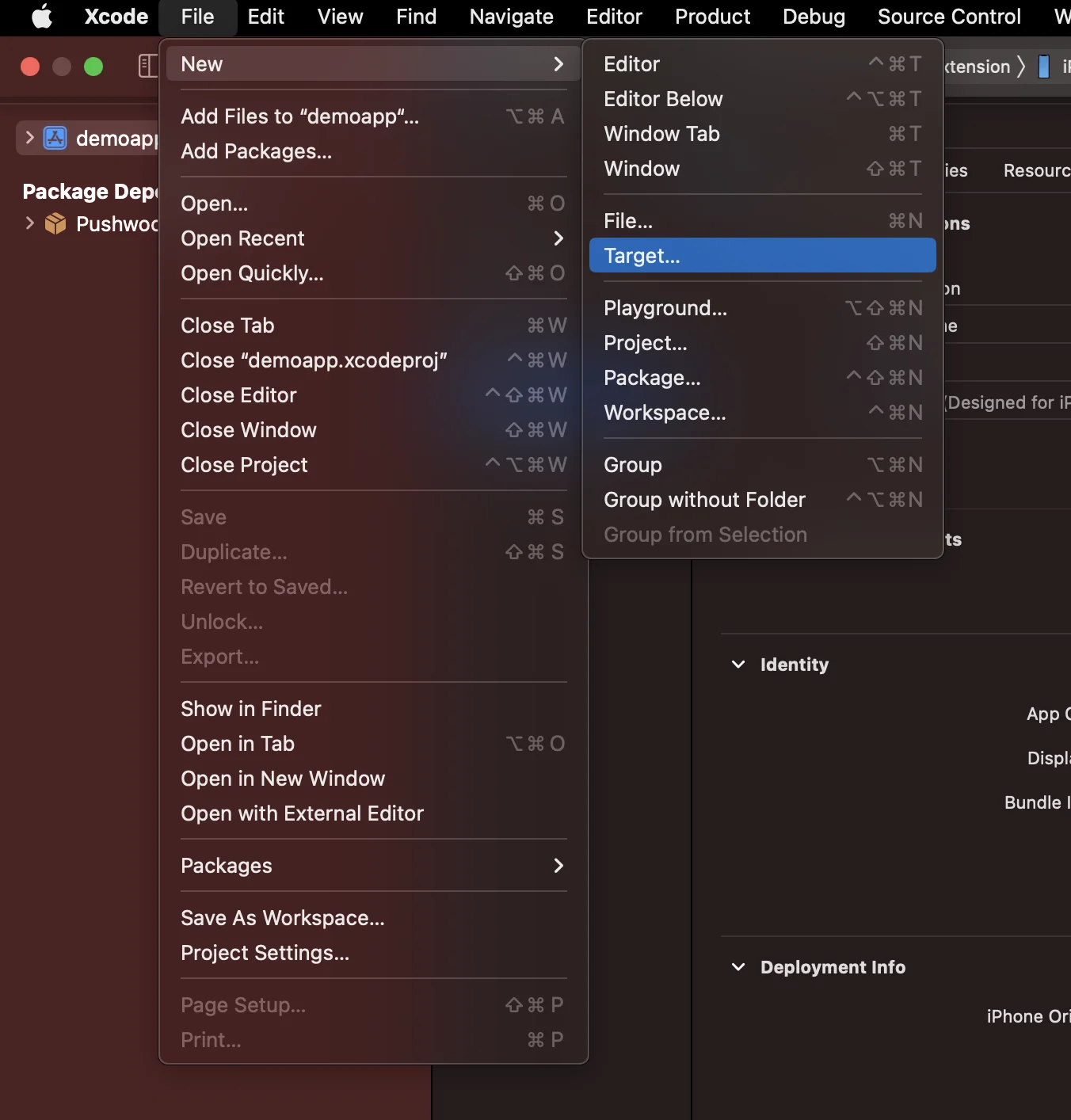
Anchor link to在 Xcode 中,选择 File > New > Target…
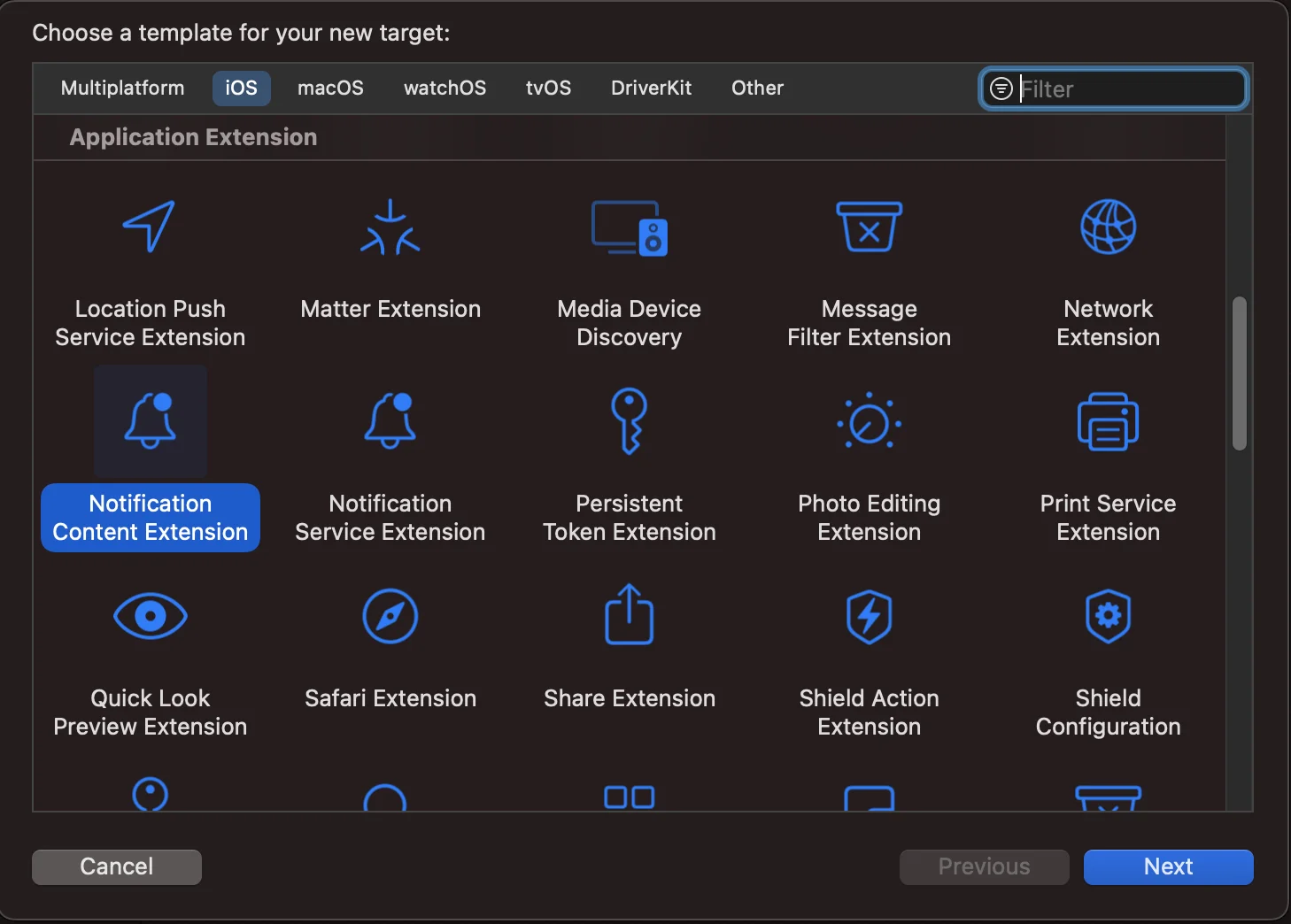
选择 Notification Content Extension
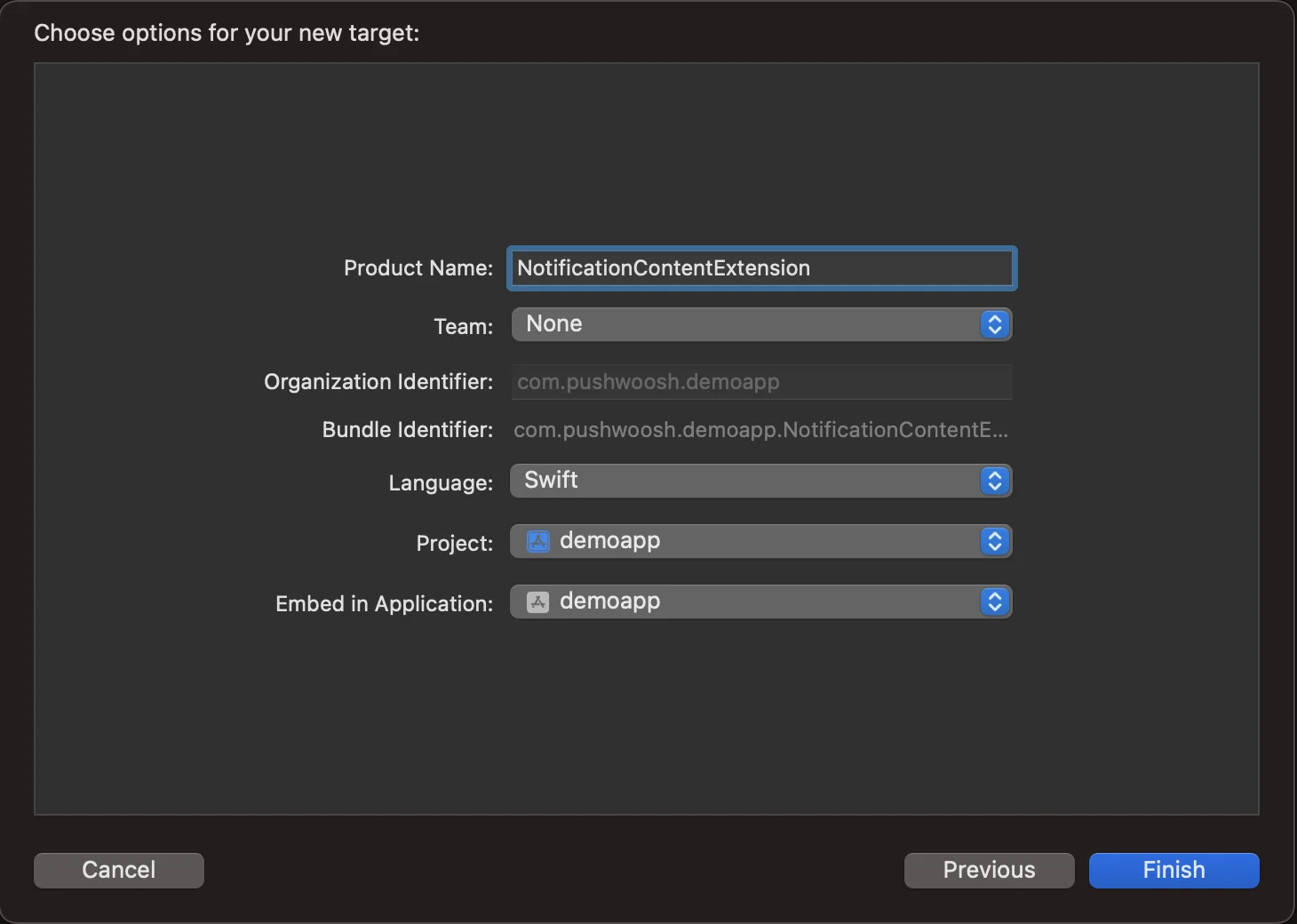
将其命名为 NotificationContentExtension
2. 将代码添加到您的应用
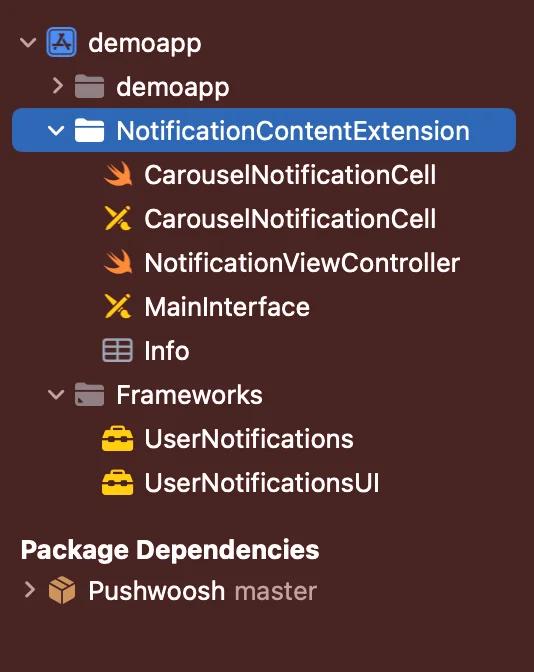
Anchor link to从 Github 下载 PWNotificationExtension 并将您 Xcode 项目中的 PWNotificationContentExtension 替换为从 Github 下载的同名文件。
3. 通知类别
Anchor link to将以下代码添加到您的 AppDelegate.swift 文件中
    func application(_ application: UIApplication, didFinishLaunchingWithOptions launchOptions: [UIApplication.LaunchOptionsKey: Any]?) -> Bool {
        if #available(iOS 10.0, *) {            let options: UNAuthorizationOptions = [.alert]            UNUserNotificationCenter.current().requestAuthorization(options: options) { (authorized, error) in                if authorized {                    let categoryIdentifier = "PWNotificationCarousel"                    let carouselNext = UNNotificationAction(identifier: "PWNotificationCarousel.next", title: "➡️ RIGHT", options: [])                    let carouselPrevious = UNNotificationAction(identifier: "PWNotificationCarousel.previous", title: "⬅️ LEFT", options: [])                    let carouselCategory = UNNotificationCategory(identifier: categoryIdentifier, actions: [carouselNext, carouselPrevious], intentIdentifiers: [], options: [])                    UNUserNotificationCenter.current().setNotificationCategories([carouselCategory])                }            }        }
        return true    }
4. 发送推送通知
Anchor link toiOS Category:
使用 APS json 发送推送通知:
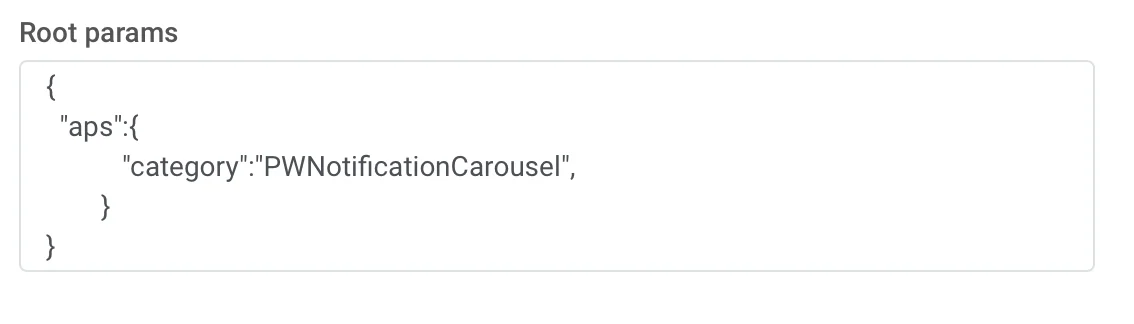
{ "aps":{ "category":"PWNotificationCarousel" }}Custom Data
您必须列出图片 URL,并用逗号 , 分隔。
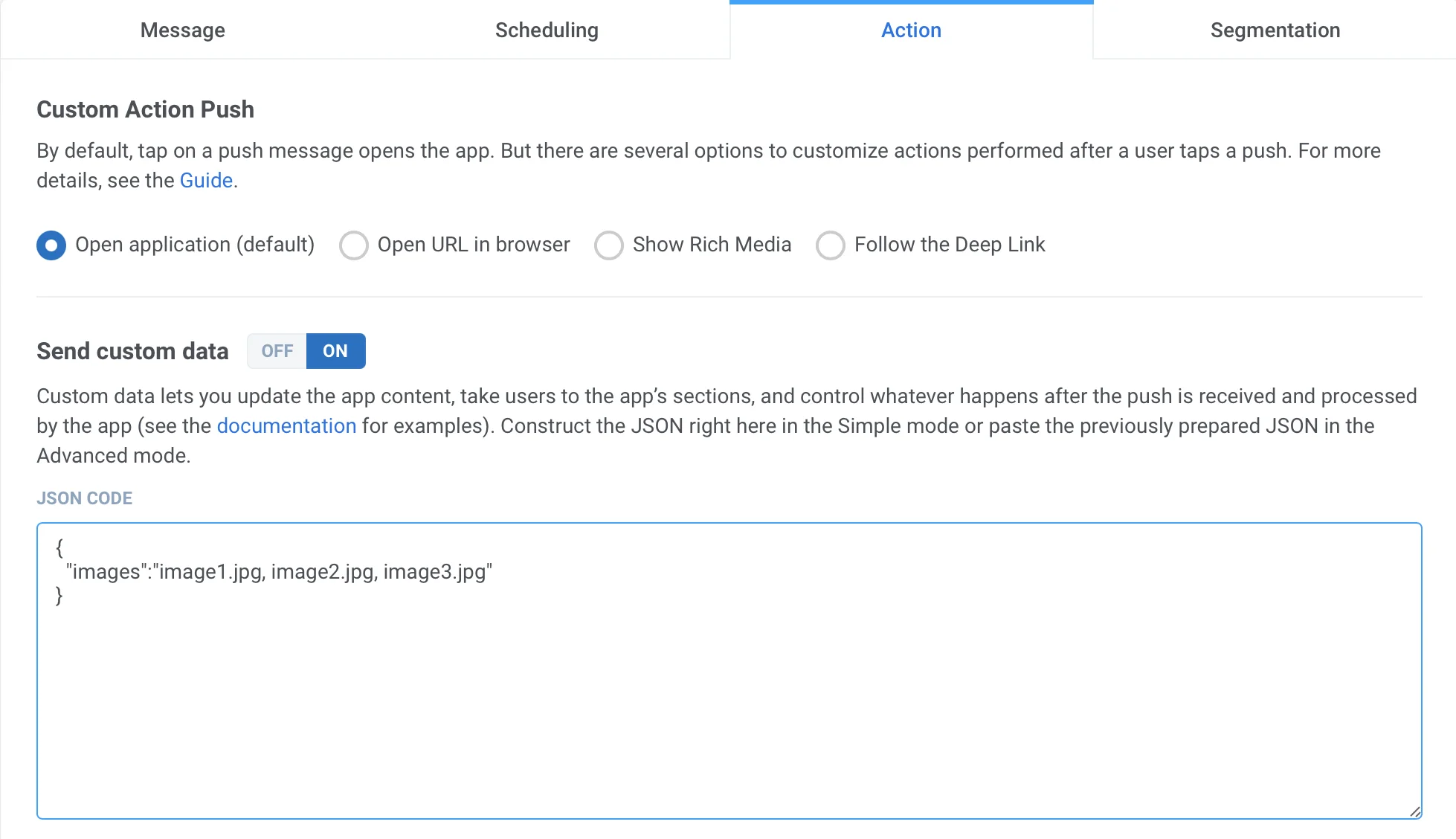
{ "images":"image1.jpg, image2.jpg, image3.jpg"}收到推送后,您需要长按或向左滑动并点击“查看”来展开通知,具体操作取决于 iOS 版本。