为 Unity 设置角标
由于 Unity 插件不包含 PWNotificationExtensionManager 头文件,您必须执行几个额外步骤才能为您的 Unity 项目实现角标。
1. 添加 Notification Service Extension (File -> New -> Target…)
Anchor link to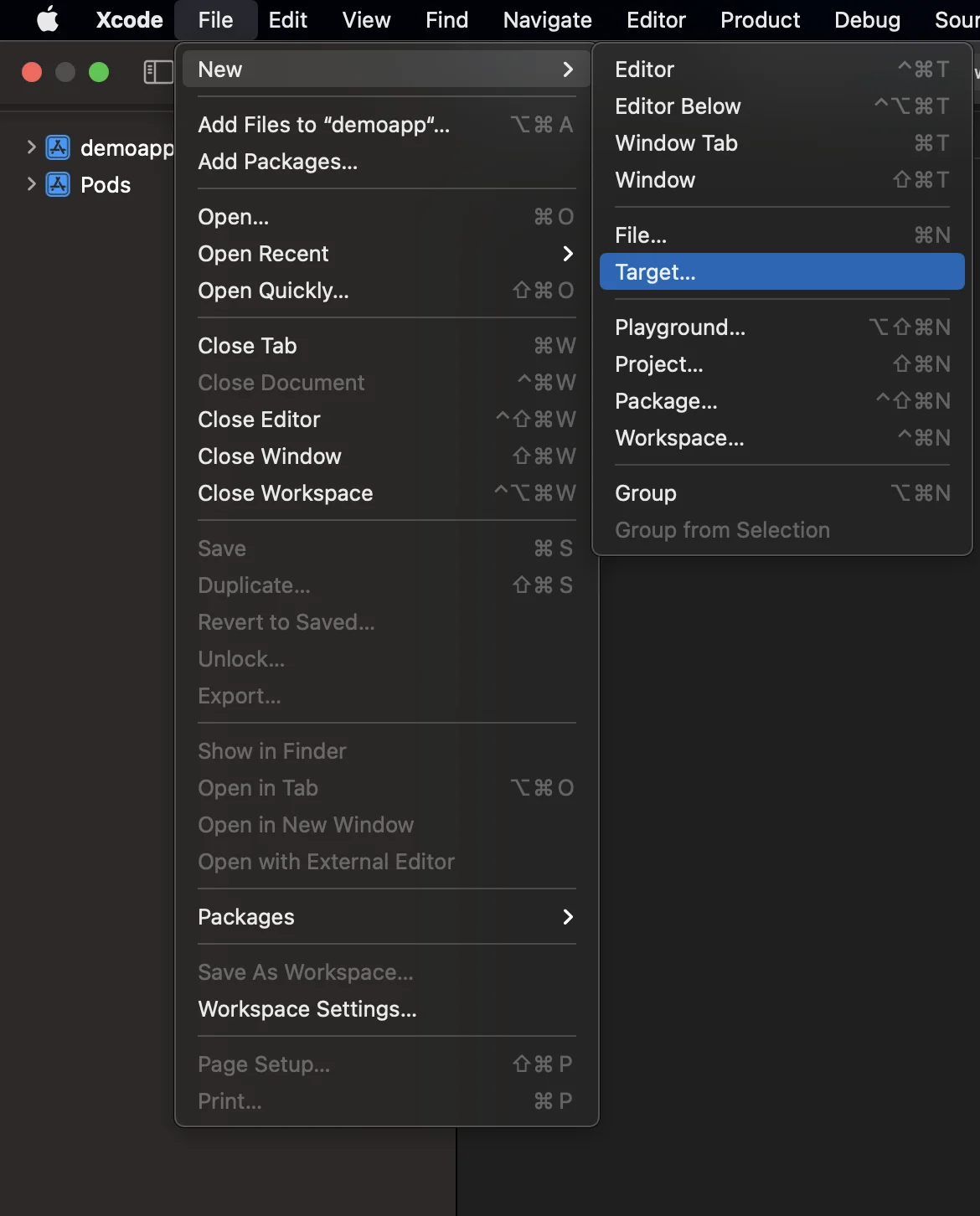
2. 选择 “Notification Service Extension”
Anchor link to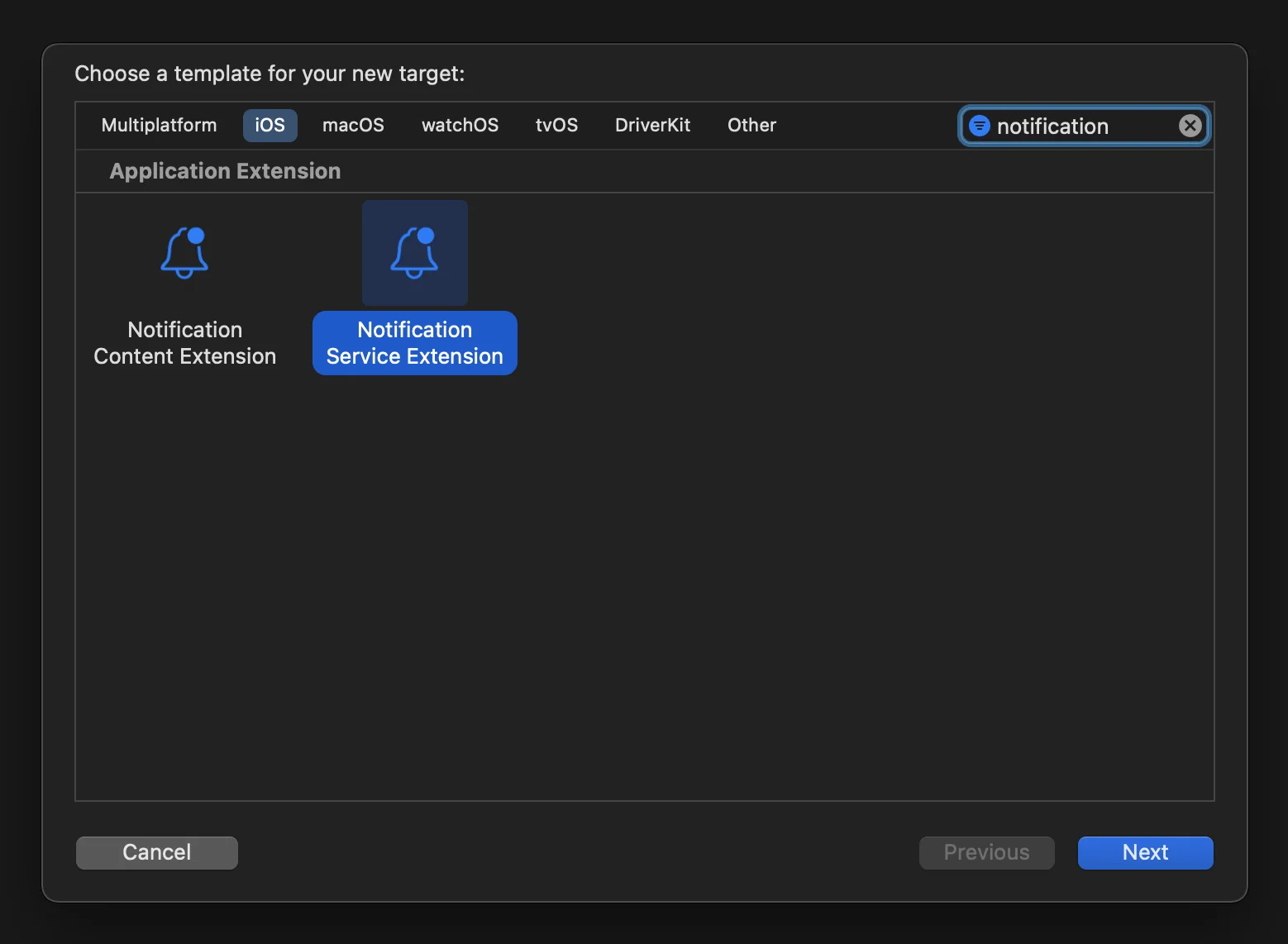
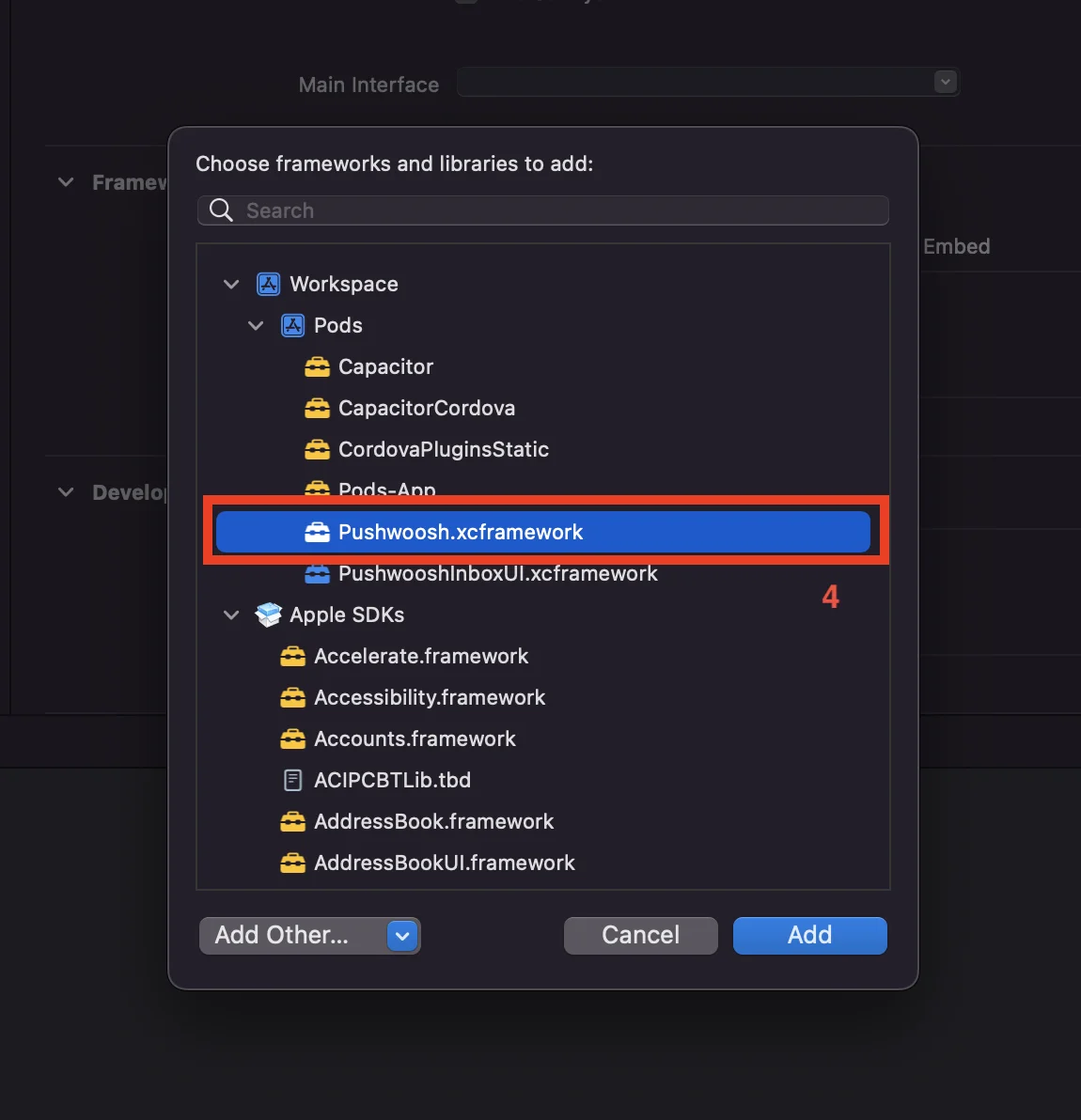
3. 将 Pushwoosh.xcframework 添加到 NotificationService 扩展目标,如下所示:
Anchor link to- 选择 NotificationService 扩展目标。
- 前往 “General” 选项卡。
- 找到 “Framework and Libraries” 并按 “+” 按钮。
- 选择 Pushwoosh.xcframework。
4. 按如下方式更新 Notification Service Extension 代码:
Anchor link to#import "NotificationService.h"#import "PWNotificationExtensionManager.h"
@interface NotificationService ()
@property (nonatomic, strong) void (^contentHandler)(UNNotificationContent *contentToDeliver);@property (nonatomic, strong) UNMutableNotificationContent *bestAttemptContent;
@end
@implementation NotificationService
- (void)didReceiveNotificationRequest:(UNNotificationRequest *)request withContentHandler:(void (^)(UNNotificationContent * _Nonnull))contentHandler { self.contentHandler = contentHandler; self.bestAttemptContent = [request.content mutableCopy];
[[PWNotificationExtensionManager sharedManager] handleNotificationRequest:request contentHandler:contentHandler];}
- (void)serviceExtensionTimeWillExpire { // Called just before the extension will be terminated by the system. // Use this as an opportunity to deliver your "best attempt" at modified content, otherwise the original push payload will be used. self.contentHandler(self.bestAttemptContent);}
@end5. 为您的应用程序的每个目标添加 “App Groups Capability”
Anchor link to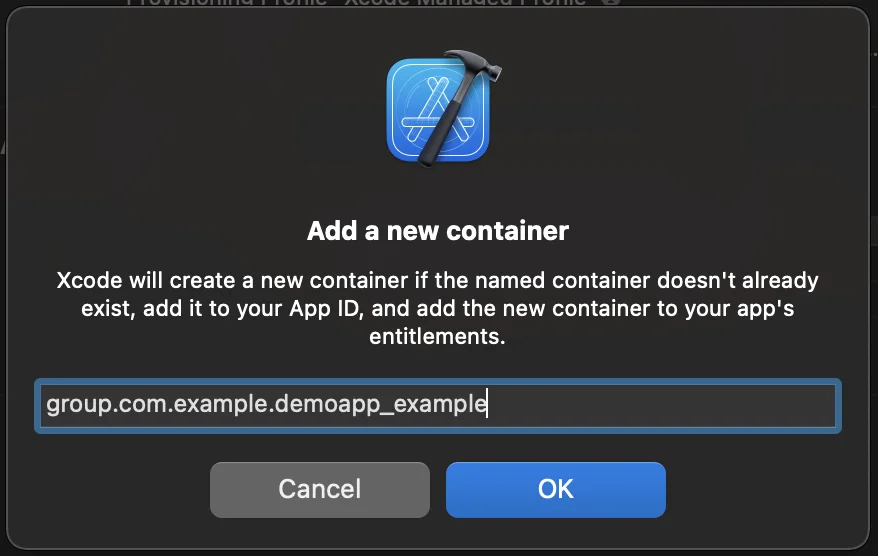


6. 将 App Groups ID 添加到您应用程序每个目标的 info.plist 中
Anchor link to<key>PW_APP_GROUPS_NAME</key><string>group.com.example.demoapp_example</string>与我们分享您的反馈
Anchor link to您的反馈有助于我们创造更好的体验,因此如果您在 SDK 集成过程中遇到任何问题,我们很乐意听取您的意见。如果您遇到任何困难,请随时通过此表单与我们分享您的想法。