为 Flutter 设置角标
- 打开位于 your_project/ios/Runner.xcworkspace 的 iOS 项目并创建 NotificationServiceExtension:
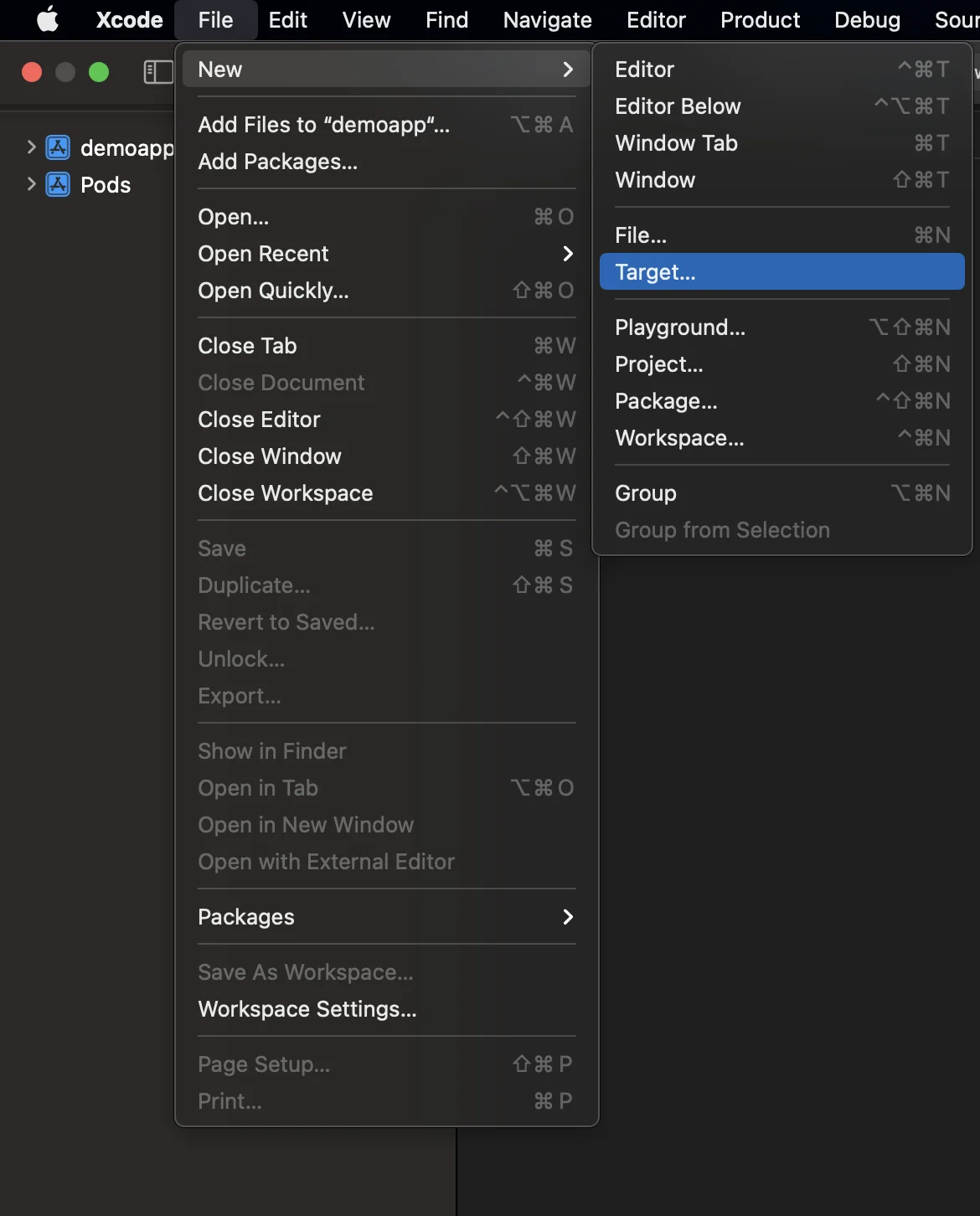
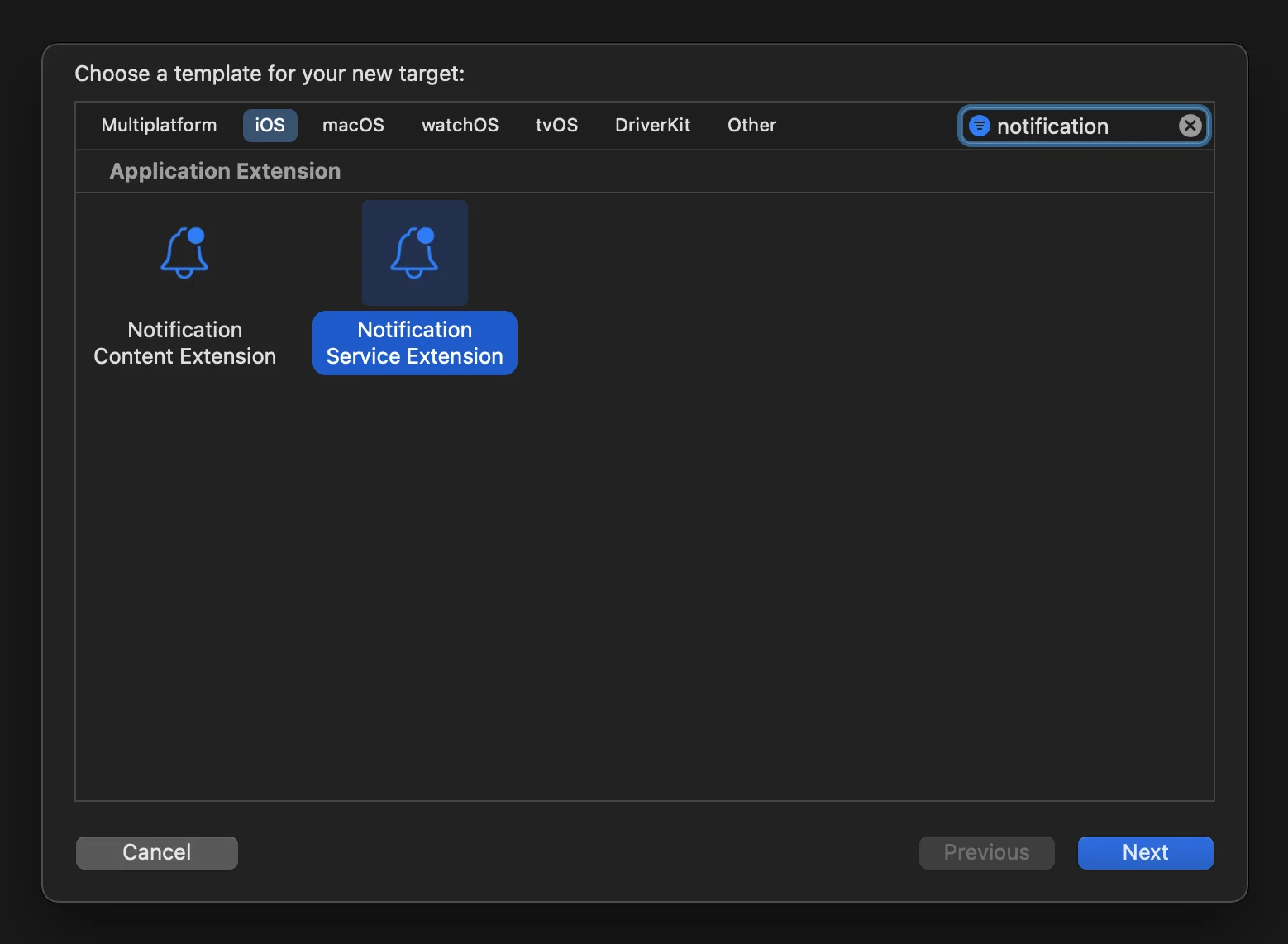
- 打开 Podfile(位于 your_project/ios/Podfile)并为 NotificationServiceExtensionTarget 添加 PushwooshXCFramework 依赖项:
target ‘NotificationService’ do pod ‘PushwooshXCFramework’, ‘>=6.5.0’end- 通过终端安装 pods:
cd ios && pod install- 关闭并重新打开您的 Xcode 项目。
-
请确保您的 Deployment target 与 Runner target 中的目标相匹配;否则,您在构建应用时可能会遇到问题(例如,如果您在 Runner 中指定 iOS 10.0,而在 NotificationService target 中指定 iOS 15.5)。
-
将 App Groups capability 添加到 Runner 和 NotificationService target,并为这两个 target 添加一个同名的新 group:
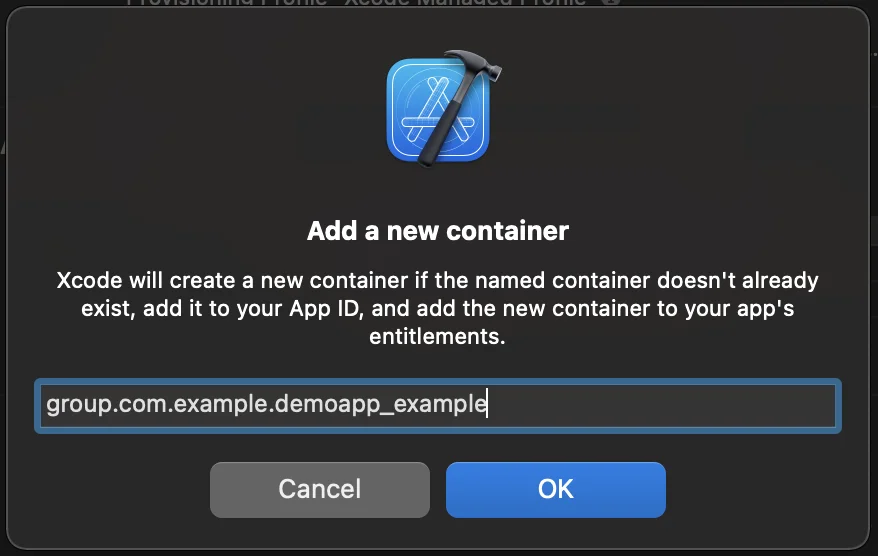

- 将 PW_APP_GROUPS_NAME info.plist 标志添加到 Runner 和 NotificationService target,并将其 group 名称作为字符串值:

- 转到 NotificationService.m 并将其代码替换为以下内容:
#import “NotificationService.h”#import <Pushwoosh/PWNotificationExtensionManager.h>
@interface NotificationService ()<strong>@property (nonatomic, strong) void (^contentHandler)(UNNotificationContent *contentToDeliver);</strong>@property (nonatomic, strong) UNMutableNotificationContent *bestAttemptContent;@end
@implementation NotificationService- (void)didReceiveNotificationRequest:(UNNotificationRequest *)request withContentHandler:(void (^)(UNNotificationContent * _Nonnull))contentHandler {    self.contentHandler = contentHandler;    self.bestAttemptContent = [request.content mutableCopy];    [[PWNotificationExtensionManager sharedManager] handleNotificationRequest:request contentHandler:contentHandler];}- (void)serviceExtensionTimeWillExpire {    // Called just before the extension will be terminated by the system.    // Use this as an opportunity to deliver your “best attempt” at modified content, otherwise the original push payload will be used.    self.contentHandler(self.bestAttemptContent);}@end
与我们分享您的反馈
Anchor link to您的反馈有助于我们创造更好的体验,因此如果您在 SDK 集成过程中遇到任何问题,我们很乐意听取您的意见。如果您遇到任何困难,请随时通过此表单与我们分享您的想法。