富媒体模板语法
模板结构
Anchor link to模板就是一个 .zip 压缩包,其中可以包含 HTML、JavaScript、CSS 和图像等富媒体资源。压缩包的根目录中必须包含一个 index.html 文件。
模板占位符
Anchor link to您可以在富媒体模板中使用占位符,以便更改和本地化富媒体内容中的值。
占位符必须遵循以下格式:
{{ Placeholder name | Type | Default value }}`其中:
- Placeholder name — 占位符的名称,将显示在富媒体编辑器中。
- Type — 占位符的类型。类型可以是以下任何值:
- color — 颜色输入
- text — 文本输入
- html — 文本区域(多行文本)
- Default value — 默认值,如果在编辑器中未提供值,则使用该值。如果未设置,则使用 Placeholder name 作为默认值。
示例:
{{Header text|text|Tell Us What You Think}}`添加 Pushwoosh.json
Anchor link to您可以对占位符进行分组,以便它们在富媒体编辑器中链接在一起:
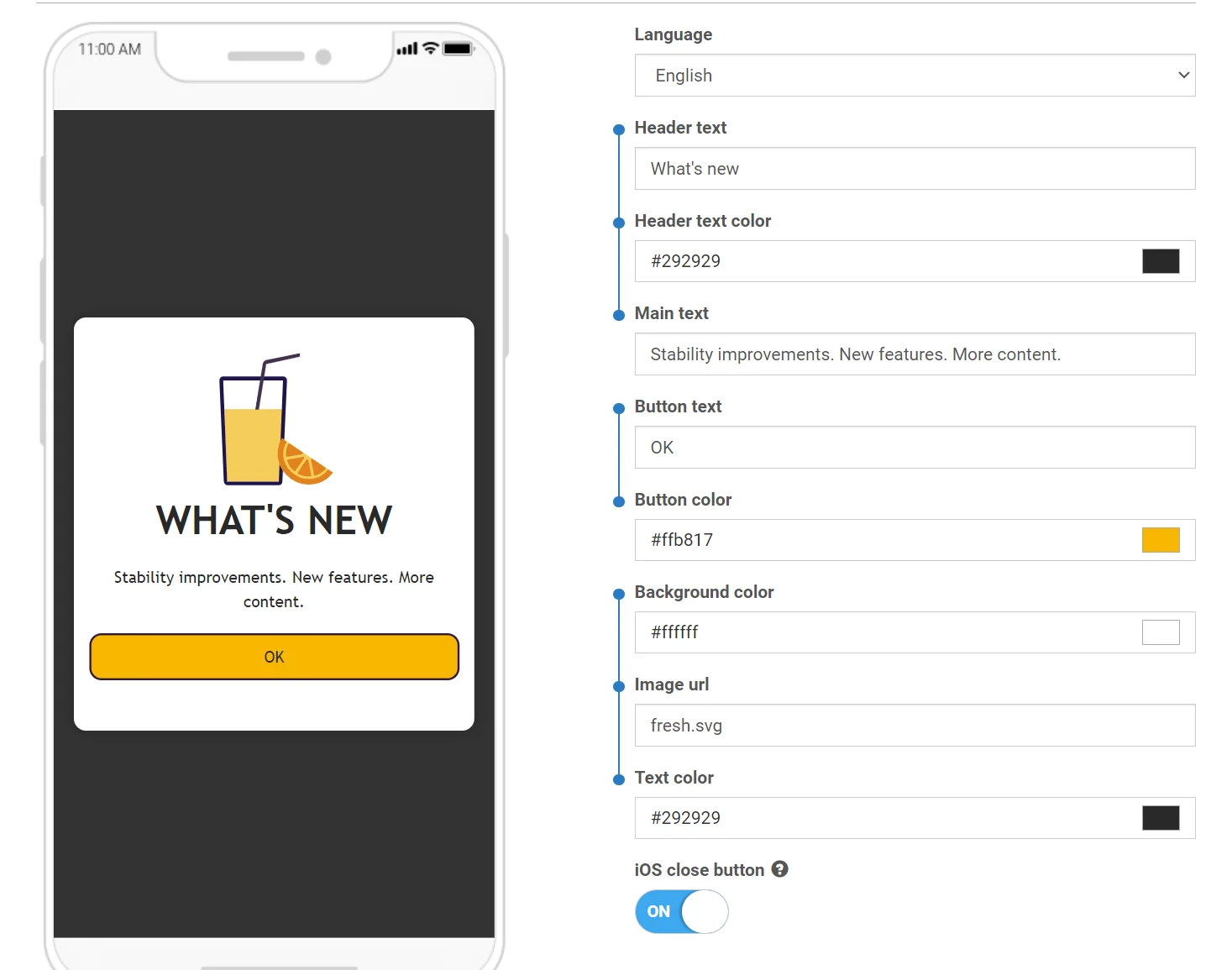
要实现这一点,请将 pushwoosh.json 文件添加到您的富媒体模板压缩包中,与 index.html 文件放在一起。
该文件的结构非常简单,应该是不言自明的:
{ "input_groups": [ ["Logo image URL", "Logo background color"], ["Topic text", "Topic text color", "Topic background color", "Sub-topic text"], ["Main text", "Text background color"], ["Button text", "Button URL", "Button text color", "Button background color"] ]}用于调查的自定义表单是自定义富媒体模板的常见用例。这些表单可让您收集宝贵的用户反馈。默认模板中提供了一个带有自定义调查表单的预设计模板。您可以以此为起点创建自己的调查。
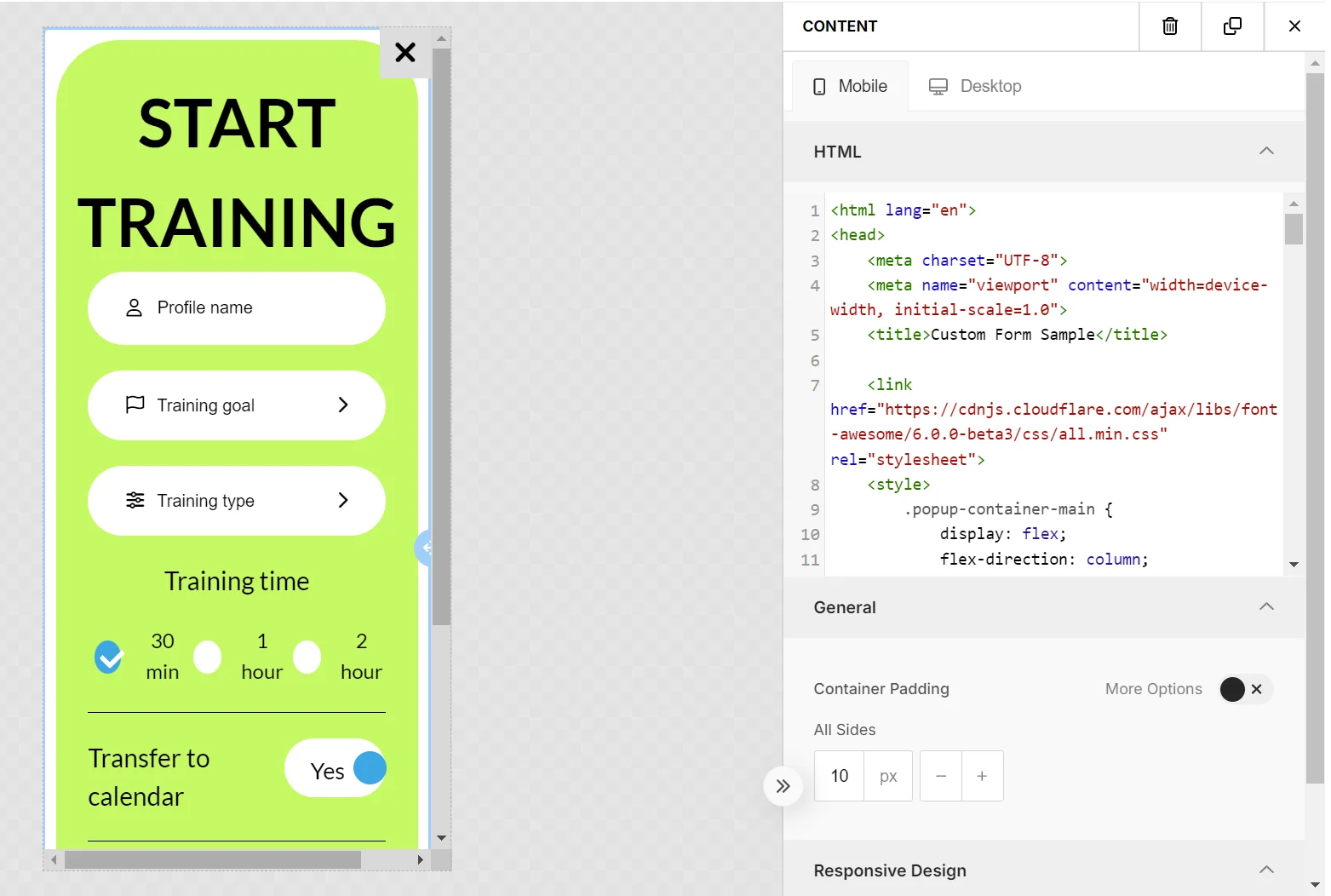
创建表单时,请遵循一些最佳实践,以确保在富媒体编辑器中的兼容性和无缝功能。
以下是控制面板中可用的默认模板之一的另一个示例。
<!DOCTYPE html><html><head>    <link href='https://fonts.googleapis.com/css?family=Open+Sans' rel='stylesheet' type='text/css'>    <style type="text/css">        html, body {            height: 100%;            width: 100%;            padding: 0;            margin: 0;            font-family: "Open Sans";        }        .main {            height: 100%;            width: 100%;            box-sizing: border-box;            -moz-box-sizing: border-box;            -webkit-box-sizing: border-box;        }        .logo {            width: 100%;            height: 15%;            background-image: url('{{Logo image URL|text|https://www.pushwoosh.com/wp-content/themes/pushwoosh/img/logo.png}}');            background-position: 50% 50%;            background-size: 50%;            background-repeat: no-repeat;            background-color: #{{Logo background color|color|343434}};        }        .topic-wrapper {            width: 100%;            height: 30%;            text-align: center;            display: table;            color: #{{Topic text color|color|FFFFFF}};            background-color: #{{Topic background color|color|23B7A4}};        }        .topic {            display: table-cell;            text-align: center;            vertical-align: middle;        }        .topic-wrapper h1, .topic-wrapper p {            margin: 0;        }        .padding-wrapper {            width: 100%;            height: 55%;            box-sizing: border-box;            -moz-box-sizing: border-box;            -webkit-box-sizing: border-box;            padding: 0 2% 0 2%;            background-color: #{{Text background color|color|FFFFFF}};        }        .text-wrapper {            height: 70%;            width: 100%;            padding: 2% 0 2% 0;            box-sizing: border-box;            -moz-box-sizing: border-box;            -webkit-box-sizing: border-box;            overflow: hidden;        }        .text {            width: 100%;            height: 99%;            overflow: auto;            padding-right: 15px;        }        .button-wrapper {            height: 30%;            width: 100%;            padding: 2% 0 2% 0;            box-sizing: border-box;            -moz-box-sizing: border-box;            -webkit-box-sizing: border-box;        }        .button {            display: table;            width: 100%;            height: 100%;        }        .button a {            display: table-cell;            vertical-align: middle;            text-align: center;            font-size: 2em;            text-decoration: none;            color:#{{Button text color|color|FFFFFF}};            border-radius: 20px;            background-color: #{{Button background color|color|23B7A4}};        }
        @media only screen        and (orientation: landscape) {            .padding-wrapper {                height: 45%;            }            .logo {                height: 20%;            }            .button a {                border-radius: 10px;            }        }    </style></head><body>
<div class="main">    <div class="logo"></div>    <div class="topic-wrapper">        <div class="topic">            <h1>{{Topic text|text|TOPIC TEXT}}</h1>            <p>{{Sub-topic text|text|Subtopic here}}</p>        </div>    </div>    <div class="padding-wrapper">        <div class="text-wrapper">            <div class="text">                {{Main text|html|Main text here}}            </div>        </div>        <div class="button-wrapper">            <div class="button">                <a href="{{Button URL|text|https://www.pushwoosh.com}}">                    {{Button text|text|Submit}}                </a>            </div>        </div>    </div></div></body></html>
监控自定义富媒体的性能
Anchor link to您还可以监控您创建并作为 ZIP 文件上传到 Pushwoosh 的自定义富媒体内容的性能。
您可以通过以下方式跟踪人们与您的富媒体的互动:
- 按钮点击
- 链接点击
- 表单提交
要使 Pushwoosh 能够跟踪这些互动:
- 为您希望跟踪的每个元素添加一个 “id” 属性。
例如:
要跟踪链接点击:
<a id=“my_link_1” href=“#”>…</a>要跟踪表单提交:
<form id=“my_form_1” action=“#” method=“GET”>…</form>要跟踪按钮点击:
<button id=“my_button_1” type=“button”>…</button> // type="button" 是必需的- 在标签的末尾添加一个指向 CDN 中 JavaScript 文件的链接:
<script src="https://cdn.pushwoosh.com/richmedia-service/statistics/v1/richmedia-statistics.js"></script>富媒体中自定义元素的最佳实践
Anchor link to谨慎管理 CSS 样式
Anchor link to确保您的 CSS 样式是特定的,以避免与富媒体编辑器样式冲突。使用低特异性样式,例如应用于标签名称或通用类名的样式,可能会影响富媒体编辑器的外观。最好将您的样式保持在局部范围内——将您的内容包装在一个具有唯一 ID 或类的容器中,并在您的 CSS 选择器中为子元素使用此标识符。
包含外部库
Anchor link to您可以集成 CSS 或 JavaScript 库(例如 Font Awesome、Bootstrap、Tailwind CSS 等),以利用它们的方法、图标、字体、动画等。