Windows 配置
WNS 身份验证
Anchor link to首先,请根据 Microsoft 开发人员中心的指南使用 Windows 推送通知服务对您的应用程序进行身份验证。
Pushwoosh 配置
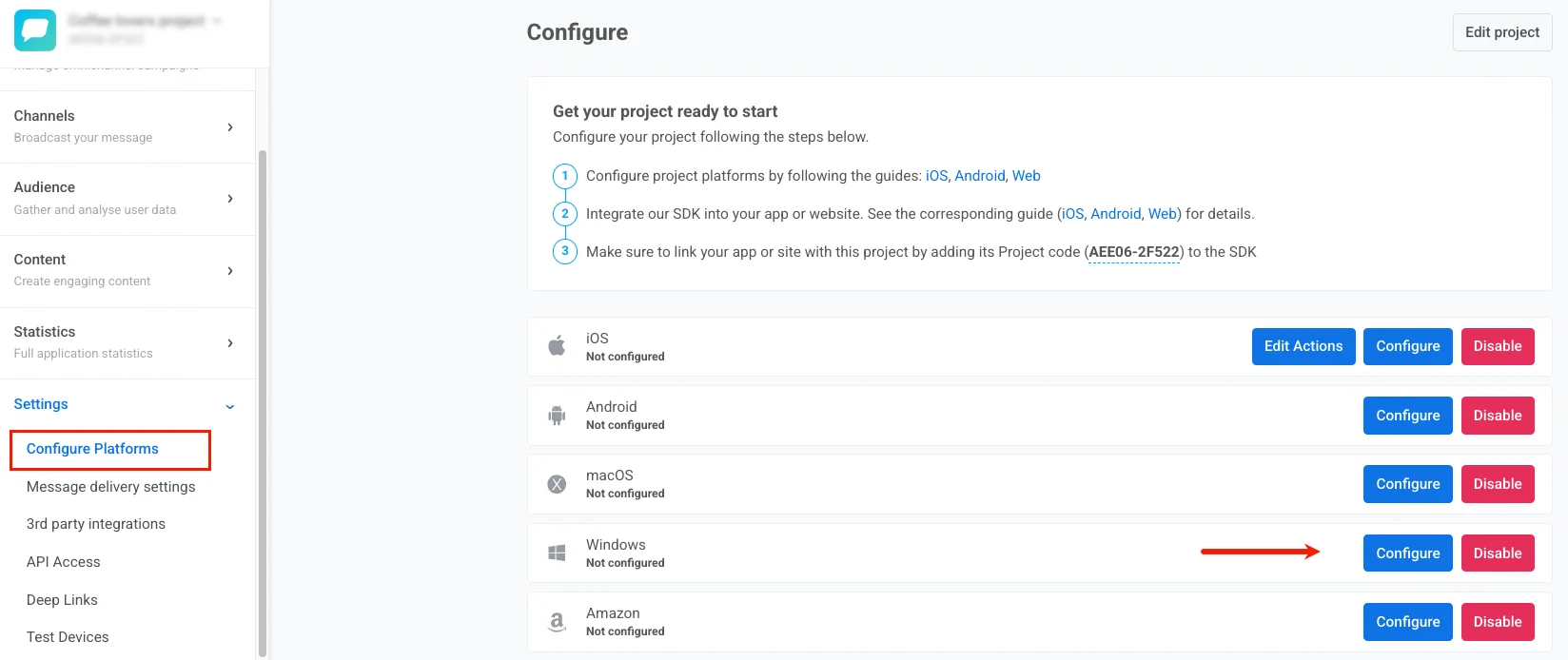
Anchor link to- 在您的 Pushwoosh 项目中,导航至 Configure Platforms 并点击 Windows 旁边的 Configure。
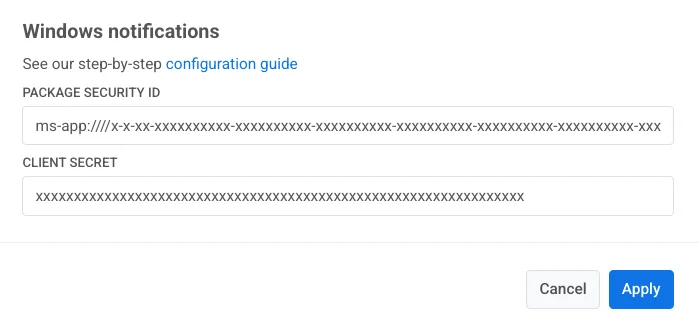
- 在配置窗口中指定您的 Package Security ID 和 Client Secret,然后点击 Save。
查看这些 Windows 模板: