Configuración de badges para React Native
Dado que el plugin de React Native no contiene el encabezado PWNotificationExtensionManager, debes realizar varios pasos adicionales para implementar Badges en tu proyecto de React Native.
1. Agrega la Extensión de Servicio de Notificación (File -> New -> Target…)
Anchor link to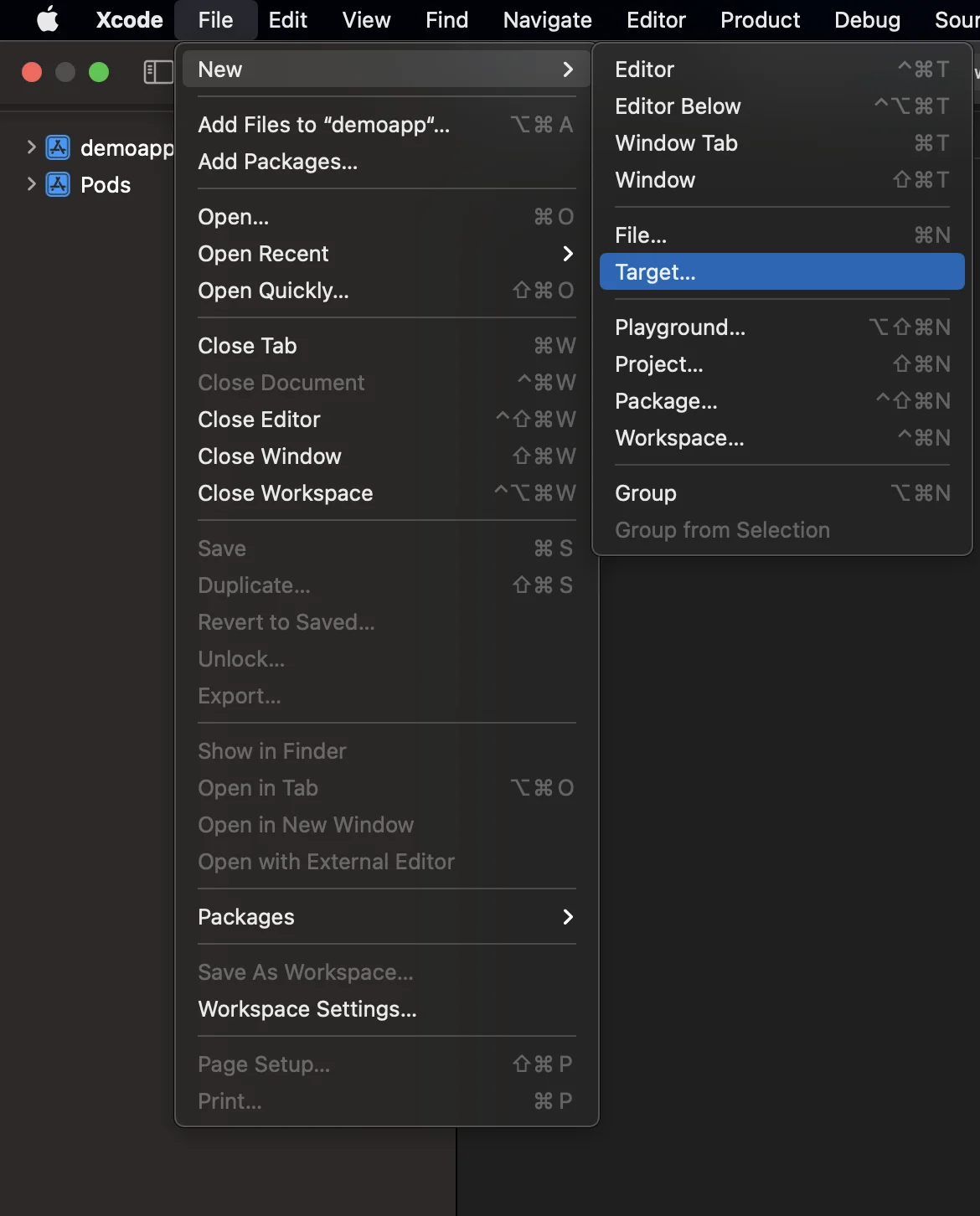
2. Selecciona la “Extensión de Servicio de Notificación”
Anchor link to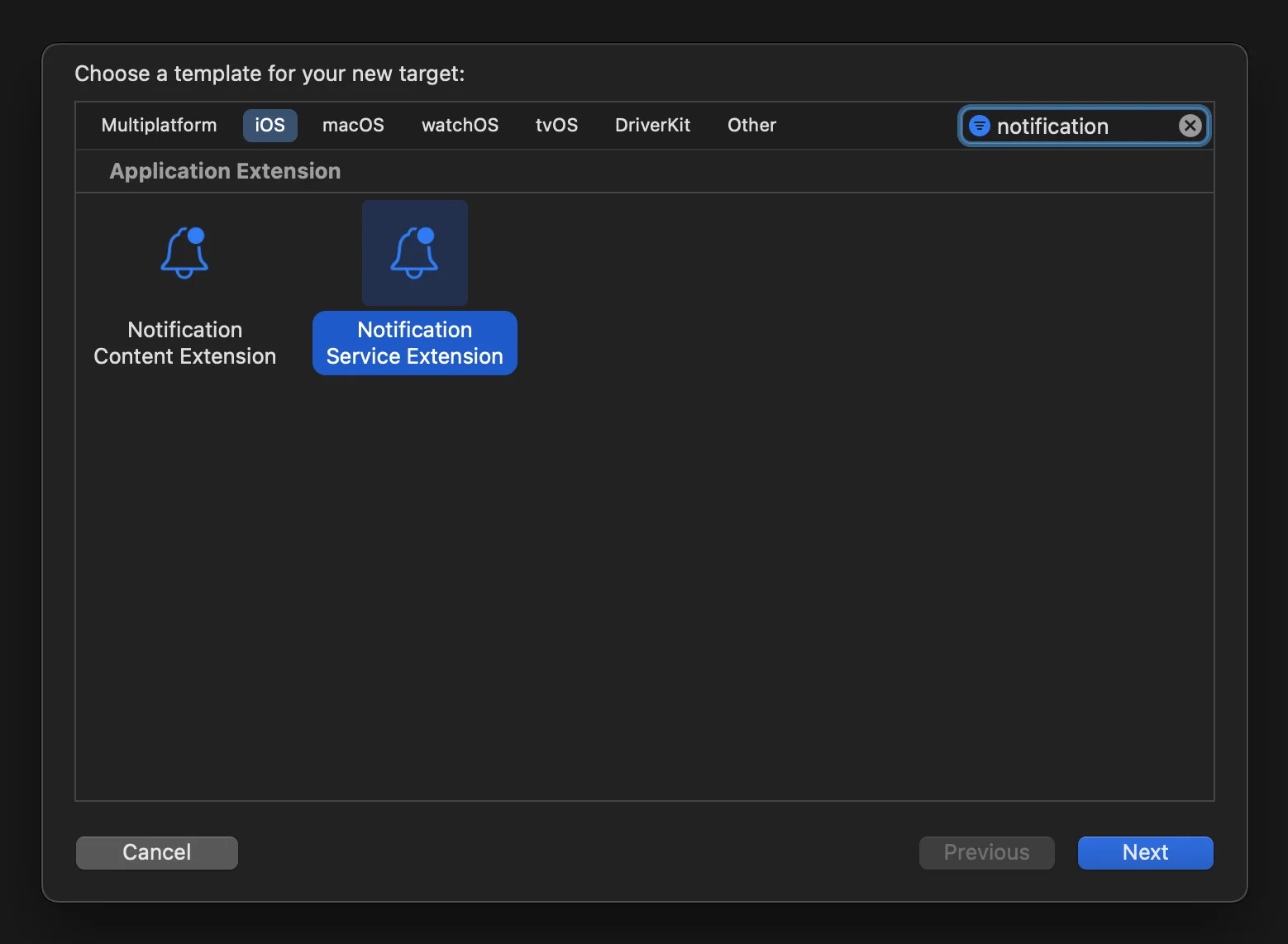
3. Actualiza el código de la Extensión de Servicio de Notificación de la siguiente manera:
Anchor link to#import "NotificationService.h"#import <Pushwoosh/PWNotificationExtensionManager.h>
@interface NotificationService ()
@property (nonatomic, strong) void (^contentHandler)(UNNotificationContent *contentToDeliver);@property (nonatomic, strong) UNMutableNotificationContent *bestAttemptContent;
@end
@implementation NotificationService
- (void)didReceiveNotificationRequest:(UNNotificationRequest *)request withContentHandler:(void (^)(UNNotificationContent * _Nonnull))contentHandler { self.contentHandler = contentHandler; self.bestAttemptContent = [request.content mutableCopy];
[[PWNotificationExtensionManager sharedManager] handleNotificationRequest:request contentHandler:contentHandler];}
- (void)serviceExtensionTimeWillExpire { // Called just before the extension will be terminated by the system. // Use this as an opportunity to deliver your "best attempt" at modified content, otherwise the original push payload will be used. self.contentHandler(self.bestAttemptContent);}
@end4. Vincula las dependencias a un target
Anchor link toReact Native no vincula automáticamente todas las dependencias requeridas a un target que fue creado manualmente, por lo que debes actualizar las Build Phases del target y proporcionar la información necesaria:
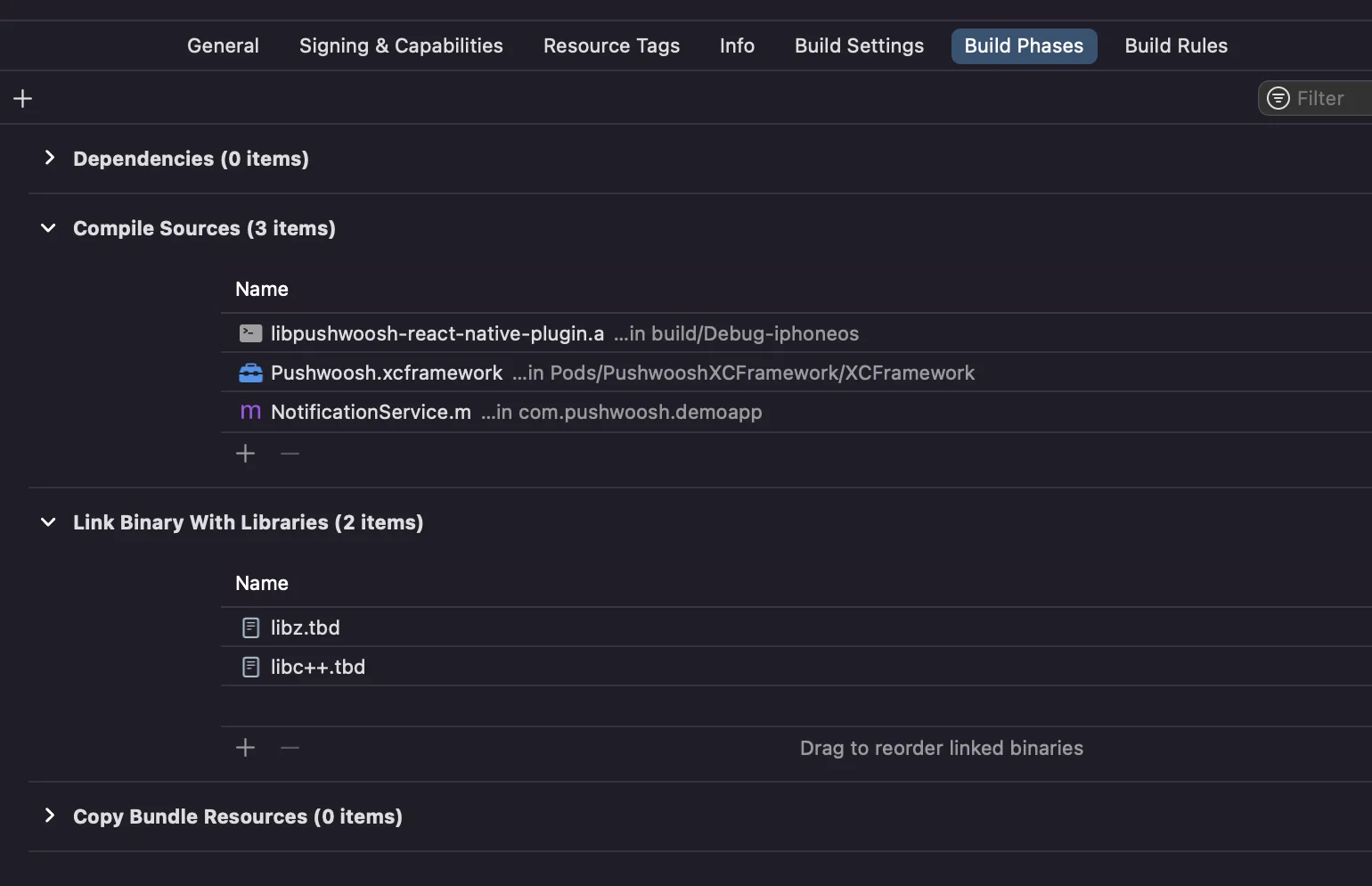
Simplemente haz clic en el signo + en Compile Sources y Link Binary With Libraries y busca las bibliotecas/frameworks requeridos.
5. Agrega la capacidad de App Groups a ambos targets en Xcode y establece el mismo grupo tanto para la aplicación como para la extensión:
Anchor link to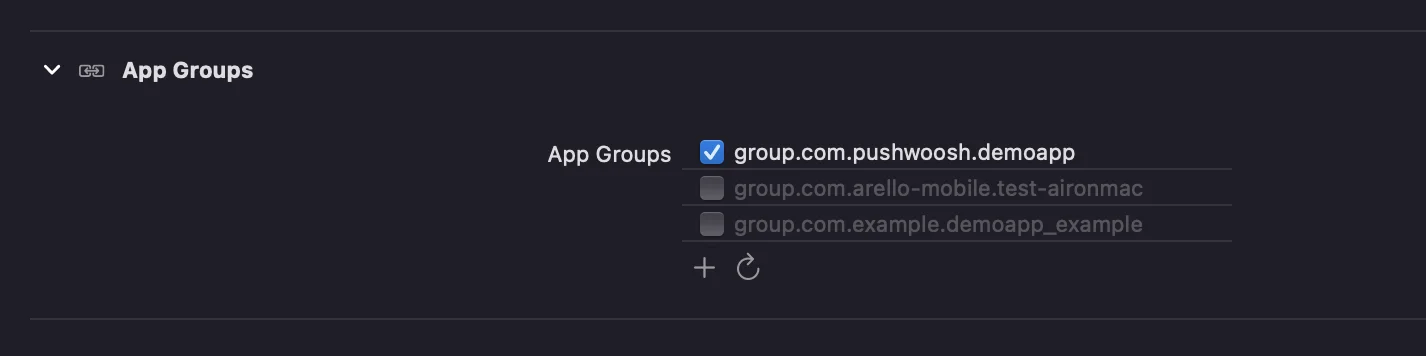
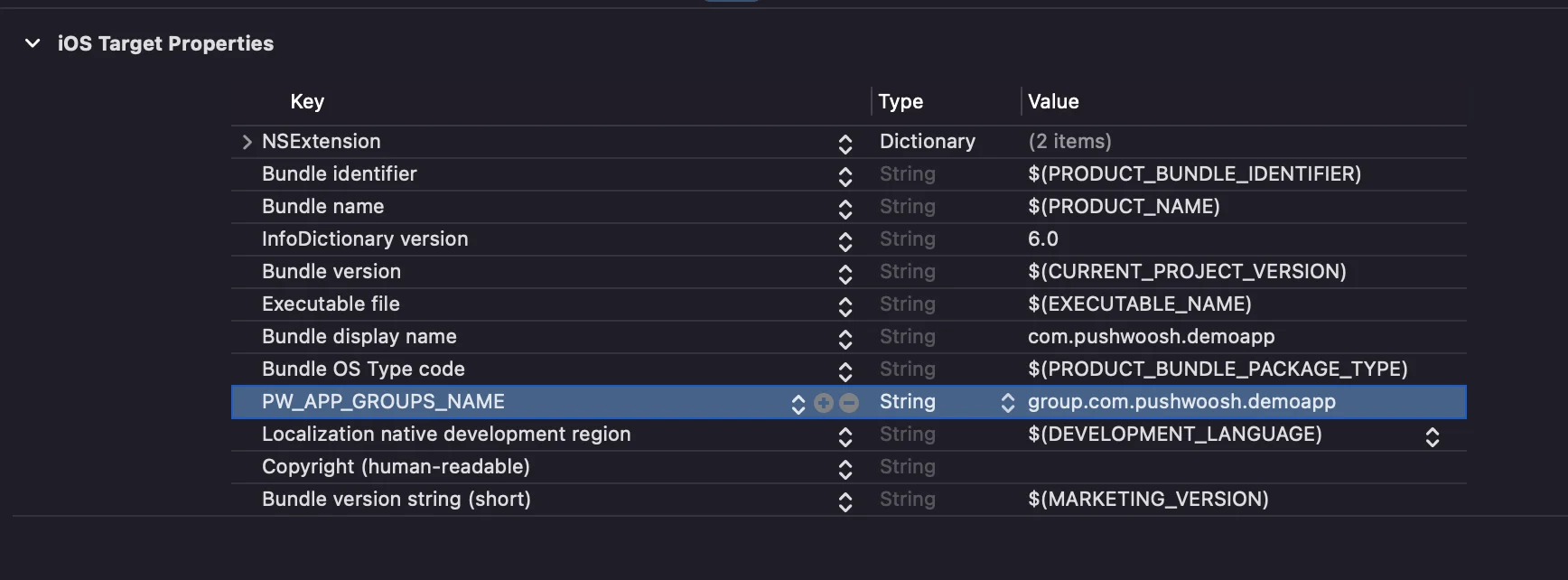
6. Agrega la clave PW_APP_GROUPS_NAME a los info.plists de ambos targets. El valor es el nombre de tu grupo de aplicación:
Anchor link to