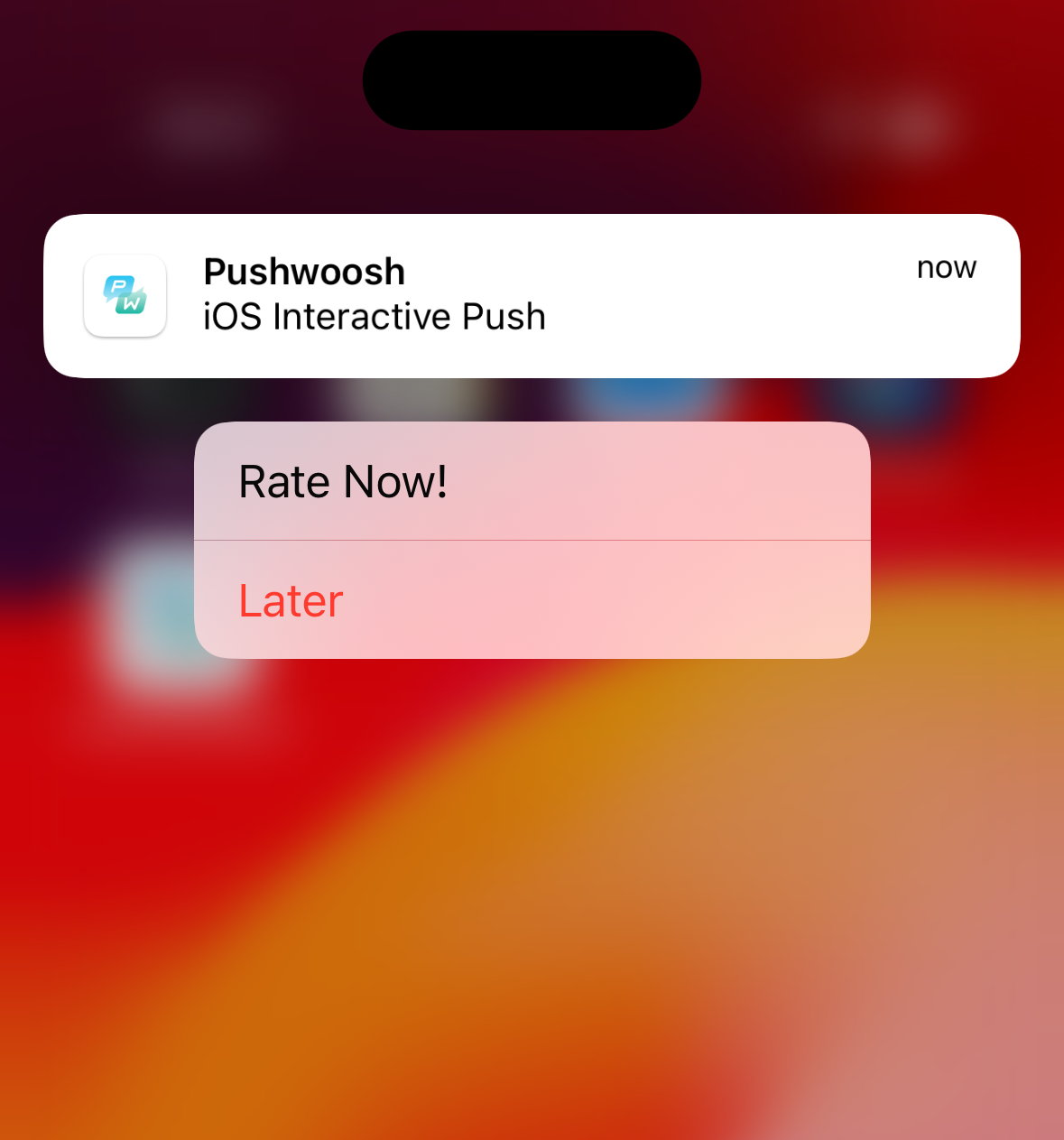
สร้างพุชแบบโต้ตอบสำหรับ iOS
iOS 8 ได้เปิดตัวการแจ้งเตือนแบบโต้ตอบ ซึ่งช่วยให้ผู้ใช้สามารถดำเนินการได้โดยตรงจากแบนเนอร์การแจ้งเตือน ตอนนี้ Pushwoosh มี iOS Categories ซึ่งช่วยให้คุณสามารถสร้างปุ่มที่กำหนดเองได้ภายใน Pushwoosh Control Panel เรียนรู้เพิ่มเติม
เมื่อแอปพลิเคชันของคุณเรียกใช้ registerDevice Pushwoosh API จะส่งคืนการตอบสนองที่มีรายการ Categories ที่พร้อมใช้งานพร้อม ID และรายละเอียดสำหรับแต่ละปุ่มดังนี้:
{ "status_code": 200, "status_message": "OK", "response": { "iosCategories": [ { "categoryId": 65, "buttons": [ { "id": 0, "label": "Rate", "type": "1", "startApplication": 1 }, { "id": 1, "label": "Later", "type": "0", "startApplication": 0 } ] } ] }}Categories เหล่านี้พร้อมใช้งานบนอุปกรณ์แล้ว ดังนั้นจึงสามารถแสดงผลได้อย่างถูกต้องเมื่อมีข้อความเข้ามาและแอปพลิเคชันของคุณไม่ได้ทำงานอยู่เบื้องหน้า
หากต้องการส่งพุชของคุณพร้อมกับหมวดหมู่จาก Pushwoosh Journey เพียงเลือกหมวดหมู่นั้นในการตั้งค่าแพลตฟอร์ม iOS ขณะที่กำลังสร้างข้อความของคุณ ในกรณีที่คุณส่งพุชจากระยะไกลผ่าน Pushwoosh API ในคำขอ createMessage คุณควรใช้พารามิเตอร์ ios_category พร้อมกับค่า Category ID ที่สอดคล้องกัน:
{ "categoryId": 65 // Optional. String value. iOS8 category ID from Pushwoosh}เมื่อข้อความพุชที่มี Category ID มาถึง Pushwoosh SDK จะแสดงการแจ้งเตือนพร้อมชุดปุ่มที่หมวดหมู่นี้มีอยู่
ปุ่มและการดำเนินการใน Pushwoosh iOS SDK
Anchor link toเพื่อที่จะดำเนินการต่างๆ เมื่อเปิดแอป คุณควรสร้างการใช้งาน UNUserNotificationCenterDelegate ที่กำหนดเองและแทนที่เมธอด didReceiveNotificationResponse ของมัน:
CustomDelegate
Anchor link toclass CustomDelegate: NSObject, UNUserNotificationCenterDelegate { func userNotificationCenter(_ center: UNUserNotificationCenter, didReceive response: UNNotificationResponse, withCompletionHandler completionHandler: @escaping () -> Void) { let identifier = response.actionIdentifier let category = response.notification.request.content.categoryIdentifier
if category == "10212" { if identifier == "1" { // DO SOMETHING } else { // DO SOMETHING ELSE } }
completionHandler() }}โดยที่ identifier คือ ID ของปุ่ม และ category จะได้มาจาก payload ของการแจ้งเตือน
จากนั้น สร้างอินสแตนซ์ของคลาสนี้และส่งต่อไปยัง Pushwoosh SDK โดยใช้เมธอดพร็อกซี:
AppDelegate
Anchor link tofunc application(_ application: UIApplication, didFinishLaunchingWithOptions launchOptions: [UIApplication.LaunchOptionsKey: Any]?) -> Bool { Pushwoosh.sharedInstance().registerForPushNotifications()
let customDelegate = CustomDelegate() Pushwoosh.sharedInstance().notificationCenterDelegateProxy?.add(customDelegate)
return true}