विंडोज SDK इंटीग्रेशन
SDK डाउनलोड करें
सैंपल डाउनलोड करें
SDK API डॉक्स
SDK इंटीग्रेशन
Anchor link toअपने एप्लिकेशन में Pushwoosh को इंटीग्रेट करने के लिए, नीचे दिए गए चरणों का पालन करें।
1. हमारा SDK पैकेज डाउनलोड करें।
2. अपने प्रोजेक्ट में PushSDK/Project-Win8.1-WNS/PushSDK.winmd का रेफरेंस जोड़ें
या यदि आप विंडोज 10 के लिए डेवलप कर रहे हैं तो PushSDK/Project-Win10-WNS/PushSDK.winmd
3. कोड में PushSDK नेमस्पेस जोड़ें: using PushSDK;
4. निम्नलिखित कोड के साथ पुश सर्विस को इनिशियलाइज़ करें:
NotificationService service = PushSDK.NotificationService.GetCurrent("YOUR_PUSHWOOSH_APP_ID");service.OnPushAccepted += (sender, pushNotification) => {    //code to handle push notification    string pushString = pushNotification.ToString(); //will return json push payload};
service.OnPushTokenReceived += (sender, pushToken) => {    //code to handle push token};
service.OnPushTokenFailed += (sender, errorMessage) => {    //code to handle push subscription failure};
service.SubscribeToPushService();
5. अपने App.xaml.cs में OnLaunched फंक्शन में जोड़ें:
protected override void OnLaunched(LaunchActivatedEventArgs args){    NotificationService.HandleStartPush(args.Arguments);
    //other code}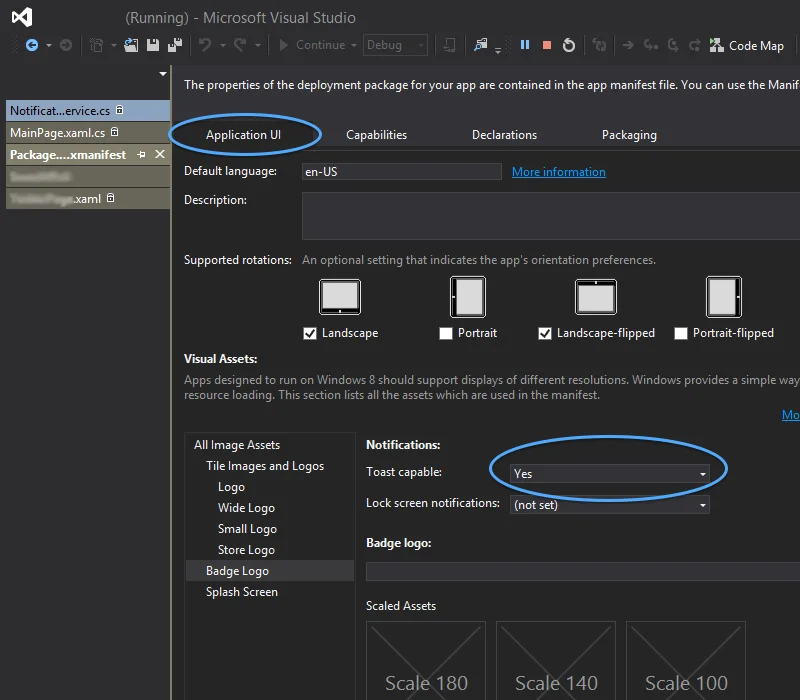
विंडोज 8.1 के लिए ज्ञात समस्याएँ
Anchor link toPushwoosh SDK को अपने विंडोज 8.1 में इंटीग्रेट करते समय, आपको निम्नलिखित त्रुटि का सामना करना पड़ सकता है:
The underlying connection was closed: An unexpected error occurred on a sendयदि आप उस त्रुटि का सामना करते हैं, तो अपने प्रोजेक्ट में निम्नलिखित कोड जोड़ें:
// Default is 'false'NotificationService.IsWin81(true);