React Native के लिए बैज सेट अप करना
चूंकि React Native प्लगइन में PWNotificationExtensionManager हेडर नहीं होता है, इसलिए आपको अपने React Native प्रोजेक्ट के लिए बैज लागू करने के लिए कई अतिरिक्त कदम उठाने होंगे।
1. नोटिफिकेशन सर्विस एक्सटेंशन जोड़ें (File -> New -> Target…)
Anchor link to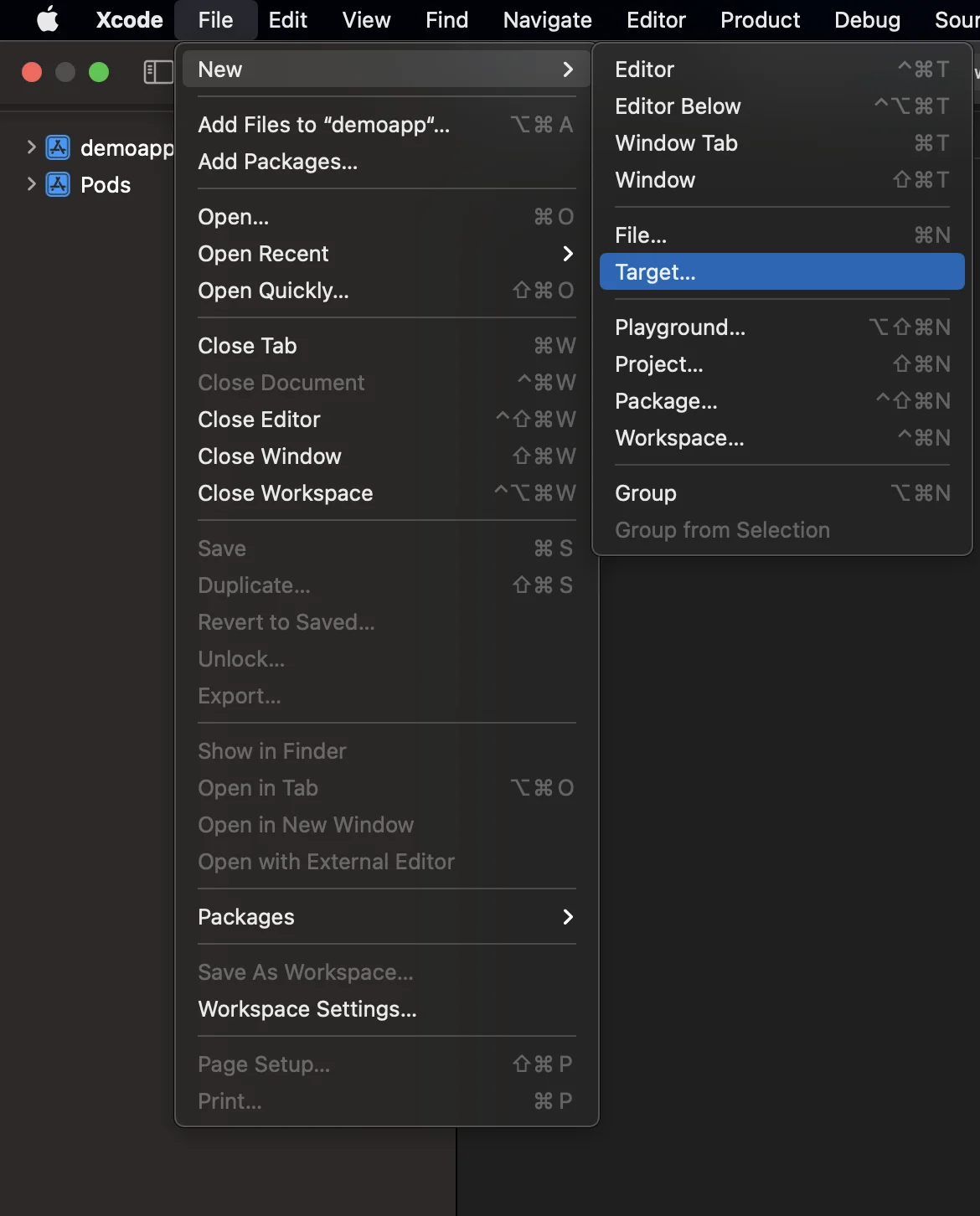
2. “Notification Service Extension” चुनें
Anchor link to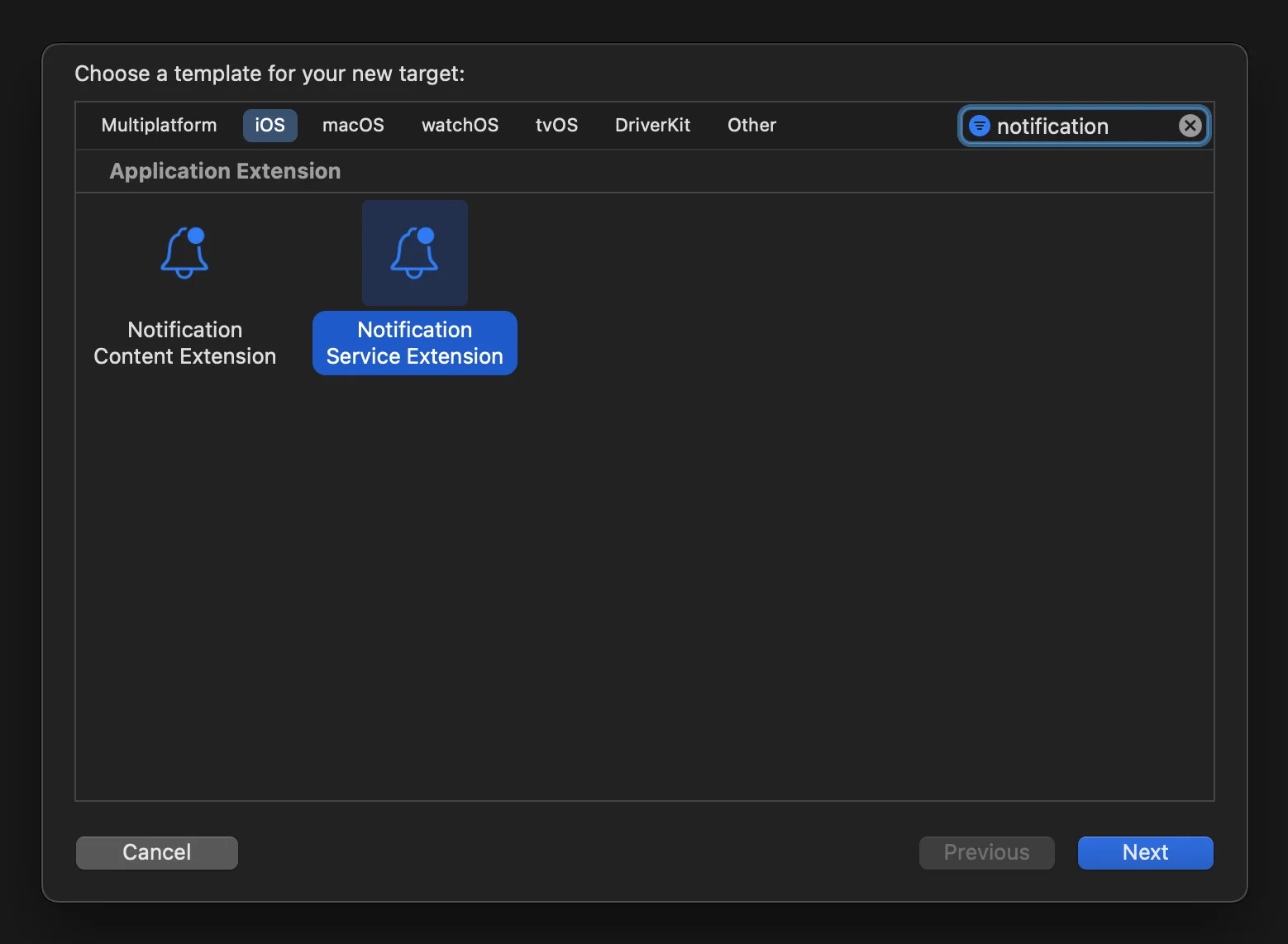
3. नोटिफिकेशन सर्विस एक्सटेंशन कोड को इस प्रकार अपडेट करें:
Anchor link to#import "NotificationService.h"#import <Pushwoosh/PWNotificationExtensionManager.h>
@interface NotificationService ()
@property (nonatomic, strong) void (^contentHandler)(UNNotificationContent *contentToDeliver);@property (nonatomic, strong) UNMutableNotificationContent *bestAttemptContent;
@end
@implementation NotificationService
- (void)didReceiveNotificationRequest:(UNNotificationRequest *)request withContentHandler:(void (^)(UNNotificationContent * _Nonnull))contentHandler { self.contentHandler = contentHandler; self.bestAttemptContent = [request.content mutableCopy];
[[PWNotificationExtensionManager sharedManager] handleNotificationRequest:request contentHandler:contentHandler];}
- (void)serviceExtensionTimeWillExpire { // Called just before the extension will be terminated by the system. // Use this as an opportunity to deliver your "best attempt" at modified content, otherwise the original push payload will be used. self.contentHandler(self.bestAttemptContent);}
@end4. डिपेंडेंसी को एक टारगेट से लिंक करें
Anchor link toReact Native मैन्युअल रूप से बनाए गए टारगेट से सभी आवश्यक डिपेंडेंसी को स्वचालित रूप से लिंक नहीं करता है, इसलिए आपको टारगेट के Build Phases को अपडेट करना चाहिए और आवश्यक जानकारी प्रदान करनी चाहिए:
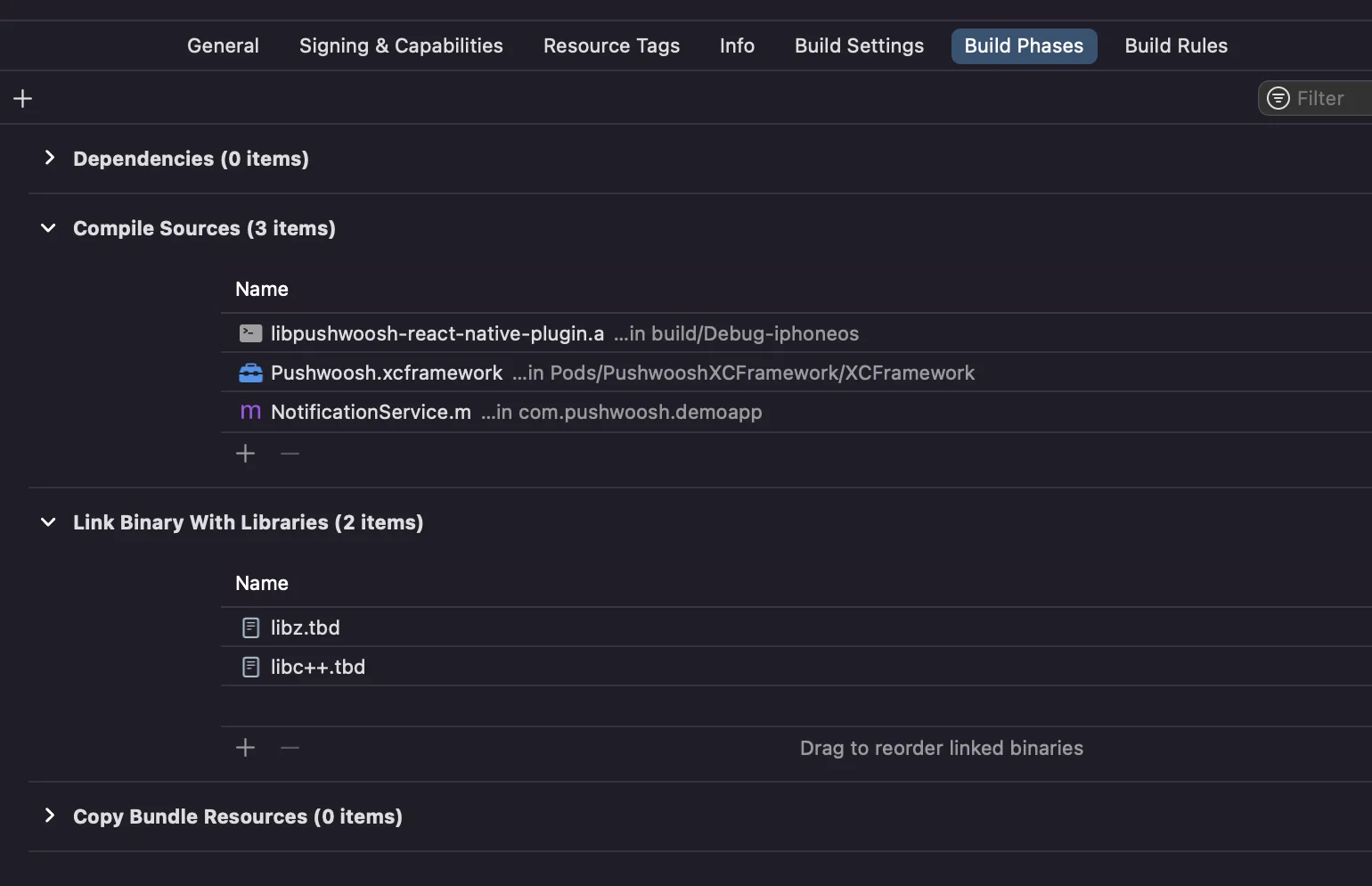
बस Compile Sources और Link Binary With Libraries के तहत + चिह्न पर क्लिक करें और आवश्यक libs/frameworks खोजें।
5. Xcode में दोनों टारगेट में App Groups क्षमता जोड़ें और ऐप और एक्सटेंशन दोनों के लिए एक ही ग्रुप सेट करें:
Anchor link to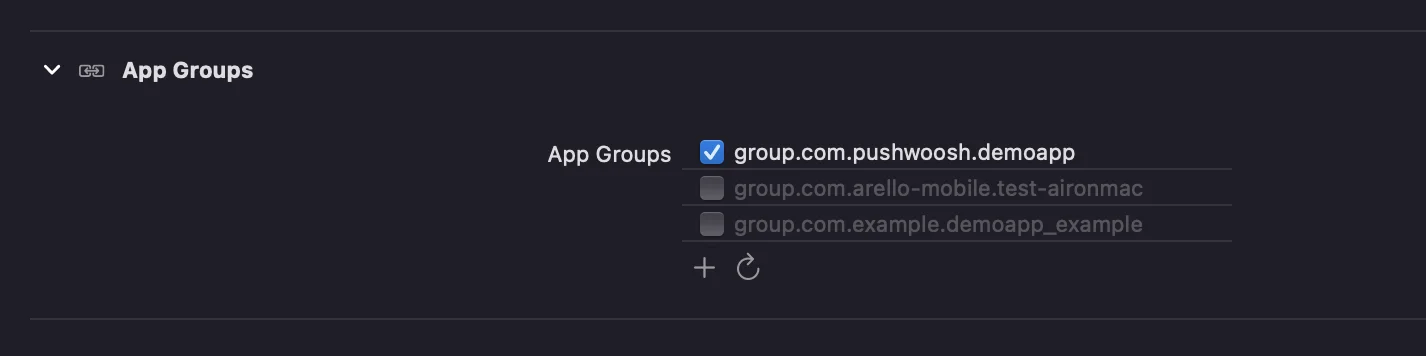
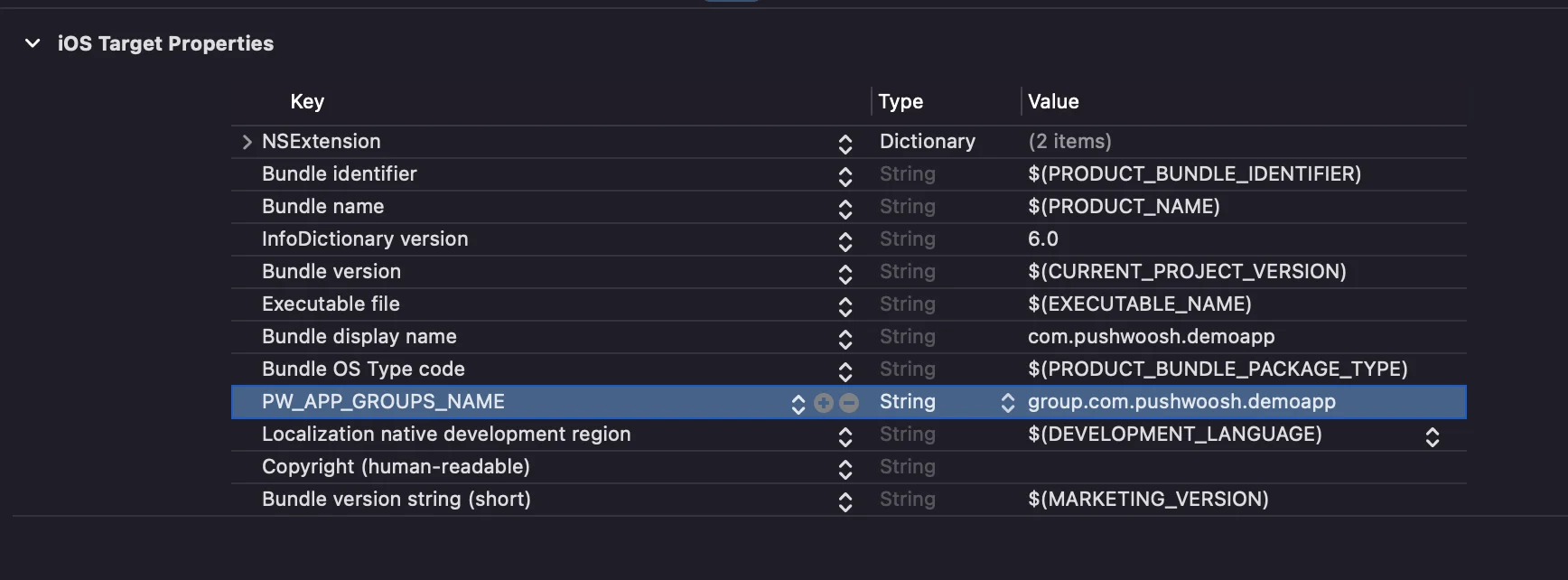
6. दोनों टारगेट के info.plists में PW_APP_GROUPS_NAME कुंजी जोड़ें। मान आपके ऐप ग्रुप का नाम है:
Anchor link to