Flutter के लिए बैज सेट अप करना
- अपने iOS प्रोजेक्ट को your_project/ios/Runner.xcworkspace में खोलें और NotificationServiceExtension बनाएं:
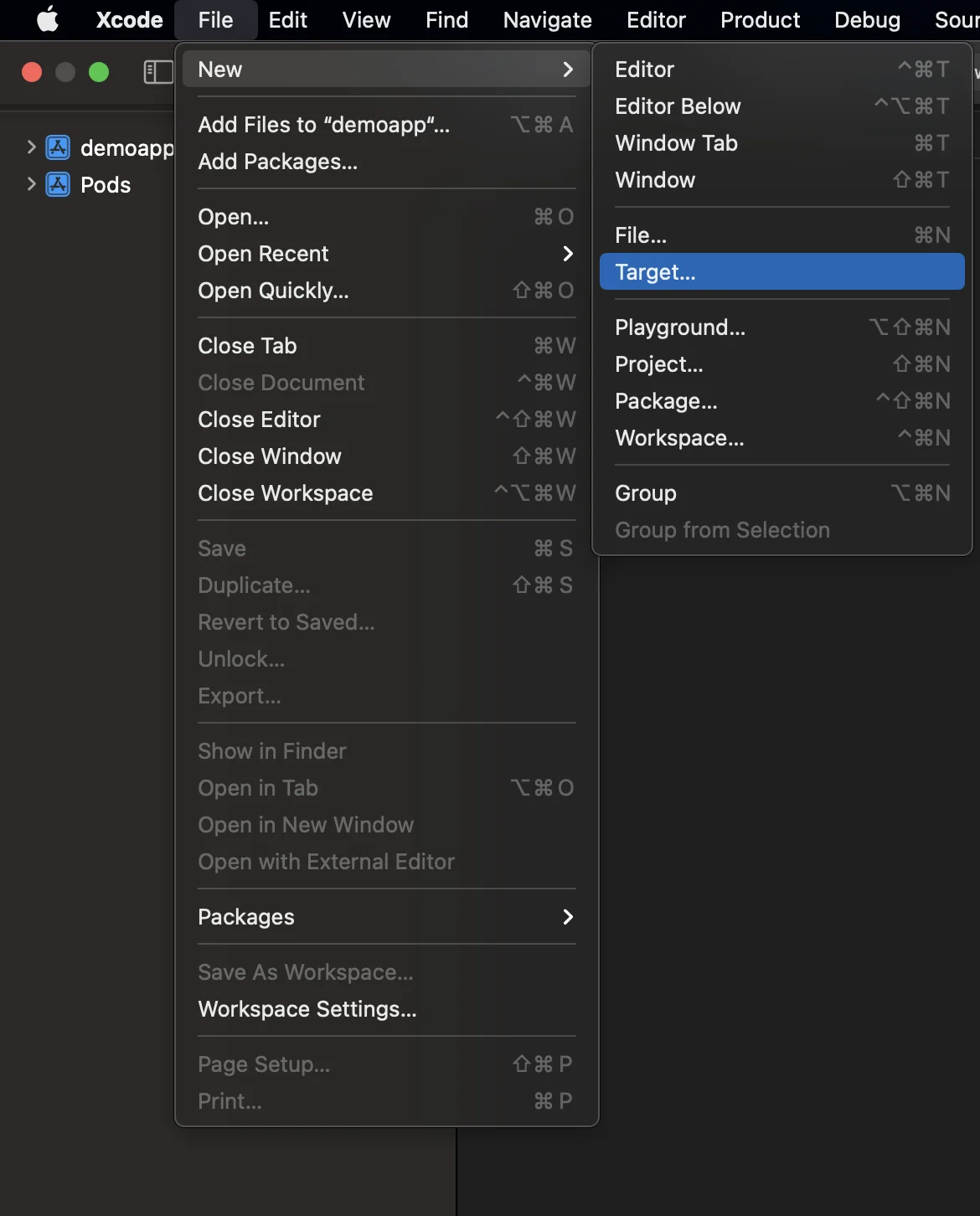
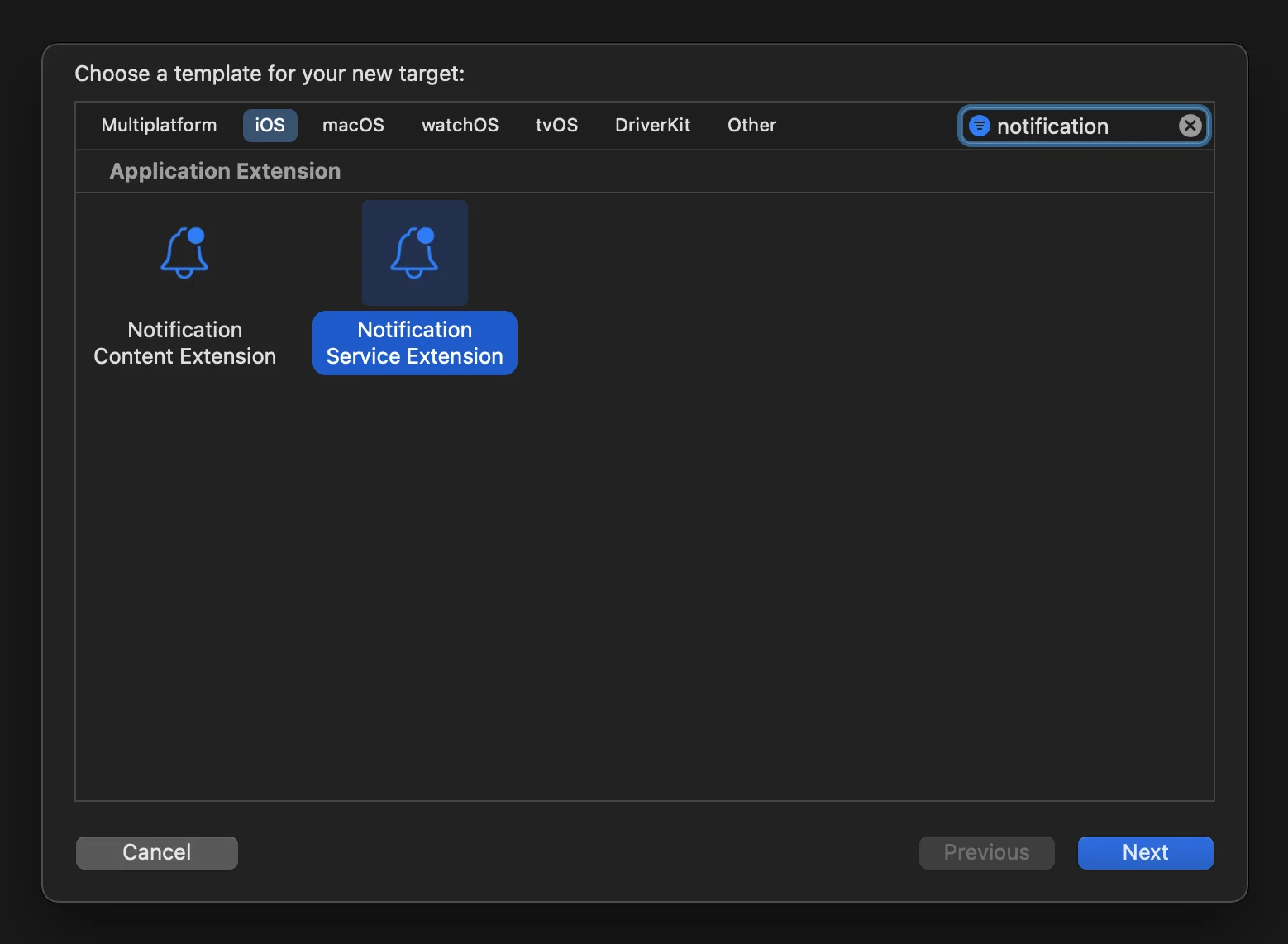
- Podfile खोलें (your_project/ios/Podfile में स्थित) और NotificationServiceExtensionTarget के लिए PushwooshXCFramework डिपेंडेंसी जोड़ें:
target ‘NotificationService’ do pod ‘PushwooshXCFramework’, ‘>=6.5.0’end- Terminal के माध्यम से पॉड्स इंस्टॉल करें:
cd ios && pod install- अपने Xcode प्रोजेक्ट को बंद करें और फिर से खोलें।
-
सुनिश्चित करें कि आपका Deployment target, Runner target से मेल खाता हो; अन्यथा, आपको अपना ऐप बनाते समय किसी समस्या का सामना करना पड़ सकता है (उदाहरण के लिए, यदि आप Runner में iOS 10.0 और NotificationService targets में iOS 15.5 निर्दिष्ट करते हैं)।
-
Runner और NotificationService दोनों टारगेट्स में App Groups capability जोड़ें और दोनों टारगेट्स के लिए एक ही नाम का एक नया ग्रुप जोड़ें:
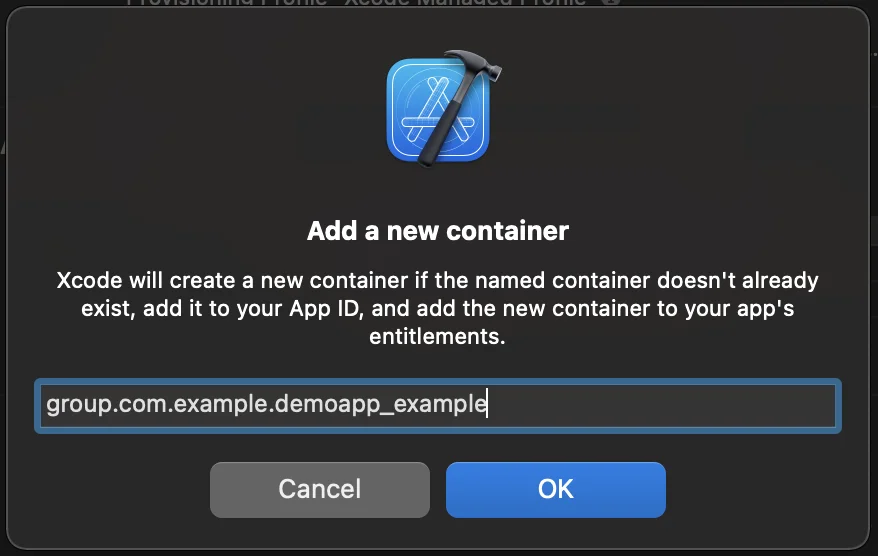

- Runner और NotificationService दोनों टारगेट्स में PW_APP_GROUPS_NAME info.plist फ्लैग जोड़ें, जिसमें ग्रुप का नाम उसकी स्ट्रिंग वैल्यू के रूप में हो:

- NotificationService.m पर जाएं और उसके कोड को निम्नलिखित से बदलें:
#import “NotificationService.h”#import <Pushwoosh/PWNotificationExtensionManager.h>
@interface NotificationService ()<strong>@property (nonatomic, strong) void (^contentHandler)(UNNotificationContent *contentToDeliver);</strong>@property (nonatomic, strong) UNMutableNotificationContent *bestAttemptContent;@end
@implementation NotificationService- (void)didReceiveNotificationRequest:(UNNotificationRequest *)request withContentHandler:(void (^)(UNNotificationContent * _Nonnull))contentHandler {    self.contentHandler = contentHandler;    self.bestAttemptContent = [request.content mutableCopy];    [[PWNotificationExtensionManager sharedManager] handleNotificationRequest:request contentHandler:contentHandler];}- (void)serviceExtensionTimeWillExpire {    // Called just before the extension will be terminated by the system.    // Use this as an opportunity to deliver your “best attempt” at modified content, otherwise the original push payload will be used.    self.contentHandler(self.bestAttemptContent);}@end
हमारे साथ अपनी प्रतिक्रिया साझा करें
Anchor link toआपकी प्रतिक्रिया हमें एक बेहतर अनुभव बनाने में मदद करती है, इसलिए यदि आपको SDK इंटीग्रेशन प्रक्रिया के दौरान कोई समस्या आती है तो हम आपसे सुनना चाहेंगे। यदि आपको कोई कठिनाई आती है, तो कृपया इस फ़ॉर्म के माध्यम से हमारे साथ अपने विचार साझा करने में संकोच न करें।