إعداد الشارات لـ Unity
نظرًا لأن إضافة Unity لا تحتوي على رأس PWNotificationExtensionManager، يجب عليك تنفيذ عدة خطوات إضافية لتطبيق الشارات لمشروع Unity الخاص بك.
1. أضف Notification Service Extension (File -> New -> Target…)
Anchor link to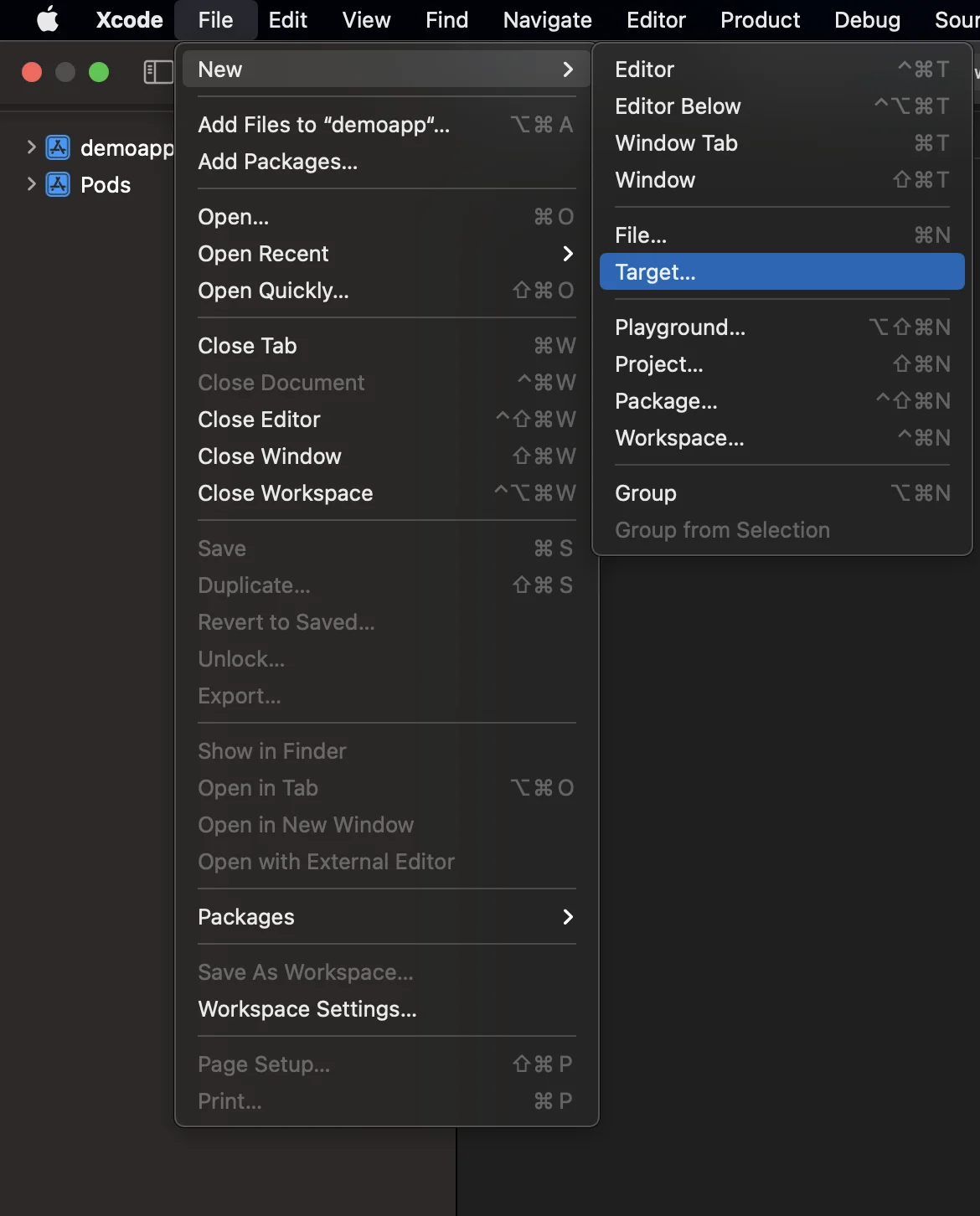
2. حدد “Notification Service Extension”
Anchor link to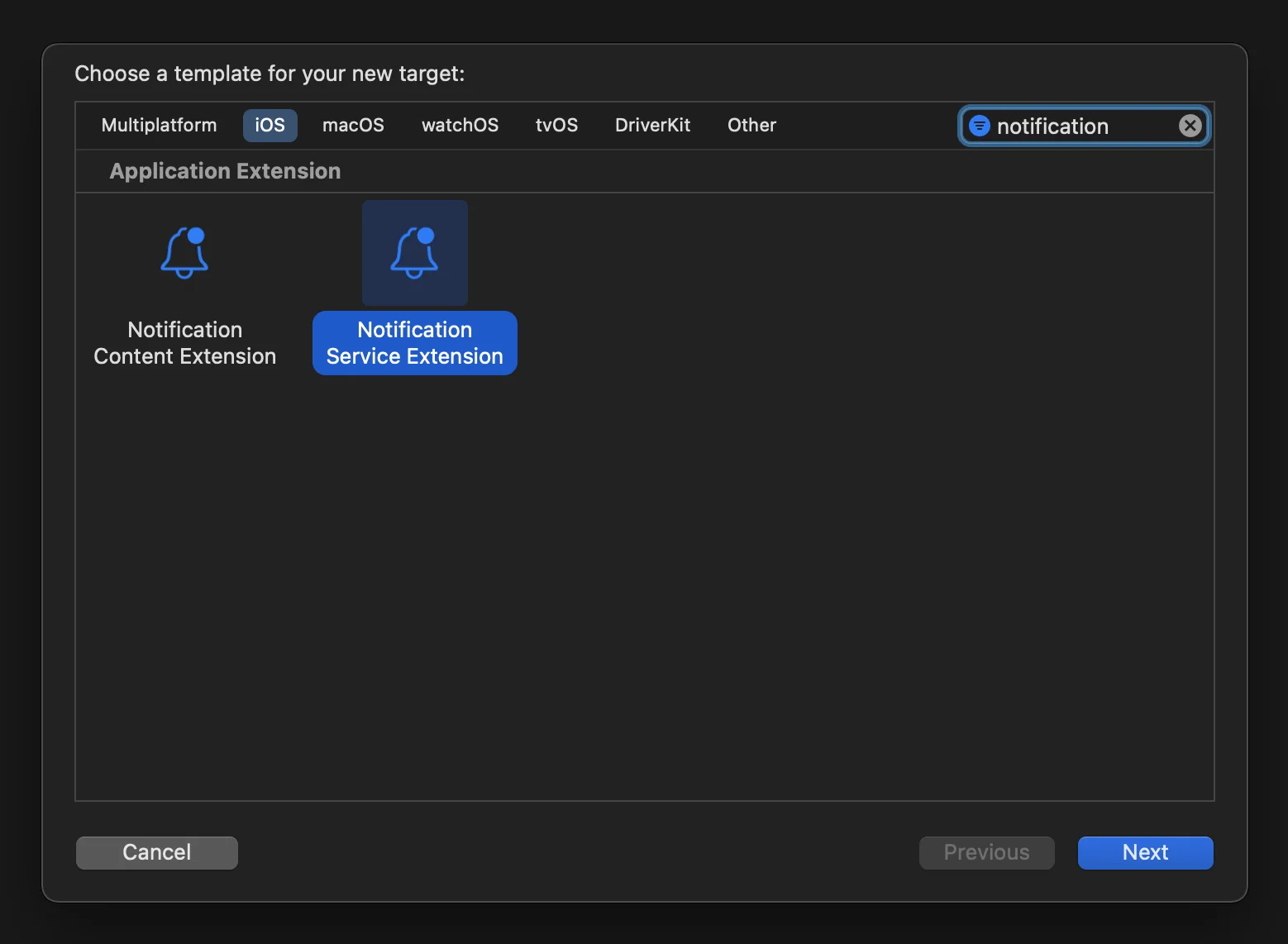
3. أضف Pushwoosh.xcframework إلى هدف امتداد NotificationService كما يلي:
Anchor link to- اختر هدف امتداد NotificationService.
- اذهب إلى علامة التبويب “General”.
- ابحث عن ‘Framework and Libraries’ واضغط على زر ’+’.
- حدد Pushwoosh.xcframework.
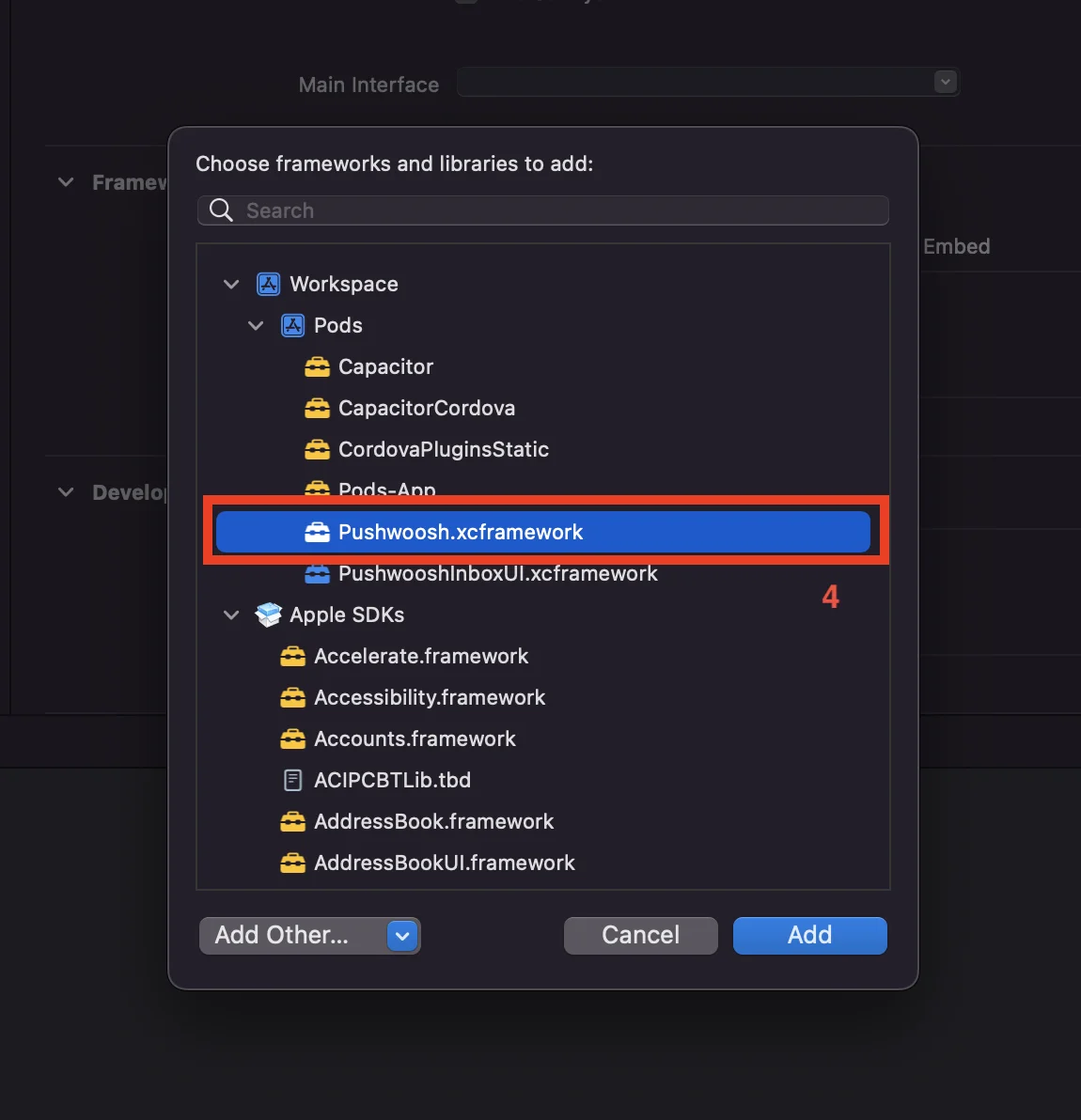
4. قم بتحديث كود Notification Service Extension كما يلي:
Anchor link to#import "NotificationService.h"#import "PWNotificationExtensionManager.h"
@interface NotificationService ()
@property (nonatomic, strong) void (^contentHandler)(UNNotificationContent *contentToDeliver);@property (nonatomic, strong) UNMutableNotificationContent *bestAttemptContent;
@end
@implementation NotificationService
- (void)didReceiveNotificationRequest:(UNNotificationRequest *)request withContentHandler:(void (^)(UNNotificationContent * _Nonnull))contentHandler { self.contentHandler = contentHandler; self.bestAttemptContent = [request.content mutableCopy];
[[PWNotificationExtensionManager sharedManager] handleNotificationRequest:request contentHandler:contentHandler];}
- (void)serviceExtensionTimeWillExpire { // Called just before the extension will be terminated by the system. // Use this as an opportunity to deliver your "best attempt" at modified content, otherwise the original push payload will be used. self.contentHandler(self.bestAttemptContent);}
@end5. أضف “App Groups Capability” لكل هدف في تطبيقك
Anchor link to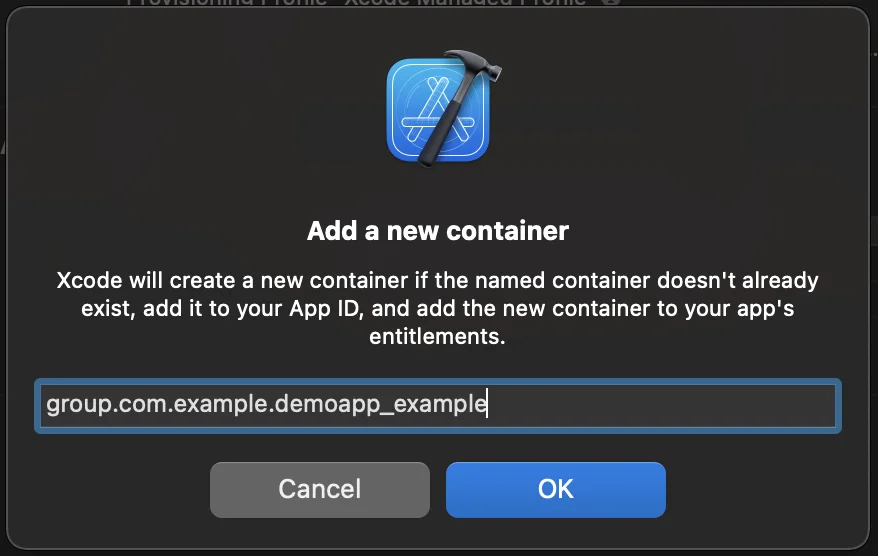


6. أضف App Groups ID إلى info.plist الخاص بك لكل هدف في تطبيقك
Anchor link to<key>PW_APP_GROUPS_NAME</key><string>group.com.example.demoapp_example</string>شاركنا ملاحظاتك
Anchor link toتساعدنا ملاحظاتك في إنشاء تجربة أفضل، لذلك نود أن نسمع منك إذا واجهت أي مشاكل أثناء عملية دمج SDK. إذا واجهت أي صعوبات، فلا تتردد في مشاركة أفكارك معنا عبر هذا النموذج.