تخصيص مظهر الوسائط الغنية (rich media)
نظرة عامة
Anchor link toخصص مظهر صفحات الوسائط الغنية (rich media) لتناسب أسلوب تطبيقك بشكل مثالي. غيّر لون خلفية رسائل In-App، أضف بعض الحركة، أو اضبط عرض التحميل ليتناسب مع تصميم التطبيق. حسّن تجربة المستخدم مع رسائل In-App التي تبدو كأنها مكون أصلي من التطبيق.
التنفيذ
Anchor link toأولاً، احصل على نسخة من فئة RichMediaStyle:
PWRichMediaStyle *style = [PWRichMediaManager sharedManager].richMediaStyle;Android
Anchor link toRichMediaStyle style = RichMediaManager.getRichMediaStyle();لون الخلفية
Anchor link toاجعل رسائل In-App تبدو كجزء لا يتجزأ من تطبيقك عن طريق تغيير لون الخلفية لصفحات الوسائط الغنية التي تُعرض لمستخدمي التطبيق.
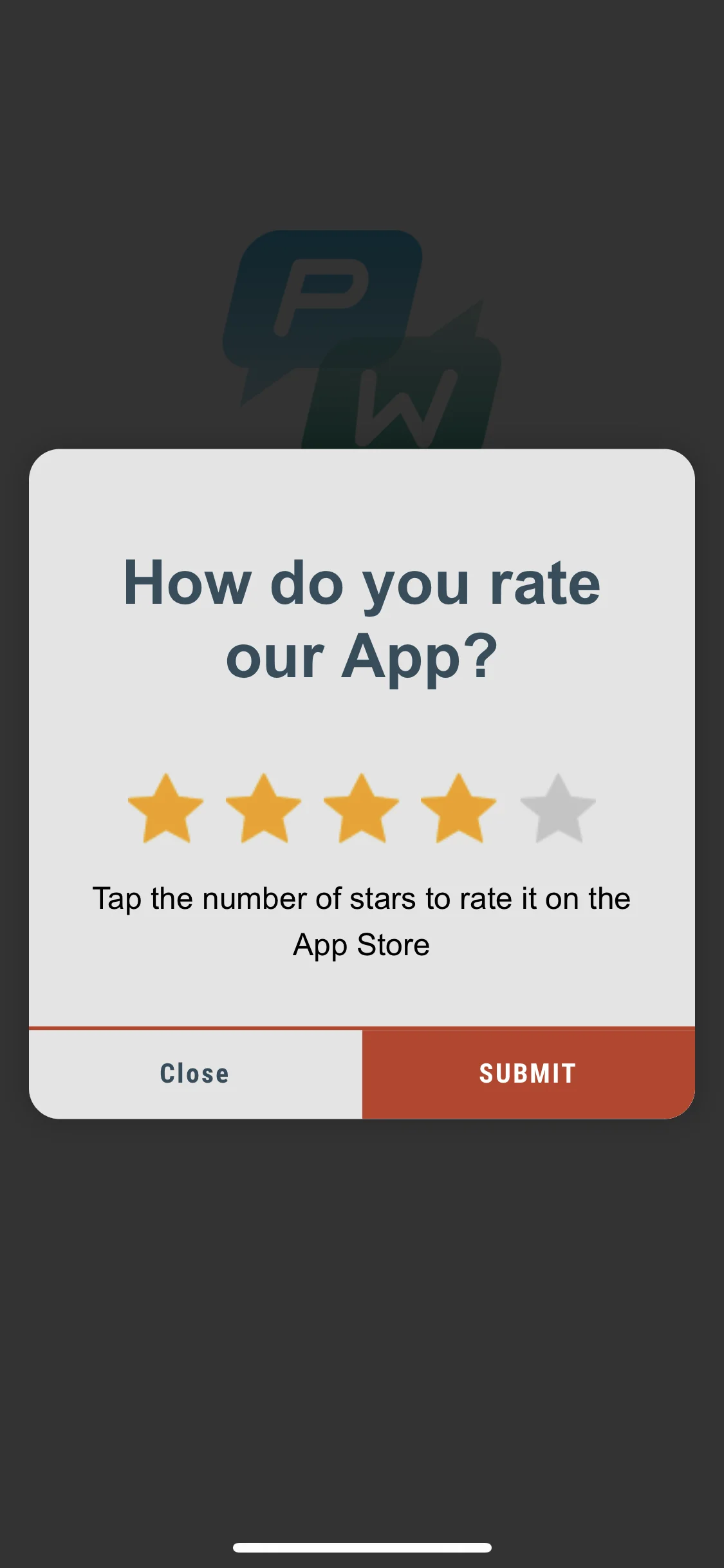
style.backgroundColor = [[UIColor blackColor] colorWithAlphaComponent:0.2f];Android
Anchor link tostyle.setBackgroundColor(ContextCompat.getColor(getApplication(), R.color.black));هذا كل شيء!
الحركة (Animation)
Anchor link toعزز تأثير رسائل In-App الخاصة بك عن طريق تحريك ظهور الوسائط الغنية.
عيّن مفوض الحركة (animation delegate) إلى إحدى الفئات الافتراضية:
PWRichMediaStyleSlideLeftAnimation,PWRichMediaStyleSlideRightAnimation,PWRichMediaStyleSlideTopAnimation,PWRichMediaStyleSlideBottomAnimation,PWRichMediaStyleCrossFadeAnimation.
style.animationDelegate = [PWRichMediaStyleCrossFadeAnimation new];Android
Anchor link toعيّن مفوض الحركة (animation delegate) إلى إحدى الفئات الافتراضية:
RichMediaAnimationSlideTop,RichMediaAnimationSlideBottom,RichMediaAnimationSlideRight,RichMediaAnimationSlideLeft,RichMediaAnimationCrossFade.
richMediaStyle.setRichMediaAnimationType(new RichMediaAnimationSlideTop());لتعيين حركة مخصصة، قم بتنفيذ دالة PWRichMediaStyleAnimationDelegate لـ iOS أو RichMediaAnimation لـ Android كما يلي:
- عيّن مفوض الحركة:
style.animationDelegate = self;- قم بتنفيذ دوال
PWRichMediaStyleAnimationDelegate(لا تنسَ استدعاء completion block):
- (void)runPresentingAnimationWithContentView:(UIView *)contentView parentView:(UIView *)parentView completion:(dispatch_block_t)completion {    contentView.transform = CGAffineTransformMakeTranslation(0, parentView.bounds.size.height);
    [UIView animateWithDuration:0.6                          delay:0         usingSpringWithDamping:0.4          initialSpringVelocity:0                        options:0                     animations:^{                         contentView.transform = CGAffineTransformIdentity;                     } completion:^(BOOL finished) {                         completion();                     }];}
- (void)runDismissingAnimationWithContentView:(UIView *)contentView parentView:(UIView *)parentView completion:(dispatch_block_t)completion {    [UIView animateWithDuration:0.3                     animations:^{                         contentView.alpha = 0.0f;                         contentView.transform = CGAffineTransformMakeScale(2, 2);                     } completion:^(BOOL finished) {                         completion();                     }];}
Android
Anchor link toقم بتنفيذ واجهة RichMediaAnimation وقم بتعيينها لحركة فتح وإغلاق مخصصة للوسائط الغنية:
richMediaStyle.setRichMediaAnimation(new RichMediaAnimation() {    //Allows to set rules and behavior for custom Rich Media open animation    @Override    public void openAnimation(View contentView, View parentView) {        AnimationSet fadeInAnimation = new AnimationSet(true);        fadeInAnimation.addAnimation(new TranslateAnimation(0.15f * parentView.getWidth(), 0, parentView.getHeight() / 2.5f, 0));        fadeInAnimation.addAnimation(new AlphaAnimation(0, 1));        fadeInAnimation.addAnimation(new ScaleAnimation(0.7f, 1.0f, 0.7f, 1.0f));        fadeInAnimation.setDuration(2000);        fadeInAnimation.setInterpolator(new DecelerateInterpolator(1f));
        contentView.startAnimation(fadeInAnimation);    }
    //Allows to set rules and behavior for custom Rich Media close animation    @Override    public void closeAnimation(View contentView, View parentView, Animation.AnimationListener endAnimationListener) {        // !IMPORTANT!        // endAnimationListener has to be added to your custom animation to let Pushwoosh SDK handle animation end event        AlphaAnimation alphaAnimation = new AlphaAnimation(1, 0);        alphaAnimation.setDuration(2000);        alphaAnimation.setAnimationListener(endAnimationListener);        alphaAnimation.setFillEnabled(true);        alphaAnimation.setFillAfter(true);
        contentView.animate().translationY(parentView.getHeight() / 5).setDuration(250).start();
        parentView.startAnimation(alphaAnimation);    }});
عرض التحميل المخصص
Anchor link toاجذب انتباه المستخدم من الثواني الأولى مع عرض تحميل مخصص لرسائل In-App الخاصة بك.
- استخدم
loadingViewBlockكما يلي:
style.loadingViewBlock = ^PWLoadingView *{ return [[[NSBundle mainBundle] loadNibNamed:@"LoadingView" owner:self options:nil] lastObject];};- يجب أن يرث “LoadingView” هنا من PWLoadingView (المعرّف في PWRichMediaStyle.h):
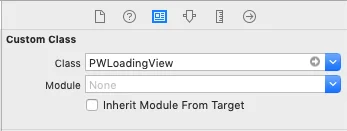
- عيّن المنافذ (outlets):
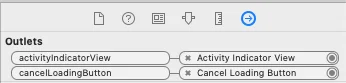
Android
Anchor link toتنفذ RichMediaStyle.LoadingViewCreatorInterface دالة تعيد View لاستخدامه كشاشة تحميل للوسائط الغنية:
richMediaStyle.setLoadingViewCreator(() -> { View screenView = createYourScreenView(); return screenView;});تأخير تفعيل زر الإغلاق
Anchor link toتأكد من عرض رسالة In-App للمستخدمين عن طريق تعطيل زر الإغلاق حتى يتم تحميل الوسائط الغنية.
style.closeButtonPresentingDelay = 3;Android
Anchor link to// set a value in millisecondsrichMediaStyle.setTimeOutBackButtonEnable(3000);